
This page is not an official page of the app or its developer, but an independent editorial publication created for informational and commentary purposes. Unless expressly stated otherwise, neither the app nor its developer is affiliated with, endorsed by, sponsored by, authorized by, or otherwise officially connected with MWM, Apple, Google Play, the app publisher, or the app's developer, and nothing on this page implies that the app was developed using MWM's services. Any trademarks, logos, screenshots, and other content remain the property of their respective owners.

Phraseboard Keyboard
The all-in-one keyboard for busy professionals and social creators. Access your custom phrases, 100+ creative fonts, and instant translations with a single tap in any app.
Downloads
168K+User Rating
Total Ratings
600Publisher
Category
UtilitiesLocales
11Latest Version
6.9Size
156.3 MBFirst Released
Sep 23, 2014Elevate Your Communication
Save hours every week with one-tap custom phrases and express your unique style with 100+ creative fonts, all directly from your keyboard.
Instant One-Tap Replies
Stop typing the same responses over and over. Organize your most-used messages by category and send them in seconds across any app.
100+ Creative Fonts
Upgrade your digital presence. Access a massive library of unique fonts to make your social media bios, captions, and texts stand out.
Frequently Asked Questions
Everything you need to know about Phraseboard Keyboard
What is Phraseboard Keyboard?
Phraseboard Keyboard customizes your keyboard with easy-to-access, categorized phrases. It enables users to quickly type, edit, translate, and share common responses across various applications.
How do I enable Phraseboard Keyboard on my device?
To enable Phraseboard Keyboard, navigate to your device's Settings, then Keyboard. Select Phraseboard and activate the "Allow Full Access" switch. This step is necessary for your custom phrases to appear.
Does Phraseboard Keyboard record my keystrokes?
No, Phraseboard Keyboard does not save or log any of your keystrokes. It requires "Allow Full Access" solely to display your custom phrases on the keyboard interface.
Can I customize the look of Phraseboard Keyboard?
Yes, Phraseboard Keyboard offers extensive customization for its appearance. You can design keyboard styles, including button and background colors, and use custom photos as the keyboard background.
What font options are available in Phraseboard Keyboard?
Phraseboard Keyboard offers over 100 creative fonts. Users can change phrase fonts, customize their size, and alter their color. These specific font customization features require an active subscription.
Can Phraseboard Keyboard translate my phrases?
Yes, Phraseboard Keyboard translates your phrases into more than 59 languages. It also provides a speak mode to read phrases aloud. These translation and speak features require an active subscription.
Which features of Phraseboard Keyboard require a Premium subscription?
Phraseboard Premium subscription unlocks features such as changing phrase fonts, designing keyboard styles, translating phrases, speak mode, sending GIFs, and advanced font customization options.
Is a free trial available for Phraseboard Premium?
Yes, Phraseboard Premium includes a 3-day free trial upon joining. Any remaining free trial period is forfeited if a subscription is purchased before the trial concludes.
How do I cancel or manage my Phraseboard Premium subscription?
You can manage your Phraseboard Premium subscription and disable auto-renewal through your user's Account Settings after purchase. Auto-renewal must be turned off at least 24 hours before the current period ends.
How does Phraseboard Keyboard organize custom phrases?
Phraseboard Keyboard organizes custom phrases by categories created by the user. It also features a "Secure" category for protected phrases and supports iCloud synchronization across your devices.
The following screenshots and description are sourced directly from the app's official store listing and are the property of the app developer.
App Store
Screenshots
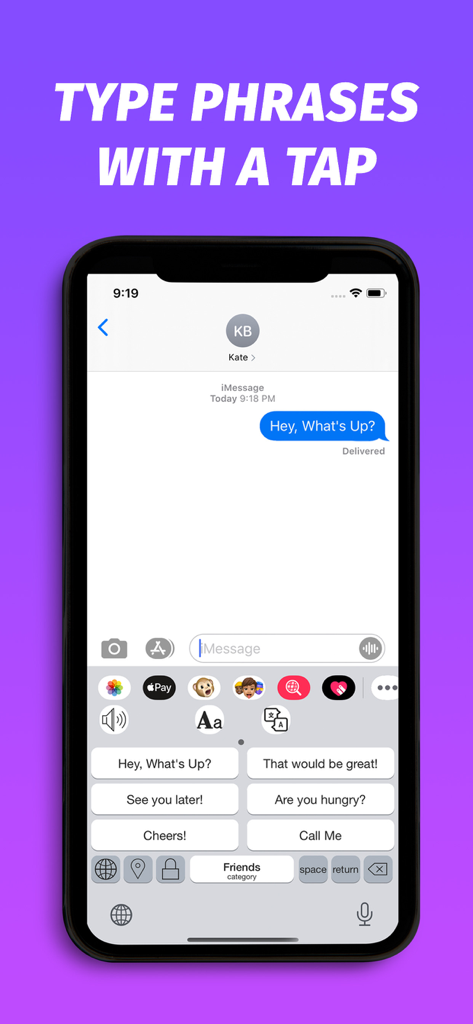
Phraseboard custom keyboard interface displaying quick reply phrase buttons for fast messaging in an iMessage chat
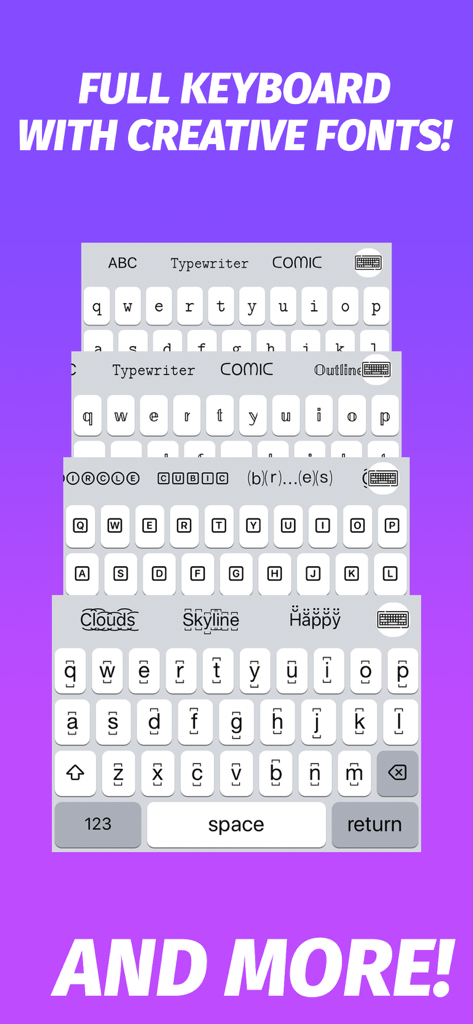
A stack of mobile keyboard interfaces showcasing different creative font styles like Typewriter, Comic, and Outline.
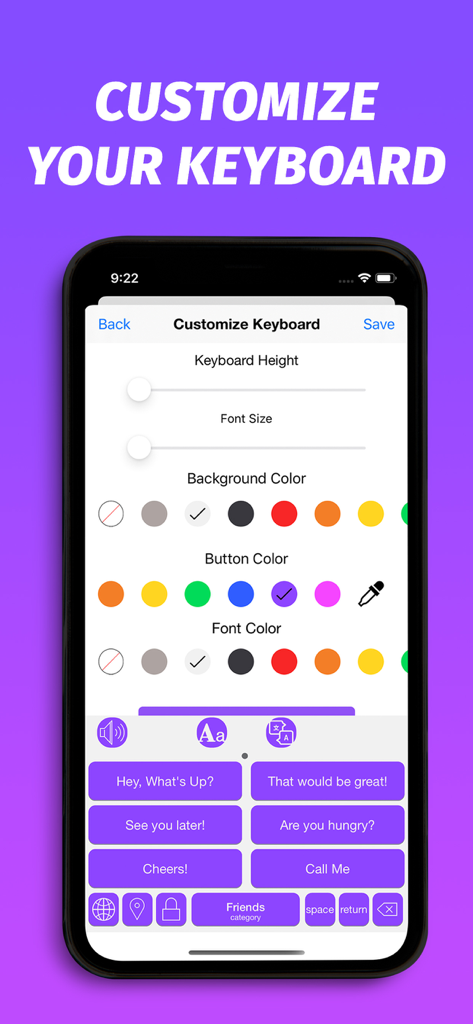
A mobile screen showing customization settings for keyboard height, font size, and color themes in the Phraseboard app.
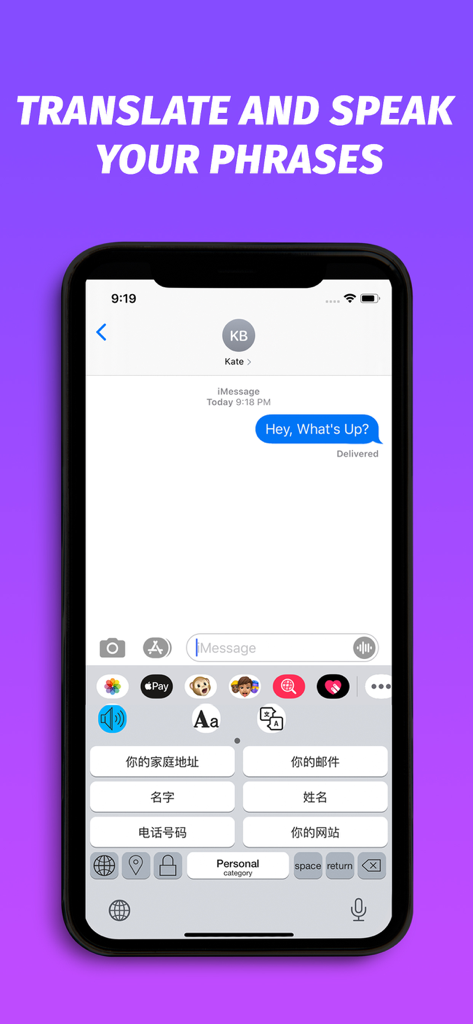
A smartphone screen showing the Phraseboard Keyboard translation feature with quick-reply phrases in Chinese.
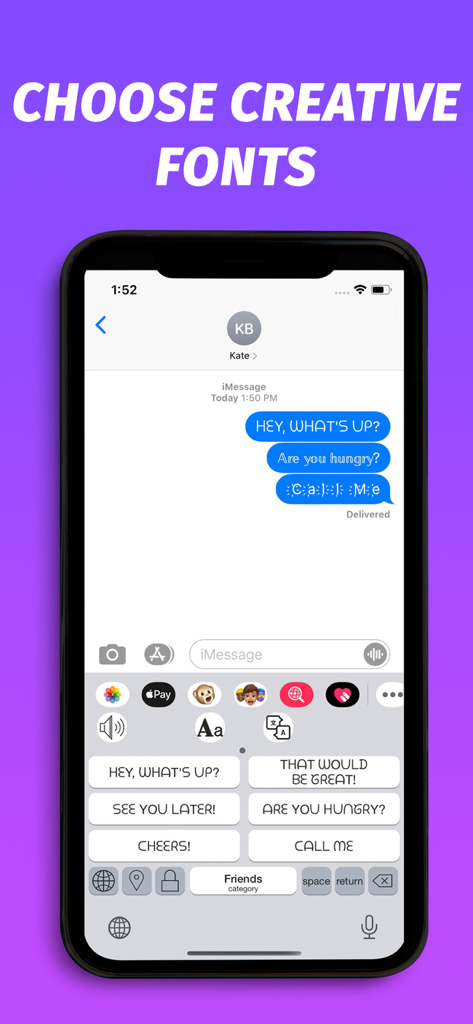
Phraseboard Keyboard interface with custom fonts and quick reply phrases.
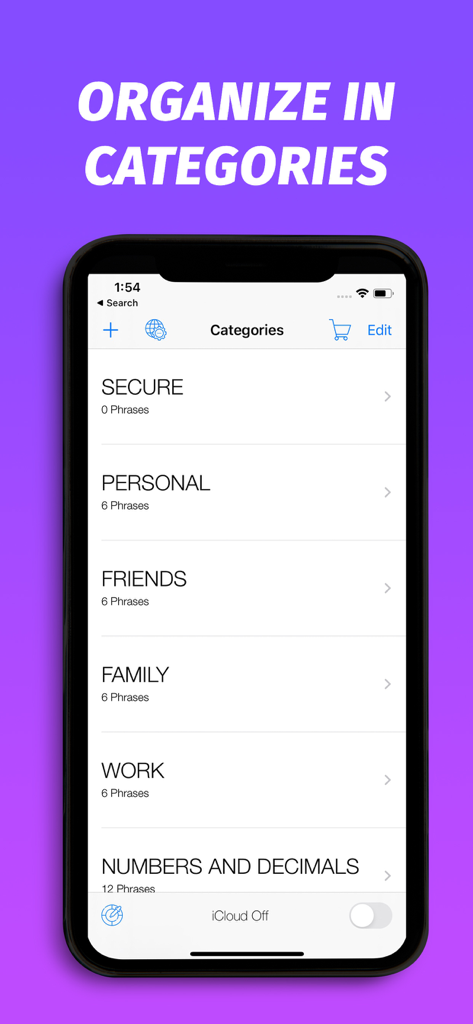
Screenshot of Phraseboard Keyboard showing message categories like Secure Personal Friends and Work
Description
Download
More Like This
Top-ranked apps in the same category

Google LLC

Google Chrome
Google LLC

中国移动(手机营业厅)
China Mobile Online Services Co., Ltd.

Google Authenticator
Google LLC

CNH do Brasil
Servicos e Informacoes do Brasil

Cleanup: Phone Storage Cleaner
DEEP FLOW SOFTWARE SERVICES - FZCO

gov.br
Servicos e Informacoes do Brasil

中国电信-全国统一官方服务平台
CHINA TELECOM Corporation Ltd.

Microsoft Edge: AI Browser
Microsoft Corporation
This page is not an official page of the app or its developer, but an independent editorial publication created for informational and commentary purposes. Unless expressly stated otherwise, neither the app nor its developer is affiliated with, endorsed by, sponsored by, authorized by, or otherwise officially connected with MWM, Apple, Google Play, the app publisher, or the app's developer, and nothing on this page implies that the app was developed using MWM's services. Any trademarks, logos, screenshots, and other content remain the property of their respective owners.