
This page is not an official page of the app or its developer, but an independent editorial publication created for informational and commentary purposes. Unless expressly stated otherwise, neither the app nor its developer is affiliated with, endorsed by, sponsored by, authorized by, or otherwise officially connected with MWM, Apple, Google Play, the app publisher, or the app's developer, and nothing on this page implies that the app was developed using MWM's services. Any trademarks, logos, screenshots, and other content remain the property of their respective owners.


Pic Stitch - Collage Editor
Unleash your visual storytelling. The app arms users with the power to condense multiple moments into single, impactful visuals.
Downloads
7.5M+User Rating
Total Ratings
111.3KPublisher
Category
Photo & VideoLocales
18Latest Version
8.3.25Size
417.5 MBFirst Released
Aug 15, 2011An evaluation of core functionalities impacting social media engagement and creative content generation.
Key Features Analysis: Pic Stitch - Collage Editor
Extensive Collage Layouts
The app provides access to over 400 diverse collage layouts, enabling users to creatively combine multiple photos and videos into visually engaging frames suitable for various storytelling needs.
Integrated Photo & Video Editing Suite
This tool features a comprehensive suite of photo and video editing functionalities, including filters, effects, text overlays, and stickers, empowering users to enhance and refine their visuals directly within the app.
Multi-media Collage Creation
It allows users to seamlessly integrate both photos and videos into a single collage, offering dynamic storytelling possibilities and richer content for diverse social sharing platforms.
Social Media Optimized Aspect Ratios
The app includes 15 different photo aspect ratios, specifically optimized for various social platforms (e.g., 9x16 for stories), ensuring content is perfectly sized for direct sharing without manual adjustments.
Advanced Filter and Border Customization
This tool offers 25 filter packs and over 30 border packs, providing extensive options for users to stylize their collages and achieve a unique, branded aesthetic that helps content stand out.
Direct Sharing & High-Resolution Export
The app facilitates direct sharing to popular social media networks and offers high-resolution export options, ensuring user-created content maintains optimal quality and reaches the intended audience effectively.
Frequently Asked Questions
Everything you need to know about Pic Stitch - Collage Editor
What is Pic Stitch?
Pic Stitch is a collage maker app for iPhone and iPad. It transforms your camera roll into stunning photo and video collages using robust editing tools and various layouts.
How many collage layouts does Pic Stitch offer?
Pic Stitch offers over 400 different collage layouts. Users can explore trending layouts and also create custom layouts for their photos and videos to fit any creative need.
Can Pic Stitch edit both photos and videos?
Yes, Pic Stitch works with both photos and videos. It provides robust editing tools for trimming videos and enhancing photos with various filters, effects, and adjustments.
What social media platforms does Pic Stitch support for sharing?
Pic Stitch supports sharing masterpieces directly to popular social media networks including Facebook, Twitter, and Instagram. Users can also save their creations to their device's photo album.
Does Pic Stitch include filters and borders for collages?
Yes, Pic Stitch includes 25 filter packs to enhance photos and over 30 border packs to customize layouts. These options help users make their collages visually appealing.
Has Pic Stitch received notable recognition for its performance?
Yes, Mashable recognized Pic Stitch as one of the Top 7 photo apps and among the Top 100 apps of all time. This highlights its significant standing in the app market.
Does Pic Stitch offer iOS Home Screen Widgets?
Yes, Pic Stitch features iOS Home Screen Widget Wallpapers. Users can explore these widgets to display their most recent collages directly on their device's home screen for quick access.
What photo aspect ratios are available in Pic Stitch?
Pic Stitch provides 15 different photo aspect ratios, optimized for sharing on various platforms. Examples include 9x16 for social stories and common ratios like 4x3, 5x7, and 8x10.
Can users add text and stickers to their collages in Pic Stitch?
Yes, Pic Stitch allows users to add text overlays with various font styles, colors, and backgrounds. Users can also decorate their photo collages with favorite stickers powered by Giphy.
Where can I find the Privacy Policy for Pic Stitch?
The Privacy Policy for Pic Stitch is available at the provided URL: https://maplemedia.io/privacy/. This document outlines how the app handles user data and ensures transparency.
The following screenshots and description are sourced directly from the app's official store listing and are the property of the app developer.
App Store
Screenshots

See how the app streamlines collage creation with intuitive controls for 'Background' settings and various 'Layout' options.
Collage Creation Basics
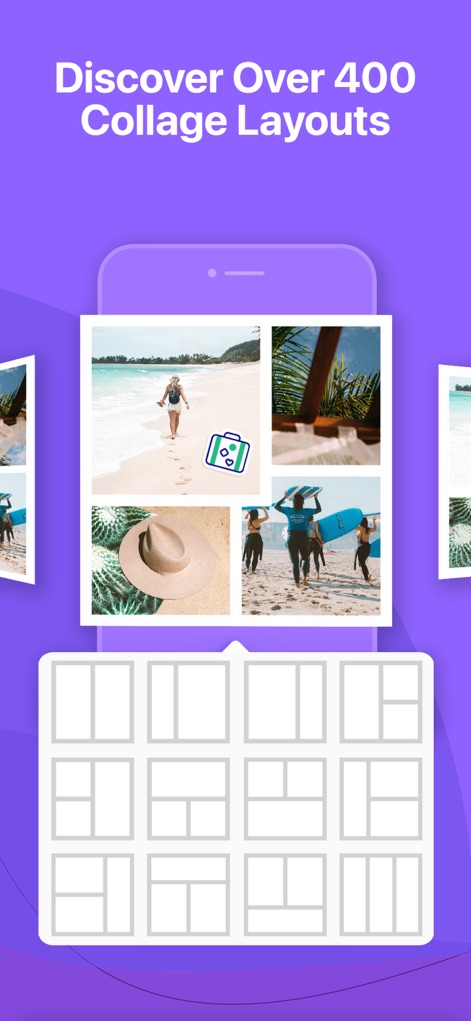
This tool showcases a vast library of over '400 collage layouts' and provides clear visual previews of each 'layout grid'.
Layout Exploration

Users can refine visuals with precise 'video trimming' controls and a selection of 'photo FX filters' for every mood.
Dynamic Editing Suite

The app enables users to personalize collages with diverse 'border packs' and creative 'frame editor' options.
Custom Border Designs
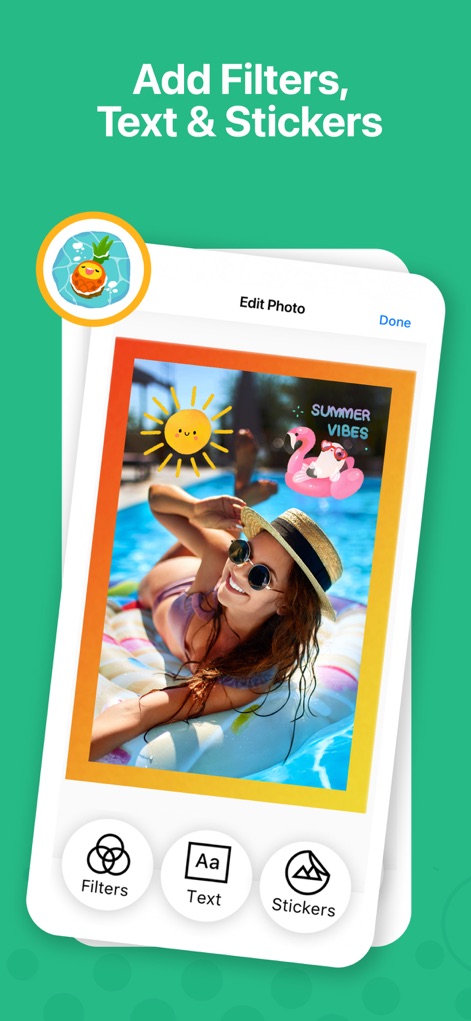
This tool allows users to adorn images with playful 'stickers powered by Giphy' and customize visuals with robust 'text editor' capabilities.
Enhance with Overlays

Discover creative ideas for 'holiday collages' featuring diverse themes and festive 'border designs'.
Thematic Collage Inspiration

Users can craft unique visual stories by leveraging the 'custom layout' feature and easily rearranging images with 'drag-and-drop' functionality.
Bespoke Layout Building
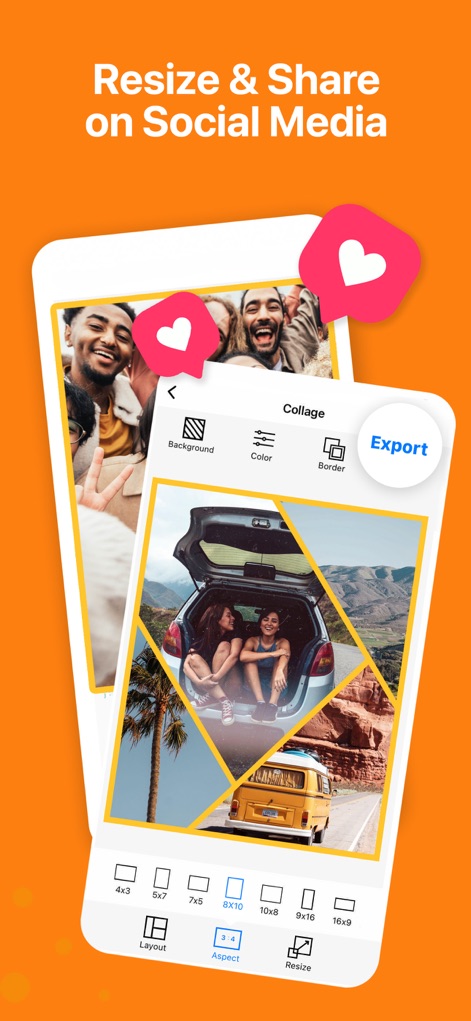
The app provides various 'photo aspect ratios' optimized for social platforms and a direct 'Export' option for seamless sharing.
Optimized Sharing

Explore the convenience of 'iOS Home Screen Widget Wallpapers' displaying recent collages and easy access to 'multiple collage previews'.
Widget Integration
Description
Download
More Like This
Apps with similar features and user experience

SCRL: Photo Collage Maker
Appostrophe AB

PhotoGrid: Video Collage Maker
JUPITER PALACE PTE. LTD.

Layout for Instagram: Collage
Shamble, Inc.

Photo Collage Maker: InCollage
SHANTANU PTE. LTD.

TicPic
Zhuhai Kuxiong Network Technology Co., Ltd.

Collage Maker: CollagePlus
Shamble, Inc.

Photo Collage Montage Maker
Honk Honk Punch Pty Ltd

Photo Collage Maker & Creator
Honk Honk Punch Pty Ltd

Photo Collage Montage & Layout
Honk Honk Punch Pty Ltd
This page is not an official page of the app or its developer, but an independent editorial publication created for informational and commentary purposes. Unless expressly stated otherwise, neither the app nor its developer is affiliated with, endorsed by, sponsored by, authorized by, or otherwise officially connected with MWM, Apple, Google Play, the app publisher, or the app's developer, and nothing on this page implies that the app was developed using MWM's services. Any trademarks, logos, screenshots, and other content remain the property of their respective owners.