Picsoft AI Photo Editor

This page is not an official page of the app or its developer, but an independent editorial publication created for informational and commentary purposes. Unless expressly stated otherwise, neither the app nor its developer is affiliated with, endorsed by, sponsored by, authorized by, or otherwise officially connected with MWM, Apple, Google Play, the app publisher, or the app's developer, and nothing on this page implies that the app was developed using MWM's services. Any trademarks, logos, screenshots, and other content remain the property of their respective owners.
Logo of Picsoft AI Photo Editor

Picsoft AI Photo Editor

Transform your photos instantly with one-tap background removal, aesthetic filters, and advanced retouching. The ultimate creative companion for influencers, resellers, and digital creators.

Key Figures

Downloads

1K+

User Rating

1.0/5

Total Ratings

0

Publisher

Changsha Picsoft Technology Co., Ltd

Category

Utilities

Locales

12

Latest Version

1.0.8

Size

238.2 MB

First Released

Jan 3, 2026
Features

Elevate Your Digital Presence in Seconds

From viral social posts to professional product listings, Picsoft uses AI to make high-end editing effortless and stunning for creators and entrepreneurs.

Pro-Level E-commerce Tools

Remove backgrounds instantly and batch-edit product photos for Poshmark, Depop, or Etsy in one single tap.

Flawless AI Retouching

Achieve a polished look with precision blemish removal, skin smoothing, and facial reshaping for natural, magazine-quality results.

The following screenshots and description are sourced directly from the app's official store listing and are the property of the app developer.

App Store

Screenshots
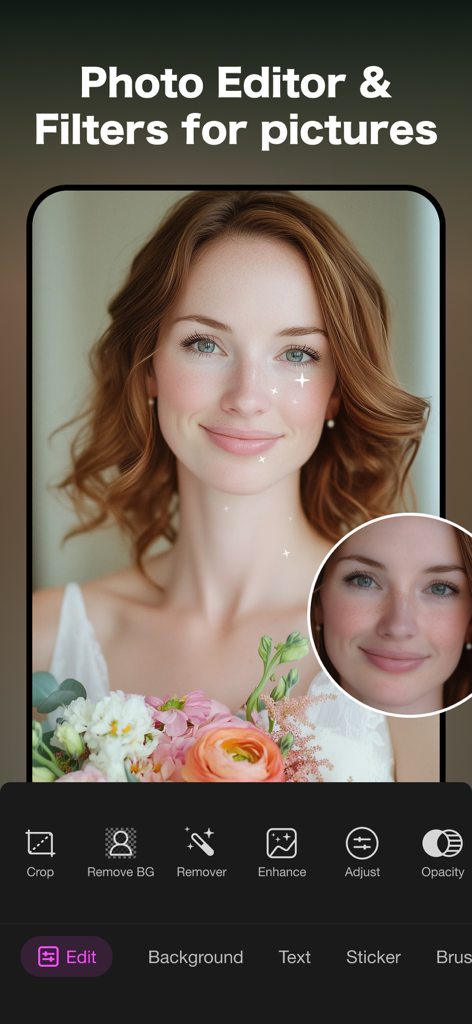
Picsoft AI Photo Editor - Picsoft AI Photo Editor interface showing portrait retouching tools and filters on a woman portrait with flowers
Picsoft AI Photo Editor interface showing portrait retouching tools and filters on a woman portrait with flowers

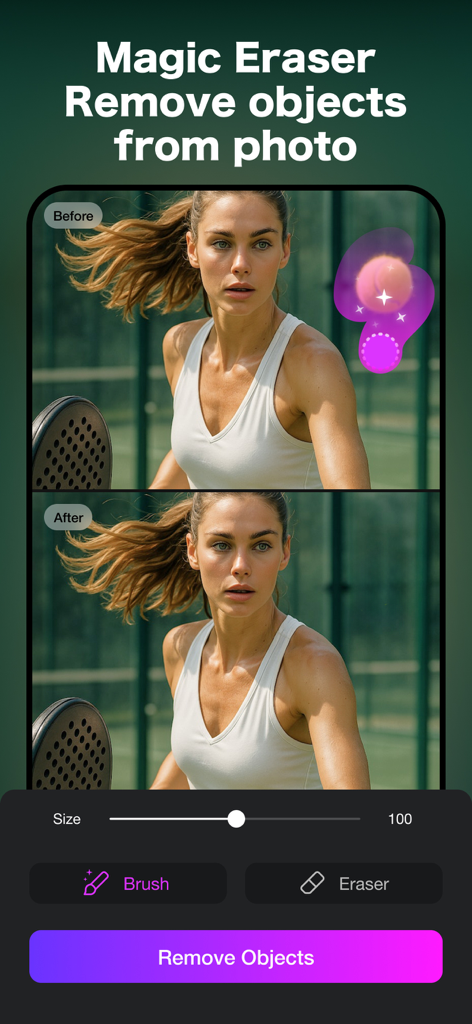
Picsoft AI Photo Editor - Picsoft AI Photo Editor Magic Eraser tool showing before and after comparison of object removal from a sports photo
Picsoft AI Photo Editor Magic Eraser tool showing before and after comparison of object removal from a sports photo

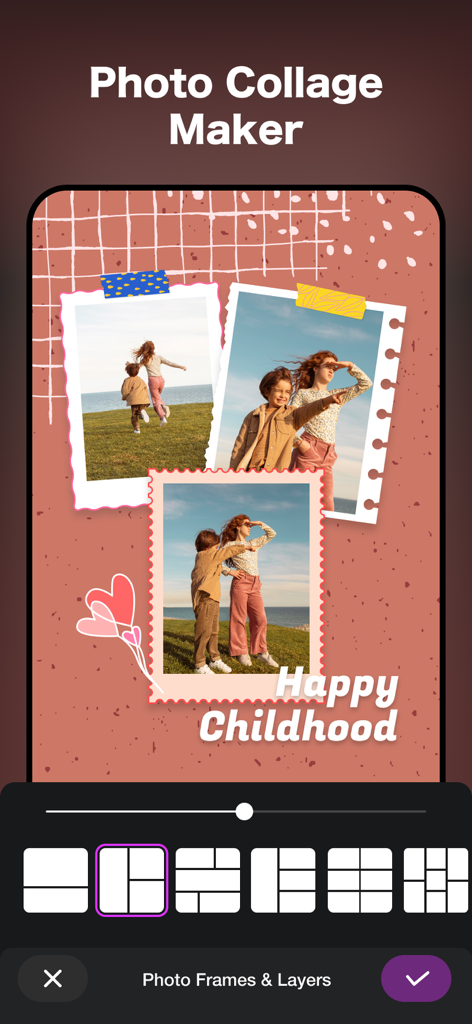
Picsoft AI Photo Editor - A mobile app screenshot showing the Photo Collage Maker feature with aesthetic templates and grid layout options for editing childhood photos.
A mobile app screenshot showing the Photo Collage Maker feature with aesthetic templates and grid layout options for editing childhood photos.

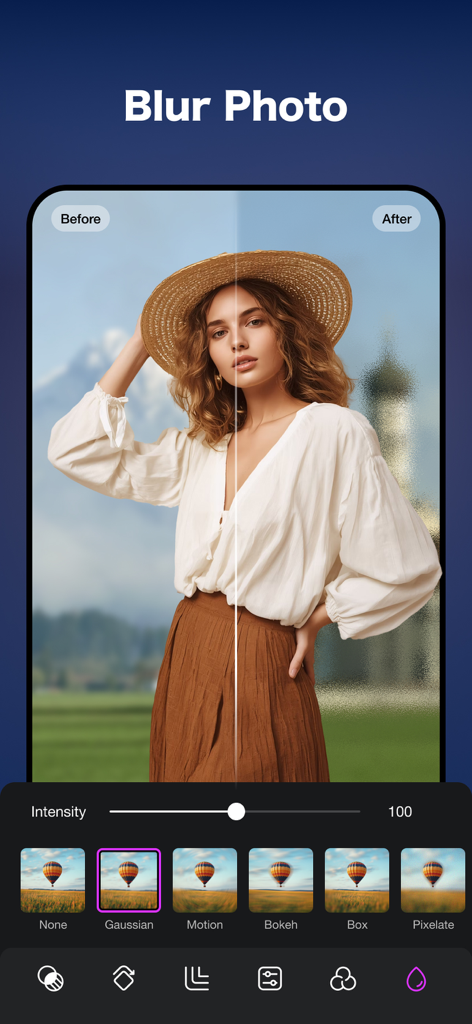
Picsoft AI Photo Editor - Interface of Picsoft AI Photo Editor showing a before and after comparison of a portrait with a blurred background using the Gaussian blur tool.
Interface of Picsoft AI Photo Editor showing a before and after comparison of a portrait with a blurred background using the Gaussian blur tool.

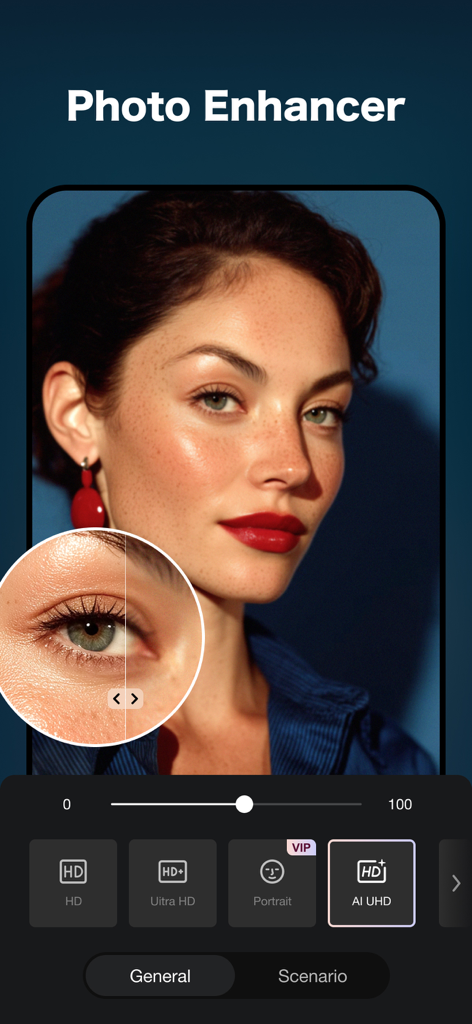
Picsoft AI Photo Editor - Picsoft AI Photo Editor app screen showing the AI photo enhancer tool with high definition portrait editing features
Picsoft AI Photo Editor app screen showing the AI photo enhancer tool with high definition portrait editing features

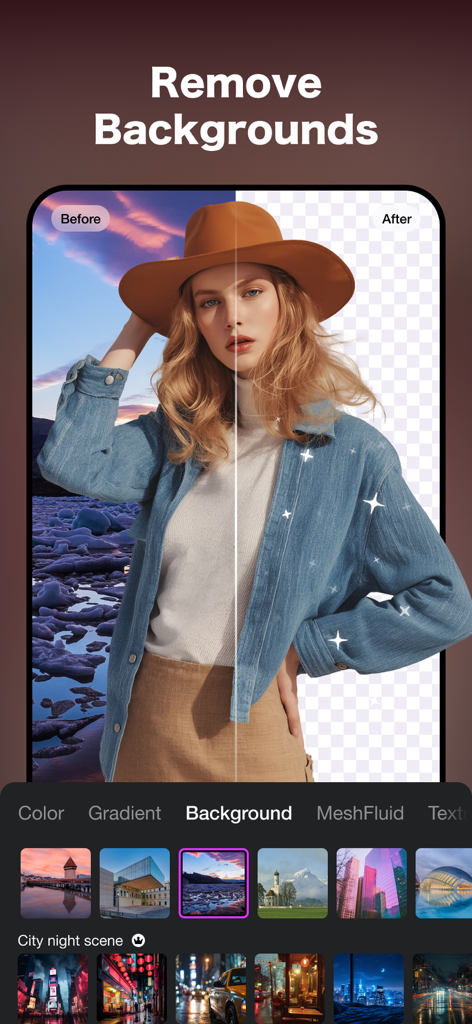
Picsoft AI Photo Editor - A before and after slider demonstration of the AI background removal tool in the Picsoft Photo Editor app
A before and after slider demonstration of the AI background removal tool in the Picsoft Photo Editor app

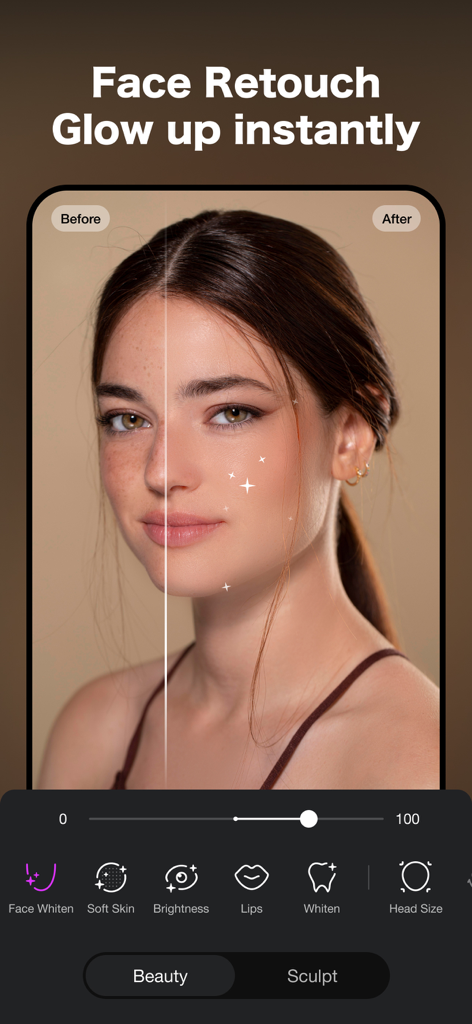
Picsoft AI Photo Editor - A mobile app interface displaying AI face retouching features with a before and after comparison of skin smoothing and brightening
A mobile app interface displaying AI face retouching features with a before and after comparison of skin smoothing and brightening

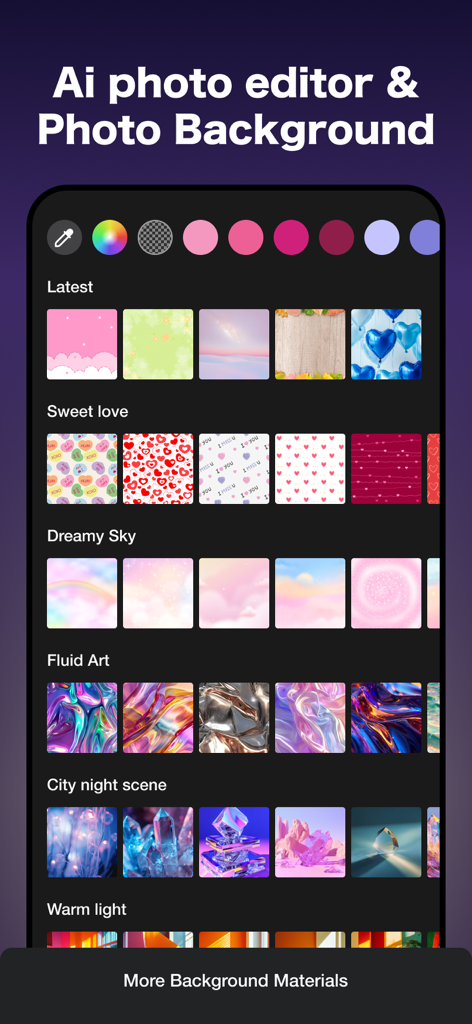
Picsoft AI Photo Editor - Interface showing various aesthetic background categories and color picker in Picsoft AI Photo Editor
Interface showing various aesthetic background categories and color picker in Picsoft AI Photo Editor

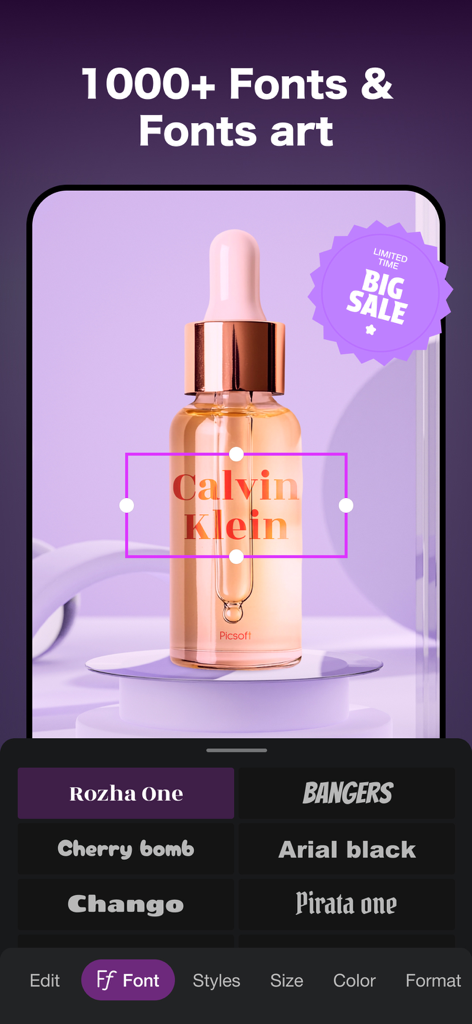
Picsoft AI Photo Editor - Picsoft AI Photo Editor interface showing font selection and text overlay for an e-commerce product photo

Picsoft AI Photo Editor interface showing font selection and text overlay for an e-commerce product photo

Picsoft AI Photo Editor - A photo of a woman being edited with aesthetic stickers and sale badges in the Picsoft app interface

A photo of a woman being edited with aesthetic stickers and sale badges in the Picsoft app interface

Description

Unleash your creative potential with PicSoft— the all-in-one, AI-powered design studio that’s free and easy to use. It's the perfect companion for any creative project, allowing you to instantly transform inspiration into a finished product. [Photo Editor] • 300+ EFFECTS and FILTERS to match any style. • Text: 50+ custom fonts. Say what you gotta say with style. • Stickers: add gifs, emojis, and stickers to your photos. Enjoy complete freedom of self expression. • Adjusts: various tools to tune your content and get the exact result you need. • Create professional-looking photos by softening your background for a natural bokeh effect. • Advanced Cropping: It lets you effortlessly frame your shots in the most visually appealing way. • Adjustable Blur Brush with soft and hard options • Create pixelated mosaic, halftone, or soft blur wallpapers [Background Removal Tool] • One-tap background removal. Remove or replace backgrounds for polished, professional images. • Instant Background Changer & 400+ Templates: Choose from solid colors, gradient blends, and over 400 creative backgrounds across multiple themes. • Batch editing. Edit multiple photos at once—perfect for e-commerce. • Remove unwanted objects from your photos with precision and speed. • Outlines: Make your cutouts pop with stylish outlines • Image cutout: Effortlessly isolate your subject for a clean, professional look. [Aesthetic Templates] 300+ templates, use professional presets to perfect your unique photo or video style. Professional presets allow you to edit and customize our most iconic tools, adjusting preset contrast, color, hue, and more. [Perfect Retouch Effect] • Blemish Removal: Say goodbye to acne and blemishes with precision editing that leaves your skin peachy and spotless. • Smooth: Soften wrinkles and balance skin tones for a youthful glow. • Highlighter: Illuminate your best features by adding texture or highlighter to make them pop. • Reshape: Sculpt your facial features effortlessly, ensuring every angle is your best angle. • Eye Enhancer: Overcome red eyes, erase dark circles, or experiment with vibrant eye colors for a captivating look. • Teeth: Flaunt a brighter smile and whiten clothing to keep your style looking immaculate. [Easy to Share] • High-quality exports ready for web, social, or e-commerce. • Instant sharing to your favorite platforms in just one click. [PicSoft Pro Unlimited Subscription] - Subscription type: Weekly, Monthly, Yearly. - Subscription automatically renews unless auto-renew is turned off at least 24-hours before the end of the current period. - Subscriptions may be managed by the user and auto-renewal may be turned off by going to the user's Account Settings after purchase. - Any unused portion of a free trial period will be forfeited when the user purchases a subscription. - Payment will be charged to iTunes Account at confirmation of purchase. - An account will be charged for renewal within 24 hours prior to the end of the current period. The cost depends on the selected plan. Privacy Policy: https://www.picsoft.cc/app/policy Terms of Use: https://www.picsoft.cc/app/terms

Download

This page is not an official page of the app or its developer, but an independent editorial publication created for informational and commentary purposes. Unless expressly stated otherwise, neither the app nor its developer is affiliated with, endorsed by, sponsored by, authorized by, or otherwise officially connected with MWM, Apple, Google Play, the app publisher, or the app's developer, and nothing on this page implies that the app was developed using MWM's services. Any trademarks, logos, screenshots, and other content remain the property of their respective owners.








