
This page is not an official page of the app or its developer, but an independent editorial publication created for informational and commentary purposes. Unless expressly stated otherwise, neither the app nor its developer is affiliated with, endorsed by, sponsored by, authorized by, or otherwise officially connected with MWM, Apple, Google Play, the app publisher, or the app's developer, and nothing on this page implies that the app was developed using MWM's services. Any trademarks, logos, screenshots, and other content remain the property of their respective owners.

PixelCalc
Bridge the gap between digital screens and physical media. Instantly calculate print dimensions, maintain perfect proportions, and eliminate guesswork with professional-grade reference charts.
Downloads
0User Rating
Total Ratings
0Publisher
Category
ProductivityLocales
1Latest Version
1.81.4Size
4.2 MBFirst Released
May 7, 2010Technical Precision for Creative Professionals
PixelCalc eliminates guesswork by bridging the gap between digital pixels and physical print dimensions with high-accuracy conversion tools.
Seamless Dimension Conversion
Instantly convert between pixels and inches at any resolution to ensure your high-res files are print-ready every time.
Proportional Scaling Engine
Resize images and layouts with a professional-grade proportional calculator that prevents distortion and maintains visual integrity.
The following screenshots and description are sourced directly from the app's official store listing and are the property of the app developer.
App Store
Screenshots
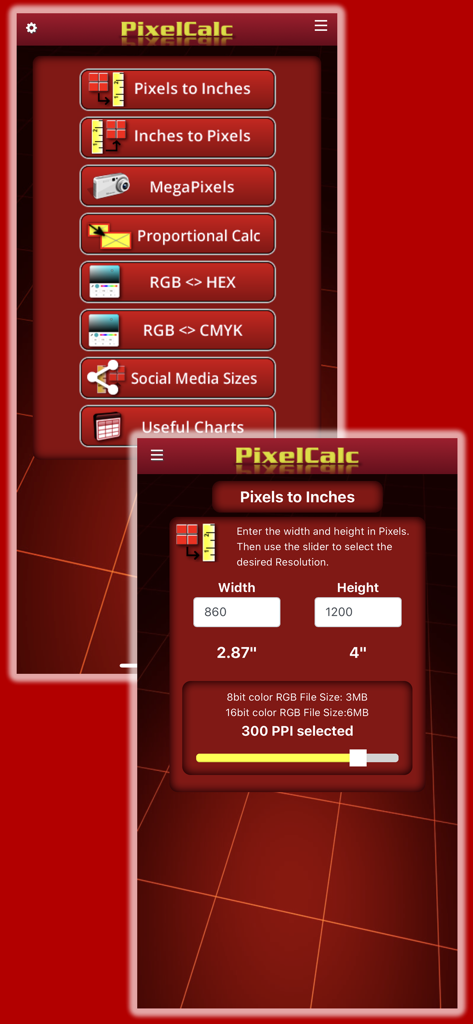
PixelCalc app interface showing the main menu and the pixel to inch conversion tool with resolution settings.
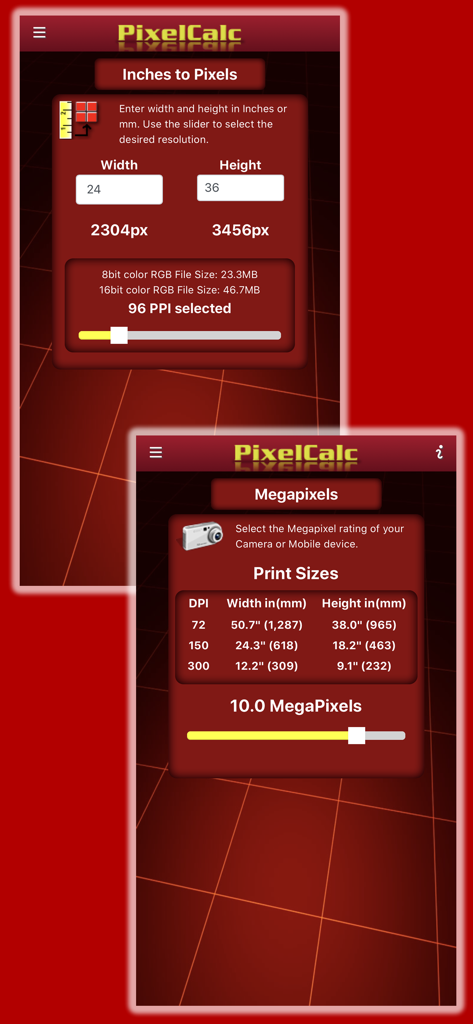
Screenshots of PixelCalc app showing the inches to pixels calculator and megapixels to print size reference chart
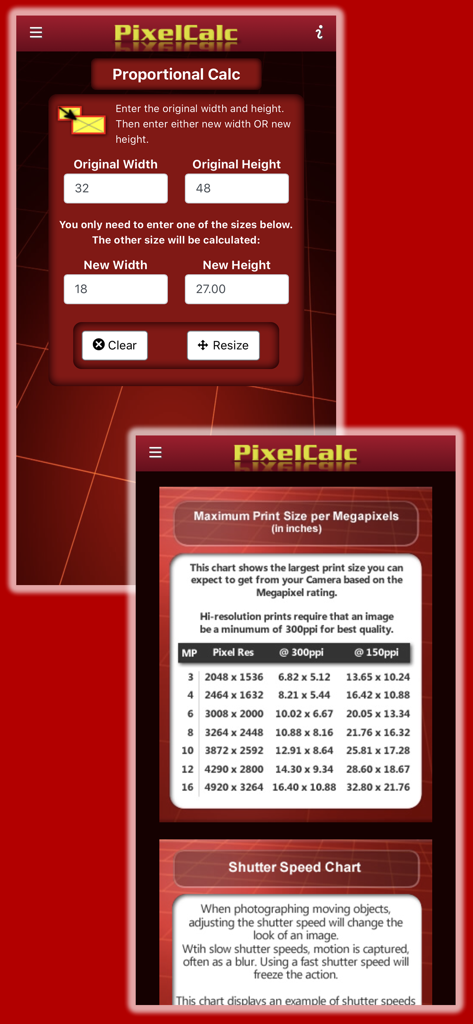
PixelCalc app interface showing proportional image calculator and print size reference charts
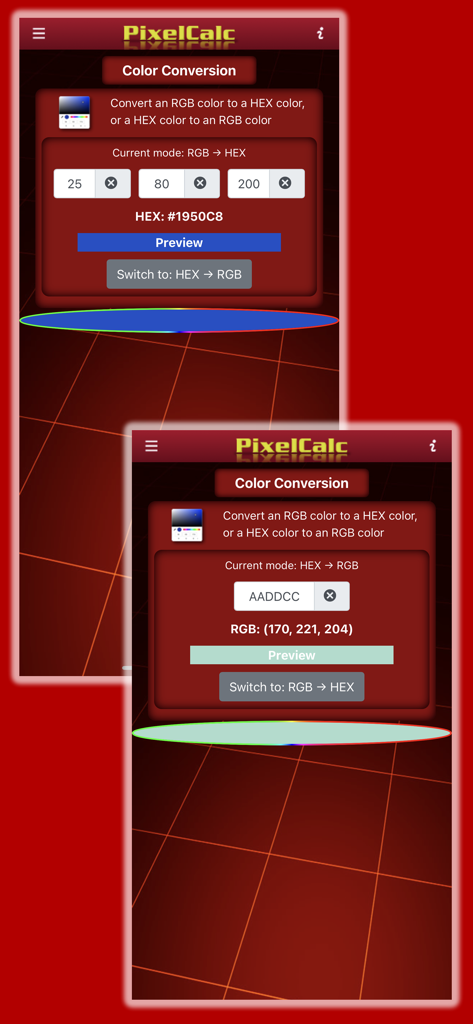
PixelCalc app interface showing RGB and HEX color conversion screens for designers
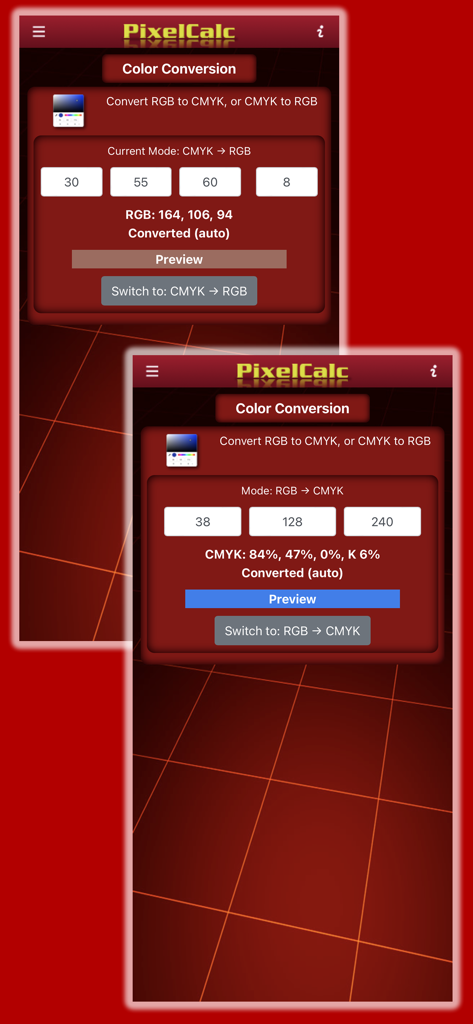
PixelCalc app color conversion interface for RGB and CMYK values
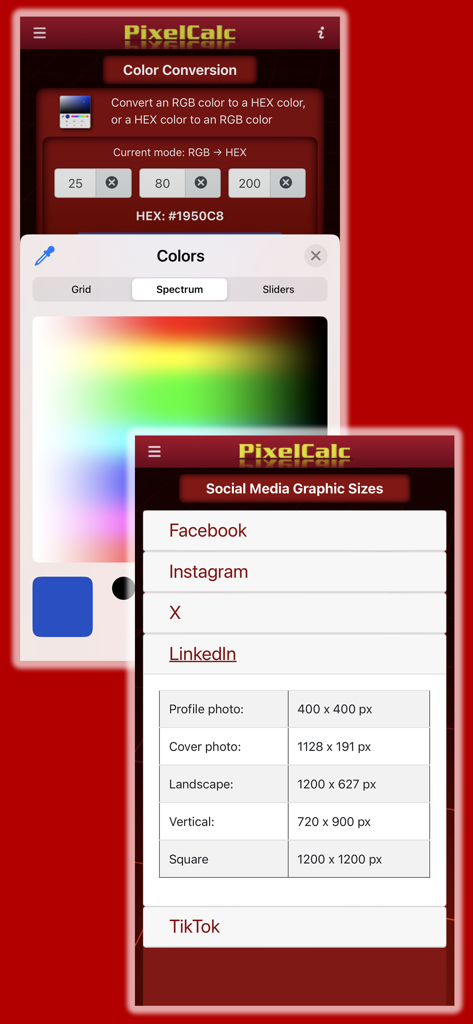
PixelCalc app interface showing color conversion and social media graphic size guides.
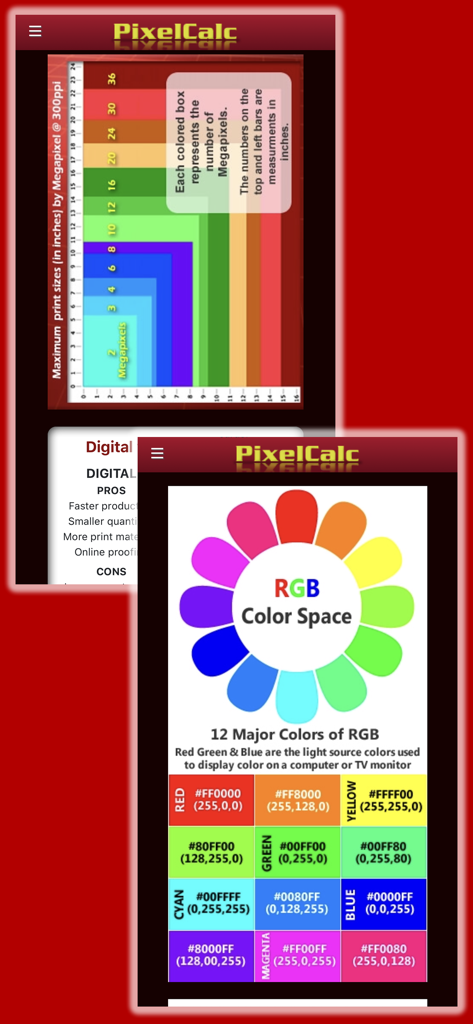
PixelCalc app screenshots showing a megapixel to print size reference chart and an RGB color space guide with hex codes.
Description
Download
More Like This
Top-ranked apps in the same category

ChatGPT
OpenAI OpCo, LLC
Google Gemini
Google LLC

Gmail - Email by Google
Google LLC

Grok
X.AI Corporation

千问 - 阿里最强大模型官方AI助手
Shanghai Zhixin Puhui Technology Co., Ltd.

Claude by Anthropic
Anthropic PBC

Google Drive
Google LLC

Microsoft Authenticator
Microsoft Corporation

Google Sheets
Google LLC
This page is not an official page of the app or its developer, but an independent editorial publication created for informational and commentary purposes. Unless expressly stated otherwise, neither the app nor its developer is affiliated with, endorsed by, sponsored by, authorized by, or otherwise officially connected with MWM, Apple, Google Play, the app publisher, or the app's developer, and nothing on this page implies that the app was developed using MWM's services. Any trademarks, logos, screenshots, and other content remain the property of their respective owners.