
This page is not an official page of the app or its developer, but an independent editorial publication created for informational and commentary purposes. Unless expressly stated otherwise, neither the app nor its developer is affiliated with, endorsed by, sponsored by, authorized by, or otherwise officially connected with MWM, Apple, Google Play, the app publisher, or the app's developer, and nothing on this page implies that the app was developed using MWM's services. Any trademarks, logos, screenshots, and other content remain the property of their respective owners.

Pixquare - Pixel Art Studio
Unleash your inner pixel maestro. This app delivers precision and power directly to your fingertips, transforming casual doodles into masterful retro art.
Downloads
250k+User Rating
Total Ratings
3.6KPublisher
Category
Graphics & DesignLocales
14Latest Version
2.67.0Size
58.7 MBFirst Released
Jun 13, 2023An in-depth evaluation of essential functionalities tailored for digital and pixel artists.
Pixquare - Key Feature Analysis
Professional Aseprite Integration
It features robust compatibility with Aseprite files, allowing for seamless import and export of projects, which is critical for professional workflows.
Comprehensive Drawing & Editing Tools
The app includes a versatile suite of drawing tools, such as custom brushes, pixel-perfect mode, pressure sensitivity, dithering, shape creation, and advanced color manipulation.
Animation-Ready Layer System
This tool offers an optimized layer and timeline panel, supporting advanced animation features like multi-selection, frame tagging, onion skinning, and clipping masks.
Enhanced Apple Pencil Support
It provides comprehensive Apple Pencil support, including gesture recognition, pressure sensitivity, and touch rejection for a natural and precise drawing experience.
Flexible Color Mode Selection
It supports both RGB and Indexed color modes, offering essential flexibility for various pixel art styles, color constraints, and optimization needs.
Customizable & Ergonomic UI
The app provides a highly customizable and intuitive user interface, including a left-hand mode, allowing artists to tailor their workspace for maximum efficiency and comfort.
Robust Color Palette Tools
The app provides comprehensive color palette management, including saving/loading from Lospec, import/export options, and a color gradient generator for efficient color workflow.
Integrated Tileset/Tilemap System
This tool includes a dedicated Tileset/Tilemap system, which is invaluable for game developers creating reusable assets and complex environments efficiently.
Frequently Asked Questions
Everything you need to know about Pixquare - Pixel Art Studio
What is Pixquare?
Pixquare is a top-rated pixel art editor for iPads and iPhones, designed for beginners and professionals. It offers a simple interface and rich toolset for creating game assets, animations, and pixel art doodles.
Can users create animations with Pixquare?
Yes, Pixquare supports animation creation. It features an optimized layer/timeline panel, frame tagging, onion skin, and clipping mask capabilities specifically designed for animating pixel art.
Does Pixquare support both iPad and iPhone devices?
Yes, Pixquare supports both iPad and iPhone devices. This allows artists to create pixel art flexibly across their Apple mobile ecosystem.
What file formats can Pixquare import and export?
Pixquare supports Aseprite file import and export. It also allows GIF importing and exports to PNG, GIF, MOV, and Sprite sheet formats. Users can also import photos and files as reference layers.
Does Pixquare require a subscription?
No, Pixquare does not require a subscription. It operates on a "buy once" model, providing free updates forever after a single purchase.
Can I customize the user interface and themes in Pixquare?
Yes, Pixquare offers a highly customizable and intuitive UI, including a left-hand mode. It also supports custom themes, allowing users to personalize their workspace.
Is Pixquare suitable for creating game development assets?
Yes, Pixquare is suitable for creating game development assets. It includes features like a Tileset/Tilemap system and the ability to export sprite sheets, which are essential for game design.
Does Pixquare provide support for Apple Pencil?
Yes, Pixquare fully supports Apple Pencil. It includes features such as gestures, pressure sensitivity, and touch rejection to enhance the drawing experience.
Does Pixquare offer timelapse recording?
Yes, Pixquare provides automatic timelapse recording. This feature allows artists to document their creative process from start to finish.
What versatile tools are available in Pixquare for pixel art?
Pixquare offers versatile tools like various brushes (spray, pixel perfect, pressure sensitivity), eraser, move, line, shape, and selection tools. It also includes color management, shading, and advanced options like color replacement and text.
The following screenshots and description are sourced directly from the app's official store listing and are the property of the app developer.
App Store
Screenshots

The app empowers users with a comprehensive layer panel for intricate compositions and a versatile toolbar to sculpt their pixel art scenes.
Layered Pixel Creation

This tool offers a clean and intuitive user interface, allowing artists to focus on their pixel art with strategically placed top and side toolbars.
Intuitive Interface Design
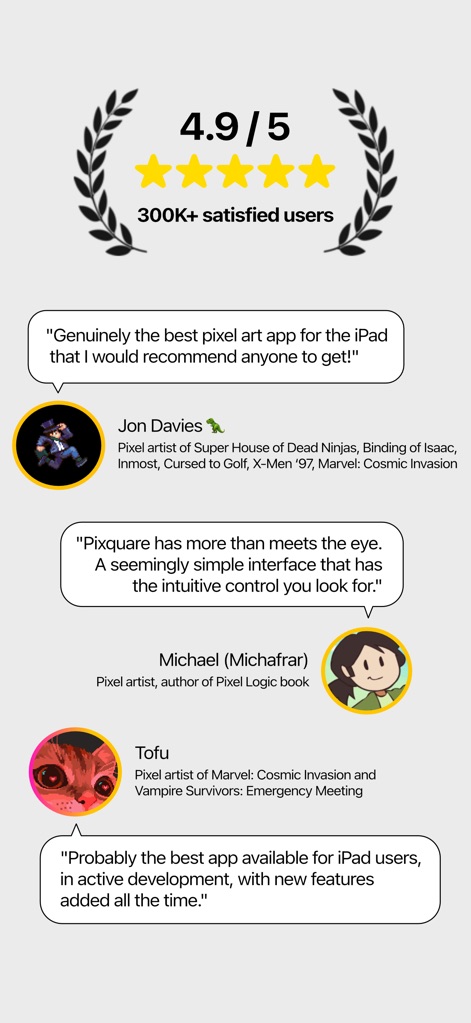
Discover why top pixel artists and game developers praise this tool, with user testimonials and a 4.9/5 star rating highlighting its professional appeal.
Acclaimed Artist Endorsements
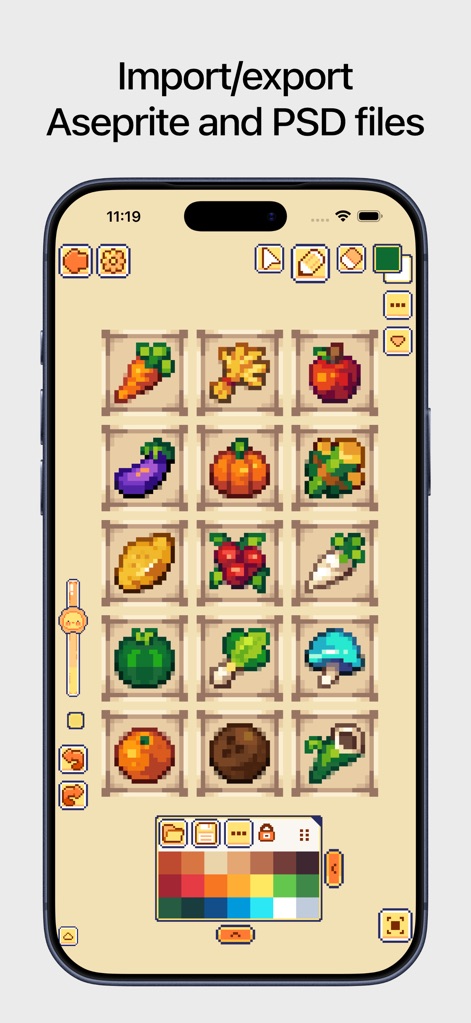
Users can efficiently organize and preview pixel art assets within a clear sprite grid, complemented by a versatile color palette for precise color management.
Seamless Asset Management

The app provides advanced animation capabilities through its intuitive timeline panel and comprehensive frame management system, perfect for dynamic pixel art sequences.
Dynamic Animation Tools
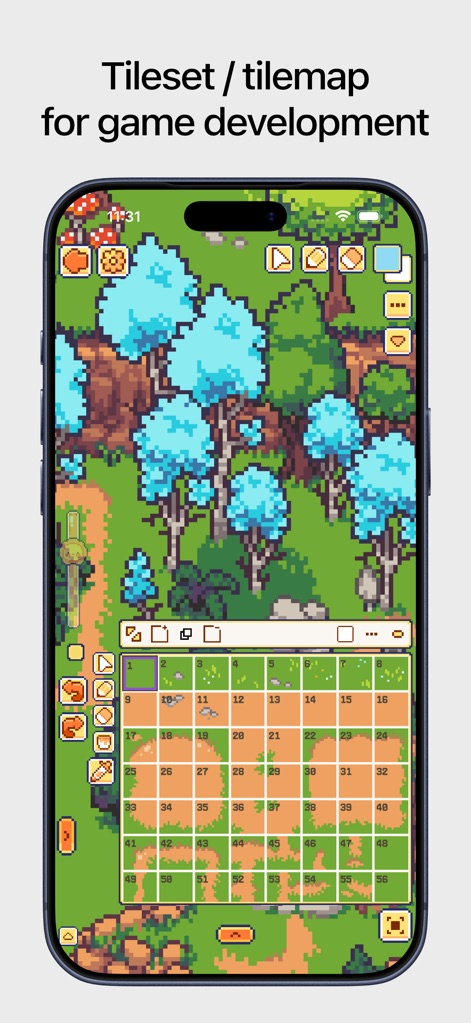
This tool facilitates game development with a powerful tilemap system for constructing detailed environments and a clear grid overlay for precise placement.
Game Development Ready
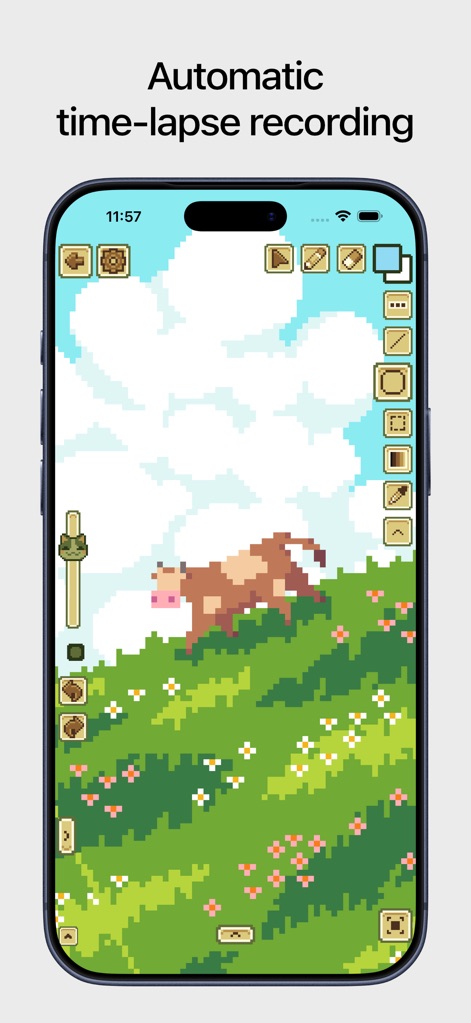
Artists can bring their visions to life on the vibrant pixel art canvas, utilizing the responsive side toolbar for effortless artistic manipulation.
Creative Journey Capture
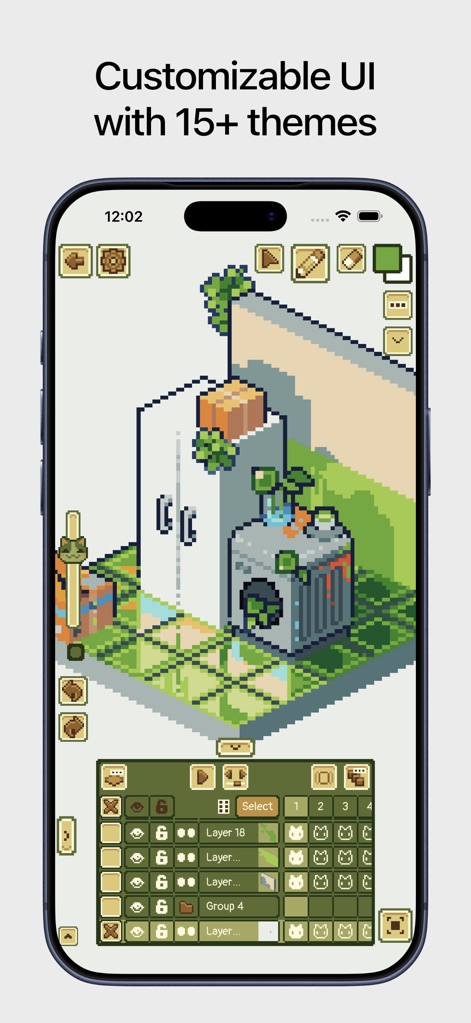
The app offers a highly customizable user interface, allowing users to select from various themes and personalize their layer panel icons for an optimized workflow.
Personalized Studio Experience
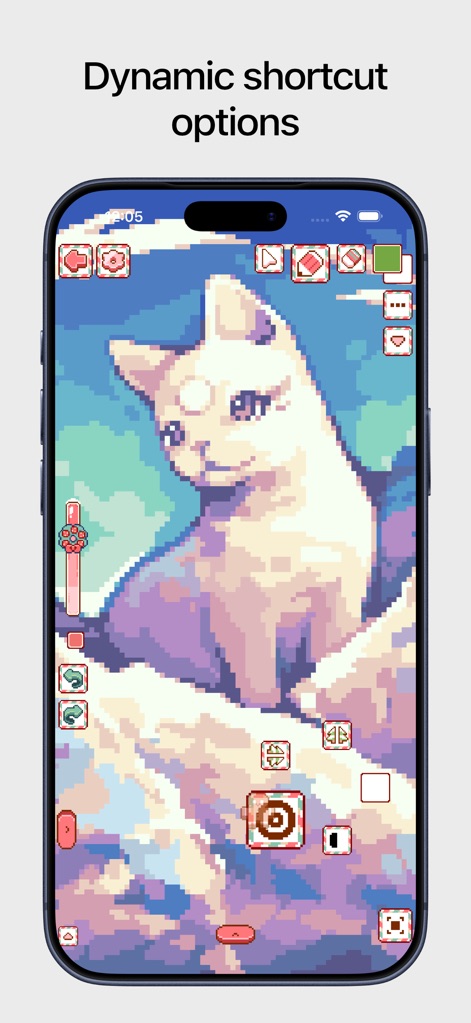
Users benefit from dynamic shortcut options, providing quick access to contextual tools and enhancing the efficiency of the pixel art creation process.
Efficient Workflow Shortcuts
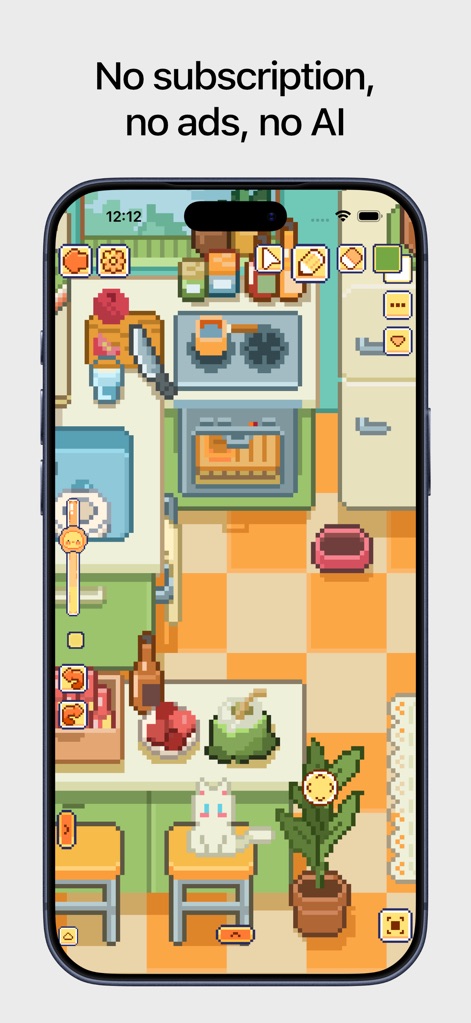
This tool promotes an uninterrupted artistic flow, presenting detailed pixel art scenes within a streamlined interface designed for focused creation.
Uninterrupted Artistic Flow
Description
Download
More Like This
Apps with similar features and user experience



This page is not an official page of the app or its developer, but an independent editorial publication created for informational and commentary purposes. Unless expressly stated otherwise, neither the app nor its developer is affiliated with, endorsed by, sponsored by, authorized by, or otherwise officially connected with MWM, Apple, Google Play, the app publisher, or the app's developer, and nothing on this page implies that the app was developed using MWM's services. Any trademarks, logos, screenshots, and other content remain the property of their respective owners.