
This page is not an official page of the app or its developer, but an independent editorial publication created for informational and commentary purposes. Unless expressly stated otherwise, neither the app nor its developer is affiliated with, endorsed by, sponsored by, authorized by, or otherwise officially connected with MWM, Apple, Google Play, the app publisher, or the app's developer, and nothing on this page implies that the app was developed using MWM's services. Any trademarks, logos, screenshots, and other content remain the property of their respective owners.


Resprite: pixel art studio
Create desktop-class game assets, spritesheets, and GIF animations anywhere. Precision tools and high-performance rendering optimized for your mobile workflow.
Downloads
226K+User Rating
Total Ratings
2K+Publisher
Category
Graphics & DesignLocales
18Latest Version
1.51Size
19.2 MBFirst Released
Feb 7, 2023Pro Power for Pixel Artists
Resprite brings desktop-grade editing to your mobile workflow, combining a high-performance renderer with professional tools for game devs and illustrators.
Desktop-Class Animation
Master complex frame-by-frame sequences with onion skinning, multiple animation clips, and a professional timeline that stays smooth across hundreds of frames.
Pixel-Perfect Precision
Experience ultimate control with Apple Pencil optimization, customizable gestures, and Pixel Perfect tools designed for clean, high-fidelity game assets.
Frequently Asked Questions
Everything you need to know about Resprite: pixel art studio
What is Resprite?
Resprite is a professional pixel art editor for mobile devices. It provides a complete toolset, innovative coloring system, advanced layers, and timelines to create pixel illustrations, spritesheets, GIF animations, and game art assets.
Does Resprite support advanced layer features for pixel art?
Yes, Resprite offers comprehensive layer features including copy, merge, flatten, rasterize, Onion Skin support, multi-level grouping, and opacity control. It ensures smooth performance even with hundreds of frames.
Can I import and export different file types in Resprite?
Yes, Resprite supports importing and exporting various formats such as GIF, spritesheet, Resprite packages, APNG animations, and PSD files. It also handles GPL and RPL palette formats.
Are there any premium features available in Resprite?
Yes, Resprite Premium unlocks additional features such as removing export limits, color adjustments, stroke functionality, a symmetry tool, and a text tool. Premium access is shared between iPad and iPhone.
Does Resprite have gesture controls for drawing and editing?
Yes, Resprite features fast gesture operations, including low-tilt and heavy-press stylus support, two-finger/three-finger tap for undo/redo, customizable pen Double-Tap actions, and one-finger gestures for frame switching.
How are in-app purchases and subscriptions managed in Resprite?
Resprite handles optional in-app purchases by deducting charges from your iTunes account. Subscriptions auto-renew unless turned off at least 24 hours before the current period ends. You can manage auto-renewal in Apple ID settings.
Does Resprite offer a customizable and flexible user interface?
Yes, Resprite provides a flexible interface layout. Users can freely arrange floating panels, minimize all panels, and place the toolbar anywhere on the screen to boost efficiency and optimize workflow.
Can I use custom fonts for text in Resprite pixel art projects?
Yes, Resprite allows inserting multi-line or vertical text and supports the use of custom fonts, providing extensive options for text integration within pixel art designs. The text tool is a Premium feature.
The following screenshots and description are sourced directly from the app's official store listing and are the property of the app developer.
App Store
Screenshots
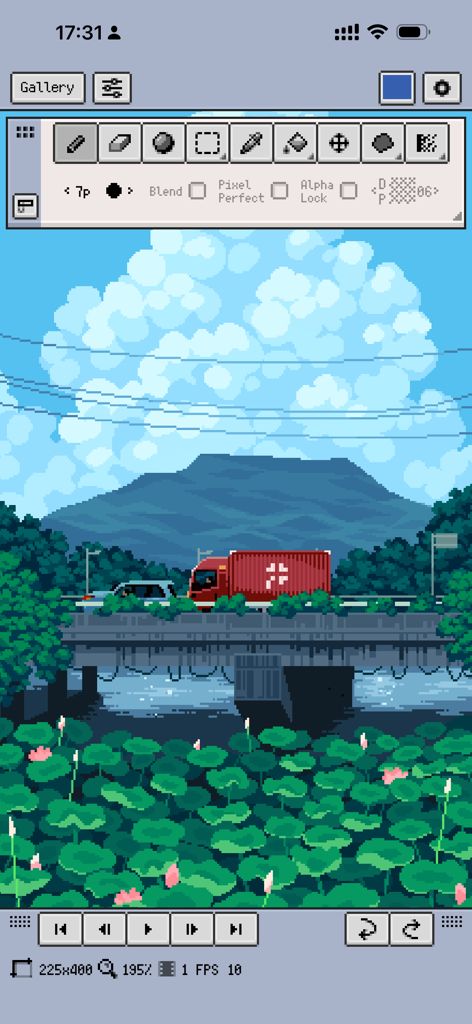
Professional pixel art editor interface showing a detailed landscape illustration with mountains and a bridge
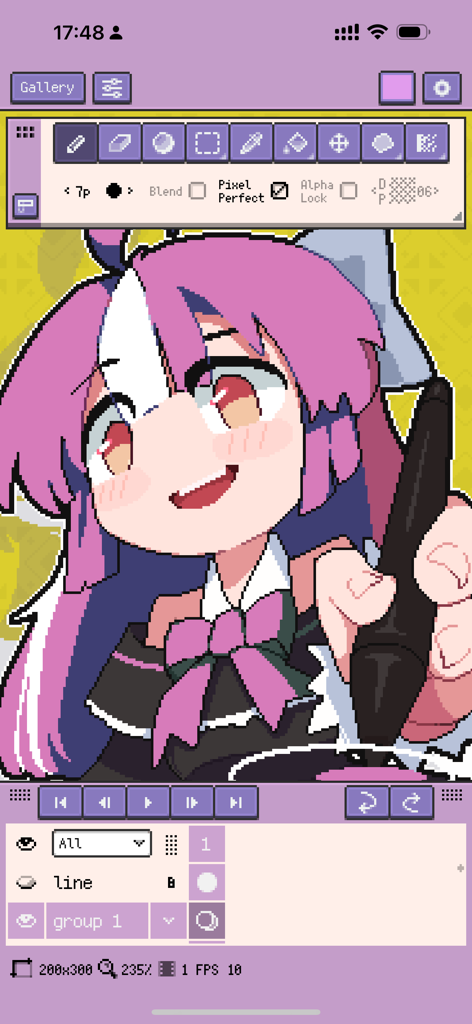
Resprite pixel art studio interface with an anime character illustration and drawing tools
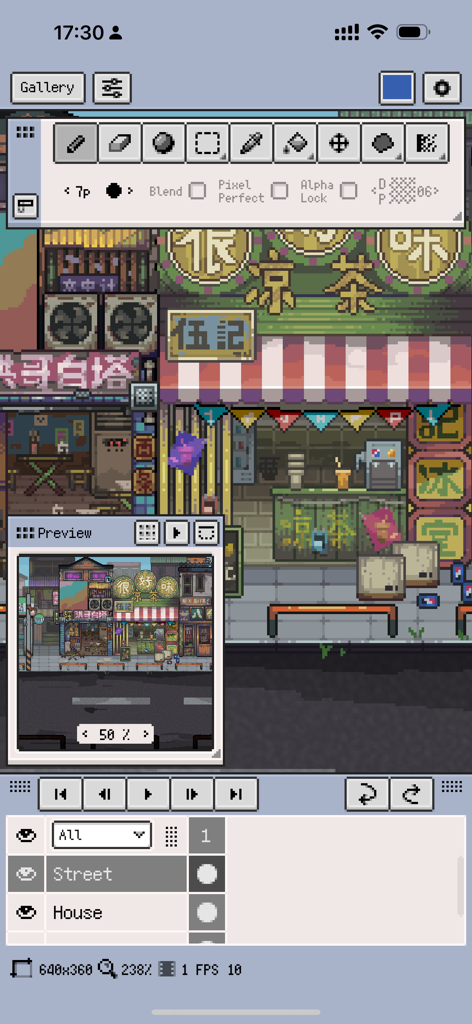
Resprite mobile app interface showing a detailed pixel art street scene with professional drawing tools and layer management
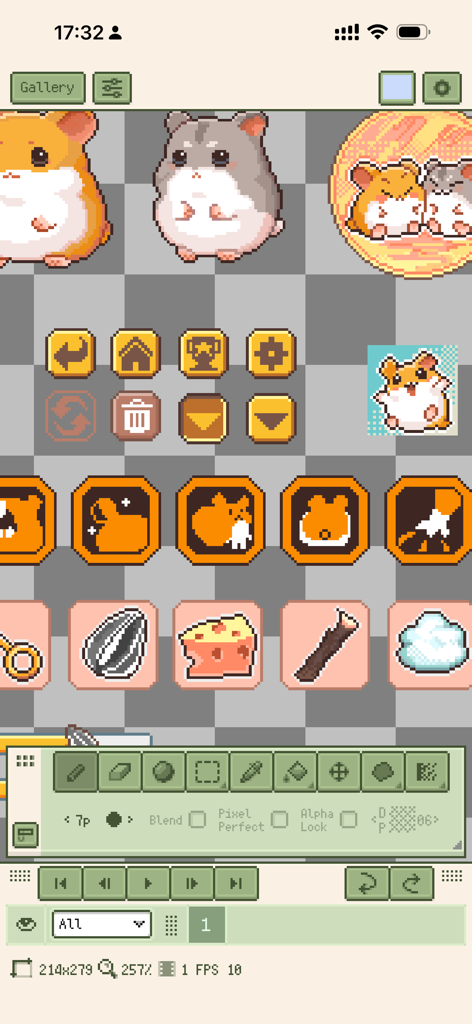
Mobile user interface of Resprite pixel art studio showing cute hamster sprites and game assets on a pixel canvas
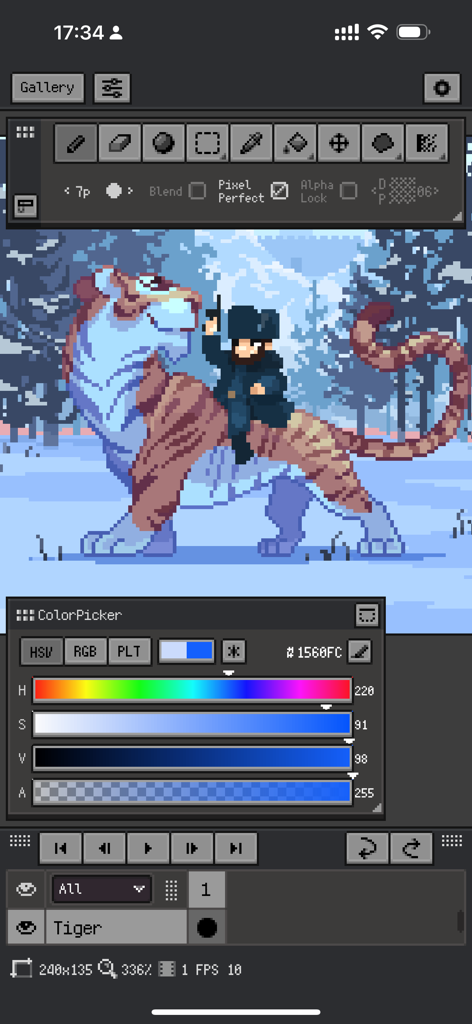
Resprite pixel art studio app interface showing a character riding a tiger in a snowy scene with a color picker and tool panels.
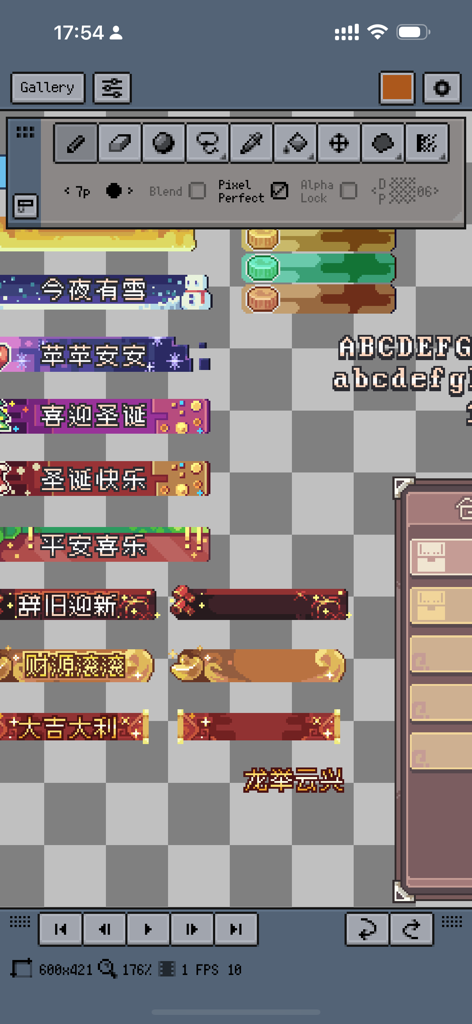
The user interface of Resprite pixel art studio displaying various pixel banners and creative tools.
Description
Download
More Like This
Apps with similar features and user experience


This page is not an official page of the app or its developer, but an independent editorial publication created for informational and commentary purposes. Unless expressly stated otherwise, neither the app nor its developer is affiliated with, endorsed by, sponsored by, authorized by, or otherwise officially connected with MWM, Apple, Google Play, the app publisher, or the app's developer, and nothing on this page implies that the app was developed using MWM's services. Any trademarks, logos, screenshots, and other content remain the property of their respective owners.