
This page is not an official page of the app or its developer, but an independent editorial publication created for informational and commentary purposes. Unless expressly stated otherwise, neither the app nor its developer is affiliated with, endorsed by, sponsored by, authorized by, or otherwise officially connected with MWM, Apple, Google Play, the app publisher, or the app's developer, and nothing on this page implies that the app was developed using MWM's services. Any trademarks, logos, screenshots, and other content remain the property of their respective owners.


Planner & Journal - Zinnia
Unleash your inner architect of life. This app transforms mundane scheduling into a canvas for creation, making productivity feel less like a chore and more like a passion project.
Downloads
10M+User Rating
Total Ratings
71.8KPublisher
Category
LifestyleLocales
8Latest Version
1.45Size
209.0 MBFirst Released
Feb 26, 2020Evaluating key features for the creative and organized individual.
Comprehensive Analysis: Planner & Journal - Zinnia
Rich Digital Content Studio
The app provides a custom-curated digital Studio, offering a vast library of ready-to-use journals, planners, trackers, stickers, and templates, enabling immediate and aesthetically pleasing creative expression.
Advanced Productivity Frameworks
This tool features comprehensive productivity functionalities, including event syncing with digital calendars, customizable templates for habit and goal tracking, and support for methods like Timeblocking and Pomodoro, enhancing users' time management.
Extensive Customization & Personalization
The app offers extensive personalization options, allowing users to save and organize their handmade designs or favorite Studio selections, and customize calendars and templates to fit their unique aesthetic and organizational needs.
Authentic Handwriting & Drawing
It allows users to enjoy a realistic handwriting and drawing experience, with scribble-enabled features, lifelike tools, and adjustable instrument properties, mimicking traditional paper and pen interaction.
Integrated Import & Annotation
This tool features robust import capabilities, supporting PDFs, personal photos, and general notes, allowing users to highlight, annotate, and integrate diverse external content directly into their journals.
Mental Wellness Integration
It allows users to integrate mental wellness practices through features like self-care scheduling, color coding for focus, and dedicated space for gratitude journaling and reflecting on thoughts and feelings.
Consistent Content & Feature Updates
The app provides continuous value through monthly additions of new content, including themes, stickers, and templates, alongside frequent feature updates, ensuring a fresh and evolving user experience.
Precision Digital Editing
This tool features a suite of advanced digital editing tools such as undo/redo, resizing, layering control (send to back/front, lock), cropping, and rotation, offering precise control over digital layouts.
Frequently Asked Questions
Everything you need to know about Planner & Journal - Zinnia
How much does Zinnia Premium cost?
Zinnia Premium costs $3.99 USD per week, $8.99 USD per month, or $34.99 USD per year. Prices are subject to change. Any unused free trial portion is forfeited upon purchase.
Does Zinnia offer a free trial?
Yes, Zinnia offers a free 7-day trial for Zinnia Premium, providing access to all content. A free version with limited content is also available to get started.
How do I cancel Zinnia Premium auto-renewal?
You manage Zinnia Premium subscriptions and turn off auto-renewal through your Account Settings after purchase. Auto-renewal must be off at least 24 hours before the current period ends.
What features does Planner & Journal - Zinnia offer?
Planner & Journal - Zinnia offers calendars, trackers, stickers, ready-to-use journals, templates, and creative tools for digital planning and journaling. It supports productivity and mental wellness features.
Does Zinnia add new content regularly?
Yes, Zinnia adds new content every month, including new features. The app provides custom-curated and themed content collections for aesthetic journaling.
Can I use productivity methods like Pomodoro in Zinnia?
Yes, Zinnia's templates and design tools support various productivity methods. These include Timeblocking, Kanban, Pomodoro, and SMART goals, helping users manage their time effectively.
Does Zinnia sync with other digital calendars?
Yes, Zinnia syncs events to digital calendars such as Google Calendar. Users can also customize their calendar to align with their personal schedule within the app.
Does Zinnia support realistic handwriting?
Yes, Zinnia supports realistic handwriting. Users can handwrite naturally, scribble, sketch, doodle, and color with lifelike tools, offering adjustable opacity, size, and color.
Can Zinnia import external documents or images?
Yes, Zinnia imports PDFs, including linked and tabbed Etsy journals, and personal photos. It also allows importing notes to highlight and annotate from various sources.
How can I share my creations from Zinnia?
Zinnia allows sharing creations directly to social networks like Instagram, Pinterest, and Facebook. Users can also save their spreads as a PDF, archive, or preferred method.
Where can I find the Zinnia Privacy Policy?
The Zinnia Privacy Policy is available at http://pixiteapps.com/privacy-policy/.
What digital editing tools are available in Zinnia?
Zinnia provides digital editing tools including undo, resize objects, send to back/front, lock a layer, crop, rotate, and auto-date templates for versatile design customization.
How does Zinnia support mental health?
Zinnia supports mental health by helping users schedule and stay on top of self-care. It offers tools like color coding, trackers, and gratitude journaling to write thoughts and feelings.
Does Zinnia include mood tracking features?
Yes, Zinnia includes mood tracking features. Users can utilize templates like the "Mood Tracker" to log and visualize their emotional states, supporting self-awareness.
Does Zinnia offer customizable templates?
Yes, Zinnia offers a variety of customizable templates within its Studio. Users can select templates for managing habits, goals, time, and other aspects of their planning and journaling.
The following screenshots and description are sourced directly from the app's official store listing and are the property of the app developer.
App Store
Screenshots
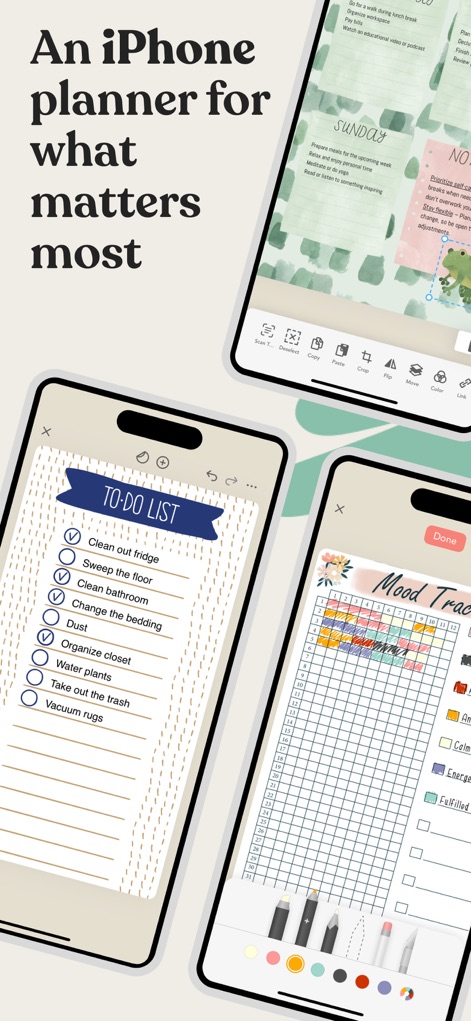
Discover the app's diverse organization features, from a comprehensive 'To-Do List' to an intuitive 'Mood Tracker' for daily reflections.
Dynamic Planning Views
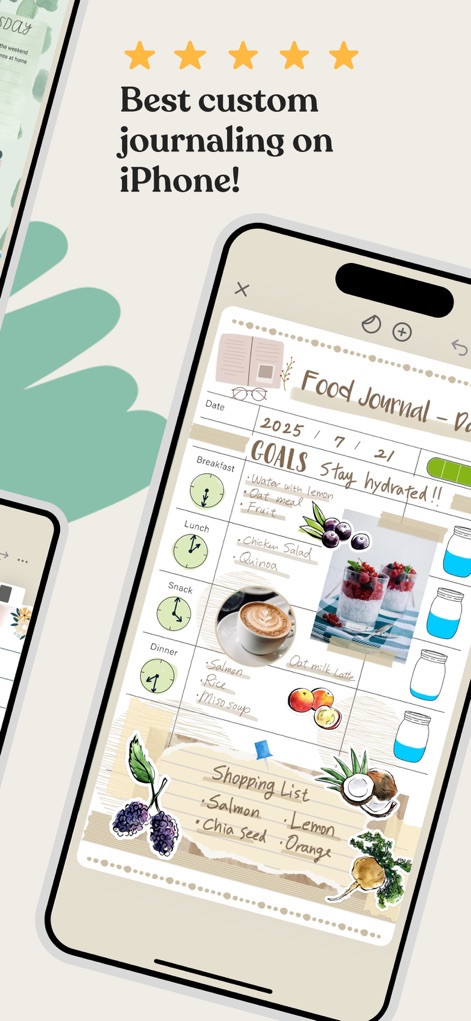
Users can craft a unique 'Food Journal' with custom goals and visually appealing image integration, enhancing their tracking.
Personalized Journaling Experience
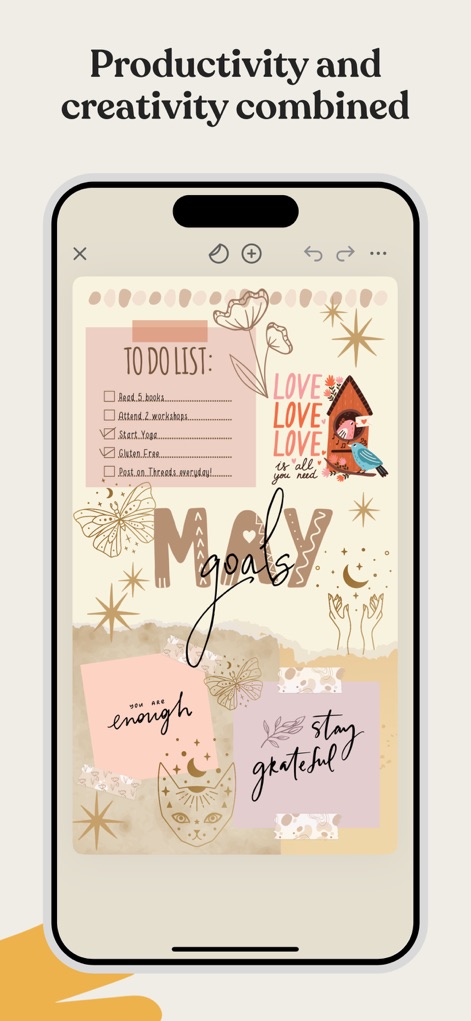
This tool seamlessly blends productivity with aesthetics, allowing users to track a 'To-Do List' and express creativity with decorative stickers.
Creative Goal Setting
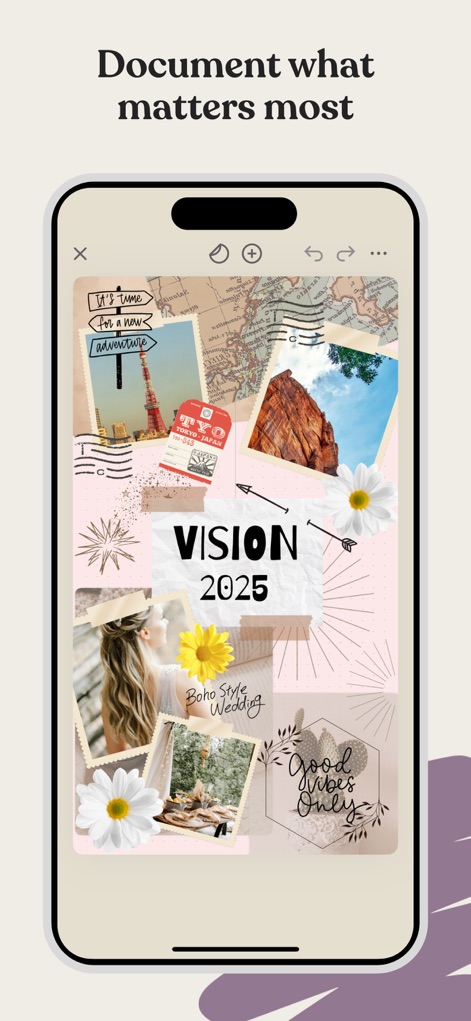
Craft compelling 'Vision' boards using a rich assortment of personal images and artistic stickers to visualize future aspirations.
Vision Board Creation
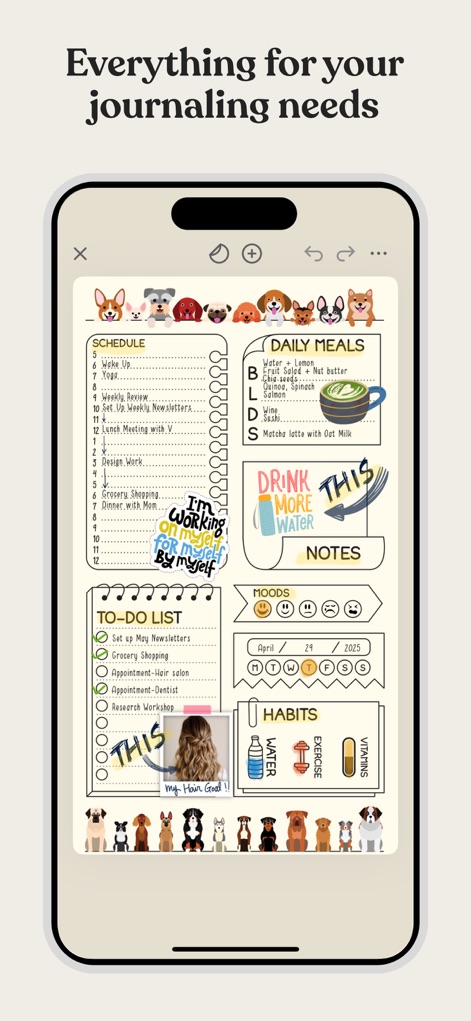
Observe the app's robust daily planning capabilities, encompassing a detailed 'Schedule' and various 'Habits' trackers.
Comprehensive Daily Planning
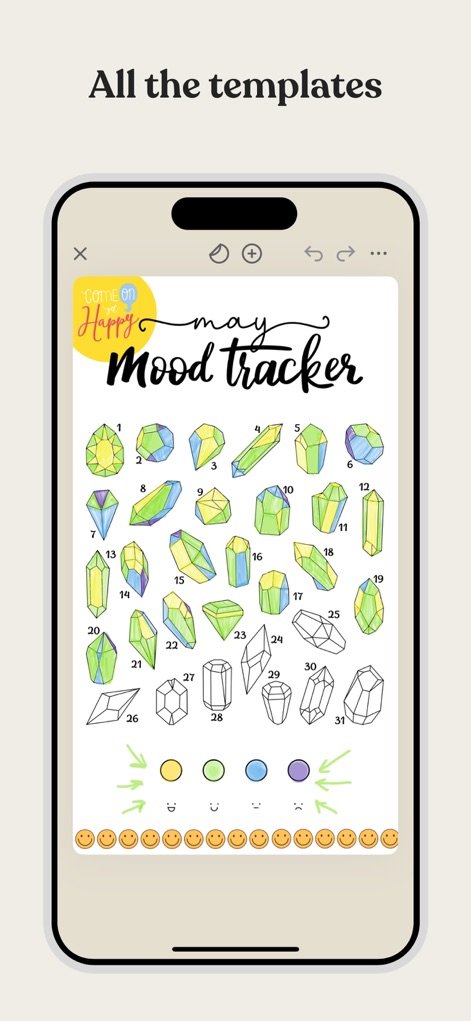
Access a variety of pre-designed templates, such as this creative crystal-themed 'Mood Tracker', for engaging self-reflection.
Engaging Mood Tracking
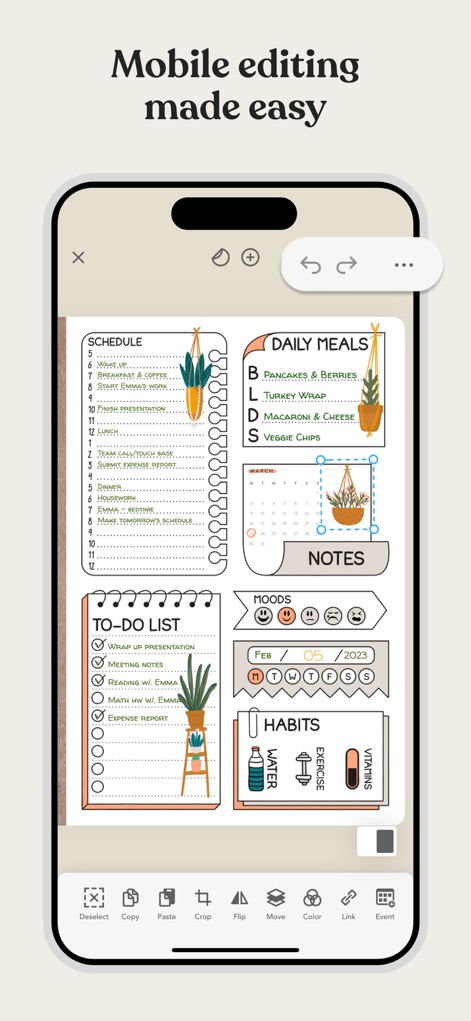
The app offers powerful mobile editing features, enabling users to easily 'Crop' elements and 'Resize objects' within their planner layouts.
Intuitive Editing Tools
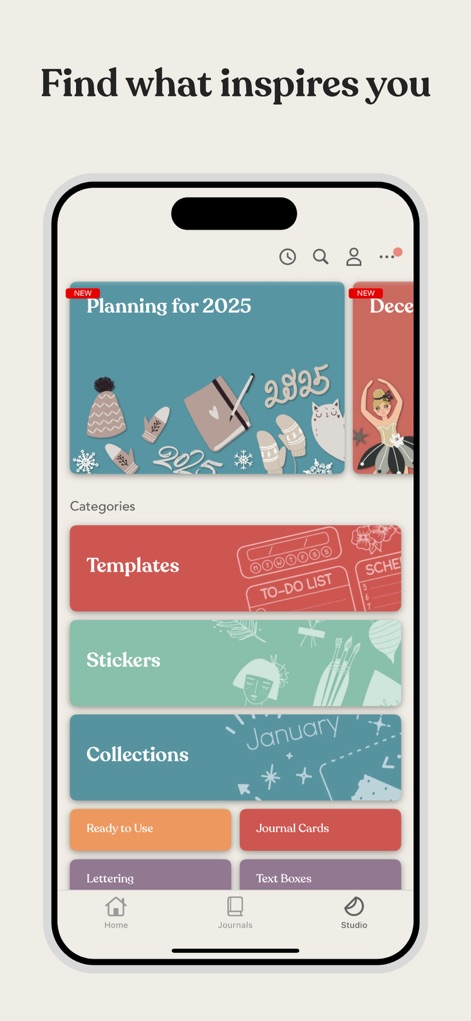
Explore Zinnia's extensive 'Studio', providing access to a vast library of themed 'Collections' and customizable 'Templates' for endless creative possibilities.
Curated Content Studio
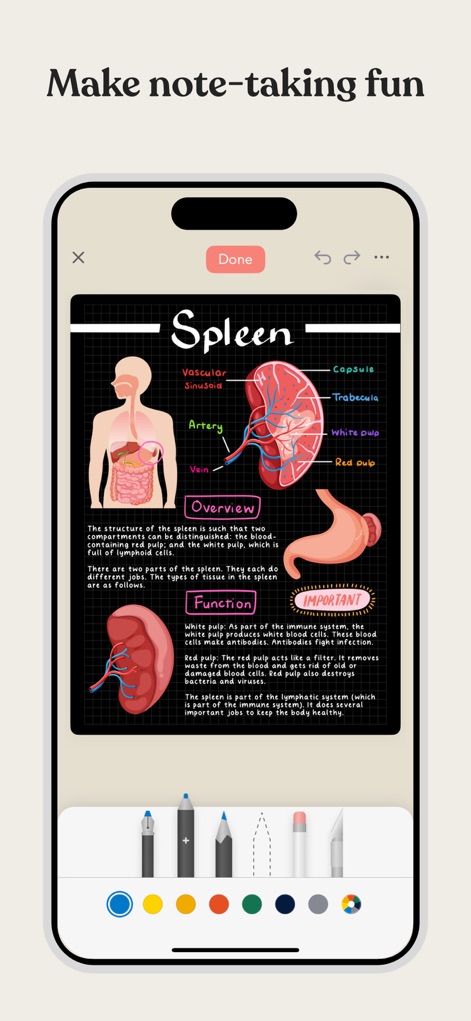
This tool transforms note-taking with capabilities to 'Import PDFs' and annotate them using a diverse selection of 'Writing Instruments'.
Dynamic Note-Taking
Description
Download
More Like This
Apps with similar features and user experience

Notion: Notes, Tasks, AI
Notion Labs, Incorporated

Freenotes®: AI Notes Taking
Hangzhou Free Notes Technology Co., Ltd

Structured - Daily Planner
unorderly GmbH

Google Tasks: Get Things Done
Google LLC

TickTick:To-Do List & Calendar
Appest Limited

Noteful: Notes & PDF Markup
Noteful Technologies Ltd

Todoist: To Do List & Calendar
Doist Inc.

To do list MinimaList & Widget
Inner Grow Limited

monday.com - Work Platform
monday.com Ltd.
This page is not an official page of the app or its developer, but an independent editorial publication created for informational and commentary purposes. Unless expressly stated otherwise, neither the app nor its developer is affiliated with, endorsed by, sponsored by, authorized by, or otherwise officially connected with MWM, Apple, Google Play, the app publisher, or the app's developer, and nothing on this page implies that the app was developed using MWM's services. Any trademarks, logos, screenshots, and other content remain the property of their respective owners.