
This page is not an official page of the app or its developer, but an independent editorial publication created for informational and commentary purposes. Unless expressly stated otherwise, neither the app nor its developer is affiliated with, endorsed by, sponsored by, authorized by, or otherwise officially connected with MWM, Apple, Google Play, the app publisher, or the app's developer, and nothing on this page implies that the app was developed using MWM's services. Any trademarks, logos, screenshots, and other content remain the property of their respective owners.

Planner Pro - Daily Planner
Stop switching between apps and regain your focus. Seamlessly integrate your calendar, tasks, and notes into one powerful command center designed for your high-performance lifestyle.
Downloads
3M+User Rating
Total Ratings
18K+Publisher
Category
ProductivityLocales
9Latest Version
8.2.4Size
95.0 MBFirst Released
Oct 28, 2012Master Your Day in One Place
Stop the app-switching fatigue. Planner Pro integrates your calendar, tasks, and notes into a single, seamless workspace designed for high-achievers who want to win the day.
Unified Daily Workspace
Eliminate digital fragmentation by syncing your iOS calendars with a powerful task manager that supports sub-tasks and 25 priority levels.
Deep Work & Focus Timer
Move from planning to doing. Use the integrated focus timer with built-in white noise to enter a flow state and track your productivity in real-time.
Frequently Asked Questions
Everything you need to know about Planner Pro - Daily Planner
What is Planner Pro - Daily Planner?
Planner Pro - Daily Planner is a comprehensive app that integrates events, tasks, and notes into a single platform. It helps users manage their daily life and organize their schedule efficiently.
Can I sync Planner Pro with my existing iOS calendars?
Yes, Planner Pro - Daily Planner allows synchronization with your iOS calendars and events. You can also choose to show or hide specific calendars as needed.
Does Planner Pro support recurring tasks and projects?
Yes, Planner Pro - Daily Planner supports both recurring tasks and projects. It also allows for the creation of sub-tasks within projects for detailed organization.
How does the notes feature work in Planner Pro - Daily Planner?
Planner Pro's notes feature allows users to sketch directly in notes (iOS 13+), add audio files, and create an unlimited number of notes. Notes are manageable in day, week, and month views.
Does Planner Pro include a focus timer?
Yes, Planner Pro - Daily Planner includes a Focus Timer feature. Users can add activities, set reminders, choose from multiple white noise options, and select continuous or manual timing.
What are the main features of Planner Pro - Daily Planner?
Planner Pro combines events, tasks, notes, and a focus timer in one app. Key features include iOS calendar sync, recurring tasks, audio/sketch notes, and day, week, month planning modules.
Can I organize tasks by priority in Planner Pro - Daily Planner?
Yes, Planner Pro - Daily Planner supports 25 different priority levels for tasks and projects. This allows users to effectively categorize and manage their commitments based on urgency.
How does the subscription for Planner Pro - Daily Planner work?
The optional full version of Planner Pro is offered via subscription, charged to your iTunes account with annual auto-renewal. Turn off auto-renew 24 hours before the period ends to avoid billing.
Where can I find the privacy policy for Planner Pro - Daily Planner?
The privacy policy for Planner Pro - Daily Planner is available at the provided link: https://apps.beesoft.io/PlannerPro/PrivacyPolicy.html. This ensures users can review data handling practices.
Does Planner Pro support different orientations and views?
Yes, Planner Pro - Daily Planner supports both landscape and portrait modes. It also offers Day, Week, Month, and Tasks modules for managing your schedule effectively across different views.
Can I search for records within Planner Pro - Daily Planner?
Yes, Planner Pro - Daily Planner provides full records searching capabilities. This feature allows users to search across all events, tasks, and notes stored within the application.
How many users does Planner Pro - Daily Planner have?
Planner Pro - Daily Planner has over 5 million users worldwide. The app maintains a high worldwide rating of 4.86, reflecting strong user satisfaction and adoption.
Does Planner Pro - Daily Planner offer cross-device synchronization?
Yes, Planner Pro - Daily Planner supports synchronization between different devices. This feature ensures that all your data and scheduled items are consistent and up-to-date across your Apple devices.
Can users customize the look of Planner Pro - Daily Planner?
Yes, Planner Pro - Daily Planner offers multiple themes for customization. Users can personalize the appearance of the app to suit their preferences and enhance their planning experience.
The following screenshots and description are sourced directly from the app's official store listing and are the property of the app developer.
App Store
Screenshots
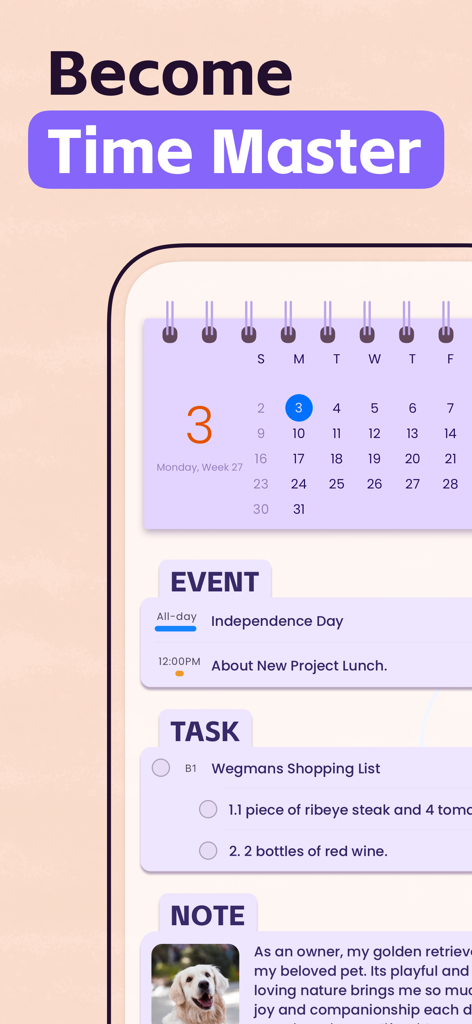
Screenshot of Planner Pro app showing the integration of calendar events, task lists, and notes in one interface.
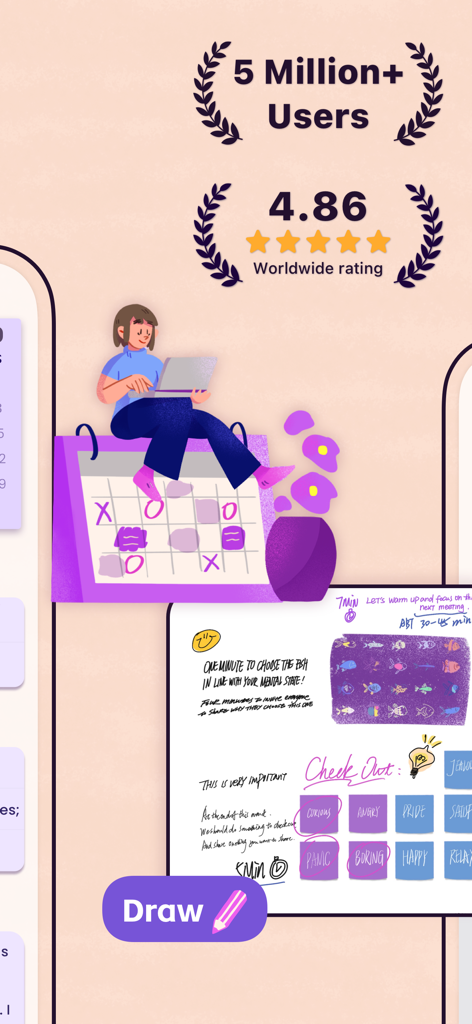
Promotional image for Planner Pro highlighting high user ratings and digital drawing features
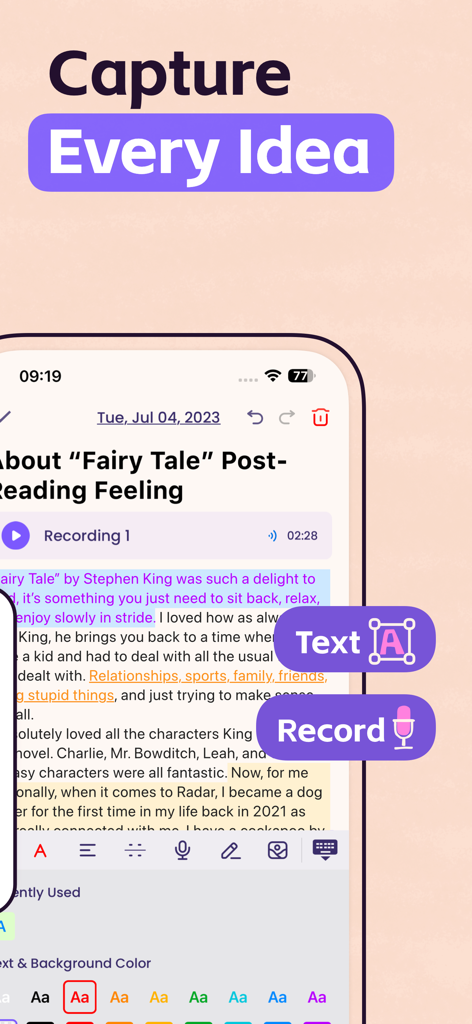
Planner Pro app interface showing the notes feature with text and audio recording options
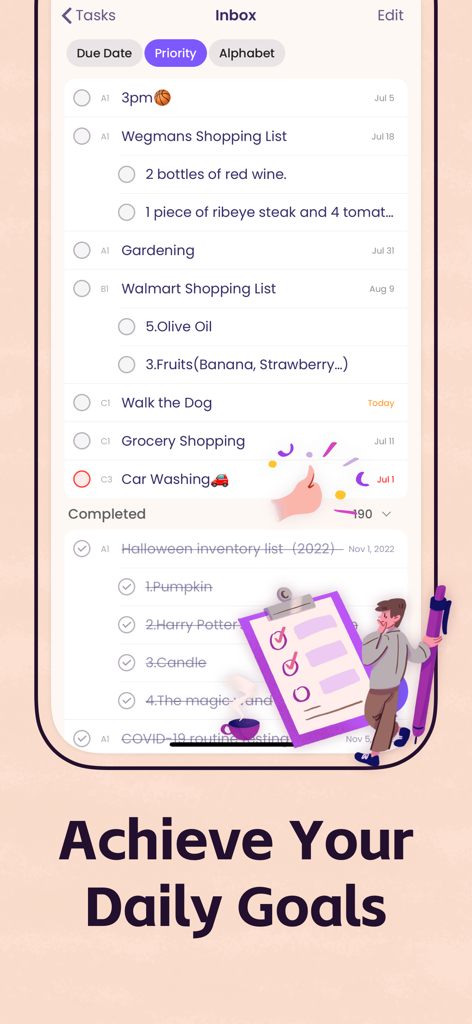
Screenshot of the Planner Pro task inbox showing categorized daily tasks and completed goals.
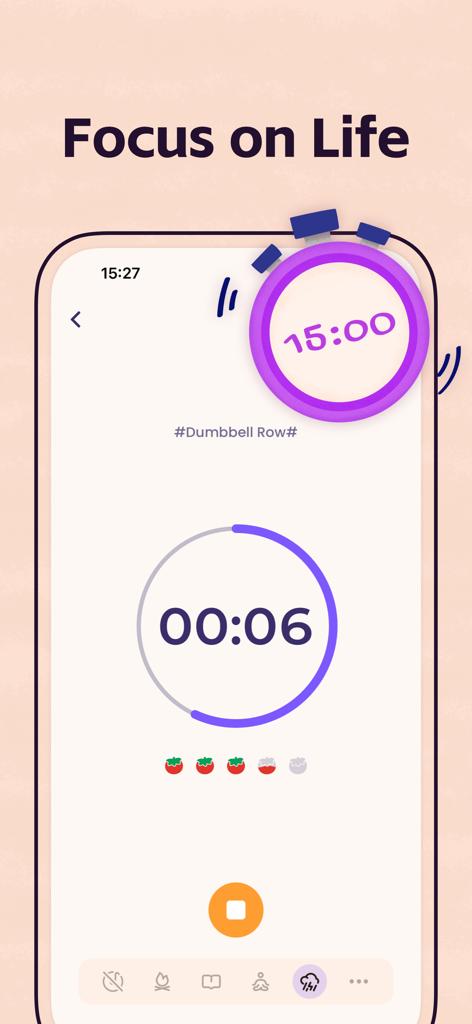
Focus timer screen in the Planner Pro app showing a fitness activity tracker with a pomodoro style countdown
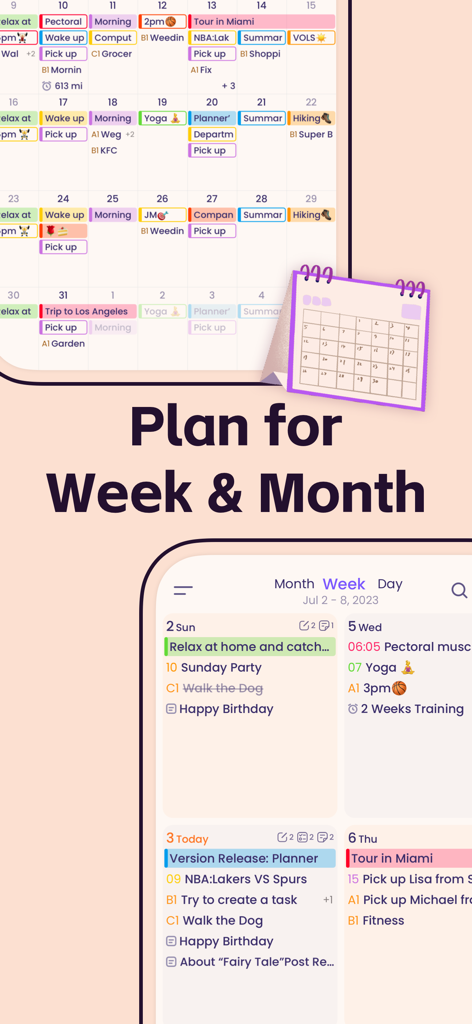
Interface of Planner Pro app showing monthly and weekly calendar views for organizing tasks and events.
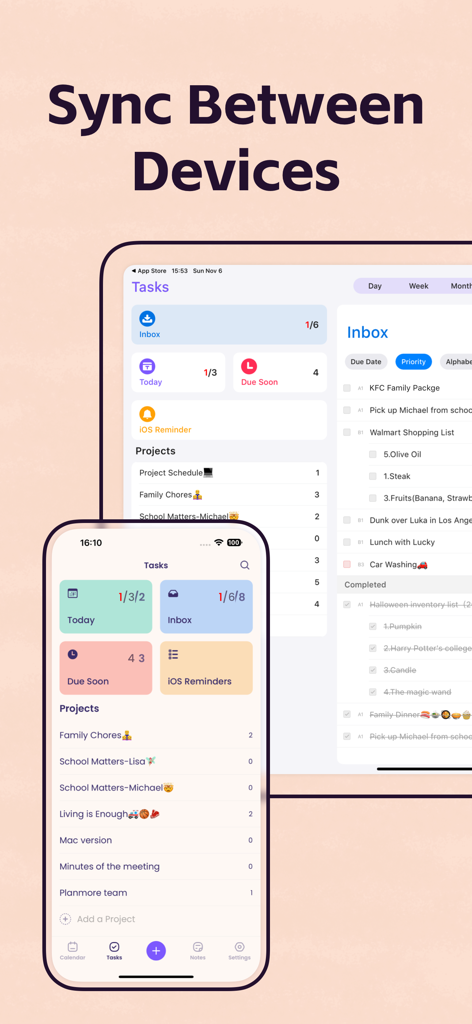
Planner Pro app interface showing task synchronization between iPhone and iPad.
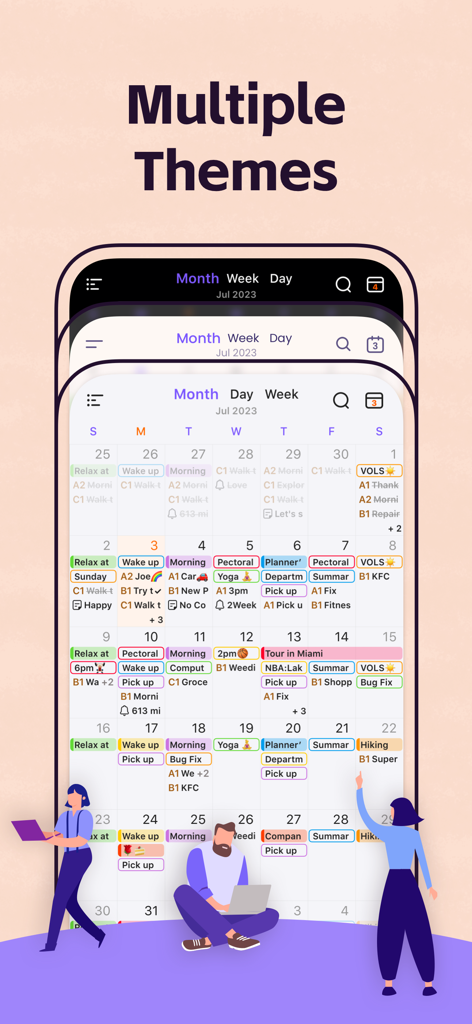
Three smartphone screens displaying different color themes for the Planner Pro monthly calendar interface
Description
Download
More Like This
Apps with similar features and user experience

Notion: Notes, Tasks, AI
Notion Labs, Incorporated

Freenotes®: AI Notes Taking
Hangzhou Free Notes Technology Co., Ltd

Structured - Daily Planner
unorderly GmbH

Google Tasks: Get Things Done
Google LLC

TickTick:To-Do List & Calendar
Appest Limited

Noteful: Notes & PDF Markup
Noteful Technologies Ltd

Todoist: To Do List & Calendar
Doist Inc.

To do list MinimaList & Widget
Inner Grow Limited

monday.com - Work Platform
monday.com Ltd.
This page is not an official page of the app or its developer, but an independent editorial publication created for informational and commentary purposes. Unless expressly stated otherwise, neither the app nor its developer is affiliated with, endorsed by, sponsored by, authorized by, or otherwise officially connected with MWM, Apple, Google Play, the app publisher, or the app's developer, and nothing on this page implies that the app was developed using MWM's services. Any trademarks, logos, screenshots, and other content remain the property of their respective owners.