
This page is not an official page of the app or its developer, but an independent editorial publication created for informational and commentary purposes. Unless expressly stated otherwise, neither the app nor its developer is affiliated with, endorsed by, sponsored by, authorized by, or otherwise officially connected with MWM, Apple, Google Play, the app publisher, or the app's developer, and nothing on this page implies that the app was developed using MWM's services. Any trademarks, logos, screenshots, and other content remain the property of their respective owners.

Planny • Daily Planner
The ultimate privacy-focused productivity hub for the Apple ecosystem. Seamlessly bridge your calendar and to-dos with an intelligent digital coach that helps you plan, prioritize, and execute your day across all your devices.
Downloads
135K+User Rating
Total Ratings
1K+Publisher
Category
ProductivityLocales
7Latest Version
9.6.1Size
69.6 MBFirst Released
Sep 16, 2020Stop Listing, Start Doing
Planny is the intelligent daily planner designed to help high-achievers organize, prioritize, and actually complete their most important work.
Unified Task & Calendar View
Eliminate app fatigue by merging your appointments and to-dos into one seamless schedule that prevents deadlines from ever slipping through the cracks.
Intelligent Daily Briefing
Remove decision fatigue with smart planning modes that suggest which tasks to prioritize, helping you focus on execution rather than just organization.
Frequently Asked Questions
Everything you need to know about Planny • Daily Planner
What is Planny?
Planny is a daily planner app designed to help users remember tasks, organize them into lists, and effectively get them done through smart scheduling and planning features.
Does Planny sync tasks across multiple devices?
Yes, Planny supports cloud syncing of tasks across all your Apple devices, including iPhone, iPad, Mac, Apple TV, and Apple Watch.
Is Planny a free app to download and use?
Yes, Planny is available as a free download. However, some advanced features require a quarterly or annual subscription to Planny Premium.
Can Planny help users with smart task scheduling?
Yes, Planny includes smart scheduling features and planning tools like Daily Briefing and Planner modes to help users plan their day and get tasks done.
Does Planny collect any personal user data?
No, Planny does not collect personal data, and the developer does not have access to the tasks users store in the app. Planny also does not track its users.
Can users add attachments to tasks within Planny?
Yes, Planny supports attachments, allowing users to link all related materials to tasks, and it also includes rich attachments with Markdown support.
Does Planny allow for sharing task lists with other users?
Yes, Planny includes a "Teamwork" feature that enables users to share their task lists with others for collaborative planning.
Does the Planny app display advertisements?
No, Planny does not track its users, and there are no ads displayed within the app.
What types of reminders does Planny offer?
Planny offers time and location-based smart reminders to ensure users always know what needs to be done.
Does Planny integrate with a calendar view for tasks?
Yes, Planny combines tasks with your calendar, providing a comprehensive calendar view that includes both appointments and tasks.
Does Planny support iOS Live Activities for tasks?
Yes, Planny supports Live Activities, allowing users to focus on tasks with a visible timer and progress directly on their iPhone's Lock Screen or Dynamic Island.
The following screenshots and description are sourced directly from the app's official store listing and are the property of the app developer.
App Store
Screenshots
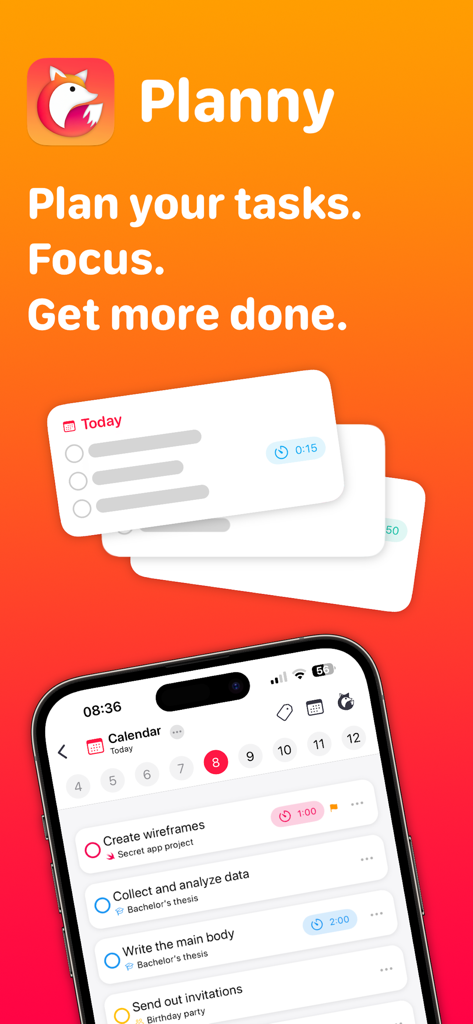
The Planny app interface displaying a daily schedule with tasks and calendar events.
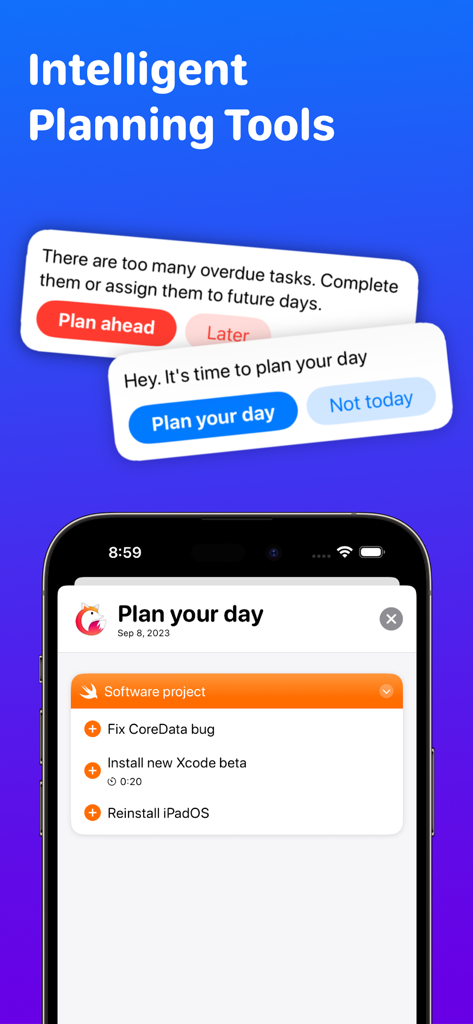
iPhone screen showing Planny app with daily planning notifications and a task list for a software project
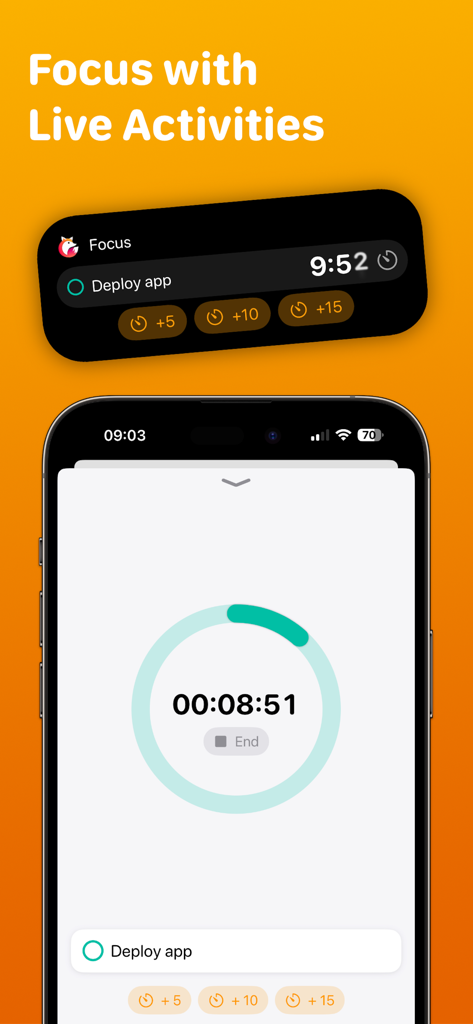
Planny app focus timer and iOS Live Activity notification feature on an iPhone.
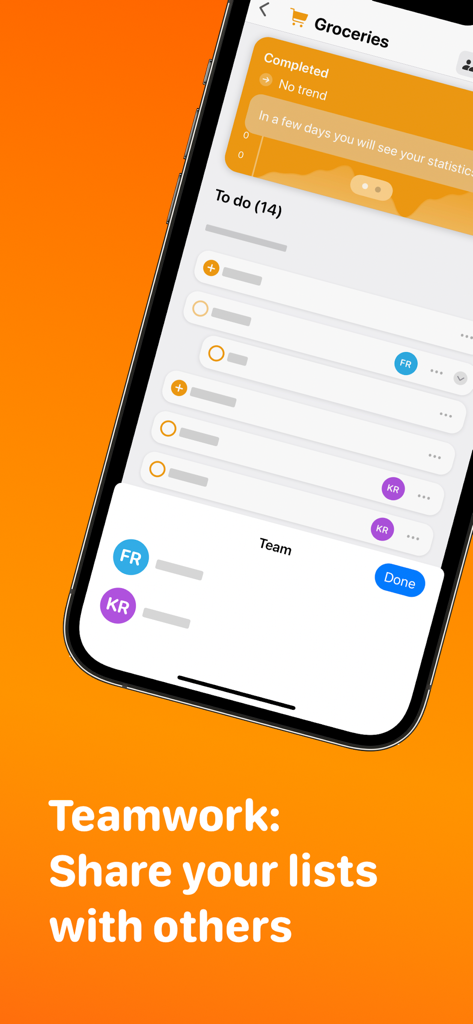
Planny app interface showing the teamwork and list sharing feature
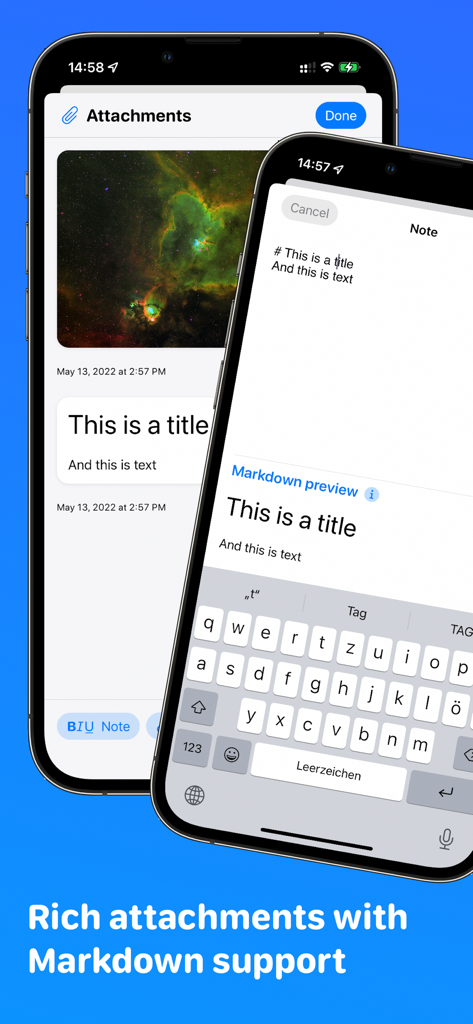
Planny app interface displaying task attachments and markdown note preview on iPhone
Description
Download
More Like This
Top-ranked apps in the same category

ChatGPT
OpenAI OpCo, LLC

Google Gemini
Google LLC

Grok
X.AI Corporation

Gmail - Email by Google
Google LLC

千问 - 阿里最强大模型官方AI助手
Shanghai Zhixin Puhui Technology Co., Ltd.

Google Drive
Google LLC

Microsoft Authenticator
Microsoft Corporation

Google Sheets
Google LLC

Google Docs
Google LLC
This page is not an official page of the app or its developer, but an independent editorial publication created for informational and commentary purposes. Unless expressly stated otherwise, neither the app nor its developer is affiliated with, endorsed by, sponsored by, authorized by, or otherwise officially connected with MWM, Apple, Google Play, the app publisher, or the app's developer, and nothing on this page implies that the app was developed using MWM's services. Any trademarks, logos, screenshots, and other content remain the property of their respective owners.