
This page is not an official page of the app or its developer, but an independent editorial publication created for informational and commentary purposes. Unless expressly stated otherwise, neither the app nor its developer is affiliated with, endorsed by, sponsored by, authorized by, or otherwise officially connected with MWM, Apple, Google Play, the app publisher, or the app's developer, and nothing on this page implies that the app was developed using MWM's services. Any trademarks, logos, screenshots, and other content remain the property of their respective owners.


POCASIO House Building Manager
The ultimate all-in-one dashboard to track budgets, manage timelines, and document every detail of your home build or renovation with professional-grade precision.
Downloads
500User Rating
Total Ratings
0Publisher
Category
ProductivityLocales
1Latest Version
1.0.8Size
65.1 MBFirst Released
Jul 18, 2024Your Construction Command Center
Take the stress out of your home build or renovation with professional-grade tools designed to keep you on schedule and under budget.
Precision Budget Tracking
Avoid the 'Money Pit' trap. Monitor planned vs. actual costs and track your remaining credit lines in real-time to prevent expensive financing surprises.
Visual Project Timelines
Stay ahead of delays. Manage your building schedule with professional GANTT charts that help you hold contractors accountable to your milestones.
Frequently Asked Questions
Everything you need to know about POCASIO House Building Manager
What is POCASIO?
POCASIO is a project management app designed for house construction and renovation. Developed by builders, it helps users efficiently plan and manage every phase of their building projects.
How does POCASIO manage house building costs?
POCASIO manages house building costs by allowing users to enter planned and actual costs. It calculates differences, warns of budget overruns, and tracks payments made and those still outstanding.
Does POCASIO provide budget planning tools?
Yes, POCASIO offers comprehensive budget planning tools. It provides an overview of total budget, planned and actual costs, and remaining budget, alongside managing various money types.
Can I plan my construction timeline with POCASIO?
Yes, POCASIO enables users to plan their construction timeline effectively. It displays all project activities clearly in both a detailed table and a visual GANTT chart.
How can I track construction defects using POCASIO?
POCASIO allows users to track construction defects by recording them directly on-site with photos. This ensures nothing is lost and facilitates effective rectification and oversight.
Can I share my construction diary entries from POCASIO?
Yes, POCASIO's construction diary allows users to share entries. Each daily progress record, including pictures and comments, can be marked as public for friends and family or kept private.
Does POCASIO include checklists and to-do lists?
Yes, POCASIO includes organizational tools such as personal checklists and a to-do list. These features help users record individual tasks and ensure nothing is forgotten during their project.
Is POCASIO available on iPhone and iPad?
Yes, POCASIO is available for both iPhone and iPad devices. This allows users to conveniently organize their house construction projects directly from their mobile devices.
Does POCASIO notify users if the budget is exceeded?
Yes, POCASIO notifies users if the budget is exceeded. It automatically calculates differences and informs them if the available budget is overspent, allowing for early financial adjustments.
What types of money can POCASIO manage in budget planning?
POCASIO manages various money types in budget planning, including bank loans, equity, and building society savings contracts. It tracks their usage against planned costs and available credit lines.
The following screenshots and description are sourced directly from the app's official store listing and are the property of the app developer.
App Store
Screenshots
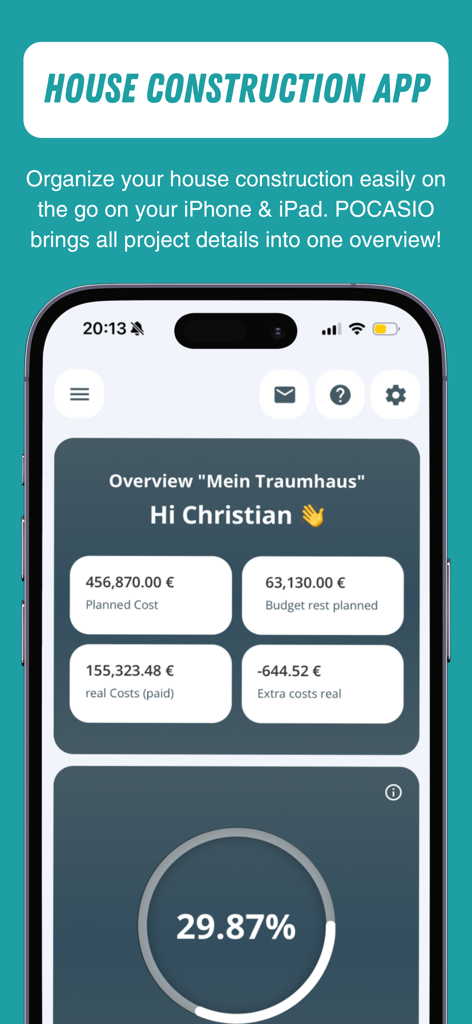
Dashboard of the POCASIO house building manager app showing construction costs and progress
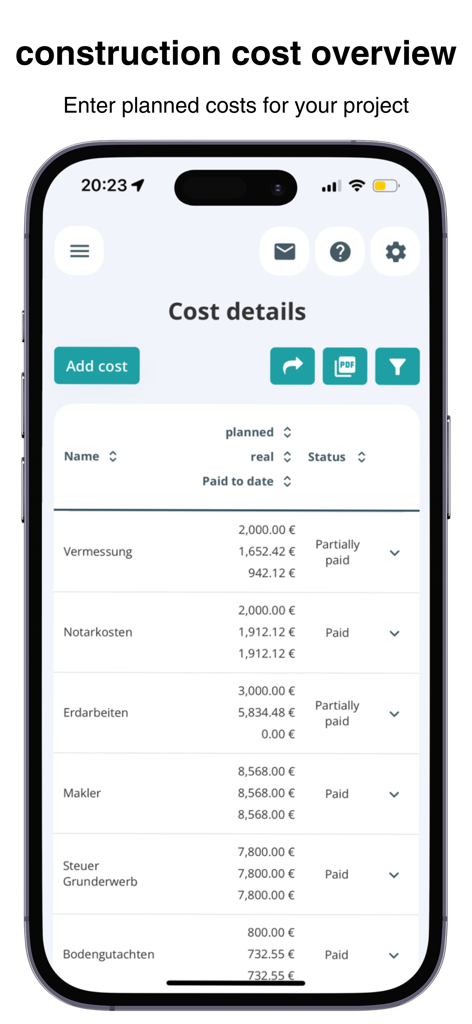
A detailed table in the POCASIO app showing house building cost details including planned versus actual expenses and payment status
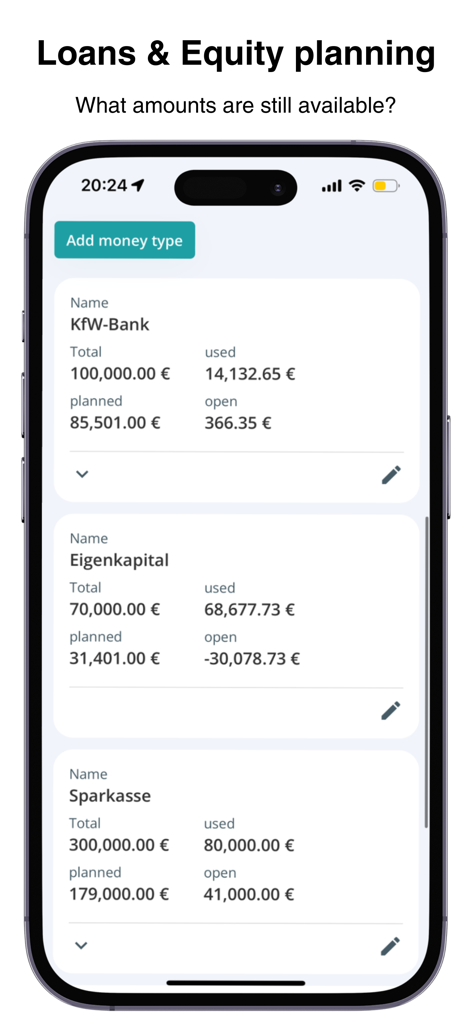
Budget dashboard for loan and equity planning in the POCASIO app showing financial breakdowns.
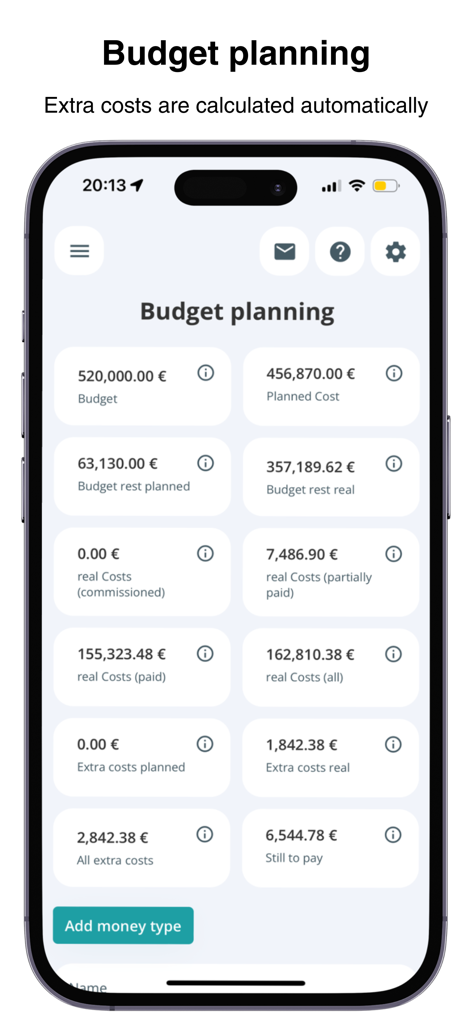
POCASIO app budget planning screen displaying house construction costs and remaining budget.
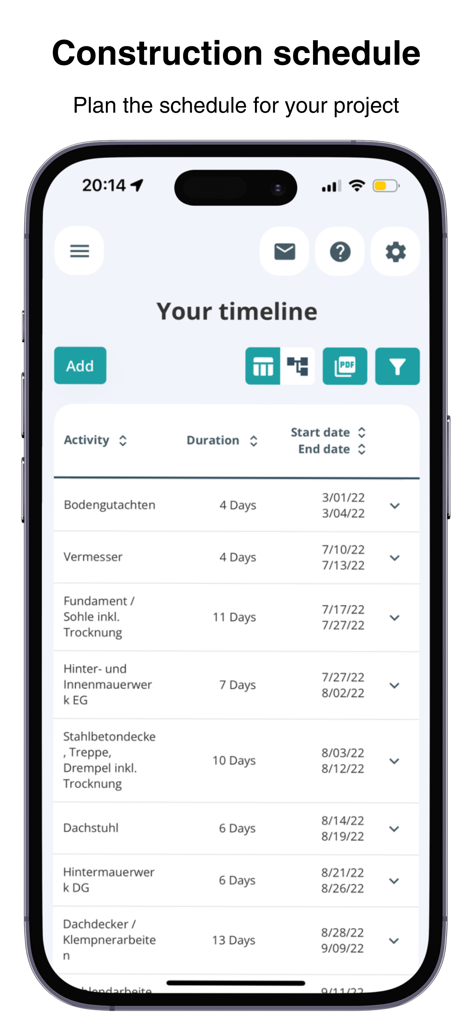
POCASIO House Building Manager construction schedule interface showing project timeline activities and dates
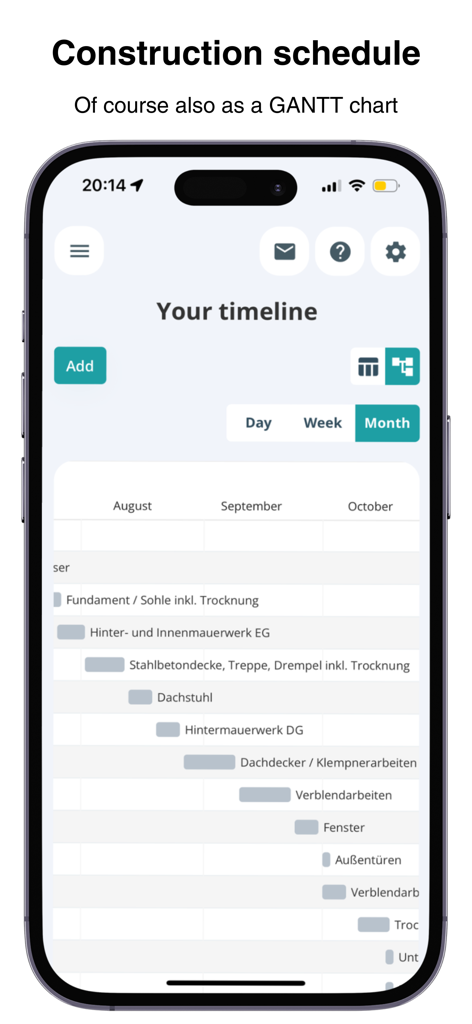
POCASIO app interface displaying a construction project timeline in a GANTT chart format
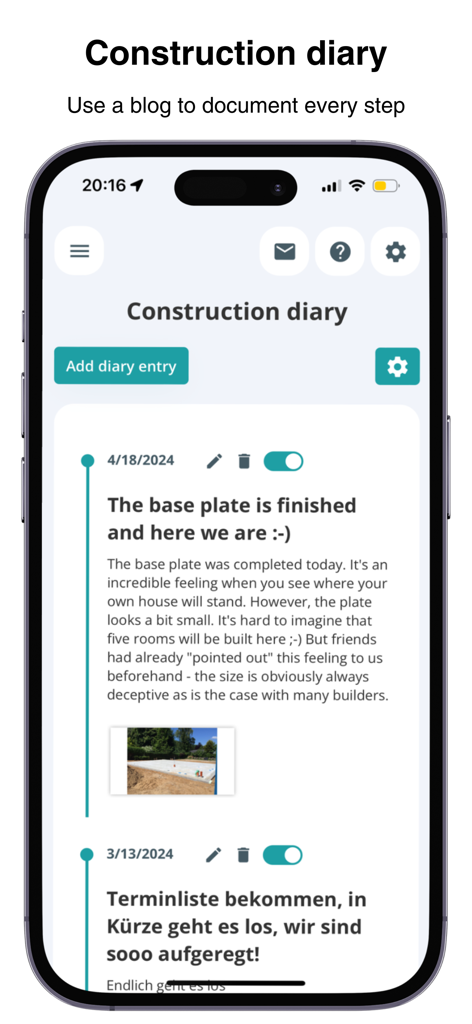
POCASIO app construction diary interface showing project milestones and photo entries
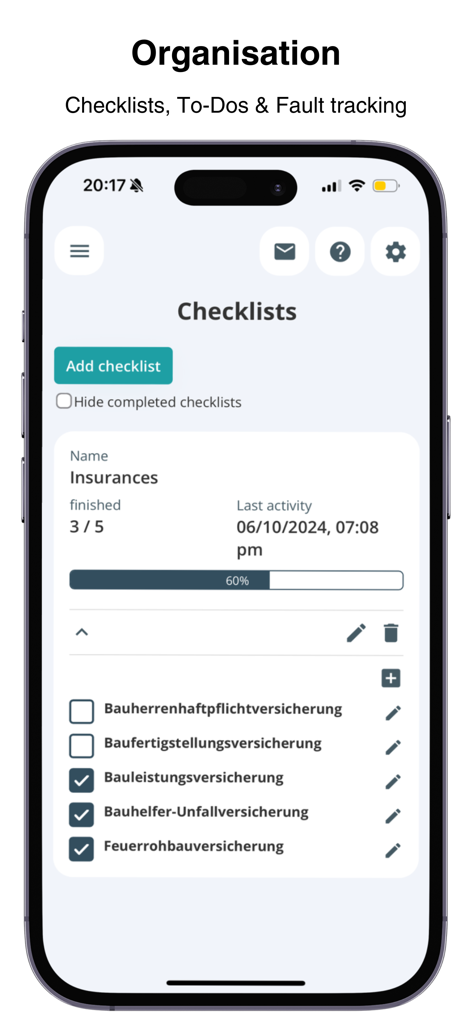
Pocasio app interface showing a home construction insurance checklist with progress tracking
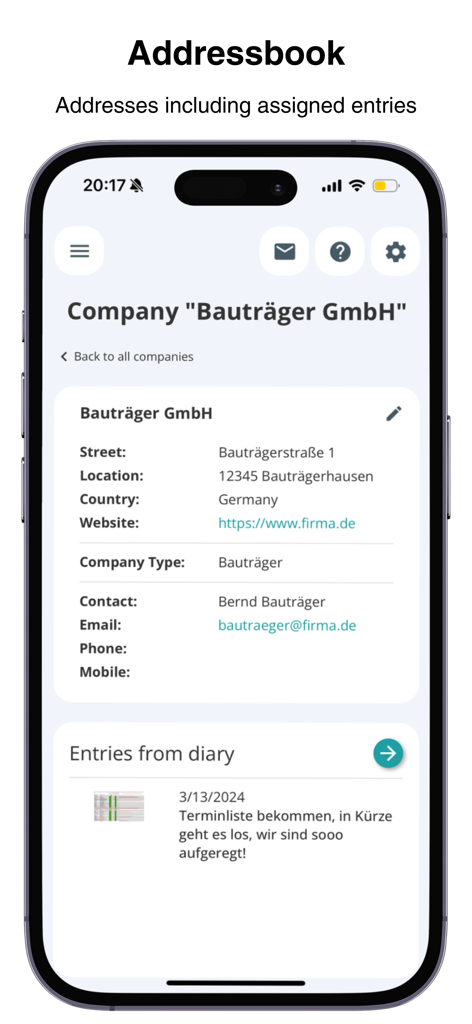
POCASIO app address book interface showing construction company contact details and linked project diary entries
Description
Download
More Like This
Top-ranked apps in the same category

ChatGPT
OpenAI OpCo, LLC

Google Gemini
Google LLC

Grok
X.AI Corporation

Gmail - Email by Google
Google LLC

千问 - 阿里最强大模型官方AI助手
Shanghai Zhixin Puhui Technology Co., Ltd.

Google Drive
Google LLC

Microsoft Authenticator
Microsoft Corporation

Google Sheets
Google LLC

Google Docs
Google LLC
This page is not an official page of the app or its developer, but an independent editorial publication created for informational and commentary purposes. Unless expressly stated otherwise, neither the app nor its developer is affiliated with, endorsed by, sponsored by, authorized by, or otherwise officially connected with MWM, Apple, Google Play, the app publisher, or the app's developer, and nothing on this page implies that the app was developed using MWM's services. Any trademarks, logos, screenshots, and other content remain the property of their respective owners.