
This page is not an official page of the app or its developer, but an independent editorial publication created for informational and commentary purposes. Unless expressly stated otherwise, neither the app nor its developer is affiliated with, endorsed by, sponsored by, authorized by, or otherwise officially connected with MWM, Apple, Google Play, the app publisher, or the app's developer, and nothing on this page implies that the app was developed using MWM's services. Any trademarks, logos, screenshots, and other content remain the property of their respective owners.


Pocket Schedule Planner
This app offers control. Users gain an academic alarm clock, making missed deadlines and classes a relic of the past.
Downloads
2.5M+User Rating
Total Ratings
14.6KPublisher
Category
ProductivityLocales
1Latest Version
3.7.12Size
74.2 MBFirst Released
Feb 23, 2011An evaluation of core functionalities designed for academic organization.
Pocket Schedule Planner: Key Features Analysis
Academic Schedule Management
The app provides comprehensive tools to easily input, manage, and view courses, classes, and exams, including a detailed week-view display.
Comprehensive Assignment Tracking
It offers intuitive sections for tracking all assignments, allowing organization by date, course, or priority, and enabling sorting by completion status.
Robust Notification System
This tool features a powerful notification system, ensuring users never miss a class or assignment by allowing general and individual task alarms.
Easy Assignment Sorting & One-Tap Completion
The app allows users to efficiently sort assignments into different sections and mark them as completed with a single tap, streamlining workflow.
Visual Week-View Class Overview
All classes are displayed in a clear week-view, enabling users to scroll and quickly grasp their entire weekly schedule without missing any class.
Quick Access to Today's Schedule
Today’s classes are prominently shown in a specific module, providing users with intuitive and immediate access to their daily commitments.
Semester and Holiday Management
The app enables users to easily manage different academic semesters and incorporate holidays, offering a structured approach to long-term planning.
Instructor Information Storage
It allows users to manage and store detailed information for all their instructors, centralizing contact details and related course specifics.
Emergency Class Cancellation
This tool provides the flexibility for users to cancel a separate class entry in their schedule during emergency situations.
Customizable Course Icons
Each course can be assigned a unique, well-designed icon from a continually updated library, enhancing visual organization and rapid identification within the schedule.
The following screenshots and description are sourced directly from the app's official store listing and are the property of the app developer.
App Store
Screenshots
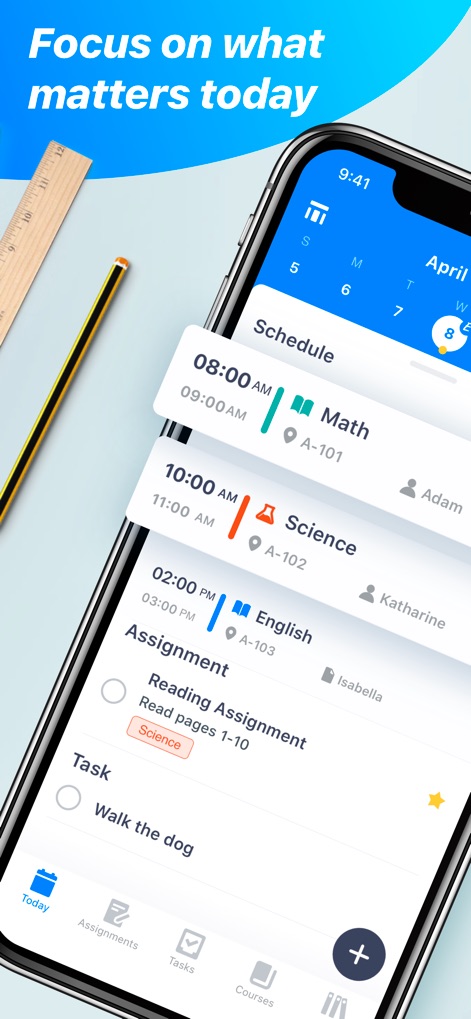
Discover how the app presents a clear daily overview, featuring precise class times with locations and prominent assignment deadlines.
Daily Schedule Snapshot

This tool's robust reputation is evident through its "Student's favorite" designation and a high volume of "6 thousand+ 5 Stars Review" ratings.
User Trust & Praise
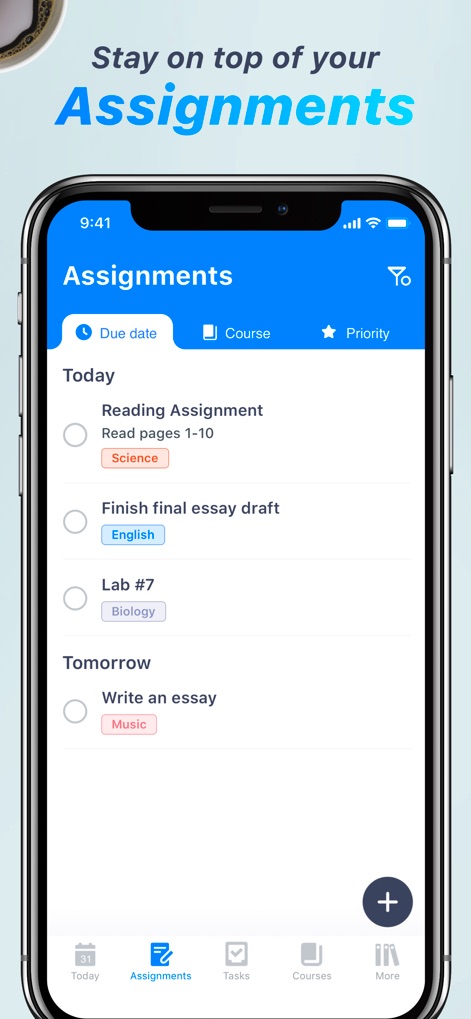
Users can effectively organize academic commitments by sorting assignments by "Due date" and applying specific "Course" tags for easy identification.
Assignment Management
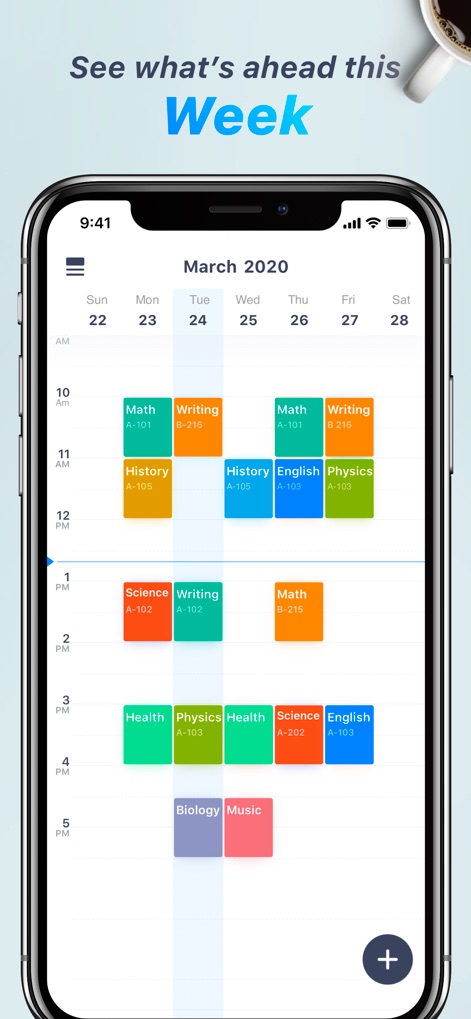
Visualize the entire academic week with a clear grid display of classes, each distinguished by a unique color block and associated course details.
Weekly Planner View
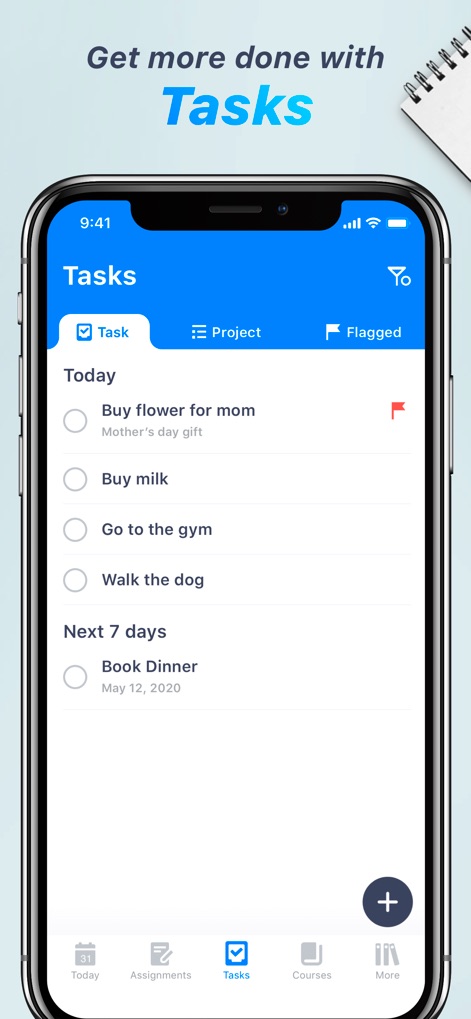
Beyond academics, the app enables users to manage general tasks efficiently, supporting categorization into "Project" and "Flagged" sections for enhanced organization.
Comprehensive Tasking
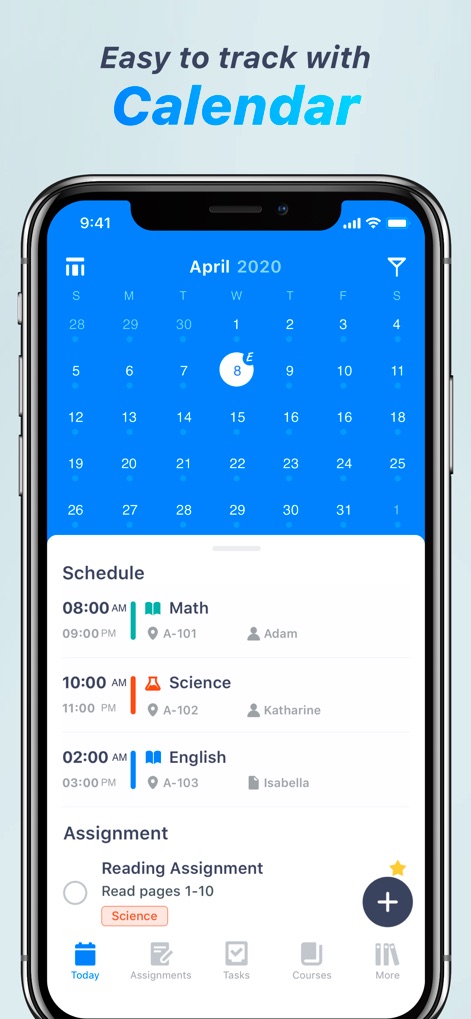
Experience seamless planning with the interactive monthly calendar, allowing users to pinpoint dates and immediately view the corresponding daily schedule entries.
Integrated Calendar Overview
Description
Download
More Like This
Top-ranked apps in the same category

ChatGPT
OpenAI OpCo, LLC

Google Gemini
Google LLC

Grok
X.AI Corporation

Gmail - Email by Google
Google LLC

千问 - 阿里最强大模型官方AI助手
Shanghai Zhixin Puhui Technology Co., Ltd.

Google Drive
Google LLC

Microsoft Authenticator
Microsoft Corporation

Google Sheets
Google LLC

Google Docs
Google LLC
This page is not an official page of the app or its developer, but an independent editorial publication created for informational and commentary purposes. Unless expressly stated otherwise, neither the app nor its developer is affiliated with, endorsed by, sponsored by, authorized by, or otherwise officially connected with MWM, Apple, Google Play, the app publisher, or the app's developer, and nothing on this page implies that the app was developed using MWM's services. Any trademarks, logos, screenshots, and other content remain the property of their respective owners.