
This page is not an official page of the app or its developer, but an independent editorial publication created for informational and commentary purposes. Unless expressly stated otherwise, neither the app nor its developer is affiliated with, endorsed by, sponsored by, authorized by, or otherwise officially connected with MWM, Apple, Google Play, the app publisher, or the app's developer, and nothing on this page implies that the app was developed using MWM's services. Any trademarks, logos, screenshots, and other content remain the property of their respective owners.


PortX - SSH, SFTP Client
Manage remote systems with precision using multi-session support, an advanced terminal keyboard, and secure authentication—all in a professional, ad-free environment built for DevOps and SysAdmins.
Downloads
58K+User Rating
Total Ratings
100Publisher
Category
Developer ToolsLocales
6Latest Version
2.0.8Size
56.4 MBFirst Released
May 31, 2021Desktop-Grade Power for Remote Management
PortX brings professional SSH capabilities to your mobile device, allowing you to manage complex infrastructure without the friction of a standard mobile interface.
Precision Command Input
Avoid syntax errors with a multi-line Compose Bar to review strings before sending and an advanced keyboard built for special characters.
Multi-Session Management
Monitor your entire stack simultaneously by swiping between active sessions and organizing your connections with an intuitive session manager.
Frequently Asked Questions
Everything you need to know about PortX - SSH, SFTP Client
Does PortX Mobile support SFTP?
No, PortX Mobile currently does not support SFTP. SFTP is available on the desktop version and will be supported on Mobile soon.
What authentication methods does PortX Mobile support?
PortX Mobile supports multiple authentication types. These include Password, Public Key, and Keyboard Interactive authentication.
Is PortX Mobile an ad-free SSH client?
Yes, PortX Mobile is an ad-free SSH client. The application provides an uninterrupted user experience without advertisements.
Can I manage multiple SSH connections simultaneously with PortX?
Yes, PortX Mobile supports multi-session functionality. Users can have multiple SSH connections open simultaneously and switch between them easily.
Does PortX Mobile offer customizable appearance options?
Yes, PortX Mobile provides customization options. Users can modify the appearance, font, and colors of the application interface.
What is the PortX Mobile Compose Bar used for?
The PortX Mobile Compose Bar allows users to type out, edit, and review command strings before sending them. It is a multi-line input feature.
Is a desktop version of PortX available?
Yes, a desktop version of PortX is available. It supports Mac, Windows, and Linux operating systems.
How does PortX Mobile help with special characters input?
PortX Mobile includes an Advanced Keyboard feature. This provides quick access to a wide range of special characters for various technical situations.
The following screenshots and description are sourced directly from the app's official store listing and are the property of the app developer.
App Store
Screenshots
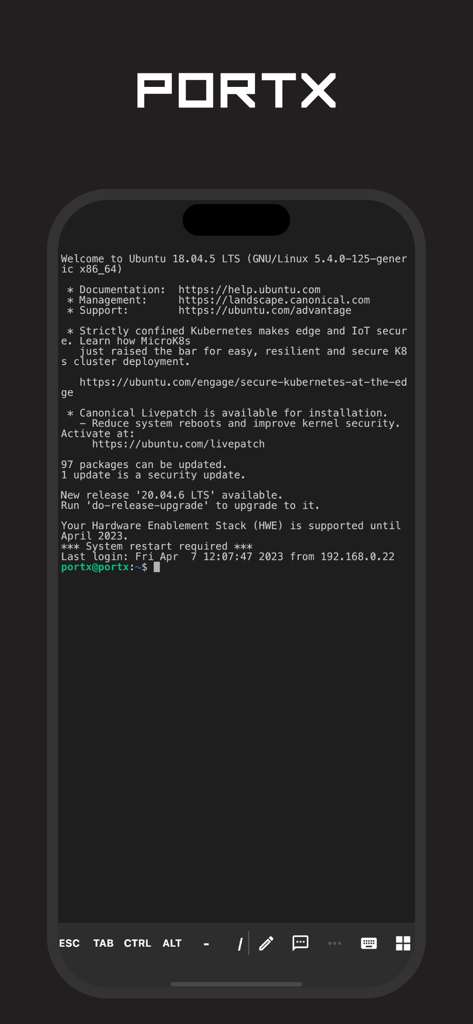
PortX mobile SSH client interface displaying an active Ubuntu server session on an iPhone
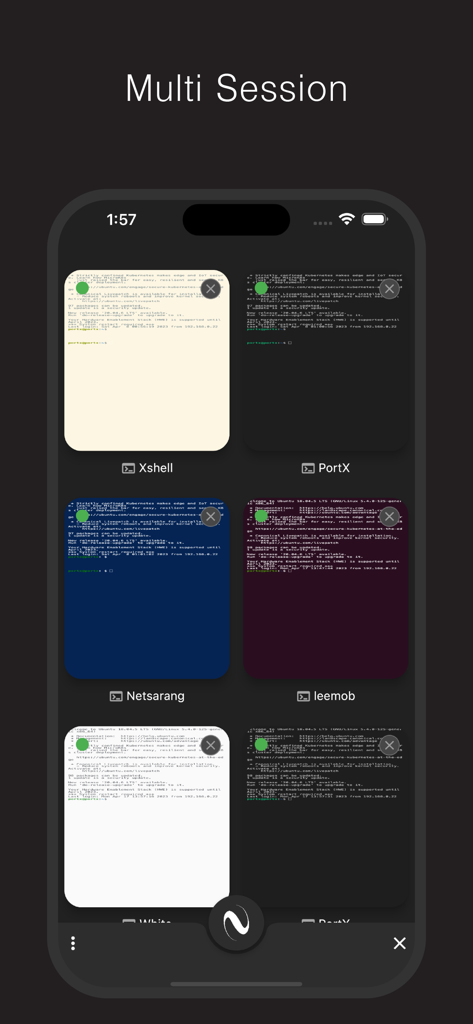
PortX app multi-session view showing multiple active SSH terminal connections in a grid on an iPhone
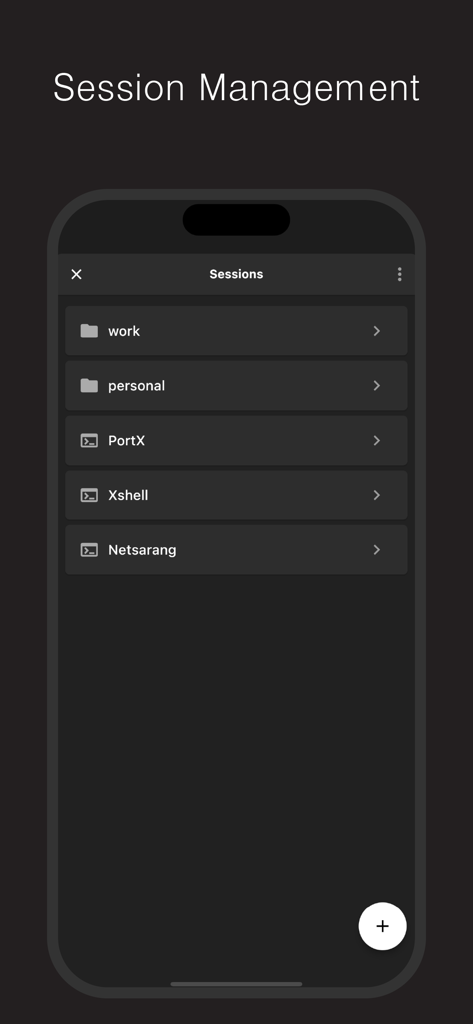
PortX mobile app session management screen showing organized folders for SSH server connections.
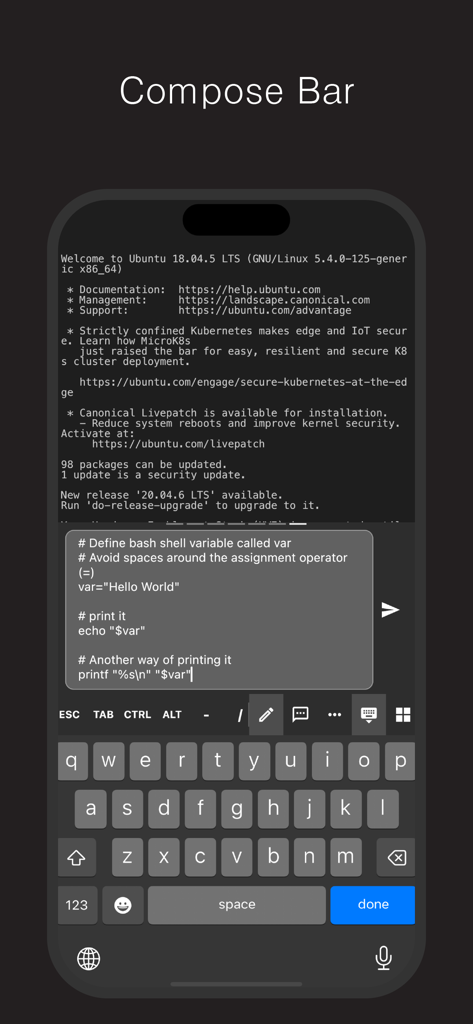
PortX mobile SSH terminal showing the multi-line Compose Bar feature for editing shell commands.
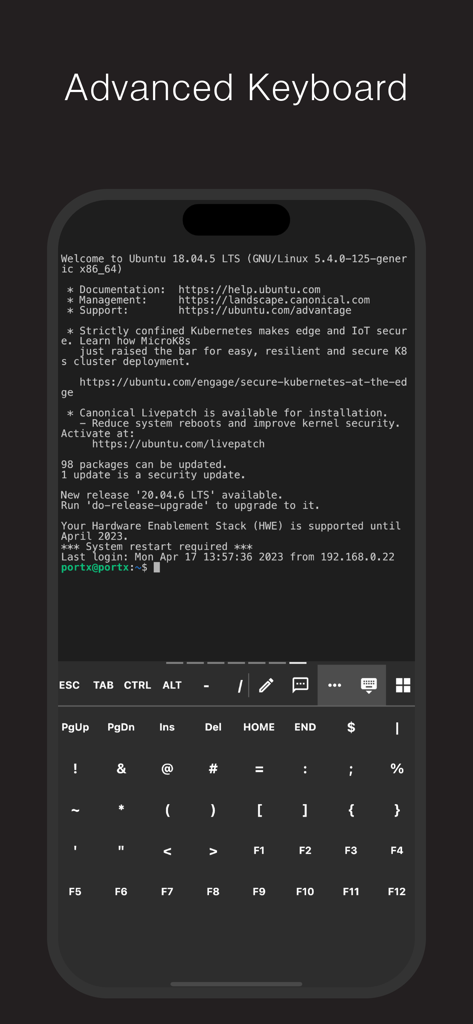
PortX app showing an advanced terminal keyboard with function keys during a Linux SSH session
Description
Download
More Like This
Top-ranked apps in the same category

TestFlight
Apple Inc.

Replit: Vibe Code Apps
Replit, Inc

GitHub
GitHub

O-KAM Pro
Shenzhen VeePai IoT Intelligent Technology LLC

Apple Developer
Apple Inc.

Expo Go
650 Industries, Inc.

Scriptable
Simon Stovring

App Store Connect
Apple Inc.

Sekai: Create · Remix · Play
Versa AI, Inc.
This page is not an official page of the app or its developer, but an independent editorial publication created for informational and commentary purposes. Unless expressly stated otherwise, neither the app nor its developer is affiliated with, endorsed by, sponsored by, authorized by, or otherwise officially connected with MWM, Apple, Google Play, the app publisher, or the app's developer, and nothing on this page implies that the app was developed using MWM's services. Any trademarks, logos, screenshots, and other content remain the property of their respective owners.