Power Scan-PDF Scanner
Download on App Store

This page is not an official page of the app or its developer, but an independent editorial publication created for informational and commentary purposes. Unless expressly stated otherwise, neither the app nor its developer is affiliated with, endorsed by, sponsored by, authorized by, or otherwise officially connected with MWM, Apple, Google Play, the app publisher, or the app's developer, and nothing on this page implies that the app was developed using MWM's services. Any trademarks, logos, screenshots, and other content remain the property of their respective owners.

Logo of Power Scan-PDF Scanner
Download on App Store

Power Scan-PDF Scanner

Scan, sign, and organize unlimited documents with professional OCR, e-signatures, and secure watermarking. The ultimate paperless solution for busy professionals, freelancers, and students on the go.

Key Figures

Downloads

0

User Rating

2.9/5

Total Ratings

0

Publisher

瑶 李

Category

Business

Locales

1

Latest Version

3.0.3

Size

105.8 MB

First Released

Jan 20, 2023
Features

Your Entire Office, Right in Your Pocket

Power Scan combines high-definition scanning with professional tools to help you stay productive and paperless anywhere.

Unlimited HD Scanning

Scan contracts, IDs, and receipts with zero page limits and lightning-fast processing for a crisp, digital finish.

Professional E-Sign & Security

Sign documents on the move and add custom watermarks to protect your sensitive information from unauthorized use.

The following screenshots and description are sourced directly from the app's official store listing and are the property of the app developer.

App Store

Screenshots

Power Scan-PDF Scanner - Promotional screen for Power Scan PDF Scanner app showing a community of over 60,000 users
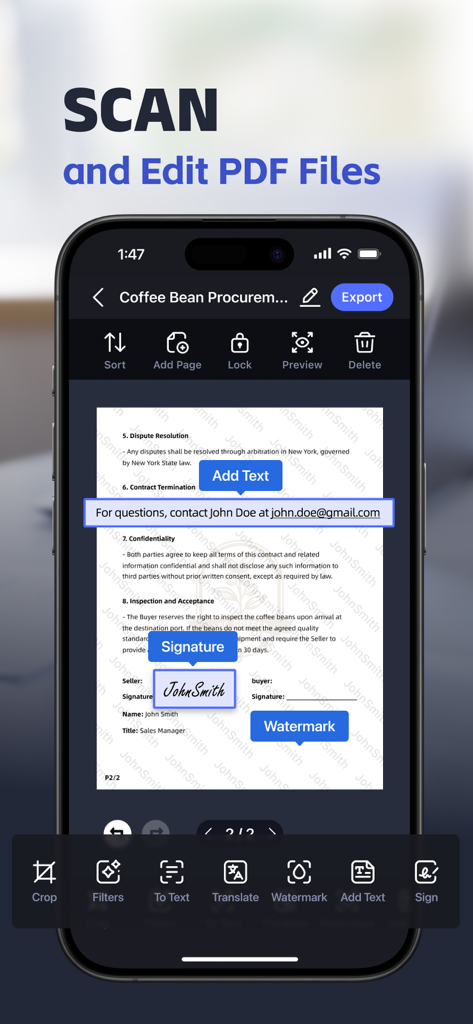
Promotional screen for Power Scan PDF Scanner app showing a community of over 60,000 users

Power Scan-PDF Scanner - Power Scan app interface showing mobile document editing features including digital signature text insertion and watermark tools
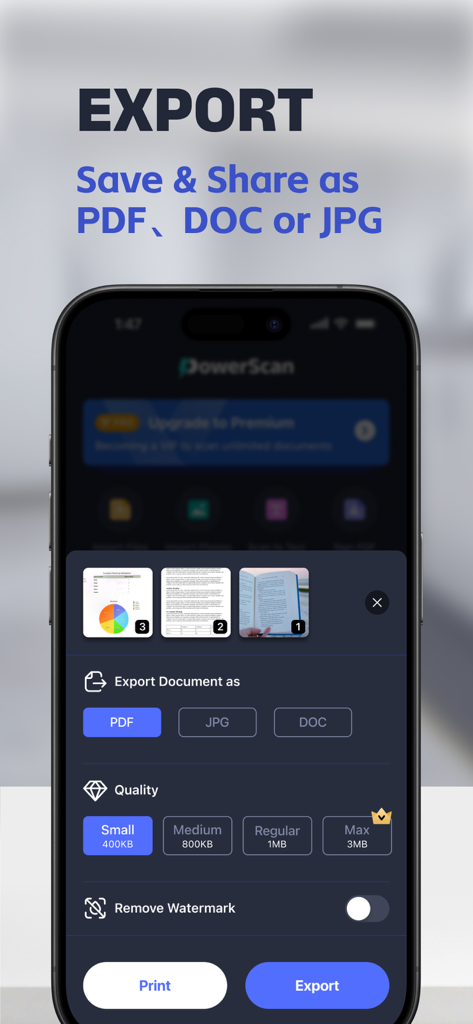
Power Scan app interface showing mobile document editing features including digital signature text insertion and watermark tools

Power Scan-PDF Scanner - Mobile app interface for Power Scan showing document export settings for PDF JPG and DOC formats

Mobile app interface for Power Scan showing document export settings for PDF JPG and DOC formats
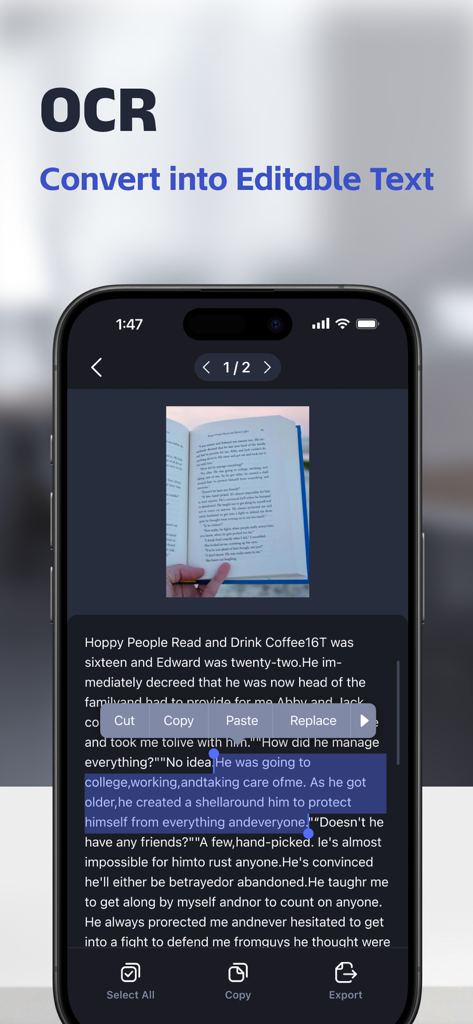
Power Scan-PDF Scanner - A mobile screen showing the OCR feature of Power Scan converting a scanned book page into editable text on an iPhone
A mobile screen showing the OCR feature of Power Scan converting a scanned book page into editable text on an iPhone

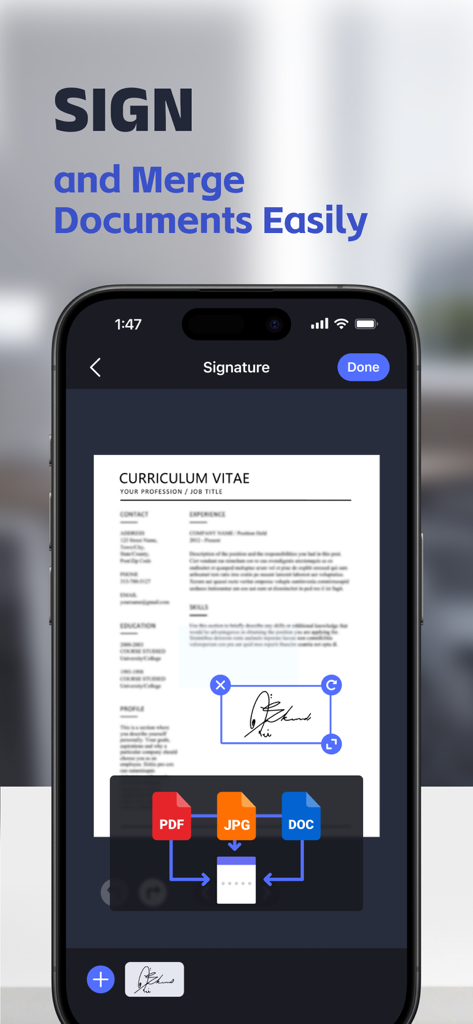
Power Scan-PDF Scanner - Mobile app interface showing a document being signed with an e-signature and a tool to merge PDF JPG and DOC files
Mobile app interface showing a document being signed with an e-signature and a tool to merge PDF JPG and DOC files

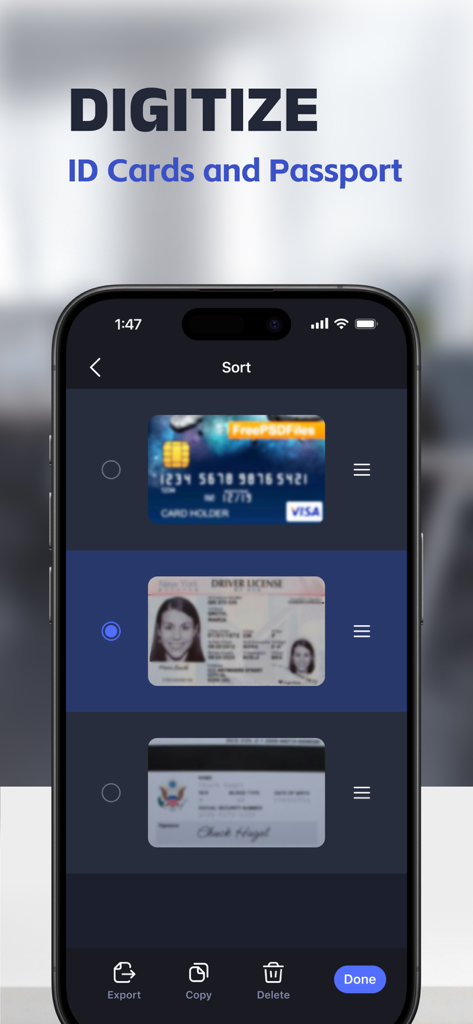
Power Scan-PDF Scanner - Power Scan app interface showing digitized ID cards and passports with sorting and export options

Power Scan app interface showing digitized ID cards and passports with sorting and export options
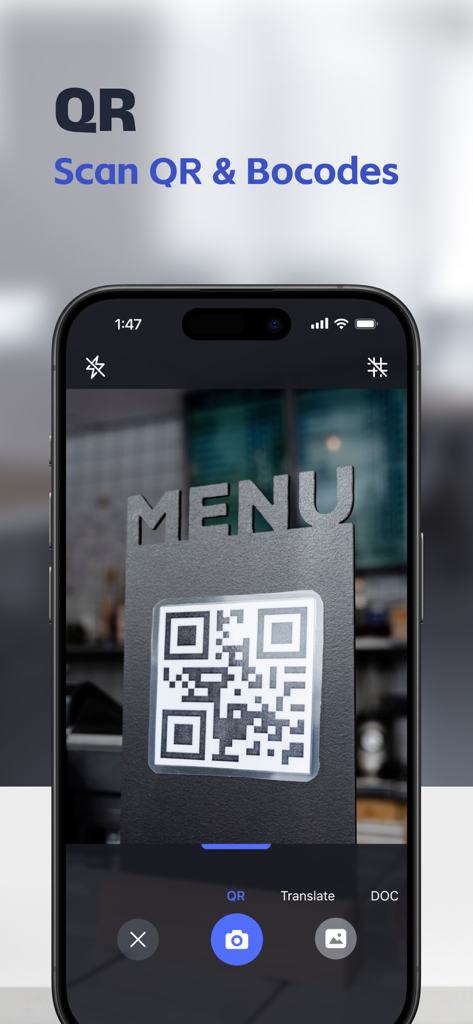
Power Scan-PDF Scanner - An iPhone scanning a QR code on a restaurant menu using the Power Scan app
An iPhone scanning a QR code on a restaurant menu using the Power Scan app

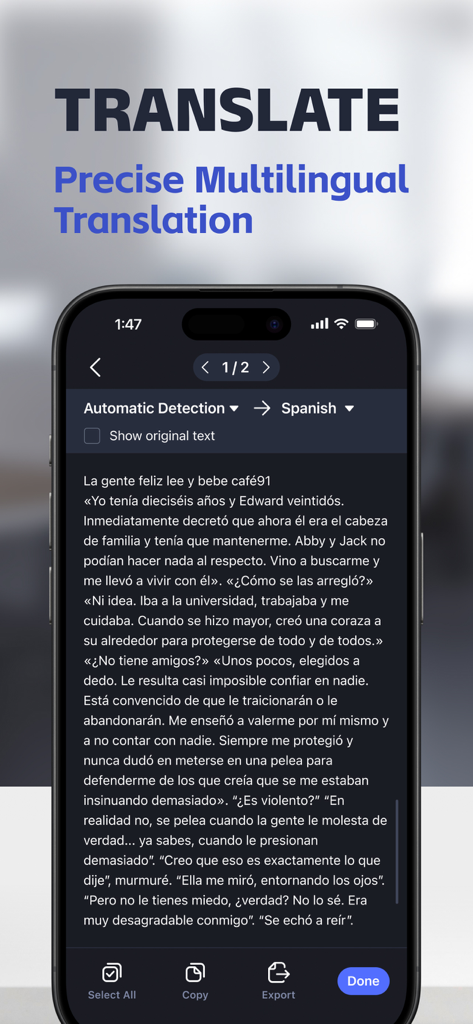
Power Scan-PDF Scanner - Smartphone screen showing the Power Scan app translation feature converting a scanned document into Spanish text.
Smartphone screen showing the Power Scan app translation feature converting a scanned document into Spanish text.

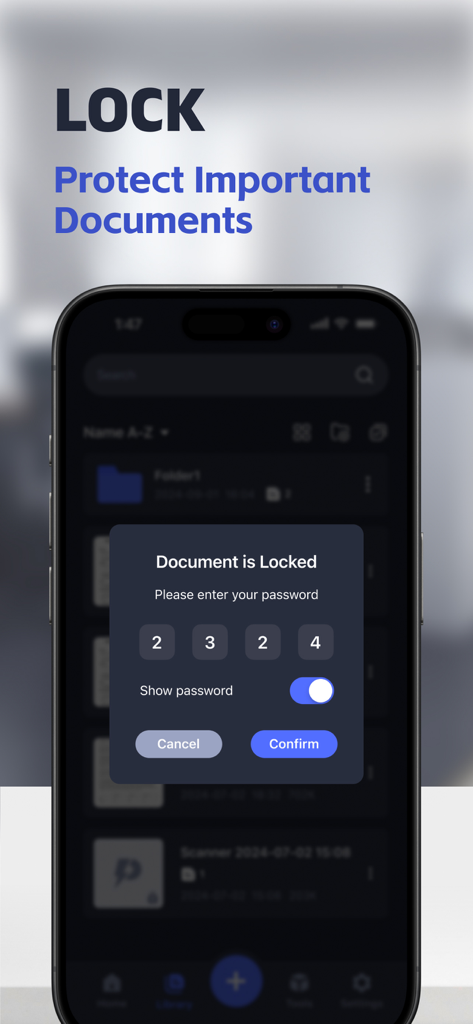
Power Scan-PDF Scanner - Power Scan app interface displaying a password lock screen to protect private documents
Power Scan app interface displaying a password lock screen to protect private documents

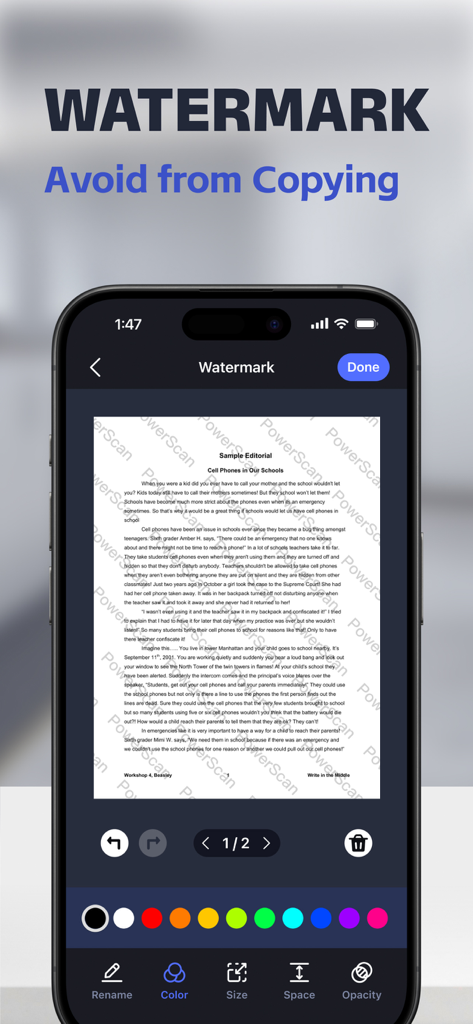
Power Scan-PDF Scanner - Mobile app interface showing how to add a security watermark to a scanned document

Mobile app interface showing how to add a security watermark to a scanned document

Description

Power Scan – Your All-in-One PDF Scanner Scan anything and export beyond PDF. Convert documents, receipts, IDs, and notes into PDF, JPG, DOC, or TEXT/TXT — instantly and accurately. Whether you’re a student, freelancer, or working professional, Power Scan helps you go paperless and stay productive anytime, anywhere. ◉ SCAN UNLIMITED DOCUMENTS Experience the freedom to scan as many documents as you need, with absolutely no page limits. Enjoy best-in-class scanning quality and lightning-fast processing speeds, ensuring your digital copies are sharp and accurate. ◉ TRANSLATE SCANNED DOCUMENTS Turn your scans into multilingual assets with our powerful Scan Translation feature. Extract text from images and translate it into multiple languages instantly, helping you break language barriers in seconds. ◉ SCAN QR CODES AND BARCODES Unlock quick access to information by scanning QR codes and barcodes directly in the app. Save, organize, or share the decoded content easily—ideal for business, shopping, and more. ◉ CONNECT TO PRINTERS Print documents directly from the app with seamless Printer Integration. Whether it’s contracts, assignments, or forms, you can send your scans to any connected printer instantly, saving you time and effort. ◉ ORGANIZE WITH FOLDERS Stay organized with our new Single-Layer Folder feature. Categorize your documents effortlessly to keep your files neat and easy to find, simplifying your workflow and improving productivity. ◉ MERGE DOCUMENTS Combine multiple scans or files into one with our Document Merge tool. Create comprehensive and organized files for reports, assignments, or projects with just a few taps. ◉ SIGN OFFICIAL DOCUMENTATION Easily create and save multiple e-signatures for quick and professional document signing. Sign important documents anytime, ensuring your workflow remains uninterrupted whether you’re on the move or in the office. ◉ CUSTOMIZED WATERMARKS Protect your documents from unauthorized use by adding custom watermarks. Edit watermark text, adjust size, transparency, and color to personalize your security measures and prevent infringement. ◉ DIGITIZE YOUR ID / PASSPORT Scan and digitize identity cards, passports, invoices, receipts, and more with exceptional accuracy. Power Scan ensures your personal and professional information is captured securely. ◉ SAVE TIME WITH OCR / TEXT RECOGNITION Leverage the power of OCR (Optical Character Recognition) to extract text from images or PDFs and edit it as needed. Save time and reduce manual effort with precise, error-free text recognition. ◉ WHAT FILES CAN BE SCANNED? - Identity cards, business documents, agreements, letters, invoices, order worksheets, receipts - Paper notes and sketches - Pages from any articles and books - Business cards - Rental agreements, letters of credit, bills, or any other printed documents ◉ Unlimited Access Member Subscription - subscribe for unlimited access to all features of the scanner application. - Subscription Options: · Weekly: $0.29 for the first week, then $9.99 per week. · Yearly: $34.99 per year. - Payment will be charged to your iTunes account upon confirmation of purchase. - Subscriptions automatically renew unless auto-renewal is turned off at least 24 hours before the end of the current period. - Your account will be charged for renewal within 24 hours prior to the end of the current subscription period, based on the selected plan. - Subscriptions can be managed, and auto-renewal can be turned off, in your account settings after purchase. Download Power Scan today and carry your office in your pocket. Privacy Policy: https://powerfulscan.xyz/privacypolicy.html Terms of Use: https://powerfulscan.xyz/agreement.html

Download

Download on App Store

This page is not an official page of the app or its developer, but an independent editorial publication created for informational and commentary purposes. Unless expressly stated otherwise, neither the app nor its developer is affiliated with, endorsed by, sponsored by, authorized by, or otherwise officially connected with MWM, Apple, Google Play, the app publisher, or the app's developer, and nothing on this page implies that the app was developed using MWM's services. Any trademarks, logos, screenshots, and other content remain the property of their respective owners.