
This page is not an official page of the app or its developer, but an independent editorial publication created for informational and commentary purposes. Unless expressly stated otherwise, neither the app nor its developer is affiliated with, endorsed by, sponsored by, authorized by, or otherwise officially connected with MWM, Apple, Google Play, the app publisher, or the app's developer, and nothing on this page implies that the app was developed using MWM's services. Any trademarks, logos, screenshots, and other content remain the property of their respective owners.

ProCam - Capture ProRAW photos
Transform your iPhone into a powerful DSLR with intuitive one-handed controls for ISO, shutter, and focus. Capture stunning ProRAW photos and long exposures with a simple one-time purchase—no subscriptions required.
Downloads
422K+User Rating
Total Ratings
4K+Publisher
Category
Photo & VideoLocales
4Latest Version
4.9Size
19.0 MBFirst Released
Jun 22, 2021Professional Control, Simplified.
ProCam brings the power of a high-end DSLR to your iPhone, combining advanced manual settings with a minimalist, one-handed interface designed for serious creators who value intentionality.
Total Manual Mastery
Take full command of ISO, shutter speed, and focus with intuitive swipe controls, allowing you to bypass computational processing and capture the exact mood you envision.
ProRAW & RAW Workflow
Unlock the maximum dynamic range of your sensor. Capture uncompressed data for ultimate flexibility when fine-tuning your masterpieces in Lightroom or Darkroom.
Frequently Asked Questions
Everything you need to know about ProCam - Capture ProRAW photos
Is ProCam a free app?
No, ProCam offers a free trial of 10 shots. Unlimited access requires a one-time purchase within the app.
Does ProCam support video recording?
No, ProCam is designed exclusively for photography. It only supports shooting photos and does not include video recording functionality.
What shooting modes does ProCam offer?
ProCam provides two primary shooting modes: Manual Mode for fine control over settings, and Semi Auto Mode for quick, tap-to-shoot photography.
How does ProCam's Manual Mode work?
ProCam's Manual Mode allows professional photographers to finely control shutter, ISO, focus, and white balance. Users adjust these controls by swiping horizontally.
How does ProCam's Semi Auto Mode work?
ProCam's Semi Auto Mode enables quick point-and-shoot photography. Users tap the camera display to set exposure and focus, with the option to hide manual controls.
What image formats does ProCam support for capturing photos?
ProCam supports capturing photos in JPEG, HEIF, RAW, RAW+JPEG, ProRAW, and ProRAW+JPEG formats. RAW and ProRAW provide finer editing control.
Can users lock camera controls in ProCam?
Yes, ProCam allows users to freeze all camera controls including shutter, ISO, focus, and white balance with a single button tap after settings are established.
Does ProCam include Exposure Bracketing?
Yes, ProCam features Exposure Bracketing, which captures three photos at varying exposure levels. Users can blend or select the best-exposed image.
How does the Exposure Meter function in ProCam?
The Exposure Meter in ProCam indicates if a shot is over-exposed or under-exposed. Users utilize this meter to adjust exposure for optimal photo quality.
Can I view metadata for photos taken with ProCam?
Yes, ProCam displays photo metadata, including EXIF data, file size, dimensions, and information for all versions (e.g., edits like crop or filter).
Can ProCam launch directly from the lock screen?
Yes, ProCam offers Lock Screen Widgets, allowing users to launch the app quickly from the lock screen to capture photos directly.
Does ProCam offer photo recovery?
Yes, in rare cases of capture or save failure, ProCam users can access recovered photos within the app's settings section.
Can I add author and copyright information to my photos in ProCam?
Yes, ProCam allows users to customize author name and copyright information for photos. This customization must be completed before photo capture.
How does ProCam handle sharing different photo versions?
ProCam enables sharing of original, edited, or alternate versions of photos, such as RAW/ProRAW images. Users can select which versions to share.
The following screenshots and description are sourced directly from the app's official store listing and are the property of the app developer.
App Store
Screenshots
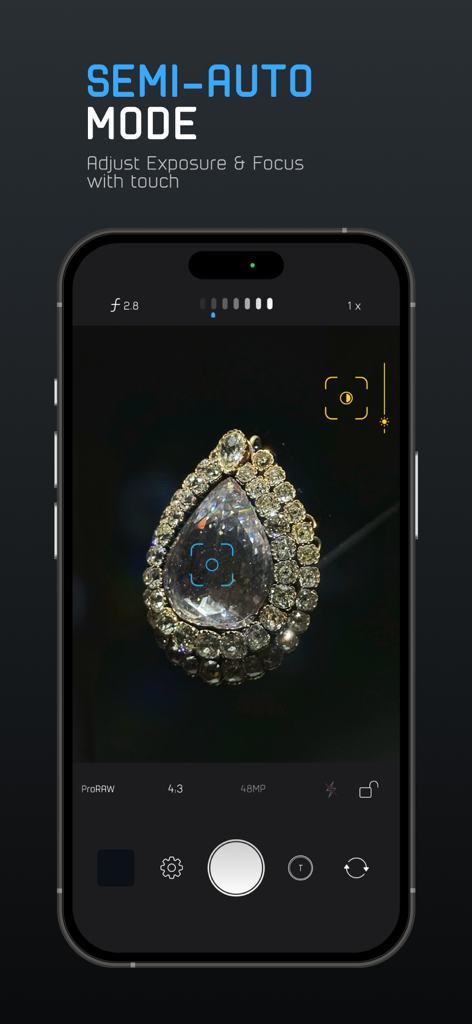
ProCam app interface demonstrating semi-auto mode with touch controls for exposure and focus on an iPhone.
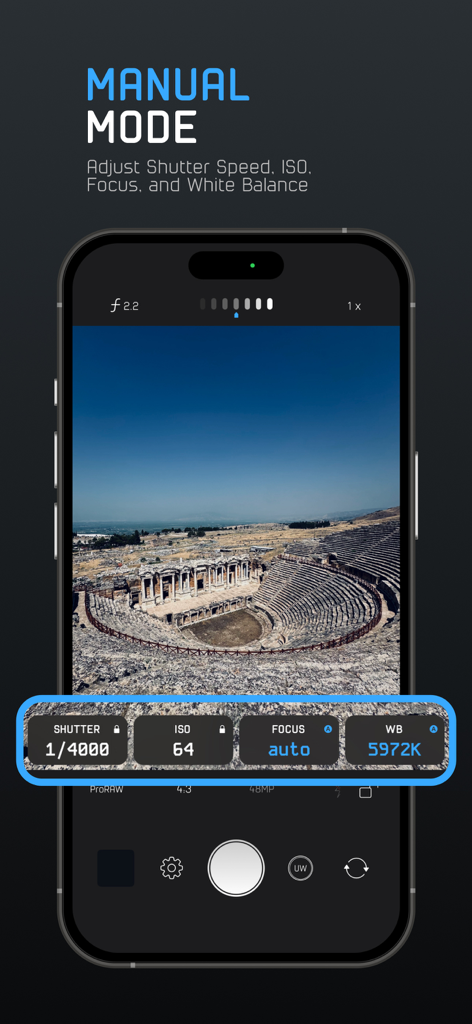
ProCam app manual mode interface showing shutter speed ISO focus and white balance controls over a landscape photo
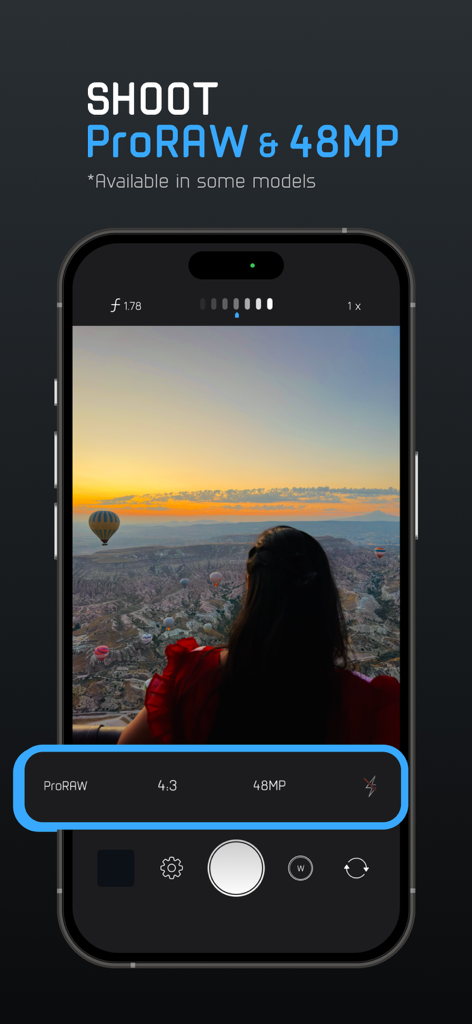
Interface of the ProCam app showing ProRAW and 48MP photo capture settings on an iPhone
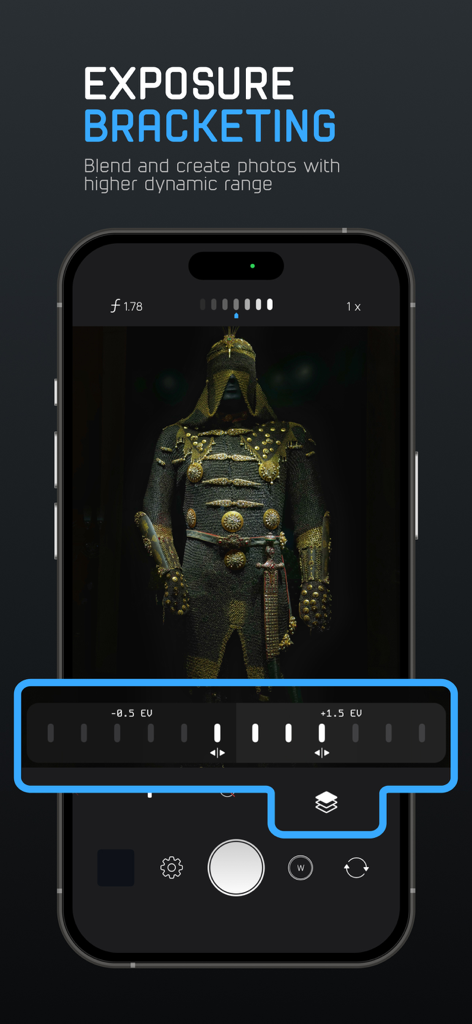
ProCam app interface showing exposure bracketing controls to capture higher dynamic range photos
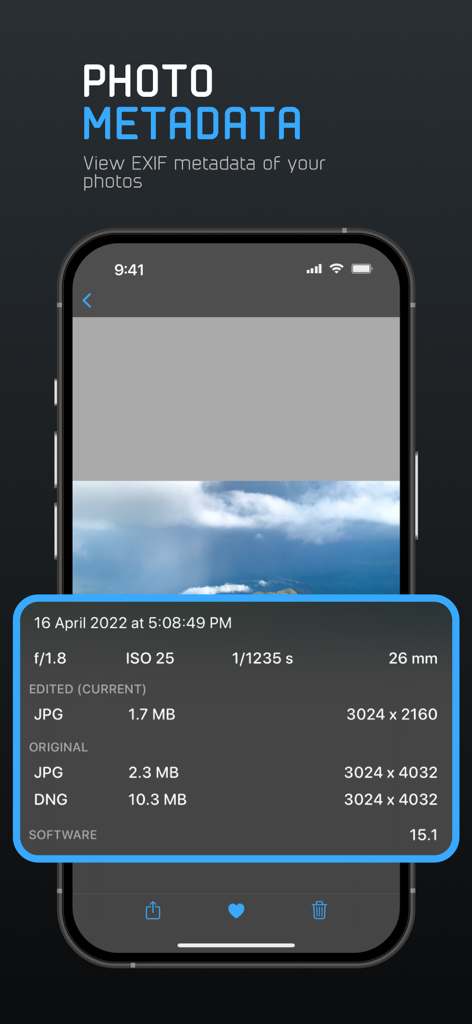
A screenshot of the ProCam app displaying detailed EXIF metadata for a photo including ISO, shutter speed, and file formats
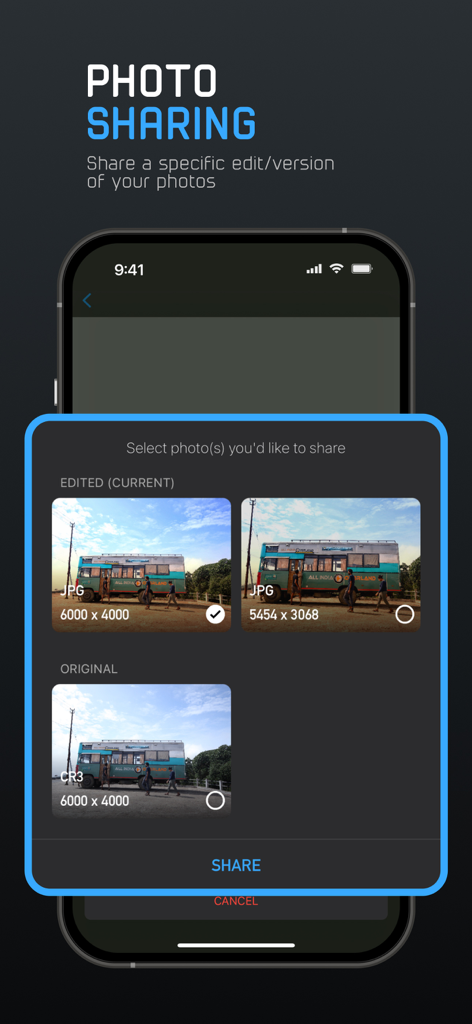
Interface of the ProCam app showing options to share original or edited versions of a photo in different formats like RAW and JPG.
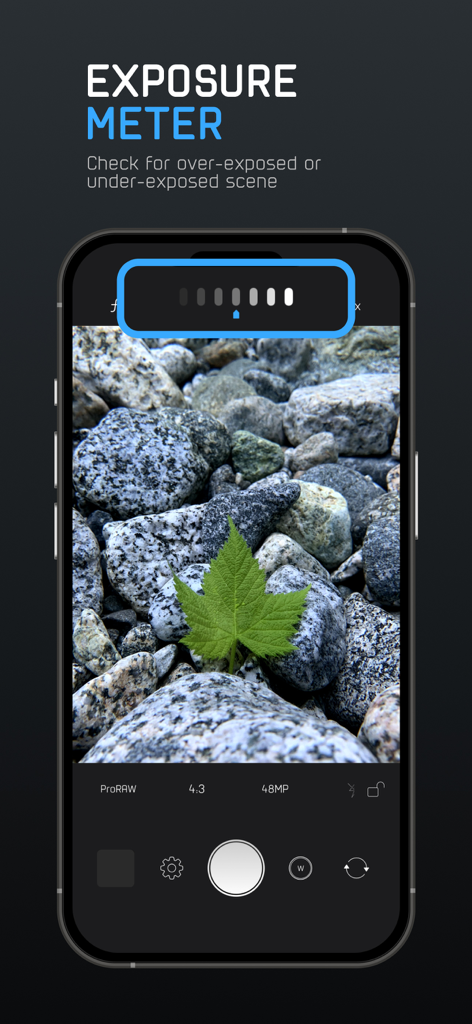
ProCam app screenshot showing the exposure meter tool for manual photography.
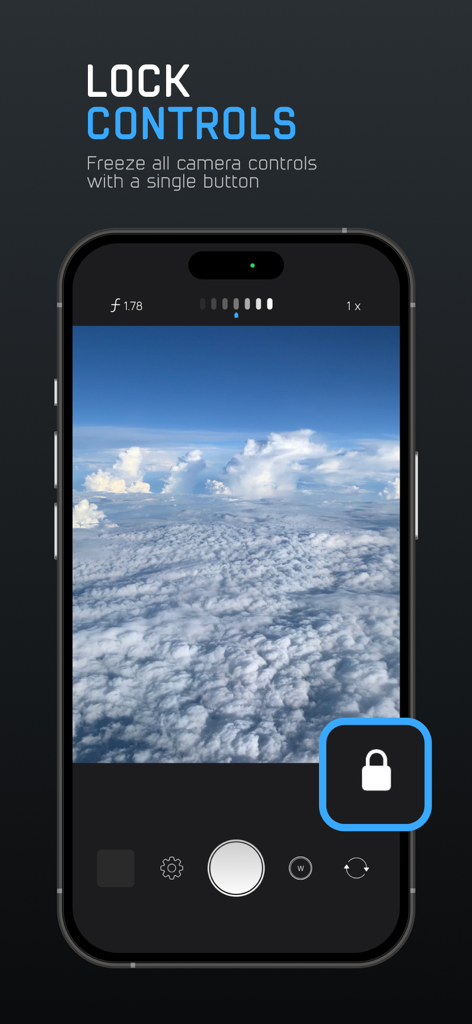
Smartphone screen showing ProCam app Lock Controls feature to freeze manual camera settings
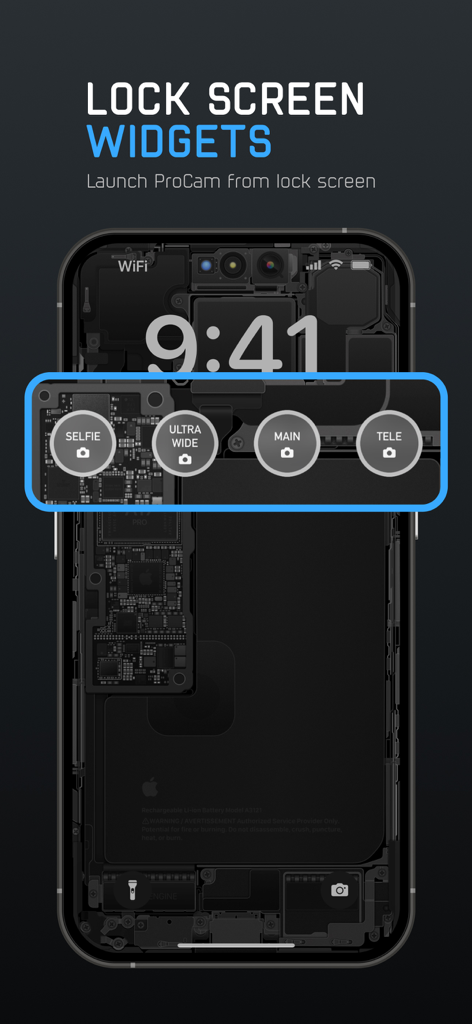
iPhone lock screen showing ProCam widgets for quick launch of selfie ultra wide main and tele camera modes
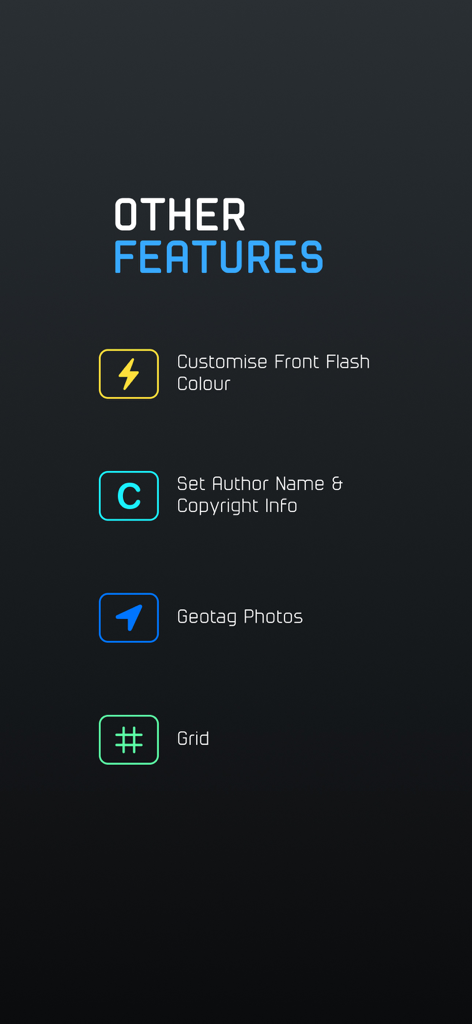
ProCam app screen displaying additional photography features including custom flash color, copyright settings, geotagging, and composition grid
Description
Download
More Like This
Apps with similar features and user experience

Blackmagic Camera
Blackmagic Design Inc

飓风相机
Hangzhou Ostar Media Co.,Ltd.

ProMovie Recorder
Panda Apps Limited

ReLens Camera-DSLR Portrait
Pixl Concerto Technology Limited

Leica LUX - Pro Manual Camera
Leica Camera AG

FotorGear - Camera in Pocket
Shenzhen Fotorgear Technology Co., Ltd.

Unsharp
北北 宋

ProCam:Professional RAW Camera
BRAND CELLAR HOLDINGS PTE LTD

Vibe Cam - Moments Never Fade
森 林
This page is not an official page of the app or its developer, but an independent editorial publication created for informational and commentary purposes. Unless expressly stated otherwise, neither the app nor its developer is affiliated with, endorsed by, sponsored by, authorized by, or otherwise officially connected with MWM, Apple, Google Play, the app publisher, or the app's developer, and nothing on this page implies that the app was developed using MWM's services. Any trademarks, logos, screenshots, and other content remain the property of their respective owners.