Procedural: System & Routines
Download on App Store

This page is not an official page of the app or its developer, but an independent editorial publication created for informational and commentary purposes. Unless expressly stated otherwise, neither the app nor its developer is affiliated with, endorsed by, sponsored by, authorized by, or otherwise officially connected with MWM, Apple, Google Play, the app publisher, or the app's developer, and nothing on this page implies that the app was developed using MWM's services. Any trademarks, logos, screenshots, and other content remain the property of their respective owners.


Logo of Procedural: System & Routines
Download on App Store

Procedural: System & Routines

Ditch the mental load and stop relying on memory. Transform your complex workflows into foolproof, step-by-step checklists designed for creators, systematizers, and high-performance professionals.

Key Figures

Downloads

300

User Rating

1.0/5

Total Ratings

0

Publisher

CrazyLazy OU

Category

Productivity

Locales

1

Latest Version

1.6.2

Size

3.5 MB

First Released

Mar 16, 2021
Features

Master Your Systems, Not Just Your To-Dos

Eliminate decision fatigue and human error by transforming complex workflows into clear, repeatable, and focused procedures designed for high-performance professionals.

Flow-State Execution

Eliminate mental clutter by seeing only your current task. Procedural helps you stay present and finish faster by removing the anxiety of 'what comes next'.

Zero-Willpower Consistency

Offload your routine to an 'external brain'. Reduce cognitive load and ensure 100% accuracy in repetitive tasks—from video editing to pre-flight checks.

The following screenshots and description are sourced directly from the app's official store listing and are the property of the app developer.

App Store

Screenshots
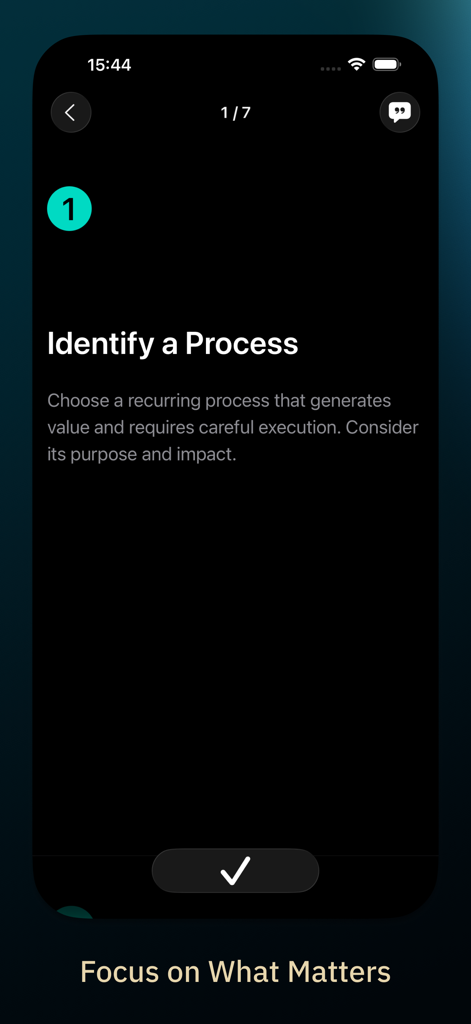
Procedural: System & Routines - Step one of a routine in the Procedural app titled Identify a Process
Step one of a routine in the Procedural app titled Identify a Process

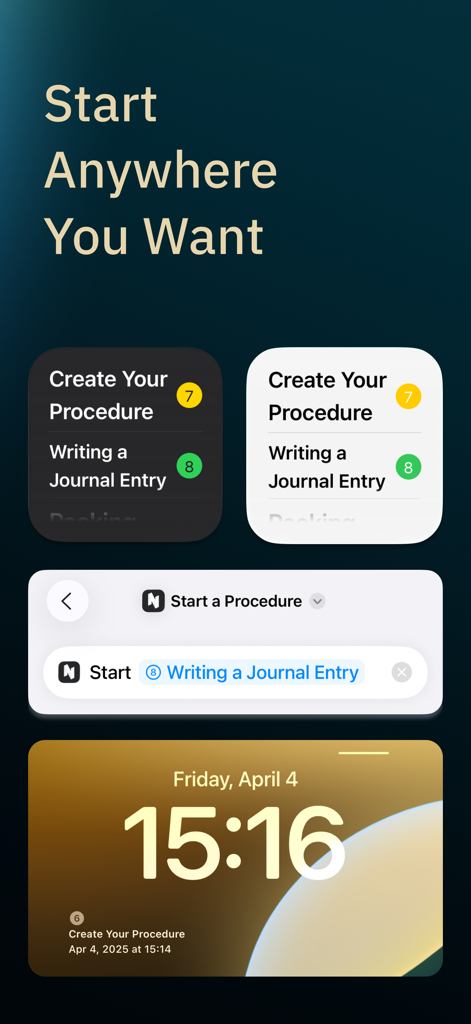
Procedural: System & Routines - Procedural app interface showing iOS home screen widgets and lock screen routine access
Procedural app interface showing iOS home screen widgets and lock screen routine access

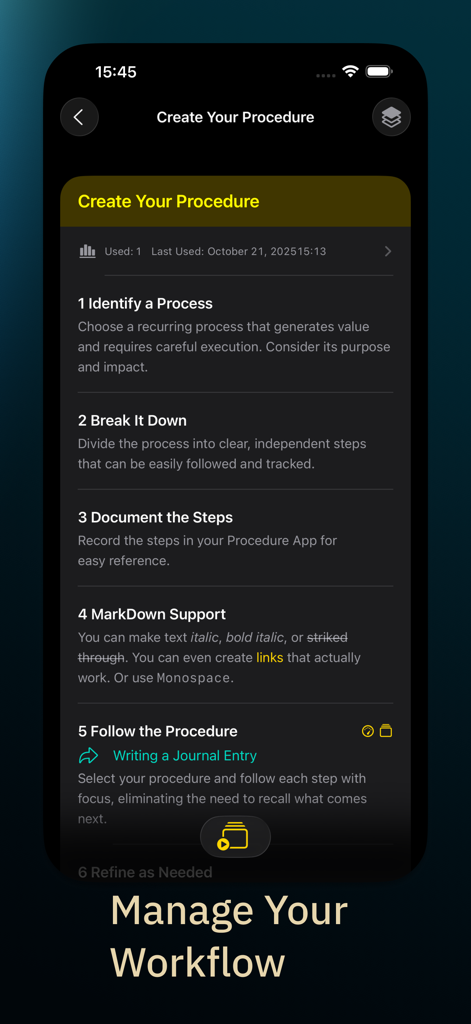
Procedural: System & Routines - Interface of the Procedural app showing a step by step guide to create and manage workflows
Interface of the Procedural app showing a step by step guide to create and manage workflows

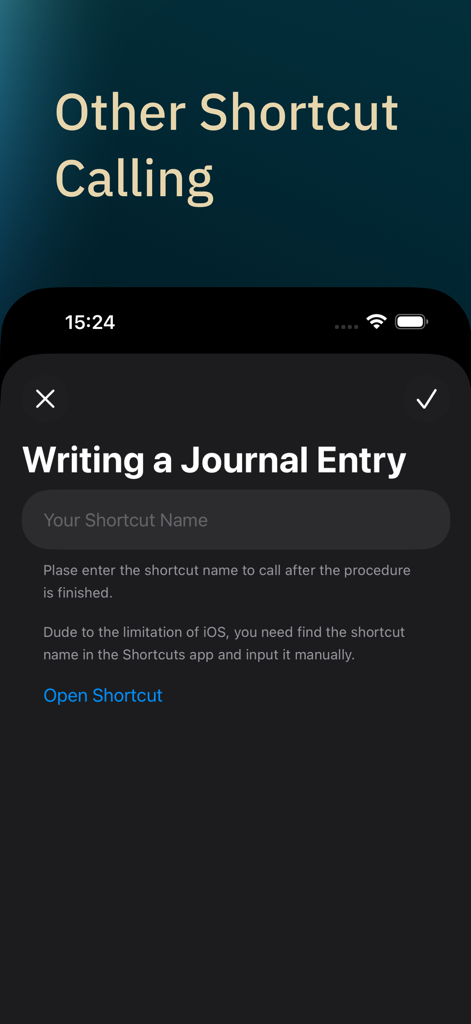
Procedural: System & Routines - Procedural app interface for setting up an iOS shortcut to run automatically after a routine is finished.
Procedural app interface for setting up an iOS shortcut to run automatically after a routine is finished.

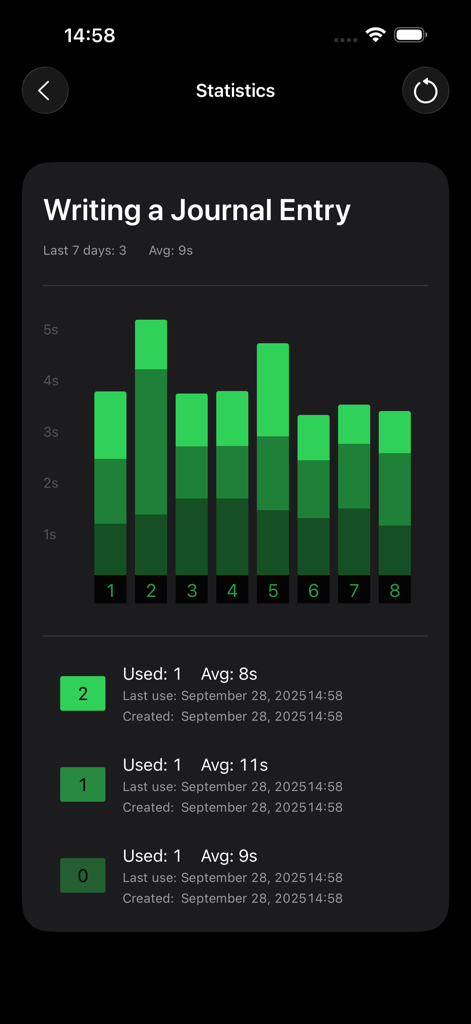
Procedural: System & Routines - A dark mode analytics screen showing a bar chart and time performance for a journal entry routine.

A dark mode analytics screen showing a bar chart and time performance for a journal entry routine.
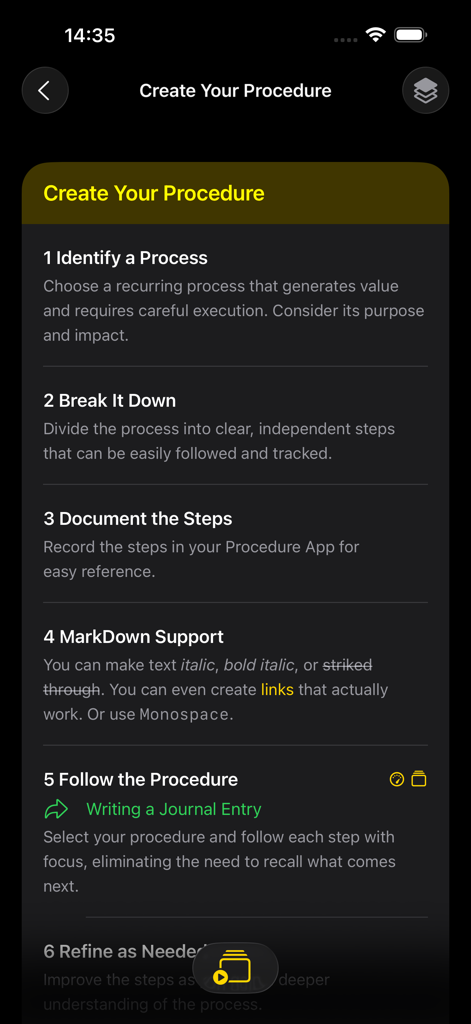
Procedural: System & Routines - Interface showing the six steps to identify, document, and follow a new workflow in the Procedural app.
Interface showing the six steps to identify, document, and follow a new workflow in the Procedural app.

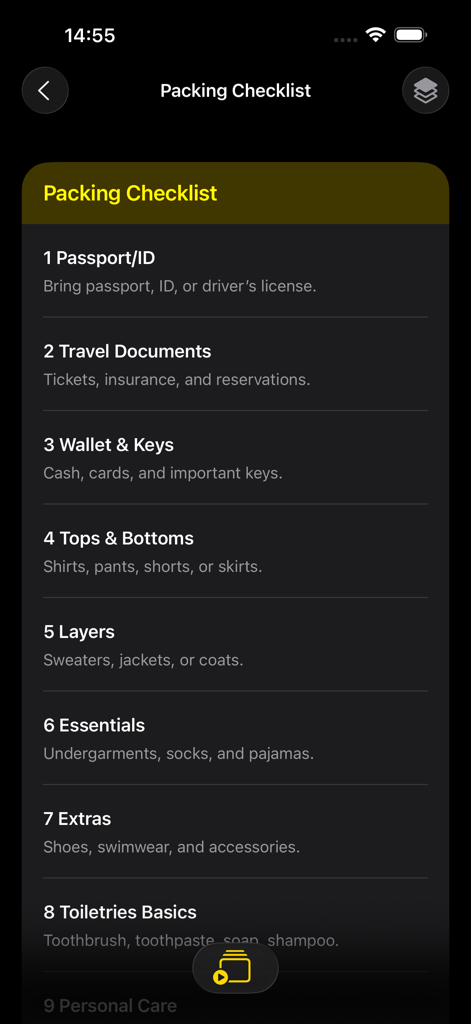
Procedural: System & Routines - A detailed packing checklist screen in the Procedural app featuring items like passport travel documents and wallet
A detailed packing checklist screen in the Procedural app featuring items like passport travel documents and wallet

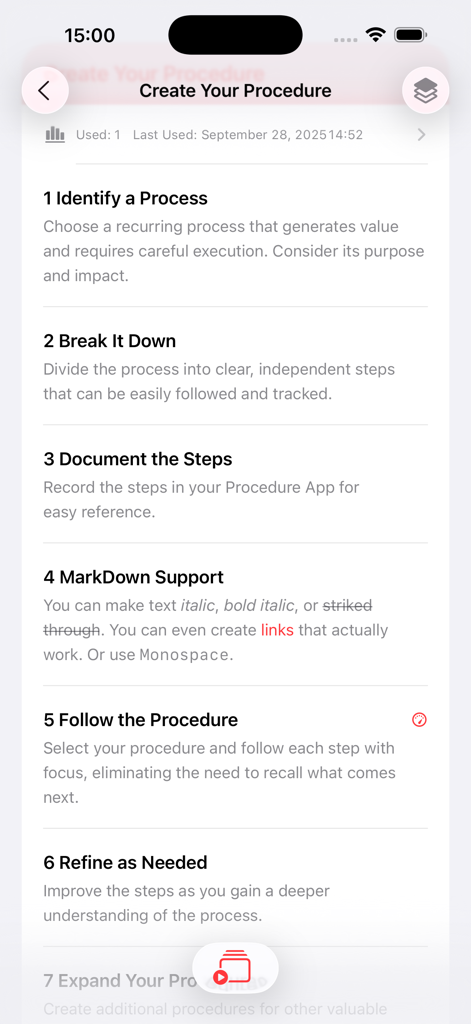
Procedural: System & Routines - A step-by-step guide for creating a new procedure within the Procedural productivity app.

A step-by-step guide for creating a new procedure within the Procedural productivity app.

Description

Nowadays, it's difficult to concentrate on your current work, especially when there are so many distractions around. Procedural is a simple yet powerful tool designed to help you document, organise and verify every step of your workflows, particularly the ones you repeat daily. By transforming your processes into clear, step-by-step checklists, Procedural ensures that nothing is overlooked, making it easier to maintain consistency and accuracy in your daily routines. Whether you’re managing personal tasks, professional workflows, or high-pressure procedures, Procedural helps you form good habits, stay organized, and focus on what truly matters without willpower. Its intuitive design encourages mindful attention to each task, boosting productivity while reducing the mental load of remembering every detail. Procedural also supports an open format, giving you the freedom to export your workflows at any time. This flexibility allows you to share your processes, back them up, or integrate them with other tools without being locked into a proprietary system. Try Procedural if you… - Want a logger for a procedure once you’ve completed it. - Are interested in tracking, reinforcing, and nurturing new habits. - Use daily checklists or recurring “recheck” routines to stay on track. - Have procedures, rituals, or repetitive workflows that need to be managed efficiently. Video Production & Publishing - Video - Filming - Editing - YouTube - Content Creation - Upload Travel & Packing - Travel - Packing - Vacation - Trip - Carry-on - International Travel - Car Maintenance You can turn any routine into a clear, trackable, and repeatable process—helping you stay organized, consistent, and focused every day. •Stay Present, Stay Productive Procedural shows you only the current task, helping you to finish faster and with greater focus, without having to worry about the next step. •Foster Creativity Through Structure By alleviating the burden of complexity with structured procedures, individuals can achieve peace of mind. Knowing that tasks are following a set process allows for greater focus on creative aspects, leading to increased productivity and reduced stress. •Prioritize Practice Over Recall In complex environments, relying solely on memory can lead to errors. By focusing on practicing established procedures, you reduce the cognitive load and increase reliability in your tasks. *Shortcut: Press the 'N' key to proceed to the next step (this also works on a Mac). Timer / Jump to another procedure / VoiceControl / iCloud / Widget / Shortcut support and call shortcuts - Why Checklists Matter? Error Prevention – They minimize the risk of missing important steps, especially under stress. Standardization – Ensures consistency across teams and operations. Cognitive Load Reduction – Frees up mental resources for decision-making by handling routine tasks. Examples of Checklists in Use: Aviation: Pilots use pre-flight, in-flight, and emergency checklists to ensure safety at every stage of a flight. Healthcare: Surgical teams follow checklists like the WHO Surgical Safety Checklist to prevent complications and improve patient outcomes. Engineering & Maintenance: Technicians rely on checklists to verify critical systems before operation. - Why build this app? I studied knowledge management, and I know that every time you practice your process, you benefit. So you should focus on your best practices and manage your most important asset. As a software developer, I am in a unique position to build this application. I would love to hear your feedback and learn how the app can help you in your use case.

Download

Download on App Store

This page is not an official page of the app or its developer, but an independent editorial publication created for informational and commentary purposes. Unless expressly stated otherwise, neither the app nor its developer is affiliated with, endorsed by, sponsored by, authorized by, or otherwise officially connected with MWM, Apple, Google Play, the app publisher, or the app's developer, and nothing on this page implies that the app was developed using MWM's services. Any trademarks, logos, screenshots, and other content remain the property of their respective owners.








