
This page is not an official page of the app or its developer, but an independent editorial publication created for informational and commentary purposes. Unless expressly stated otherwise, neither the app nor its developer is affiliated with, endorsed by, sponsored by, authorized by, or otherwise officially connected with MWM, Apple, Google Play, the app publisher, or the app's developer, and nothing on this page implies that the app was developed using MWM's services. Any trademarks, logos, screenshots, and other content remain the property of their respective owners.


Procreate Dreams
The animation barrier falls. It empowers users to build cinematic narratives, not just individual frames.
Downloads
250k+User Rating
Total Ratings
4.7KPublisher
Category
Photo & VideoLocales
18Latest Version
2.0.4Size
1.7 GBFirst Released
Nov 22, 2023An evaluation highlighting key functionalities that empower 2D animators and digital artists on iPad.
Procreate Dreams: Feature Analysis for Creative Professionals
Extensive Brush Library
The app provides access to over 300 beautifully textured Procreate brushes and is compatible with all existing Procreate brushes, offering immense artistic versatility.
Real-time Rendering Engine
This tool features a next-generation, real-time rendering engine that eliminates waiting times, significantly accelerating workflow and creative iteration.
Multi-track Timeline
It allows users to manage complex projects with a responsive multi-track timeline, enabling precise timing and layering of animation, video, and audio elements.
Keyframing for Motion & Effects
The app provides robust keyframing capabilities for adding precise transitions, motion, and visual effects to content, vital for cinematic and dynamic animations.
Integrated Media Composition
It allows users to seamlessly compose projects by importing, editing, and trimming video, adding voice-overs and music, and crafting custom titles and typography.
Broad Asset Import Support
The app features extensive compatibility for importing a wide range of media, including various video, audio, and image formats, as well as layered Procreate files and custom brushes, ensuring smooth integration with existing workflows.
Frame-by-Frame Animation Tools
The app offers powerful frame-by-frame animation tools, including customizable onion skins and high-resolution canvas support, fundamental for traditional 2D animation.
Flexible Export Options
It allows users to export their work in professional formats such as MP4s, MOVs (H264, HEVC, ProRes), transparent video, and PNG sequences, facilitating integration into various production pipelines.
Frequently Asked Questions
Everything you need to know about Procreate Dreams
What is Procreate Dreams?
Procreate Dreams is an award-winning iPad animation app. It combines drawing, frame-by-frame animation, keyframing, and video editing to create rich 2D animations, expressive videos, and captivating stories.
Does Procreate Dreams support frame-by-frame animation?
Yes, Procreate Dreams supports powerful frame-by-frame animation. It offers over 300 textured brushes, customizable onion skins, and compatibility with existing Procreate brushes, enabling hand-drawn animations.
Can I import my existing Procreate brushes into Procreate Dreams?
Yes, Procreate Dreams is compatible with all Procreate brushes. Users can import their custom and purchased Procreate brushes, expanding their creative options for animation projects.
Does Procreate Dreams have a multi-track timeline?
Yes, Procreate Dreams features a responsive multi-track timeline. This allows users to seamlessly compose and manage video, photos, audio, and type, facilitating layered animations and complex projects.
What video and image file formats can Procreate Dreams import?
Procreate Dreams imports video and photos in JPG, PNG, TGA, Procreate, MP4, GIF, and ProRes formats. It also supports importing layered Procreate files and Procreate Animation Assist as Flipbooks.
Can I add sound, music, and voice-overs to my projects in Procreate Dreams?
Yes, Procreate Dreams allows users to import, edit, and trim audio. You can add voice-overs and music in formats like MP3, AIFF, WAV, FLAC, AAC, CAFF, M4A, AC3, and MP2.
Does Procreate Dreams use keyframes for animation effects?
Yes, Procreate Dreams uses keyframes for precise motion and cinematic animations. Users can modify easing and apply various effects such as HSB, opacity, Gaussian blur, lens blur, noise, and sharpen with keyframes.
Are there ads or subscriptions required for Procreate Dreams?
No, Procreate Dreams does not contain any ads or require subscriptions. It is a one-time purchase application, providing full access to all its powerful animation and editing features.
What is the maximum drawing resolution supported by Procreate Dreams?
Procreate Dreams supports drawing at up to 16K resolution. This high resolution ensures detailed and professional-quality artwork for animations and illustrations within the app.
Can Procreate Dreams export transparent videos or image sequences for professional pipelines?
Yes, Procreate Dreams exports transparent video and PNG sequences with transparency. Users can also export the current frame as a transparent image for integration into professional workflows.
Can I draw over videos in Procreate Dreams?
Yes, Procreate Dreams allows users to draw over their imported video content. This feature enhances creative control, enabling custom annotations or artistic overlays directly on top of video footage.
Does Procreate Dreams offer real-time rendering?
Yes, Procreate Dreams features a next-generation, real-time rendering engine. This technology ensures immediate visual feedback, making waiting for renders a thing of the past and enhancing workflow efficiency.
Does Procreate Dreams have an auto-save feature?
Yes, Procreate Dreams includes continuous auto-save and undo history. This ensures users never lose their artwork and can easily revert changes, providing a secure and flexible creative environment.
The following screenshots and description are sourced directly from the app's official store listing and are the property of the app developer.
App Store
Screenshots
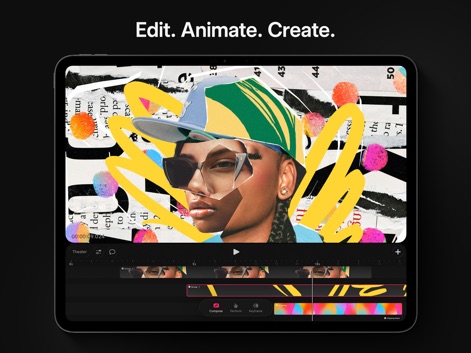
Explore how Procreate Dreams integrates a responsive multi-track timeline with dynamic mixed media collages for comprehensive creative control.
Unified Creative Canvas
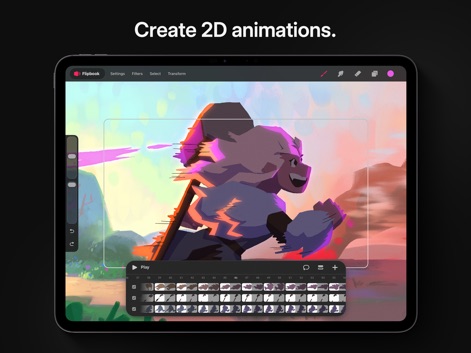
Witness the intuitive Flipbook interface and detailed frame-based timeline that empower users to craft expressive 2D animations.
Frame-by-Frame Mastery
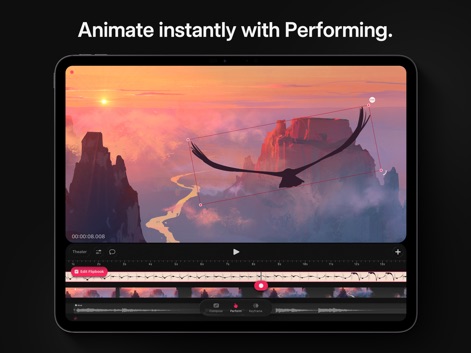
See how the 'Performing' feature allows users to record motion and effects in real-time, visualized by distinctive performance markers on the multi-track timeline.
Dynamic Performance Tools
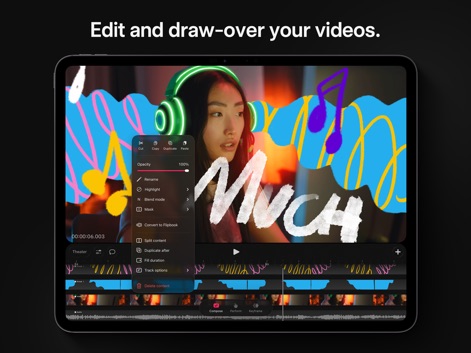
Observe how the app facilitates drawing directly over video content and offers a context menu for quick adjustments like opacity and blend modes.
Interactive Video Overlays
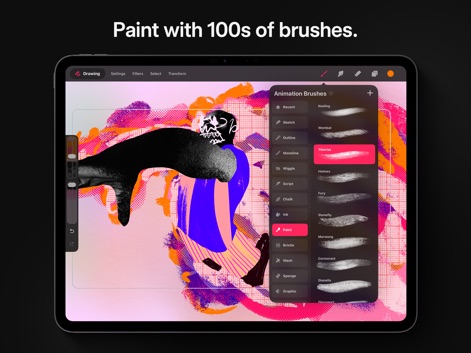
Discover the vast collection of 300+ beautifully textured Procreate brushes and the organized brush library panel for diverse artistic expression.
Extensive Brush Library
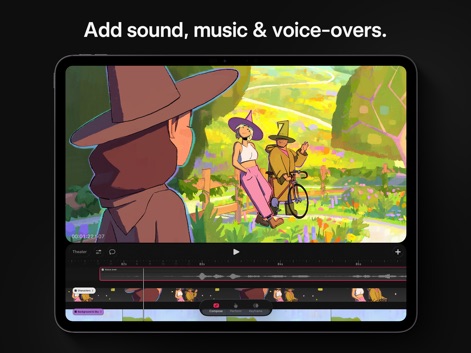
Examine how the app allows seamless integration of audio, displaying clear voice-over waveforms and music tracks directly within the timeline.
Rich Audio Integration
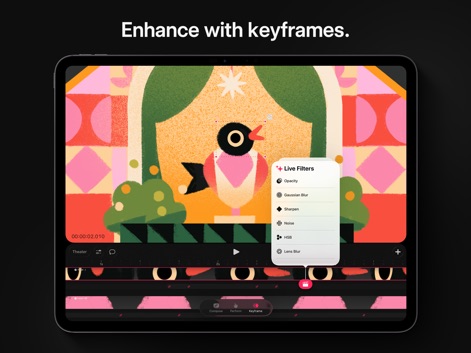
Understand how keyframes enable precise control over motion and effects, offering a range of live filters such as Gaussian Blur and HSB adjustments.
Precise Keyframe Control
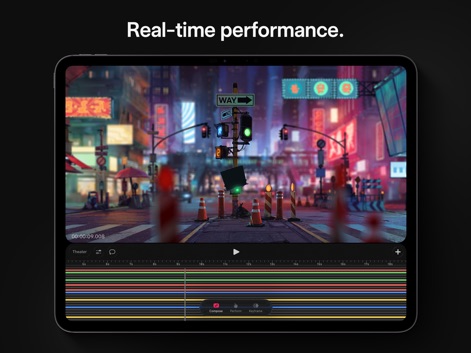
Experience the real-time rendering capabilities demonstrated by the complex multi-track timeline and the immediate visual feedback in the Theater view.
Instant Playback Power
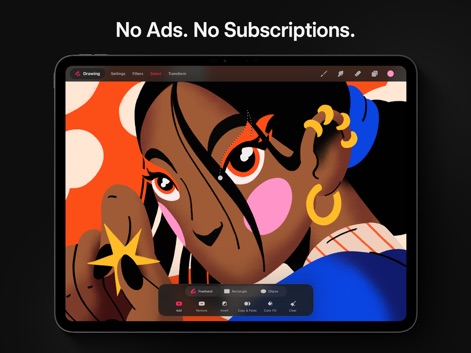
Observe the versatile selection tools, including freehand and shape-based options, allowing users to precisely isolate and manipulate elements within their artwork.
Flexible Selection Tools
Description
Download
More Like This
Apps with similar features and user experience






This page is not an official page of the app or its developer, but an independent editorial publication created for informational and commentary purposes. Unless expressly stated otherwise, neither the app nor its developer is affiliated with, endorsed by, sponsored by, authorized by, or otherwise officially connected with MWM, Apple, Google Play, the app publisher, or the app's developer, and nothing on this page implies that the app was developed using MWM's services. Any trademarks, logos, screenshots, and other content remain the property of their respective owners.