قلم المدقق اللغوي الذكي
Download on App Store

This page is not an official page of the app or its developer, but an independent editorial publication created for informational and commentary purposes. Unless expressly stated otherwise, neither the app nor its developer is affiliated with, endorsed by, sponsored by, authorized by, or otherwise officially connected with MWM, Apple, Google Play, the app publisher, or the app's developer, and nothing on this page implies that the app was developed using MWM's services. Any trademarks, logos, screenshots, and other content remain the property of their respective owners.


Logo of قلم المدقق اللغوي الذكي
Download on App Store

قلم المدقق اللغوي الذكي

ارتقِ بمستوى كتابتك مع المساعد الأول لتدقيق القواعد، الإملاء، وتوثيق الآيات. استمتع بلوحة مفاتيح ذكية مدعومة بالذكاء الاصطناعي تضمن لك نصوصاً خالية من الأخطاء في كل تطبيقاتك.

Key Figures

Downloads

242K+

User Rating

4.2/5

Total Ratings

900

Publisher

Mawdoo3 Limited

Category

Productivity

Locales

1

Latest Version

1.2.32

Size

112.2 MB

First Released

Sep 1, 2020
Features

Master Your Arabic Writing with AI

The ultimate writing companion for professionals and students in the USA. Qalam acts as your personal Arabic Grammarly, ensuring every message, email, and post is linguistically perfect.

Smart Keyboard Integration

Write with confidence directly in WhatsApp, LinkedIn, and Instagram. Our smart keyboard detects errors in real-time so you never have to copy-paste again.

AI-Powered Proofreading

Eliminate embarrassing mistakes. From complex Hamza placements to advanced grammar rules, our AI provides color-coded corrections and stylistic suggestions.

The following screenshots and description are sourced directly from the app's official store listing and are the property of the app developer.

App Store

Screenshots
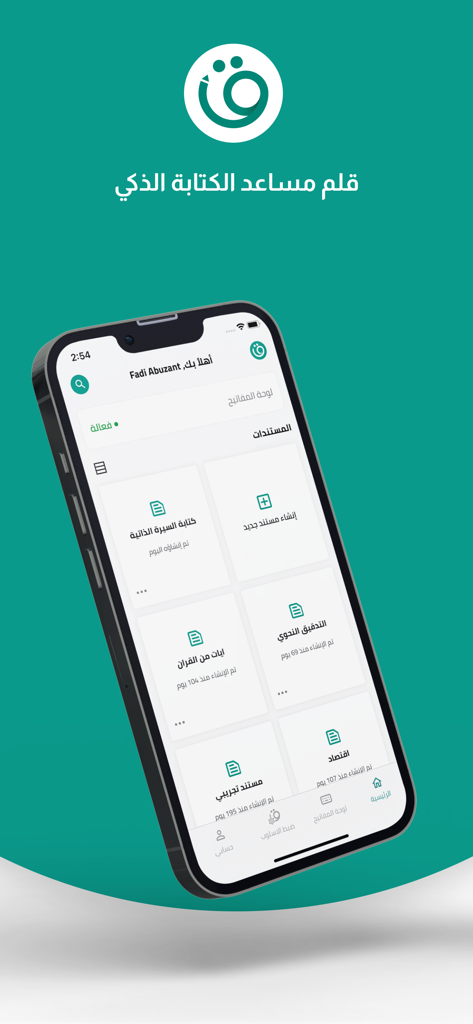
قلم المدقق اللغوي الذكي - Interface of the Qalam Arabic smart proofreader app on a smartphone screen showing document categories.
Interface of the Qalam Arabic smart proofreader app on a smartphone screen showing document categories.

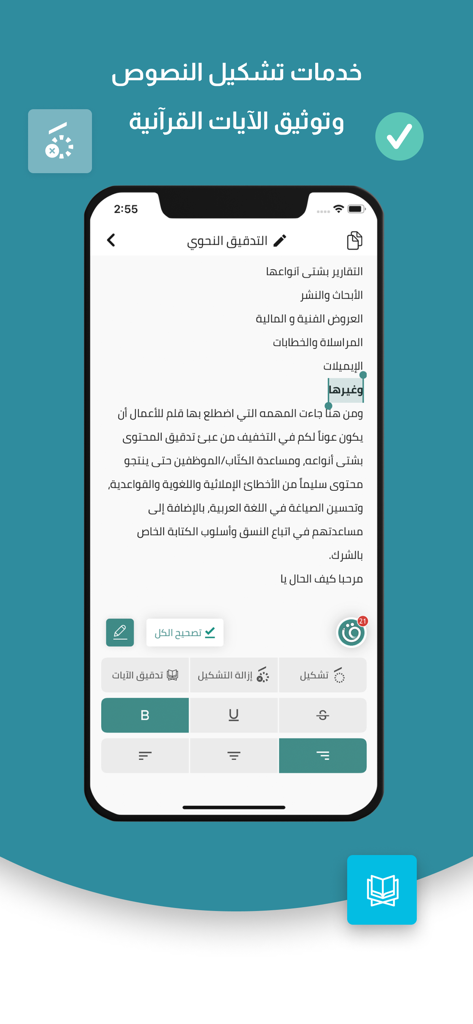
قلم المدقق اللغوي الذكي - Qalam app interface for Arabic text diacritics and Quranic verse verification
Qalam app interface for Arabic text diacritics and Quranic verse verification

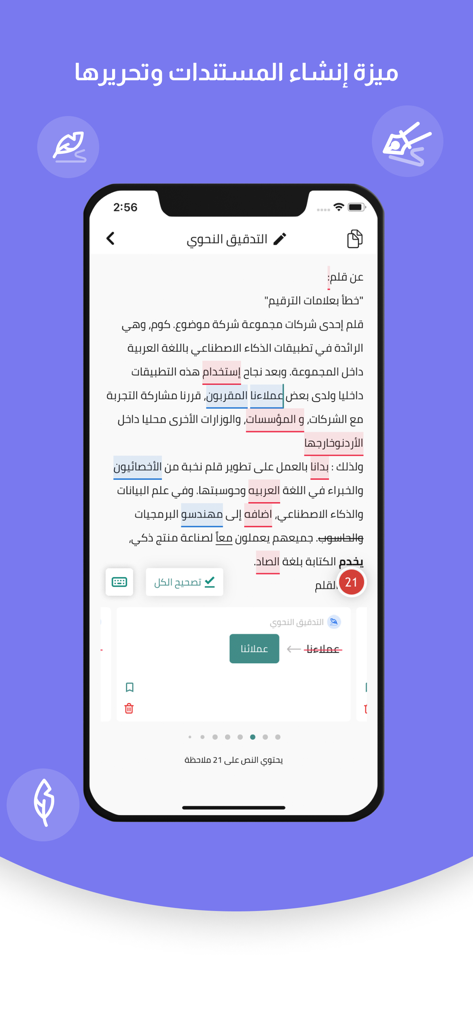
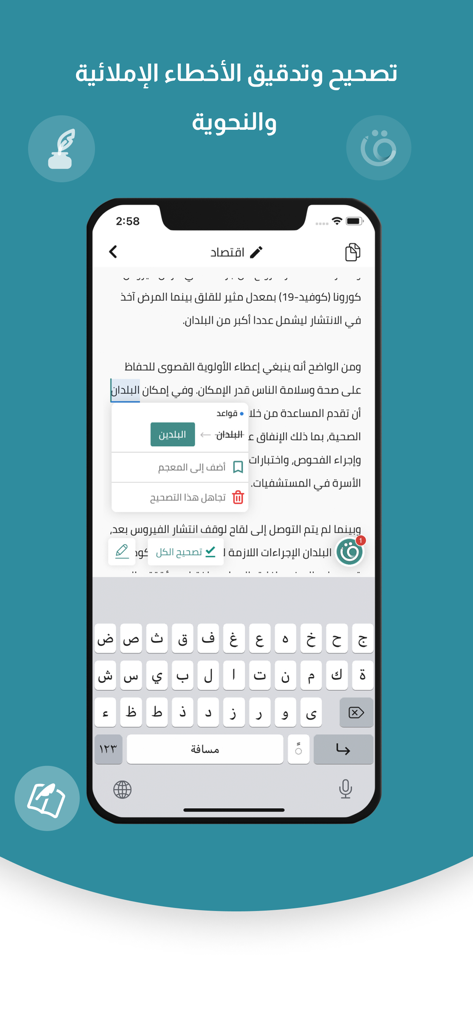
قلم المدقق اللغوي الذكي - Mobile screen of the Qalam app showing Arabic text editing with color-coded spelling and grammar highlights
Mobile screen of the Qalam app showing Arabic text editing with color-coded spelling and grammar highlights

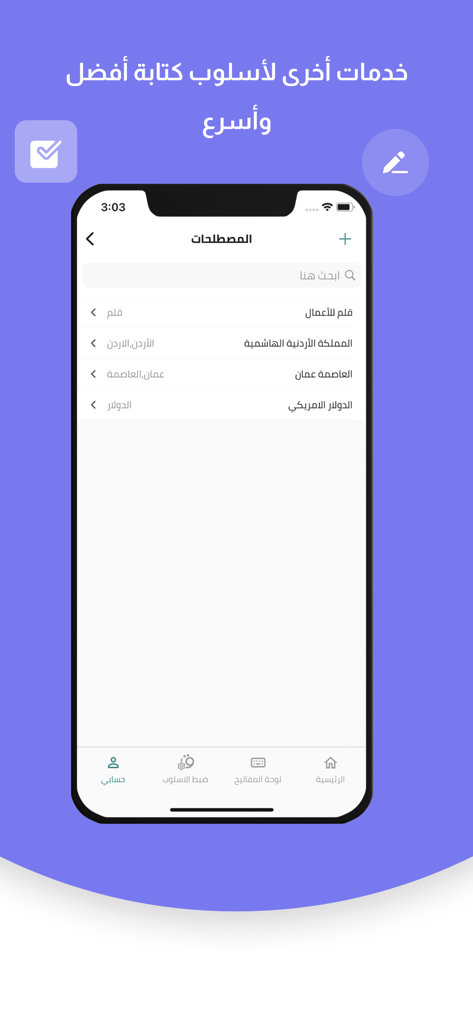
قلم المدقق اللغوي الذكي - Interface of the Qalam app showing a list of managed Arabic terms and categories for better writing accuracy.
Interface of the Qalam app showing a list of managed Arabic terms and categories for better writing accuracy.

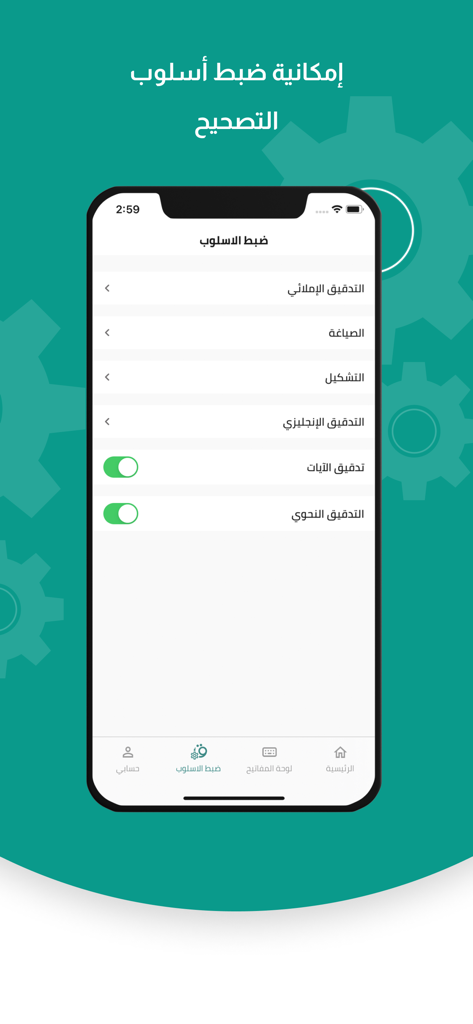
قلم المدقق اللغوي الذكي - Interface showing the style settings and correction options of the Qalam Arabic proofreader app.

Interface showing the style settings and correction options of the Qalam Arabic proofreader app.
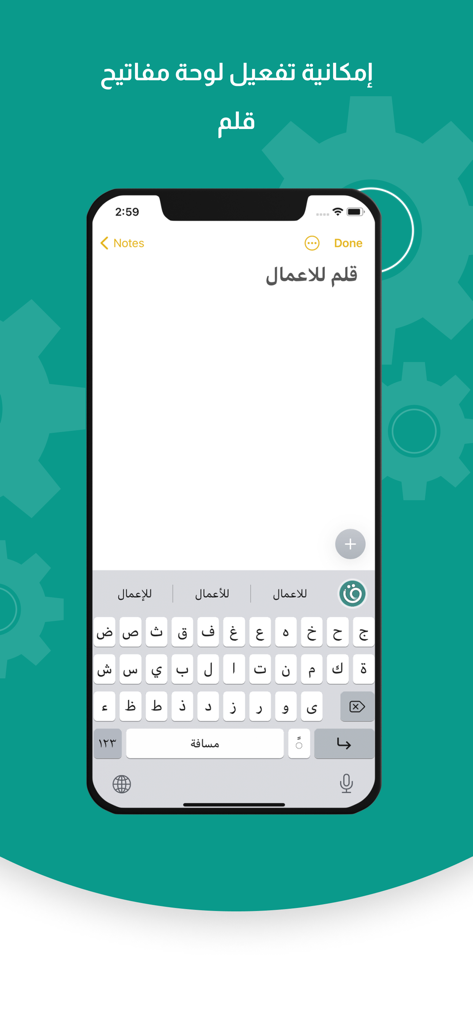
قلم المدقق اللغوي الذكي - The Qalam smart Arabic keyboard extension on an iPhone
The Qalam smart Arabic keyboard extension on an iPhone

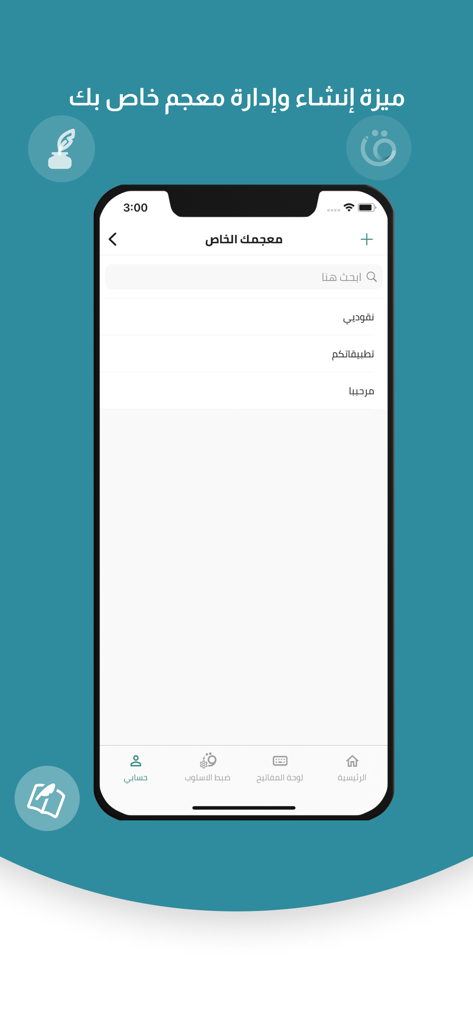
قلم المدقق اللغوي الذكي - Personal dictionary management interface in the Qalam Arabic smart proofreader app
Personal dictionary management interface in the Qalam Arabic smart proofreader app

قلم المدقق اللغوي الذكي - Smartphone screen showing the Qalam app correcting Arabic grammar and spelling with an integrated keyboard.
Smartphone screen showing the Qalam app correcting Arabic grammar and spelling with an integrated keyboard.

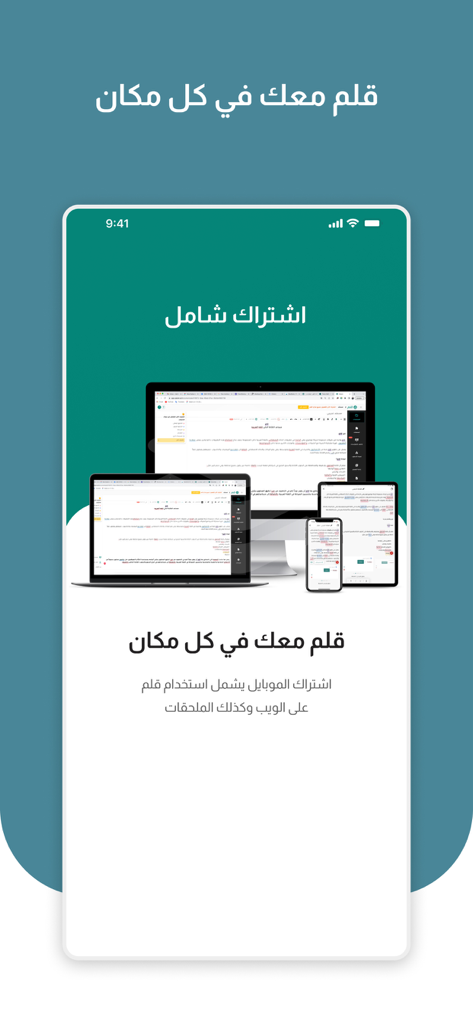
قلم المدقق اللغوي الذكي - Qalam Smart Proofreader app displayed on smartphone tablet and computer screens showing cross platform availability

Qalam Smart Proofreader app displayed on smartphone tablet and computer screens showing cross platform availability

Description

قلم المدقق اللغوي الذكي ولوحة المفاتيح هل تواجه مشكلة في كتابة نص يخلو من الأخطاء الإملائية واللغوية؟ لا تقلق، سيفي قلم بهذا الغرض. وسيساعدك قلم بعدة مهام يؤديها بشكل متسق ودقيق باستخدام الذكاء الاصطناعي. وسيعزز قلم قوة كتابتك العربية، وسيجعلها أكثر إبداعاً في كل مكان تكتب فيه على أجهزتك الذكية، والآن أصبح بإمكانك استخدام حسابك نفسه على جميع أجهزتك الأخرى. جاءت مهمة قلم أن يكون عوناً لكم في التخلص من أخطاء كتابة النصوص العربية، فقلم يعمل عمل المصحح الإملائي والمدقق اللغوي، فهو يدقق القواعد النحوية، ويصحح الأخطاء الإملائية وعلامات الترقيم، كما يقترح تحسين الصياغة عند الكتابة باللغة العربية، بالإضافة إلى توفير خدمة التشكيل التلقائي للنصوص العربية وتدقيق الآيات القرآنية. مهام قلم: - تدقيق الأخطاء الشائعة في الكتابة باللغة العربية. - تصحيح أخطاء الهمزات. - إزالة اللبس بين التاء المربوطة والهاء. - تصحيح الإشكال بين الياء والألف المقصورة. - حذف الأحرف المكررة بشكل عشوائي. - حذف المسافات العشوائية. - اقتراح التصويبات الملائمة للسياق. - تدقيق الأخطاء النحوية. - تصحيح الأخطاء والقواعد الإملائية. - التشكيل التلقائي للنصوص. - تدقيق وتوثيق الآيات القرآنية. - وغيرها الكثير من خدمات المساعدة اللغوية. ما الذي يميز لوحة المفاتيح قلم؟ أكثر ما يميز لوحة المفاتيح قلم أنها بنيت باستخدام تقنيات الذكاء الاصطناعي لتساعد المستخدم على اكتشاف الأخطاء وتنقيحها أثناء الكتابة في التطبيقات التي تتيح للمستخدم كتابة النصوص باللغة العربية. كما تحسن نماذج تعلم الآلة وتطويرها، لنقدم للمستخدمين أكبر فائدة ممكنة من دمج المدقق العربي مع المدقق الآلي. يمكنك استخدم خدمات قلم بطريقتين: 1- تطبيق لوحة المفاتيح تفعيل لوحة مفاتيح قلم واستخدامها عند الكتابة، فهي ستكون فعالة لمساعدتك على جميع التطبيقات، لتضمن لك كتابة صحيحة وخالية من الأخطاء، ويمكنك الاطمئنان على خصوصية معلوماتك، لأن قلم لا يحفظ البيانات من لوحة المفاتيح. 2- المستندات من خلال المستندات الموجودة داخل تطبيق قلم، يمكنك إنشاء مستندات خاصة بك، والكتابة فيها أو نسخ نصوص خارجية بسهولة والبدء في تدقيقها داخل هذه المستندات، كما يمكنك نشرها إلى أي تطبيق آخر. - كيفية عمل قلم يتم تظليل الكلمات الخاطئة أو المقترح تحسينات لها، وعند الضغط على أيقونة قلم، ستعرض بطاقات لتصحيح الكلمات المقترحة بما يتناسب المحتوى الخاص بك. كما يمكنك تجاهل الخطأ بالضغط على زر "تجاهل" أو إضافتها إلى القاموس الشخصي بالضغط على "إضافة إلى القاموس". • اللون الأحمر يدل على الأخطاء الإملائية. • اللون الأزرق للأخطاء النحوية في النص. • اللون الأصفر لاقتراحات تحسينات الصياغة. • اللون البنفسجي لاقتراحات المعجم. • اللون الرمادي لتصحيح علامات الترقيم. للاستفادة من خدمات التشكيل وتوثيق النصوص القرآنية، كل ما عليك عمله هو تظليل النص الذي ترغب في توثيقه أو تشكيله ومن ثم الضغط على خيار "تشكيل" أو "توثيق". سياسة الخصوصية : https://qalam.ai/privacy-policy الشروط والأحكام : https://qalam.ai/terms-and-conditions

Download

Download on App Store

This page is not an official page of the app or its developer, but an independent editorial publication created for informational and commentary purposes. Unless expressly stated otherwise, neither the app nor its developer is affiliated with, endorsed by, sponsored by, authorized by, or otherwise officially connected with MWM, Apple, Google Play, the app publisher, or the app's developer, and nothing on this page implies that the app was developed using MWM's services. Any trademarks, logos, screenshots, and other content remain the property of their respective owners.








