
This page is not an official page of the app or its developer, but an independent editorial publication created for informational and commentary purposes. Unless expressly stated otherwise, neither the app nor its developer is affiliated with, endorsed by, sponsored by, authorized by, or otherwise officially connected with MWM, Apple, Google Play, the app publisher, or the app's developer, and nothing on this page implies that the app was developed using MWM's services. Any trademarks, logos, screenshots, and other content remain the property of their respective owners.


Quinyx Mobile
The smarter way to manage your shifts, track your time, and stay connected with your team—all from the palm of your hand.
Downloads
1M+User Rating
Total Ratings
34K+Publisher
Category
ProductivityLocales
24Latest Version
3.52Size
165.0 MBFirst Released
Dec 6, 2011Take Control of Your Workday
Everything you need to manage your schedule, track your hours, and stay connected with your team—designed specifically for the modern deskless professional.
Total Schedule Visibility
View your shifts instantly and pick up extra work whenever it fits your lifestyle, giving you the flexibility you deserve.
Accurate Time Reporting
Punch in and out with ease and track your worked hours to ensure you are always paid correctly for your hard work.
Frequently Asked Questions
Everything you need to know about Quinyx Mobile
What is Quinyx Mobile?
Quinyx Mobile is an app for accessing work schedules and time reports. It enables employees to view shifts, book shifts, apply for leave, manage tasks, and punch in and out from work.
Can I view my work schedule with Quinyx Mobile?
Yes, Quinyx Mobile allows users to view their working schedule. The app displays upcoming shifts on the dashboard and in the dedicated schedule section.
How do I book shifts using Quinyx Mobile?
Users book shifts via Quinyx Mobile. The app's features include booking shifts and sending Notices of Interest. The schedule clearly indicates shifts with "Booking requested" status.
Does Quinyx Mobile allow employees to apply for leave?
Yes, employees apply for leave using Quinyx Mobile. The app provides a dedicated feature for submitting absence requests, which are then managed within the system.
Can I manage my time reports with the Quinyx Mobile app?
Yes, Quinyx Mobile users manage their time reports. The app facilitates viewing time trackers, salary types, and punching in and out, providing comprehensive time management capabilities.
Does Quinyx Mobile require an employer license?
Yes, Quinyx Mobile requires that the employer possesses a Quinyx WFM license. The employer must also activate support for mobile devices for app functionality.
How do I obtain Quinyx Mobile account details?
Users obtain Quinyx Mobile account details from their employer. The app integrates with an employer's existing Quinyx WFM system, requiring employer-provided credentials.
Can managers approve shift bookings in Quinyx Mobile?
Yes, Quinyx Mobile includes a 'Manager' section. This allows managers to approve shift bookings and absence requests directly within the application interface.
Does Quinyx Mobile have an internal messaging system?
Yes, Quinyx Mobile features 'Qmail', an internal messaging system. Users read and send Qmail messages and receive notifications directly within the application interface.
Can I find colleagues' contact information in Quinyx Mobile?
Yes, Quinyx Mobile allows users to view their colleagues' contact information. This feature is accessible through the app's communication and social interaction sections.
Does Quinyx Mobile allow anonymous feedback on work happiness?
Yes, Quinyx Mobile features a 'Pulse' survey. Users provide anonymous feedback on their work happiness, which contributes to employee satisfaction monitoring.
Can employees recognize colleagues with badges in Quinyx Mobile?
Yes, Quinyx Mobile incorporates a 'Badges' feature. Employees view their earned badges and reward colleagues with various recognition badges like "Problem solver."
The following screenshots and description are sourced directly from the app's official store listing and are the property of the app developer.
App Store
Screenshots
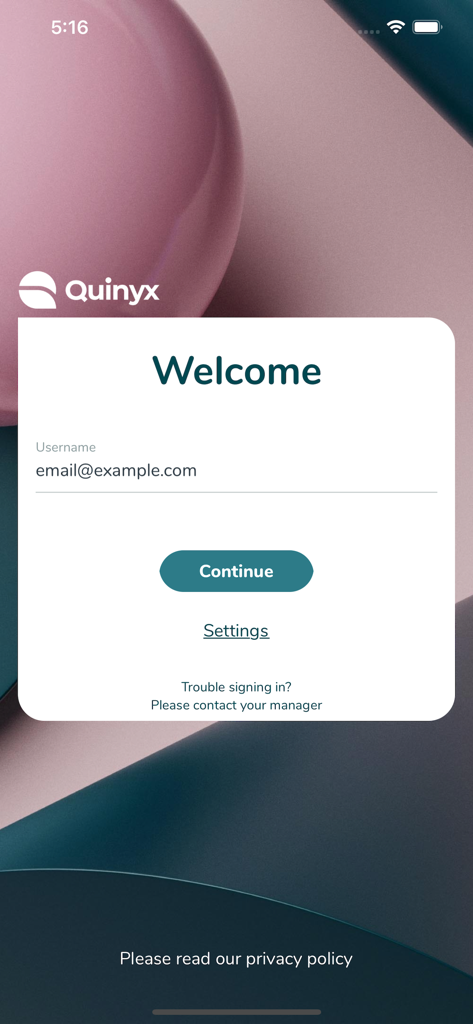
Quinyx Mobile app login page with email input and continue button
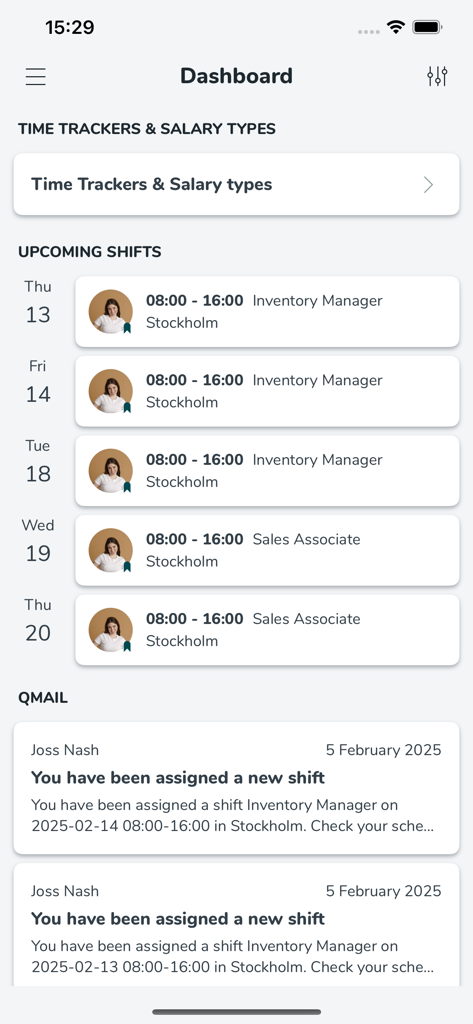
Quinyx Mobile app dashboard displaying upcoming work shifts and Qmail notifications
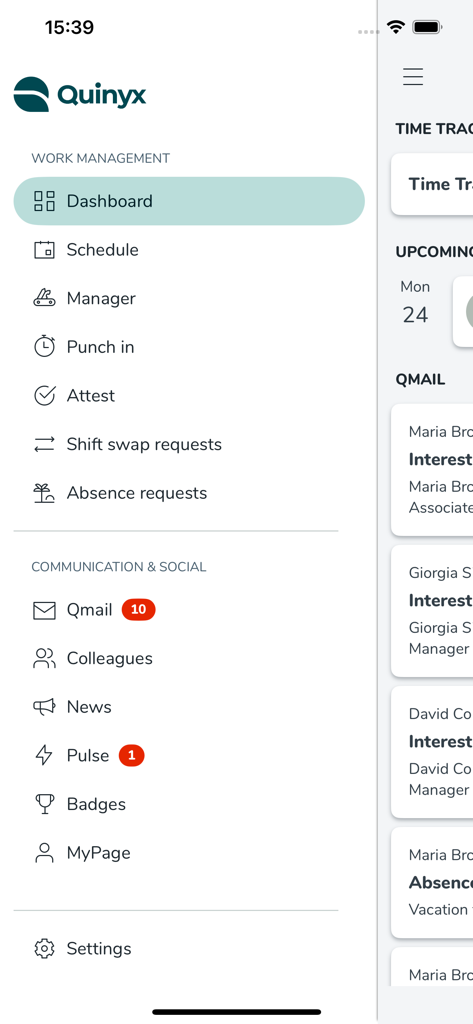
Navigation side menu of the Quinyx Mobile app showing work management and communication features
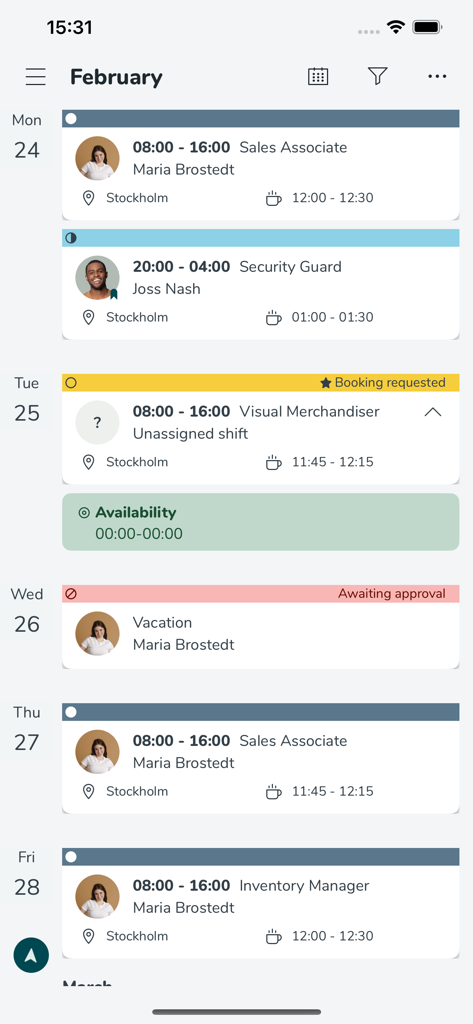
Screenshot of the Quinyx Mobile app weekly schedule view showing assigned shifts and vacation requests
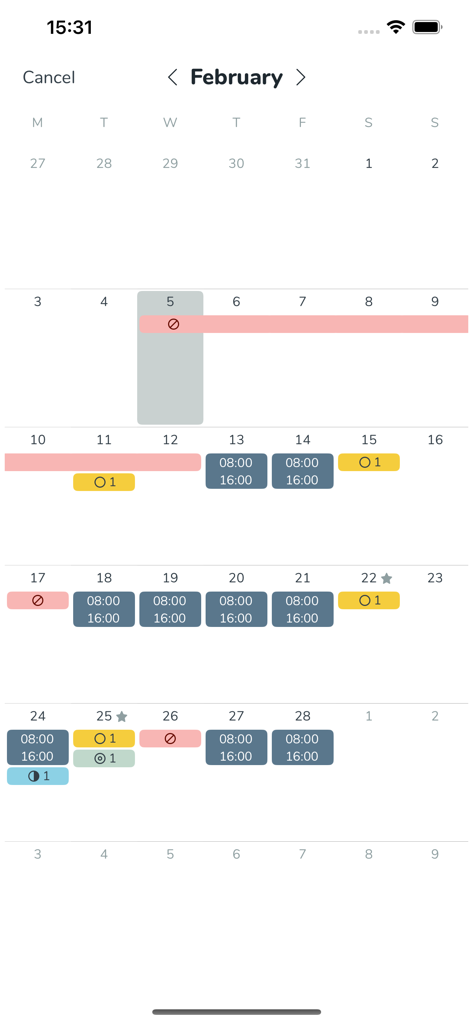
Monthly work schedule calendar in the Quinyx app showing planned shifts and leave periods.
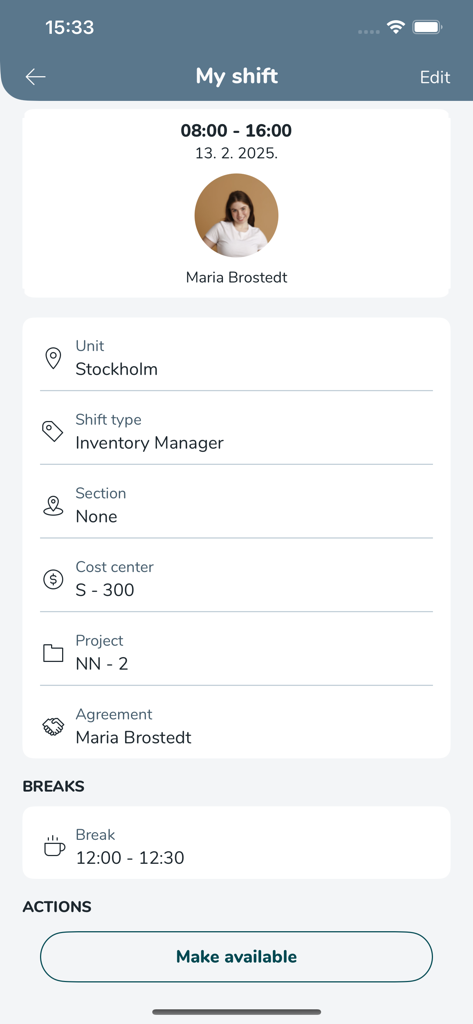
Quinyx Mobile app screen showing a shift summary with work hours, location, role as inventory manager, and break schedule.
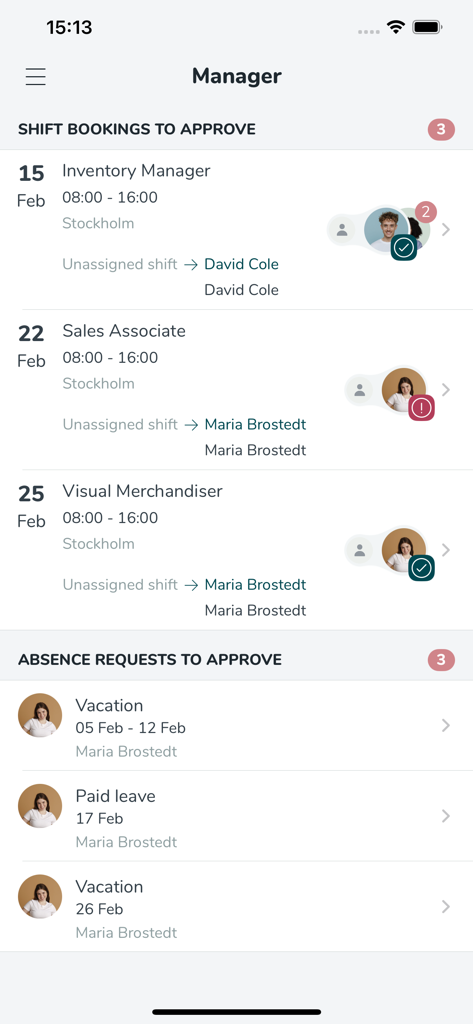
Mobile dashboard for managers to approve employee shift bookings and absence requests
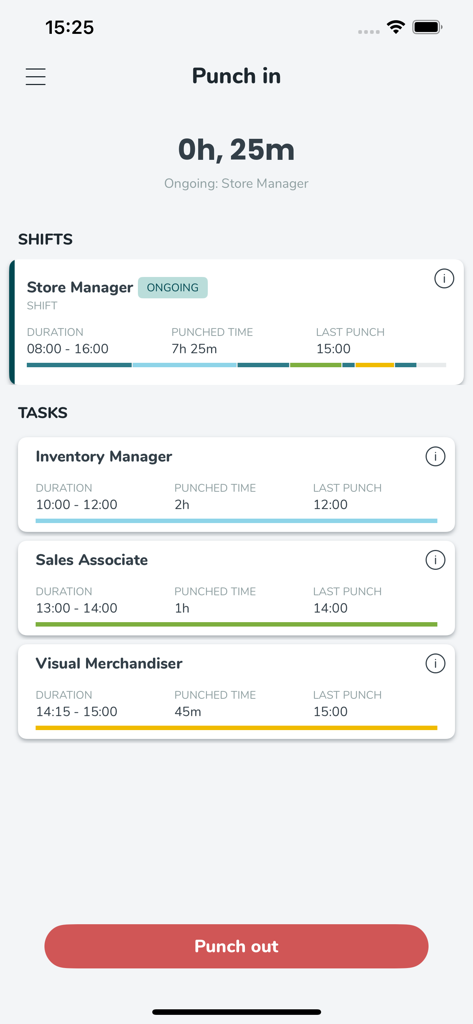
Quinyx Mobile app screen for punching in and out of work shifts and tasks
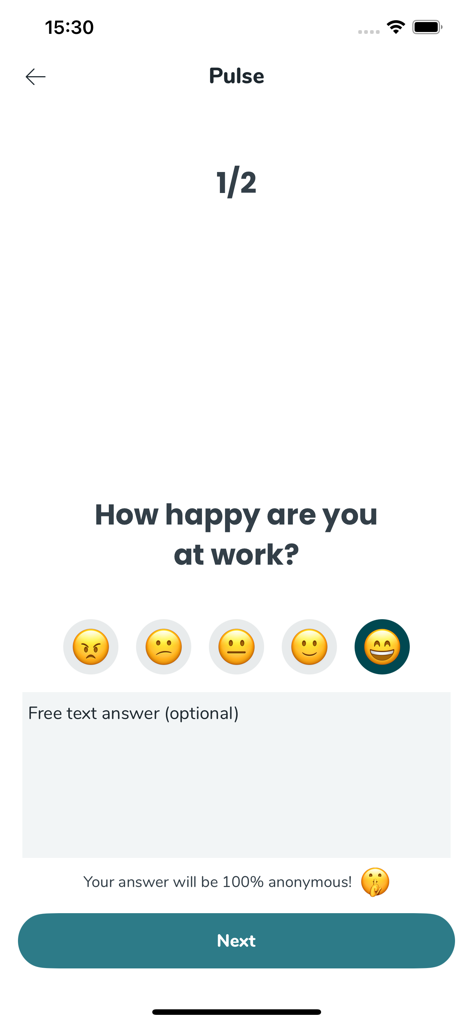
Quinyx Mobile Pulse survey screen asking How happy are you at work with emoji rating scales
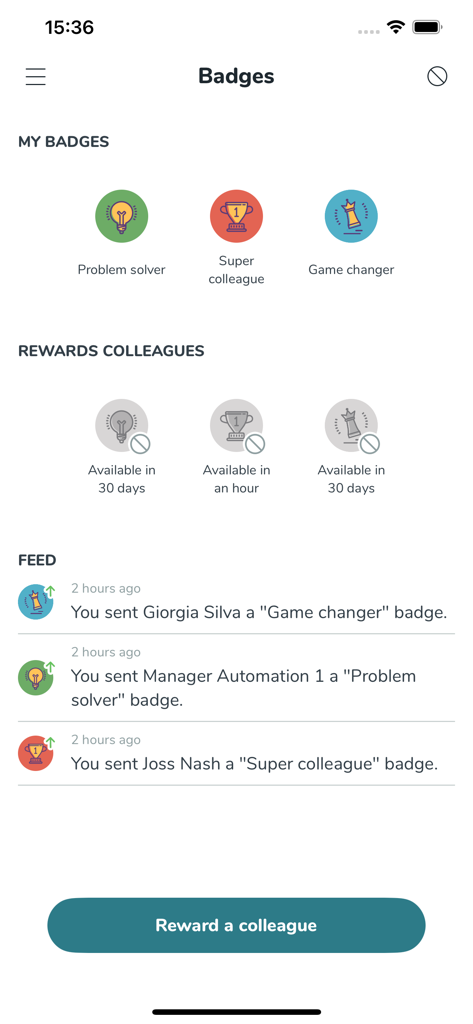
Quinyx Mobile app interface showing employee badges earned and a feed of rewards sent to colleagues
Description
Download
More Like This
Apps with similar features and user experience

Paylocity
Paylocity Corporation

Paychex Flex
Paychex Inc.

Paycom
Paycom Payroll, LLC

Gusto Mobile
Gusto, inc.

Amazon A to Z
AMZN Mobile LLC

TaxDome Client Portal
TaxDome LLC

MyWalmart
Walmart

BrightHR
Peninsula Online Services Limited

Waapi
Senior Sistemas S/A
This page is not an official page of the app or its developer, but an independent editorial publication created for informational and commentary purposes. Unless expressly stated otherwise, neither the app nor its developer is affiliated with, endorsed by, sponsored by, authorized by, or otherwise officially connected with MWM, Apple, Google Play, the app publisher, or the app's developer, and nothing on this page implies that the app was developed using MWM's services. Any trademarks, logos, screenshots, and other content remain the property of their respective owners.