
This page is not an official page of the app or its developer, but an independent editorial publication created for informational and commentary purposes. Unless expressly stated otherwise, neither the app nor its developer is affiliated with, endorsed by, sponsored by, authorized by, or otherwise officially connected with MWM, Apple, Google Play, the app publisher, or the app's developer, and nothing on this page implies that the app was developed using MWM's services. Any trademarks, logos, screenshots, and other content remain the property of their respective owners.

Recorder Plus: Voice Recorder
Capture high-quality audio with one-touch ease. Organize recordings into folders and sync instantly with Dropbox, Google Drive, or FTP—the essential tool for professionals and students.
Downloads
1M+User Rating
Total Ratings
12K+Publisher
Category
BusinessLocales
32Latest Version
10.31Size
63.2 MBFirst Released
Jun 10, 2014Professional Audio Performance Simplified
The ultimate recording tool for high-stakes meetings, academic lectures, and professional interviews. Move beyond basic voice memos with studio-grade reliability.
Frictionless One-Touch Recording
Launch and record in seconds with a background-ready interface that ensures you never miss a critical insight while multitasking.
Enterprise Cloud Integration
Streamline your workflow by instantly syncing recordings to Dropbox, Google Drive, or secure company FTP and WebDAV servers.
Frequently Asked Questions
Everything you need to know about Recorder Plus: Voice Recorder
Does Recorder Plus: Voice Recorder record high-quality audio?
Yes, Recorder Plus records professional audio with high quality. Users can select between Low, Medium, and High sound quality settings for their recordings.
What audio formats does Recorder Plus support?
Recorder Plus supports various audio formats including MP3, MP4, CAF, WAVE, and M4A for recording and playback. Users can select recording audio types in settings.
Does Recorder Plus: Voice Recorder have file management features?
Yes, Recorder Plus includes comprehensive file management options. Users can create folders, copy, move, rename, and delete recordings directly within the app.
Which cloud services does Recorder Plus connect to?
Yes, Recorder Plus integrates with multiple cloud drives. Supported services include Box.Net, Dropbox, Sugar Sync, Google Drive, Skydrive, Webdav, FTP, OneDrive, and iCloud Drive for uploads, downloads, imports, and exports.
Can Recorder Plus convert voice recordings to text?
Yes, Recorder Plus offers a built-in transcription feature. Users can convert their voice recordings to text, which helps with notes and organizing information.
Can I change the playback speed of recordings in Recorder Plus?
Yes, Recorder Plus allows users to adjust playback speeds. Options include Fast Play, Medium Play, and Slow Play, which can be selected during audio playback.
Does Recorder Plus offer audio trimming or editing features?
Yes, Recorder Plus features adjustable audio trim controls. Users can cut and edit specific sections of their recordings using the integrated voice editor.
Can Recorder Plus: Voice Recorder record audio in the background?
Yes, Recorder Plus allows for recording and playback in the background. This feature enables continuous recording even when the app is not actively in use on screen.
Where can I find the privacy policy for Recorder Plus?
The privacy policy for Recorder Plus is available on the official website. Users can access the full details at https://appdevtechnolabs.com/privacypolicy.
The following screenshots and description are sourced directly from the app's official store listing and are the property of the app developer.
App Store
Screenshots
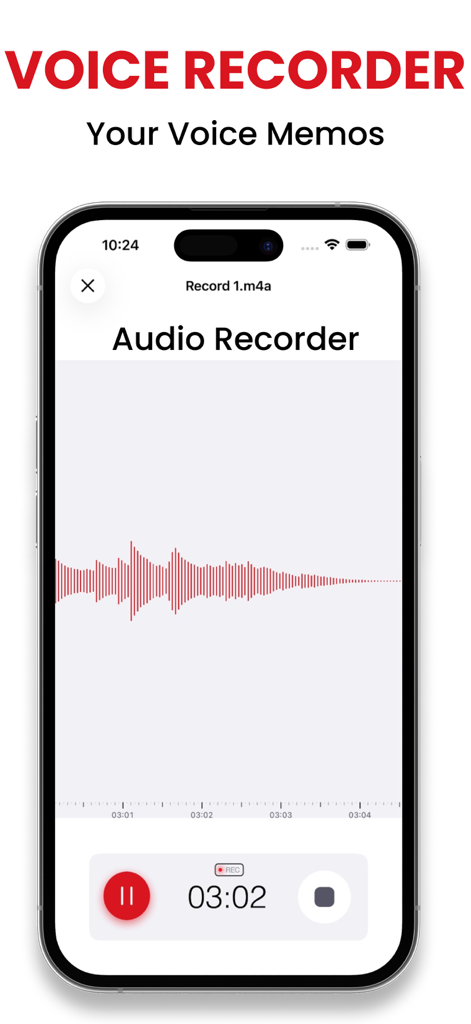
Voice recording interface with audio waveform and timer on Recorder Plus app
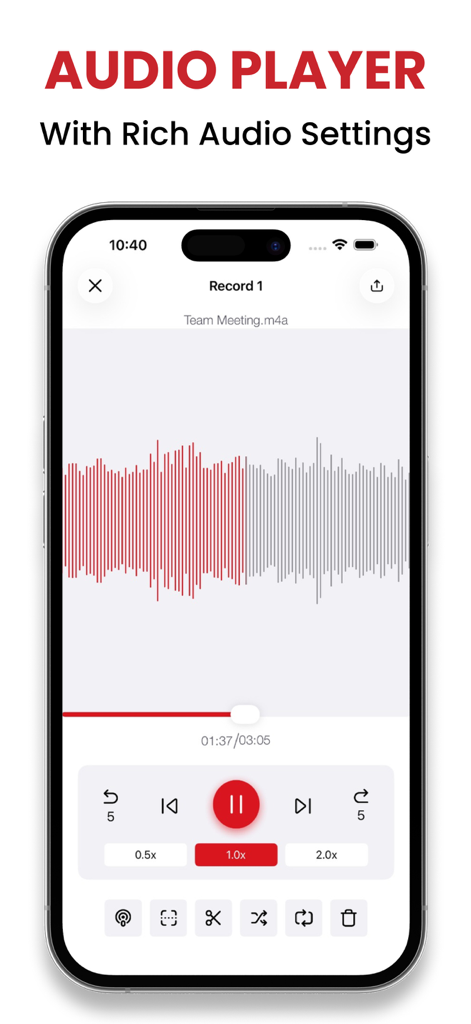
Recorder Plus app audio player screen featuring waveform display and playback speed controls.
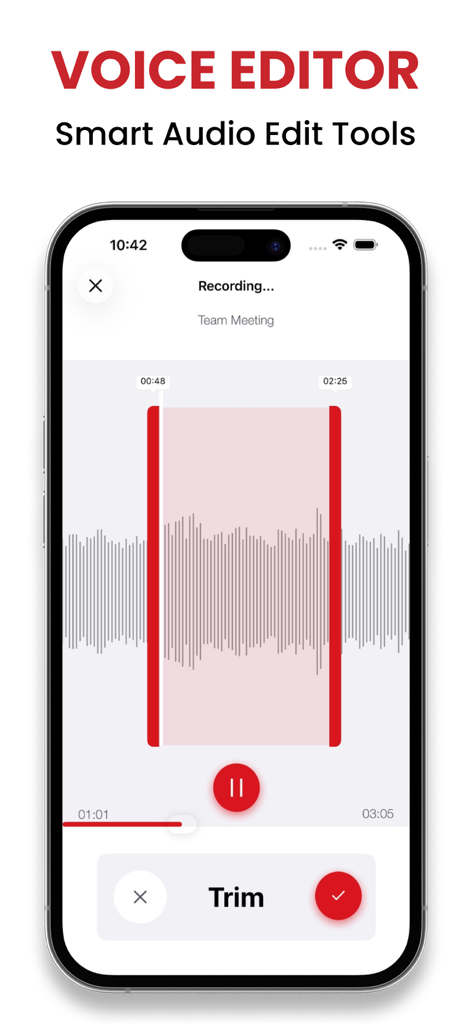
Voice editor interface of Recorder Plus app showing the audio trim tool and waveform
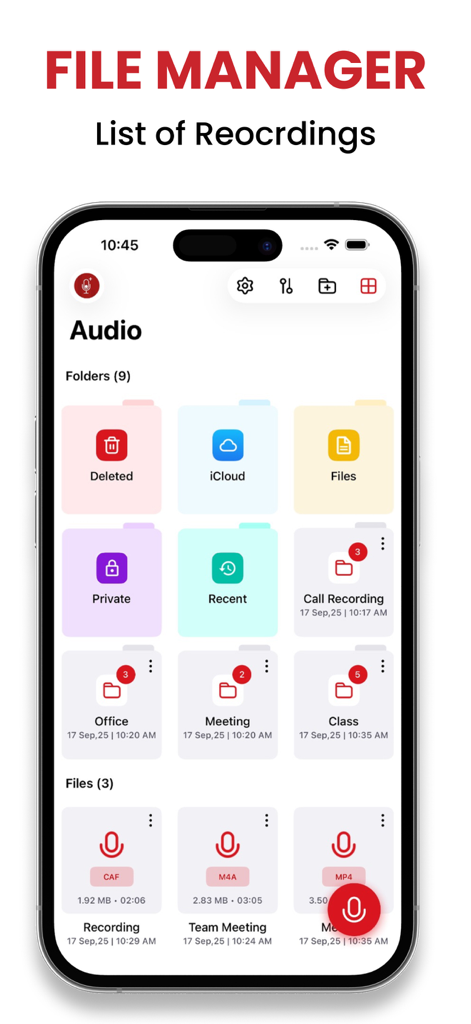
File manager screen of the Recorder Plus app showing folders for organized voice recordings
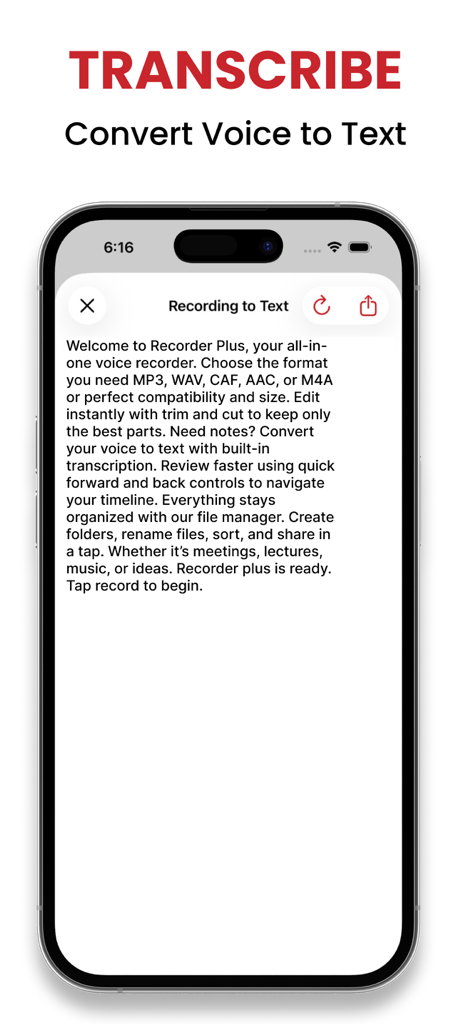
Recorder Plus app interface showing voice to text transcription feature
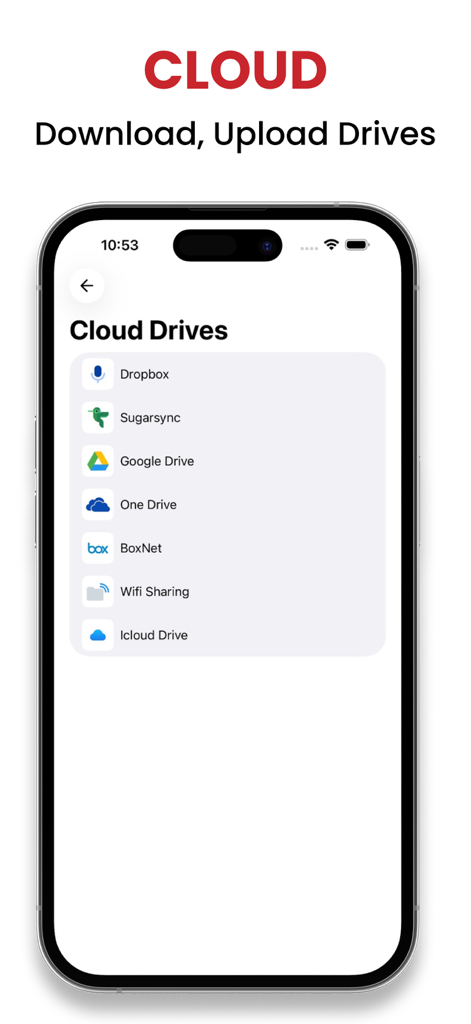
Recorder Plus app interface displaying a list of supported cloud storage services for voice recordings
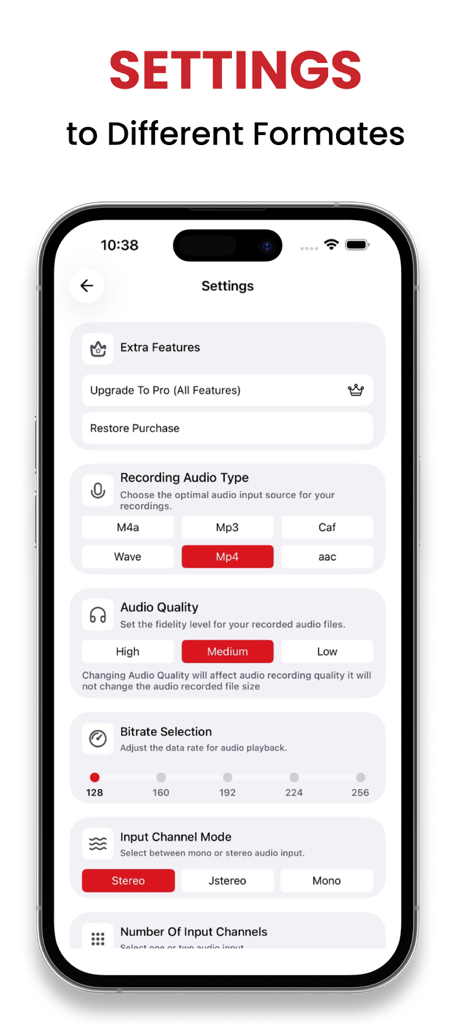
Recorder Plus app settings menu for selecting audio recording formats quality levels and bitrate
Description
Download
More Like This
Apps with similar features and user experience

Voice Recorder Lite: Record HD
LiveBird Technologies Private Limited

PCM Recorder Lite
Kohei Yasui

Voice recorder - Voz
Hieu Nguyen

MOTIV Audio
Shure Incorporated

Voice recorder: Audio editor
Hieu Nguyen

Voice Recorder - Audio Record
LiveBird Technologies Private Limited

Awesome Voice Recorder PRO AVR
Newkline Co., Ltd.

Voice Memos & Sound Recorder
Protection & Security App LLC

Voice Recorder & Memos
SMM service, s.r.o.
This page is not an official page of the app or its developer, but an independent editorial publication created for informational and commentary purposes. Unless expressly stated otherwise, neither the app nor its developer is affiliated with, endorsed by, sponsored by, authorized by, or otherwise officially connected with MWM, Apple, Google Play, the app publisher, or the app's developer, and nothing on this page implies that the app was developed using MWM's services. Any trademarks, logos, screenshots, and other content remain the property of their respective owners.