Remote Control ・TV ・Universal

This page is not an official page of the app or its developer, but an independent editorial publication created for informational and commentary purposes. Unless expressly stated otherwise, neither the app nor its developer is affiliated with, endorsed by, sponsored by, authorized by, or otherwise officially connected with MWM, Apple, Google Play, the app publisher, or the app's developer, and nothing on this page implies that the app was developed using MWM's services. Any trademarks, logos, screenshots, and other content remain the property of their respective owners.
Logo of Remote Control ・TV ・Universal

Remote Control ・TV ・Universal

Stop searching for lost remotes and struggling with clunky TV typing. Transform your phone into a powerful universal remote with a built-in keyboard, voice search, and seamless photo casting for the ultimate home entertainment experience.

Key Figures

Downloads

0

User Rating

1.0/5

Total Ratings

0

Publisher

Maman Suparman

Category

Utilities

Locales

1

Latest Version

1.1.3

Size

53.5 MB

First Released

Mar 18, 2026
Features

The Only Remote You'll Ever Need

Stop hunting for lost remotes between the couch cushions. Turn your iPhone into a powerful, universal command center for every Smart TV in your home.

Type and Search Instantly

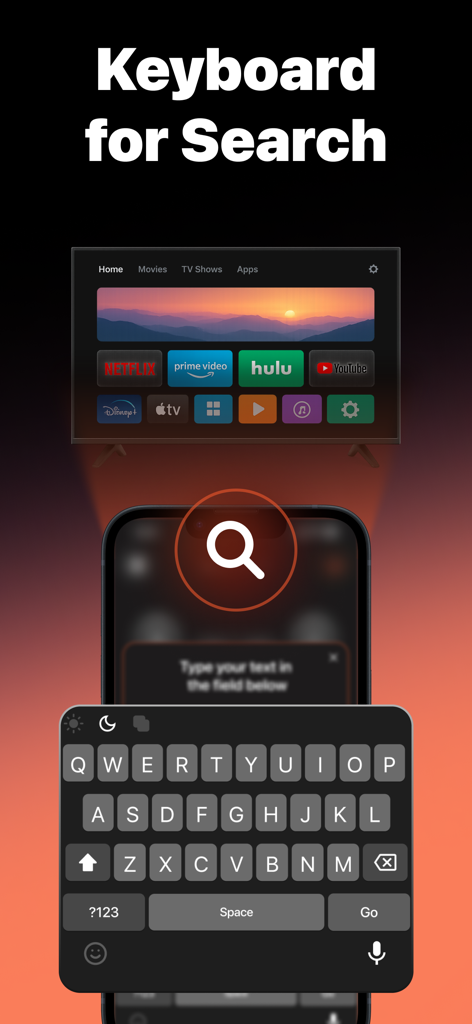
Ditch the frustrating on-screen alphabet. Use your iPhone keyboard or voice input to find your favorite Netflix shows and movies in seconds.

Universal Compatibility

One app for every room. Seamlessly control your Samsung, LG, Roku, or Fire TV without switching between physical controllers or complex setups.

The following screenshots and description are sourced directly from the app's official store listing and are the property of the app developer.

App Store

Screenshots
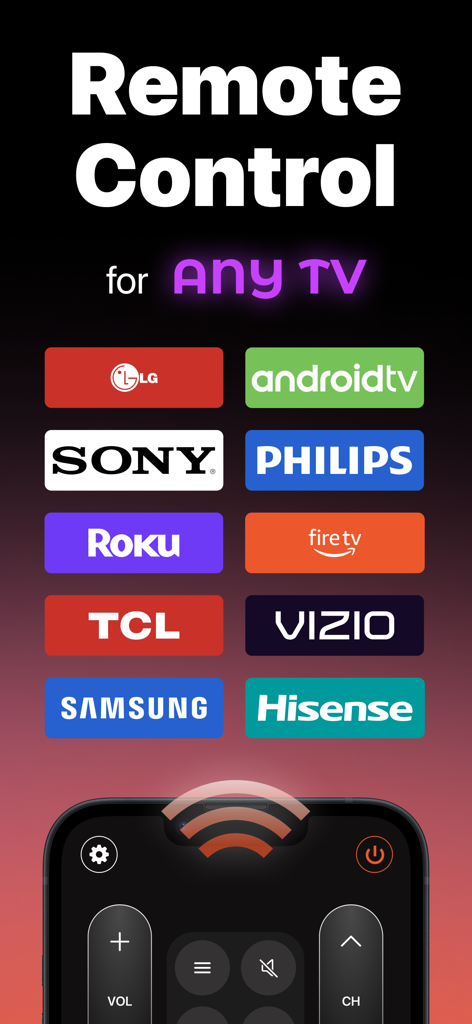
Remote Control ・TV ・Universal - Universal TV remote control app compatible with major brands including Samsung LG Roku and Sony
Universal TV remote control app compatible with major brands including Samsung LG Roku and Sony

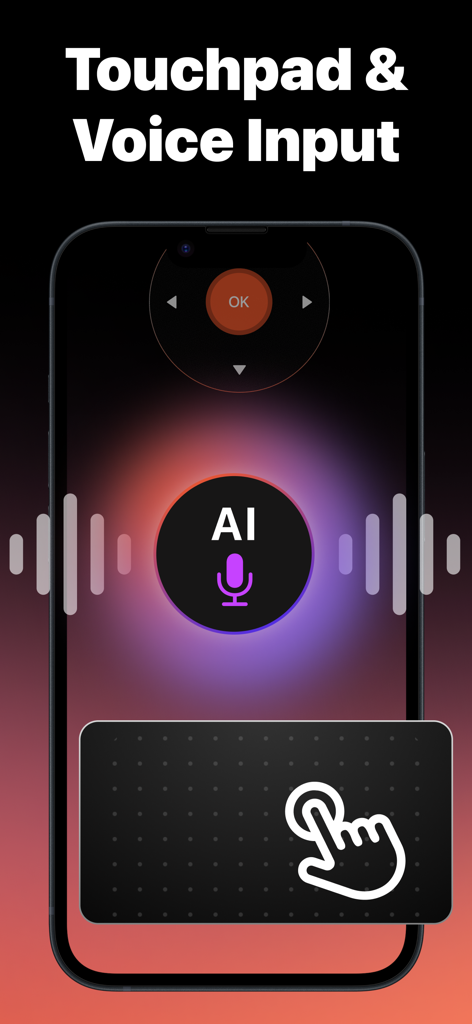
Remote Control ・TV ・Universal - Universal TV remote app interface with AI voice input and touchpad navigation
Universal TV remote app interface with AI voice input and touchpad navigation

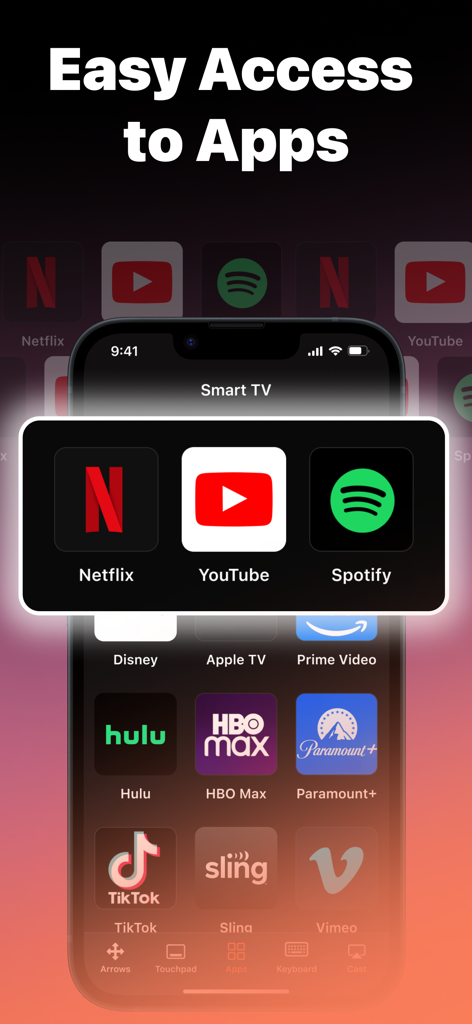
Remote Control ・TV ・Universal - iPhone showing a universal TV remote app with easy access to streaming services like Netflix and YouTube
iPhone showing a universal TV remote app with easy access to streaming services like Netflix and YouTube

Remote Control ・TV ・Universal - Smart TV universal remote app featuring an iPhone keyboard for easy content searching
Smart TV universal remote app featuring an iPhone keyboard for easy content searching

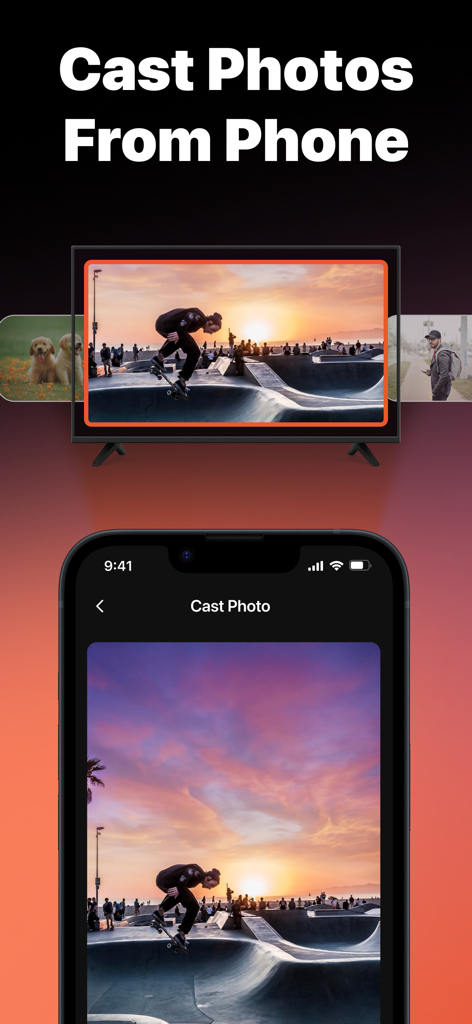
Remote Control ・TV ・Universal - iPhone screen casting a sunset skateboard photo to a smart TV using the universal remote app.

iPhone screen casting a sunset skateboard photo to a smart TV using the universal remote app.

Description

TV Universal Remote Control is your all-in-one solution to control your Smart TV quickly, easily, and without hassle. No need to juggle multiple remotes—this universal remote app replaces them all in one simple tool. It transforms your smartphone into a reliable and user-friendly remote control for your home entertainment system. With this smart tv remote app, you get more than just basic navigation. The interface is intuitive, making it possible to switch channels, adjust the volume, or open apps instantly. Thanks to the touchpad feature, scrolling through menus feels natural, and the built-in voice input allows you to search for movies, shows, or apps faster than ever. For those who prefer typing, the easy keyboard for search ensures quick access to your favorite content. One of the highlights of TV Universal Remote Control is the ability to cast photos directly from your phone to the TV screen. Relive family moments, share travel memories, or display presentations on a big screen without additional software. The app also supports easy access to channels, making it convenient for daily use. Whether you want to control live TV, navigate streaming platforms, or browse apps, everything is available right at your fingertips. This universal tv remote app is designed to work with a wide range of smart televisions and streaming devices that support remote control connectivity. You can manage multiple devices from one place, without worrying about lost remotes or drained batteries. Your phone is always with you, and now it becomes the perfect remote. The app provides reliable stability and quick connection, responding without lag for a smooth user experience. It replaces traditional tv remotes while giving you advanced features: touchpad navigation, voice search, easy keyboard for text input, and multimedia casting. All these functions make it much more than just another remote app—it’s a complete smart tv companion. Whether you’re streaming your favorite series, watching movies, or browsing apps on your smart TV, this app ensures full control. No additional hardware is required; just download, connect, and enjoy. Easy setup, broad compatibility, and user-friendly design make this remote control for tv the most practical choice. Enjoy the comfort of controlling your entire home entertainment system with just one app. Download TV Universal Remote Control today and discover how simple and powerful your smartphone can be when it becomes your ultimate tv remote. Privacy & Support: Navigate to our privacy policy: https://sites.google.com/view/tvuniversalremotecontrol/privacy-policy Follow this link to our Terms of Use to understand how we protect your data: https://sites.google.com/view/tvuniversalremotecontrol/termsconditions Reach out for support: mykytenko.alina@gmail.com

Download

This page is not an official page of the app or its developer, but an independent editorial publication created for informational and commentary purposes. Unless expressly stated otherwise, neither the app nor its developer is affiliated with, endorsed by, sponsored by, authorized by, or otherwise officially connected with MWM, Apple, Google Play, the app publisher, or the app's developer, and nothing on this page implies that the app was developed using MWM's services. Any trademarks, logos, screenshots, and other content remain the property of their respective owners.