Remote, Mouse & Keyboard Pro
Download on App Store

This page is not an official page of the app or its developer, but an independent editorial publication created for informational and commentary purposes. Unless expressly stated otherwise, neither the app nor its developer is affiliated with, endorsed by, sponsored by, authorized by, or otherwise officially connected with MWM, Apple, Google Play, the app publisher, or the app's developer, and nothing on this page implies that the app was developed using MWM's services. Any trademarks, logos, screenshots, and other content remain the property of their respective owners.

Logo of Remote, Mouse & Keyboard Pro
Download on App Store

Remote, Mouse & Keyboard Pro

Eliminate friction and unify your workspace. Turn your iPhone or iPad into a powerful wireless mouse, keyboard, and automation hub for Mac, Windows, and Apple TV with professional-grade precision.

Key Figures

Downloads

465K+

User Rating

4.8/5

Total Ratings

22K+

Publisher

Remote Sunrise LTD

Category

Utilities

Locales

33

Latest Version

2026.1

Size

70.8 MB

First Released

Jun 7, 2014
Features

Total Command Over Every Screen

Unify your digital ecosystem and eliminate friction. Control your Mac, PC, Apple TV, and iPad with a single, powerful app designed for the modern multi-device user.

Universal Desktop Mastery

Transform your iPhone into a high-precision wireless mouse and keyboard. View your computer screen live and navigate Mac or Windows with fluid touch gestures.

The Ultimate Entertainment Hub

Stop hunting for lost remotes. Effortlessly search, launch apps, and control playback on your Apple TV using your phone's familiar keyboard and touchpad.

The following screenshots and description are sourced directly from the app's official store listing and are the property of the app developer.

App Store

Screenshots
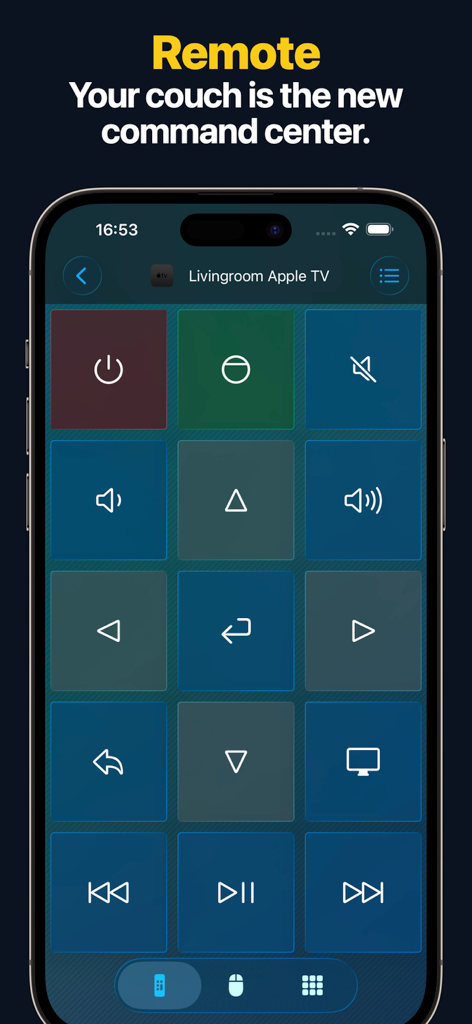
Remote, Mouse & Keyboard Pro - iPhone screen displaying a remote control interface for an Apple TV with a grid of navigation and media control buttons
iPhone screen displaying a remote control interface for an Apple TV with a grid of navigation and media control buttons

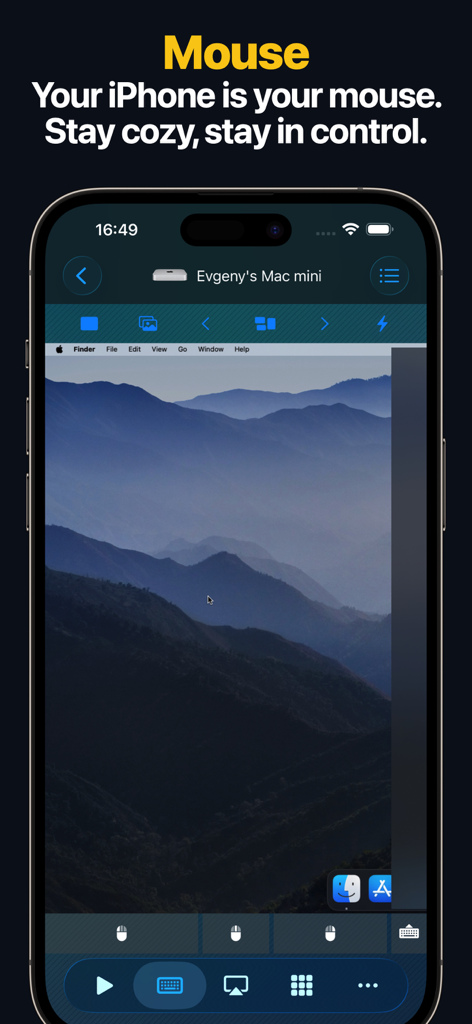
Remote, Mouse & Keyboard Pro - iPhone screen displaying a Mac desktop used as a remote mouse and trackpad control
iPhone screen displaying a Mac desktop used as a remote mouse and trackpad control

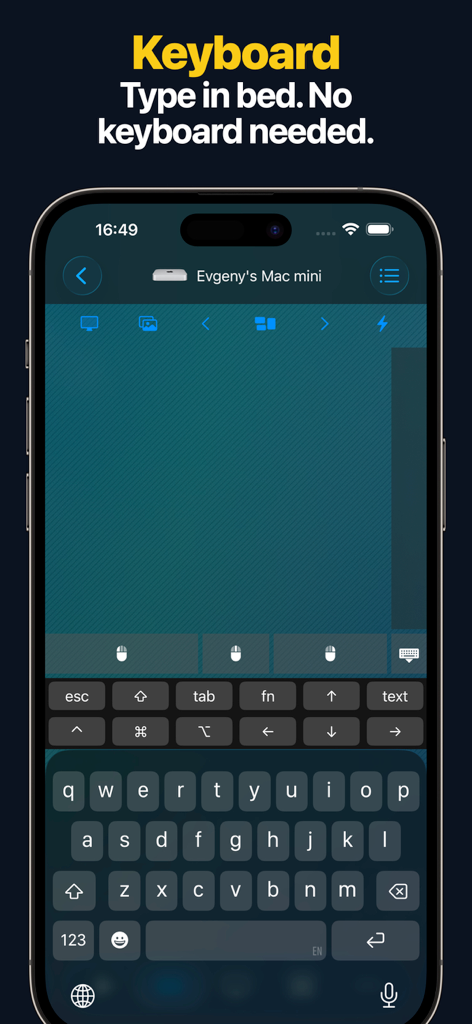
Remote, Mouse & Keyboard Pro - Remote keyboard interface on an iPhone used to type on a Mac mini wirelessly
Remote keyboard interface on an iPhone used to type on a Mac mini wirelessly

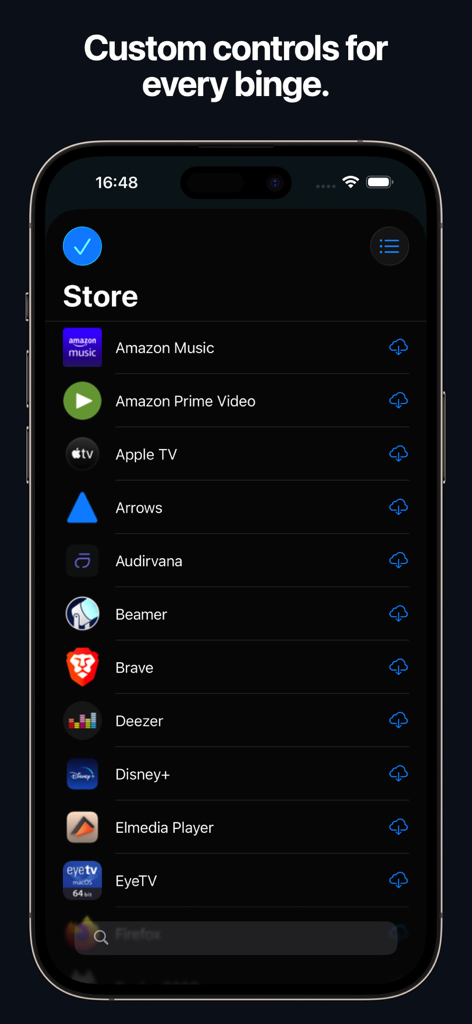
Remote, Mouse & Keyboard Pro - Smartphone screen showing a store of custom controls for streaming apps in a remote control application
Smartphone screen showing a store of custom controls for streaming apps in a remote control application

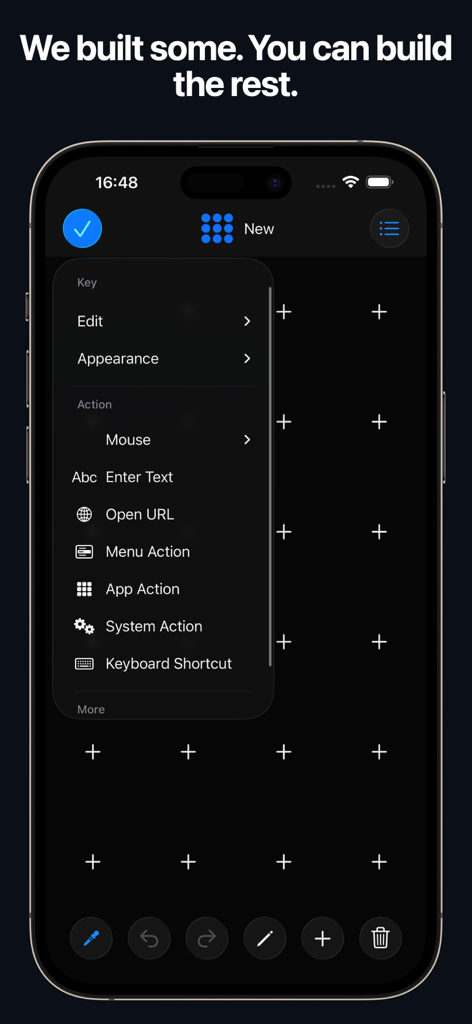
Remote, Mouse & Keyboard Pro - Interface of the Remote Mouse and Keyboard Pro app showing how to create custom control panels with actions and shortcuts
Interface of the Remote Mouse and Keyboard Pro app showing how to create custom control panels with actions and shortcuts

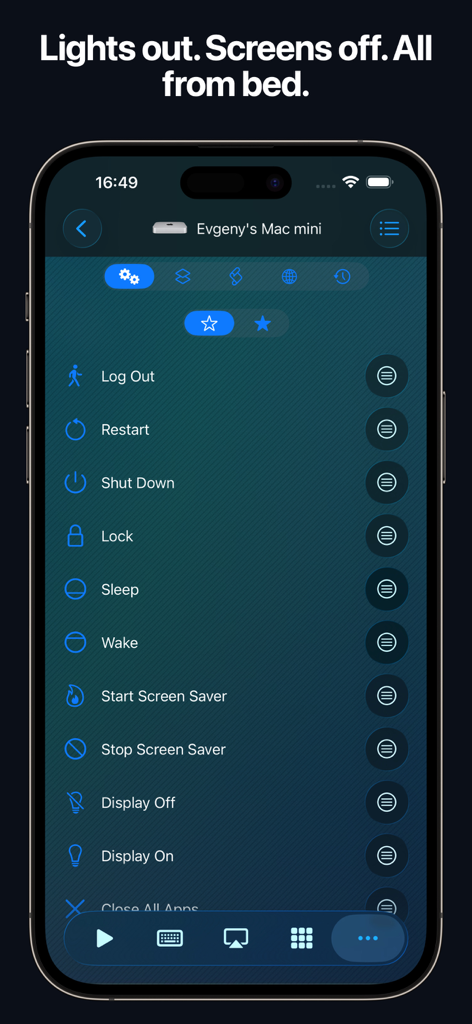
Remote, Mouse & Keyboard Pro - iPhone interface showing remote system control options like shutdown and sleep for a Mac
iPhone interface showing remote system control options like shutdown and sleep for a Mac

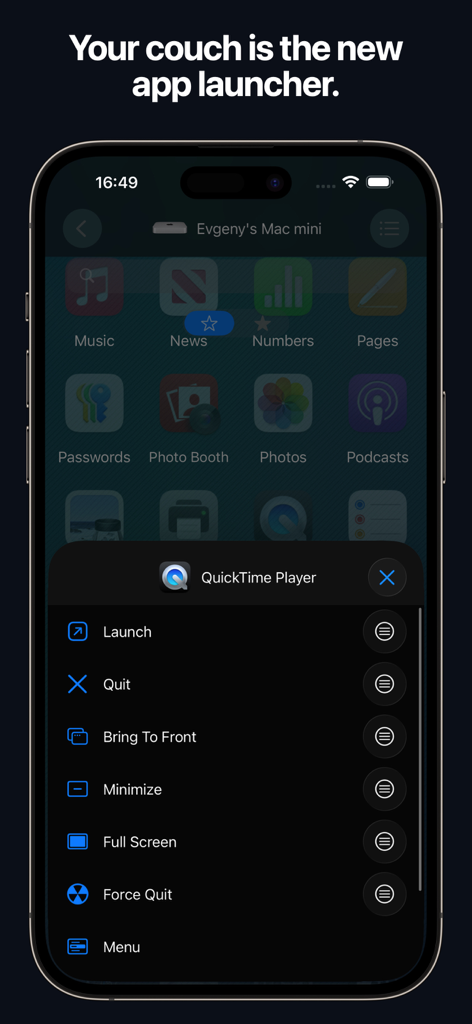
Remote, Mouse & Keyboard Pro - Remote app launcher on iPhone controlling QuickTime Player on a Mac.
Remote app launcher on iPhone controlling QuickTime Player on a Mac.

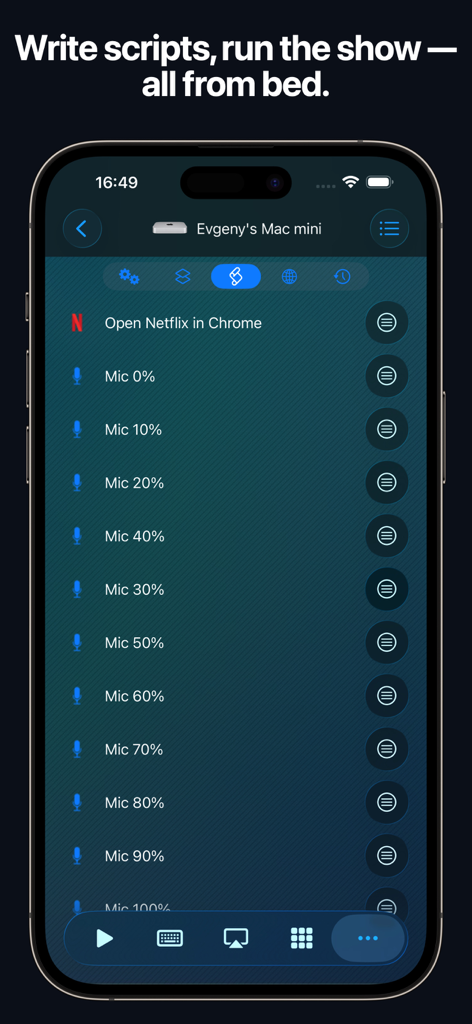
Remote, Mouse & Keyboard Pro - Interface of Remote Mouse and Keyboard app on iPhone showing automation scripts and Mac controls
Interface of Remote Mouse and Keyboard app on iPhone showing automation scripts and Mac controls

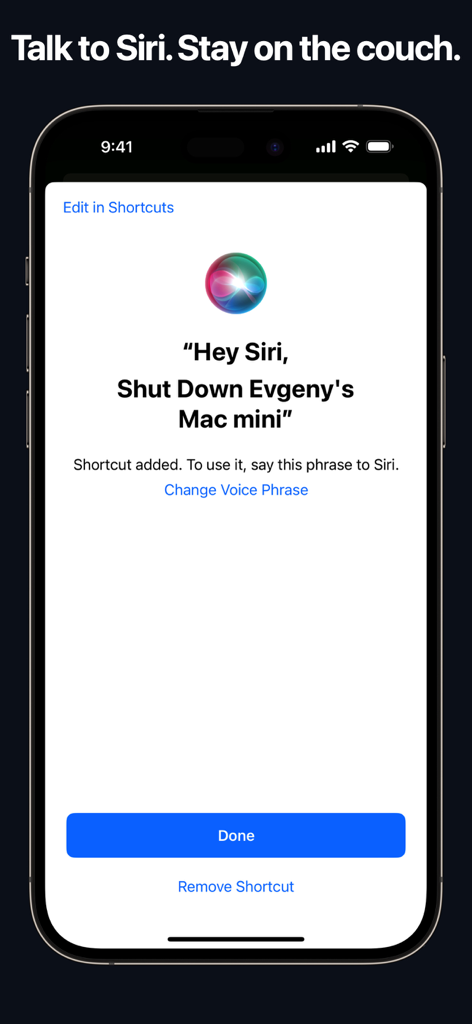
Remote, Mouse & Keyboard Pro - iPhone screen showing a Siri voice shortcut to remotely shut down a Mac

iPhone screen showing a Siri voice shortcut to remotely shut down a Mac

Description

# REMOTE, MOUSE & KEYBOARD — YOUR ALL-IN-ONE CONTROL CENTER Turn your iPhone or iPad into a universal remote, wireless mouse, keyboard, and automation hub — all in one powerful app. With Remote, Mouse & Keyboard, you can control your Apple TV, Mac, Windows PC, or even another iPad seamlessly over Wi-Fi or Bluetooth. Whether you’re streaming, presenting, or working remotely — take full control of your digital world. # APPLE TV REMOTE — SIMPLE AND INTUITIVE No more lost remotes or endless scrolling. Connect via Wi-Fi and take charge of your Apple TV with ease. - Works with all Apple TV models - Control volume, playback, and media functions - Navigate with a smooth touchpad - Type comfortably with the built-in keyboard - Launch apps instantly from your device (Older Apple TV models such as Gen 1–3 require one-time PIN entry using a physical remote.) Your iPhone becomes the most advanced Apple TV remote ever. # COMPUTER CONTROL — MAC & WINDOWS Take full command of your computer — Mac or Windows — directly from your iPhone or iPad. Designed for productivity, comfort, and speed. Remote Control & Media: - Adjust volume, playback, and tracks - Use pre-made control panels for popular apps and websites - Create custom control panels for any software Mouse & Keyboard: - Turn your device into a wireless mouse and keyboard - View your computer screen live on your phone or tablet - Capture screenshots remotely - Use gestures like scroll and zoom Apps & Automation: - Launch or quit apps, access menus, and trigger shortcuts - Integrate Siri Shortcuts and Timers - Perform system actions — sleep, restart, logout, and more - Create custom automation scripts - Open websites in your preferred browser - Manage all scheduled actions in one place Requirements: - macOS 10.13 or newer or Windows 7 or newer - Free helper app download: https://rs.ltd/get Your all-in-one remote desktop and input tool — secure, fast, and intuitive. # IPAD CONTROL — DUAL-DEVICE BRILLIANCE Use your iPhone to control another iPad via Bluetooth. Perfect for multitasking, streaming, or creative setups. - Adjust volume and playback - Type and navigate using keyboard and touchpad Your iPhone becomes the perfect companion for your iPad. # WHY YOU’LL LOVE IT - All-in-one app for Apple TV, Mac, Windows, and iPad - Customizable control panels and shortcuts - Live screen view for real-time interaction - Siri & Shortcuts integration - Timer automation for smart workflows - Secure Wi-Fi and Bluetooth connections - Free companion helper app for computers - Clean, intuitive iOS design # SYSTEM REQUIREMENTS - Apple TV: All models supported - Mac: macOS 10.13 or later - Windows: Windows 7 or later - iPad: Bluetooth connection supported - Helper app download: https://rs.ltd/get # THE FUTURE OF CONTROL Stop juggling remotes and keyboards — unify them. From managing your Mac or PC to pausing your Apple TV or typing on your iPad, Remote, Mouse & Keyboard makes control effortless. Smart. Seamless. Powerful. Take control — with Remote, Mouse & Keyboard.

Download

Download on App Store

This page is not an official page of the app or its developer, but an independent editorial publication created for informational and commentary purposes. Unless expressly stated otherwise, neither the app nor its developer is affiliated with, endorsed by, sponsored by, authorized by, or otherwise officially connected with MWM, Apple, Google Play, the app publisher, or the app's developer, and nothing on this page implies that the app was developed using MWM's services. Any trademarks, logos, screenshots, and other content remain the property of their respective owners.








