
This page is not an official page of the app or its developer, but an independent editorial publication created for informational and commentary purposes. Unless expressly stated otherwise, neither the app nor its developer is affiliated with, endorsed by, sponsored by, authorized by, or otherwise officially connected with MWM, Apple, Google Play, the app publisher, or the app's developer, and nothing on this page implies that the app was developed using MWM's services. Any trademarks, logos, screenshots, and other content remain the property of their respective owners.

Remove Objects: Pic Retouch AI
Effortlessly erase photobombers, distractions, and exes to save every memory. Use pro-level AI to enhance clarity, retouch skin, and create stunning social media content in seconds.
Downloads
577K+User Rating
Total Ratings
10K+Publisher
Category
Photo & VideoLocales
16Latest Version
1.1.4Size
107.8 MBFirst Released
Aug 23, 2023Create Your Perfect Feed
Powerful AI tools designed to clean, enhance, and transform your photos for a professional look in seconds.
Bye-Bye Photobombers
Instantly erase tourists, power lines, or even your ex. Our smart AI fills the gaps naturally as if they were never there.
Flawless AI Retouching
Get social-media ready in one tap. Remove blemishes and dark circles while maintaining a natural, radiant look.
Frequently Asked Questions
Everything you need to know about Remove Objects: Pic Retouch AI
How does Remove Objects: Pic Retouch AI remove unwanted objects?
Remove Objects: Pic Retouch AI utilizes AI-powered technology to remove unwanted objects, people, text, or blemishes from photos with a single tap, making them vanish naturally.
Can Remove Objects: Pic Retouch AI enhance photo clarity?
Yes, Remove Objects: Pic Retouch AI includes an HD Photo Enhancer feature that enhances selfies, group shots, and text for stunning clarity.
What types of imperfections can AI Retouch fix?
AI Retouch fixes imperfections such as text, background people, skin defects (blemishes, acne, wrinkles), powerlines, traffic lights, trash cans, and street signs.
Does Remove Objects: Pic Retouch AI offer automatic object removal?
Yes, the AI Remove feature in AI Retouch has a Magic Auto mode to detect and automatically remove unwanted objects without manual brushing.
What are the subscription options for AI Retouch?
AI Retouch offers an Annual Pro subscription with a 3-day trial and a One Time Purchase option to permanently unlock all features.
How much does the AI Retouch Annual Pro subscription cost?
The AI Retouch Annual Pro subscription costs $9.99 per year. It automatically renews unless auto-renew is turned off at least 24 hours before the end of the current period.
Where can I find the privacy policy for AI Retouch?
The privacy policy for AI Retouch is available at the link: https://inshotapp.com/terms/privacy.pdf, as stated in the app description.
Can Remove Objects: Pic Retouch AI change photo backgrounds?
Yes, AI Retouch has an AI Background Eraser feature that automatically changes backgrounds to any color or scene in seconds using pixel-level accuracy.
Can users swap faces in photos with Remove Objects: Pic Retouch AI?
Yes, the Face Swap feature in AI Retouch allows users to swap faces with celebrities and film characters to become anyone they desire.
Does Remove Objects: Pic Retouch AI create AI avatars?
Yes, AI Retouch includes an AI Avatar feature. Users upload selfies to create eye-catching profile avatars in various artistic styles.
The following screenshots and description are sourced directly from the app's official store listing and are the property of the app developer.
App Store
Screenshots
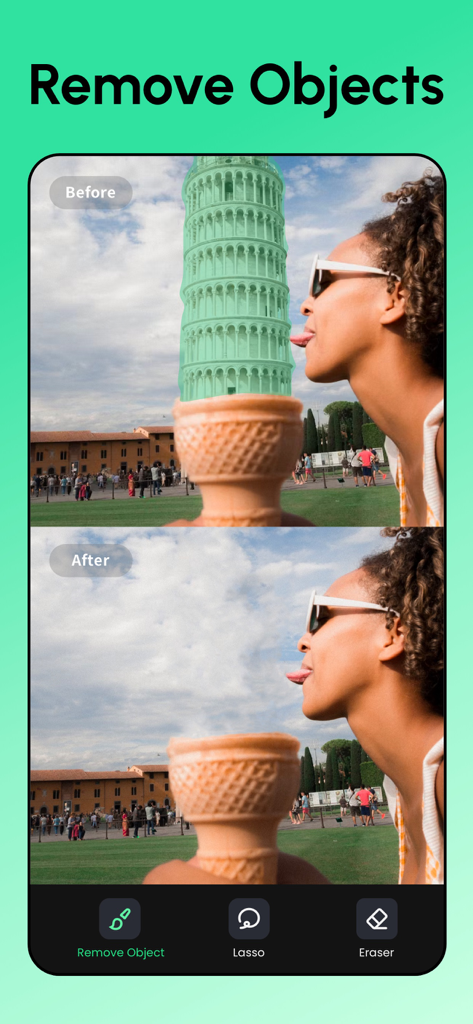
Before and after demonstration showing the removal of the Leaning Tower of Pisa from a photo using the AI retouching app
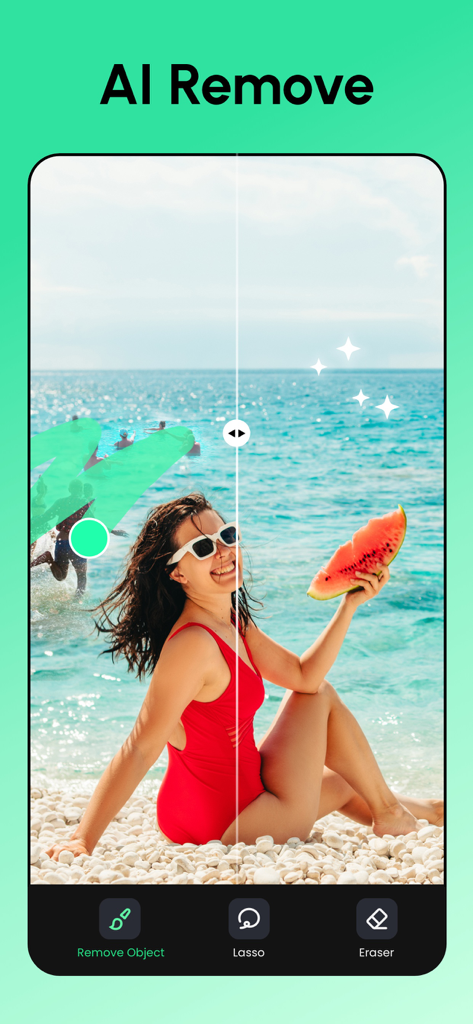
AI photo retouching app interface showing removal of photobombers from a beach scene
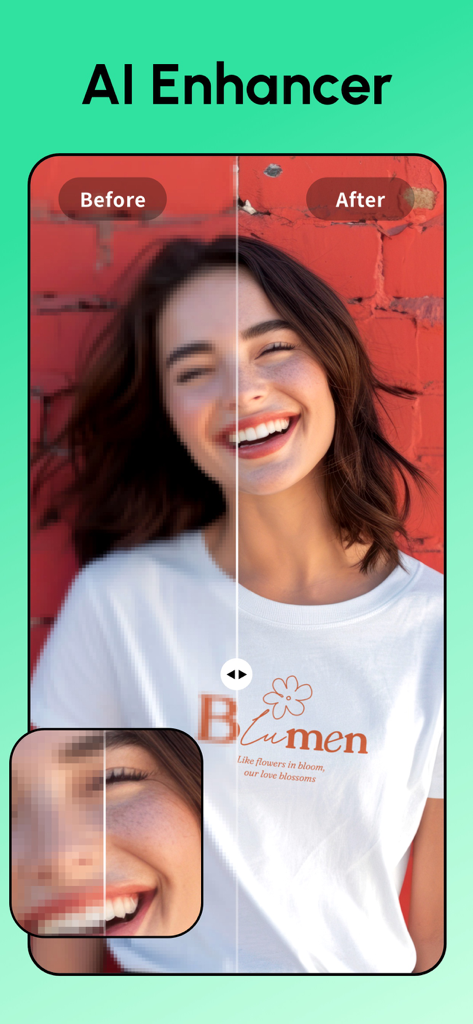
Side by side comparison of a blurry portrait before and after being sharpened with AI Enhancer
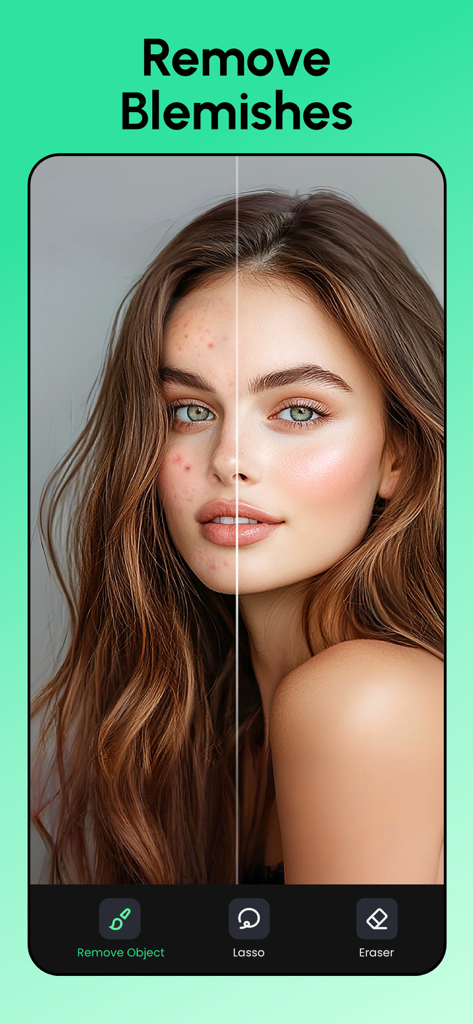
Before and after comparison of skin blemish removal using AI retouch app
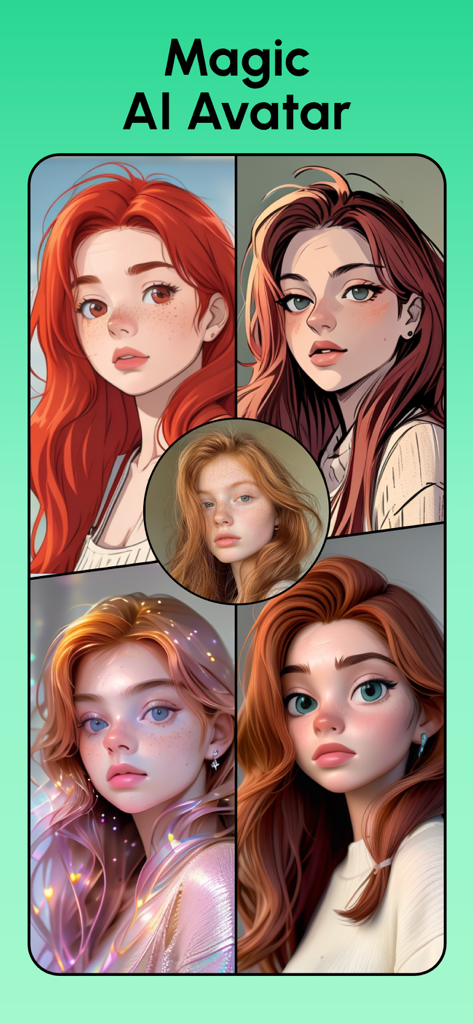
Four diverse artistic AI avatars generated from a single reference photo of a woman

Demonstration of an AI app removing the background from a portrait of a smiling woman.
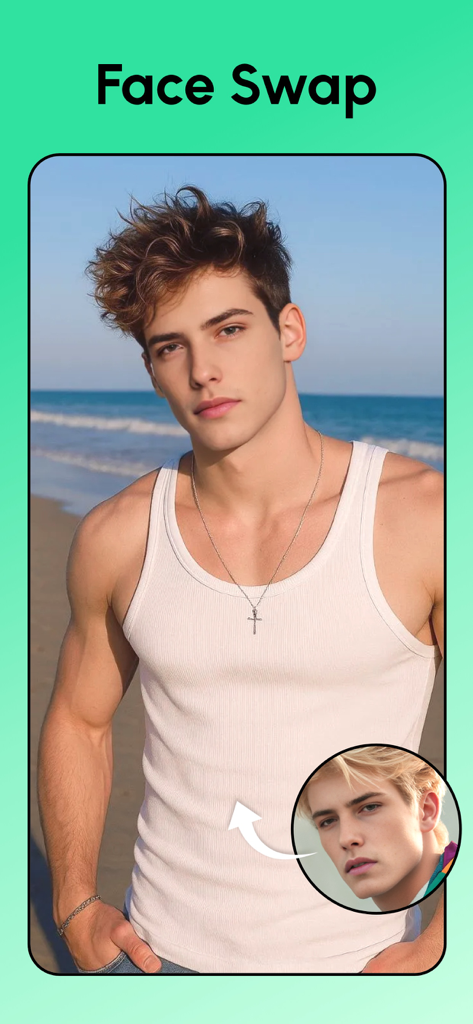
AI face swap feature demonstration showing a man's face replaced on a beach photo.
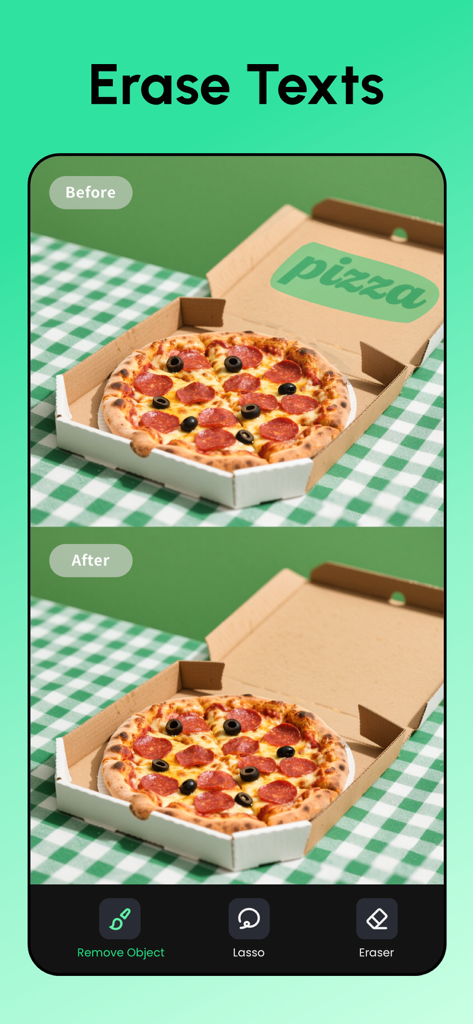
Before and after comparison of removing text from a pizza box using AI retouching tool
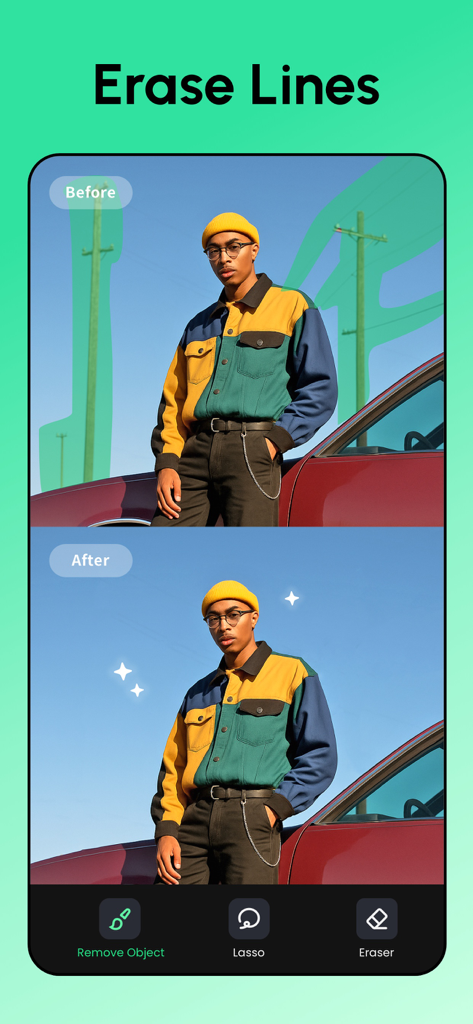
A before and after comparison showing the removal of background utility poles and power lines from a portrait photo using AI
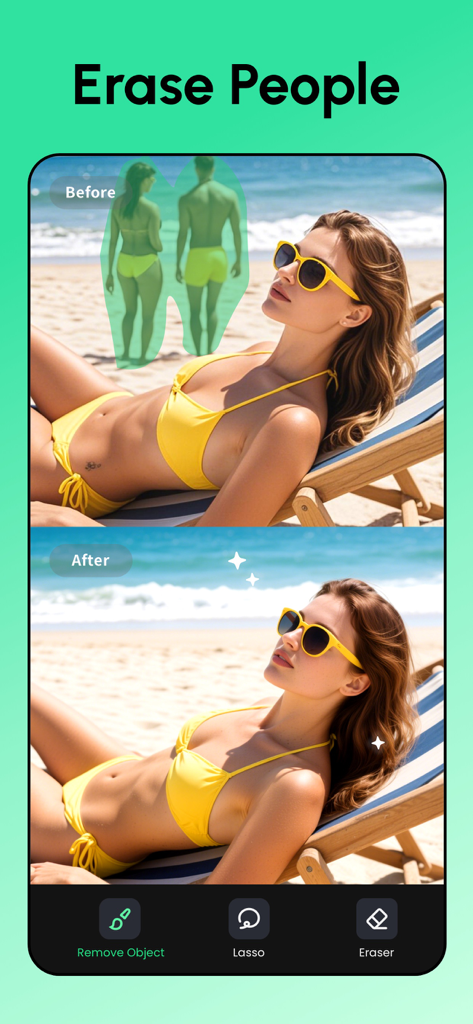
Before and after comparison showing background people being removed from a beach photo using AI retouching tools.
Description
Download
More Like This
Apps with similar features and user experience

EPIK - AI Photo & Video Editor
SNOW Corporation

Citrus: AI 1 Tap Perfect Photo
Wemagine.ai LLP

SnapEdit: Photo Editor AI
SilverAI Joint Stock Company

Background Eraser 〜 Stickers
handyCloset Inc.

PhotoScan by Google Photos
Google LLC

Magic Eraser - Remove Object
Creatix Technology Global Limited

Magic Eraser Background Editor
Honk Honk Punch Pty Ltd

ProKnockOut-Cut Paste Photos
Shenzhen Qianhai Happy Tour Network Technology Co., Ltd.

Background Eraser - Remove BG*
SHANTANU PTE. LTD.
This page is not an official page of the app or its developer, but an independent editorial publication created for informational and commentary purposes. Unless expressly stated otherwise, neither the app nor its developer is affiliated with, endorsed by, sponsored by, authorized by, or otherwise officially connected with MWM, Apple, Google Play, the app publisher, or the app's developer, and nothing on this page implies that the app was developed using MWM's services. Any trademarks, logos, screenshots, and other content remain the property of their respective owners.