Repairit - AI Photo Enhancer
Download on App Store

This page is not an official page of the app or its developer, but an independent editorial publication created for informational and commentary purposes. Unless expressly stated otherwise, neither the app nor its developer is affiliated with, endorsed by, sponsored by, authorized by, or otherwise officially connected with MWM, Apple, Google Play, the app publisher, or the app's developer, and nothing on this page implies that the app was developed using MWM's services. Any trademarks, logos, screenshots, and other content remain the property of their respective owners.


Logo of Repairit - AI Photo Enhancer
Download on App Store

Repairit - AI Photo Enhancer

Revitalize damaged memories, sharpen blurry shots, and transform your photos with professional-grade AI. From restoring family archives to creating stunning social media portraits, achieve surgical-level precision in just one tap.

Key Figures

Downloads

6K+

User Rating

4.3/5

Total Ratings

0

Publisher

GIYASTAR LIMITED

Category

Photo & Video

Locales

8

Latest Version

1.0.21

Size

34.8 MB

First Released

Jun 3, 2025
Features

Give Your Photos a Second Life

Whether it’s a century-old family heirloom or a blurry modern snapshot, our surgical-level AI restores clarity and color in just one tap.

Breathe Life Into History

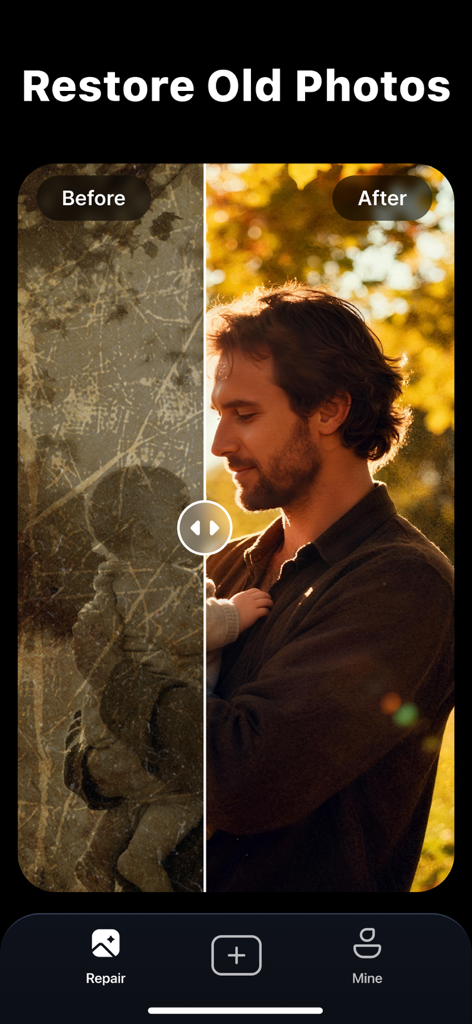
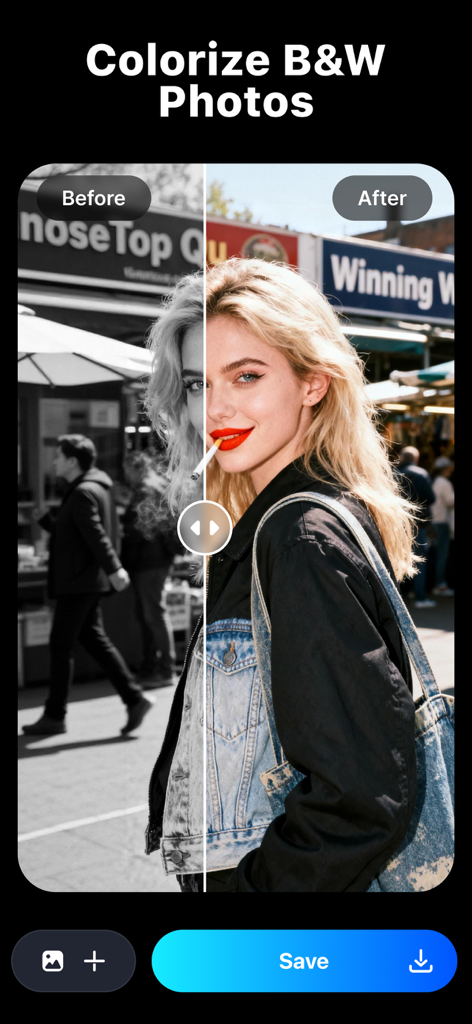
Repair scratches, fix discoloration, and intelligently colorize black-and-white family photos with lifelike accuracy and surgical precision.

Crystal-Clear Enhancement

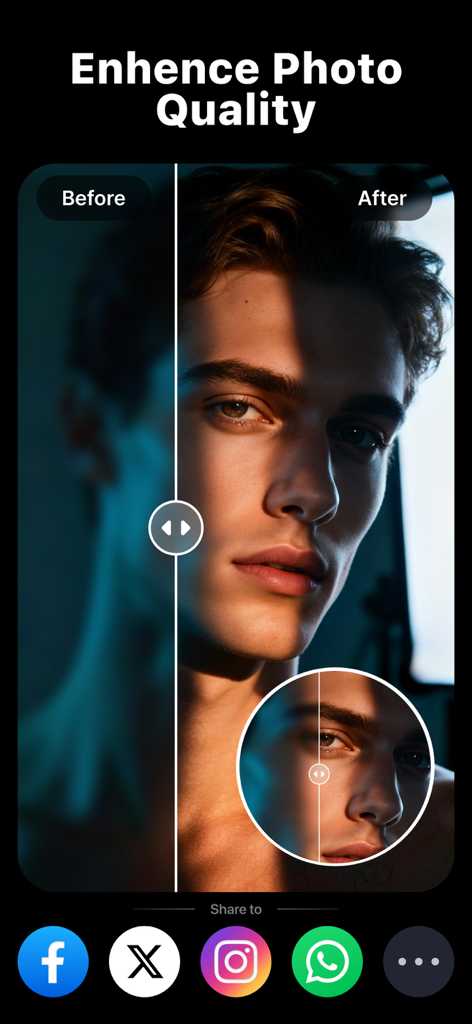
Instantly upscale low-resolution images and sharpen blurry portraits to professional standards while preserving natural skin textures.

The following screenshots and description are sourced directly from the app's official store listing and are the property of the app developer.

App Store

Screenshots
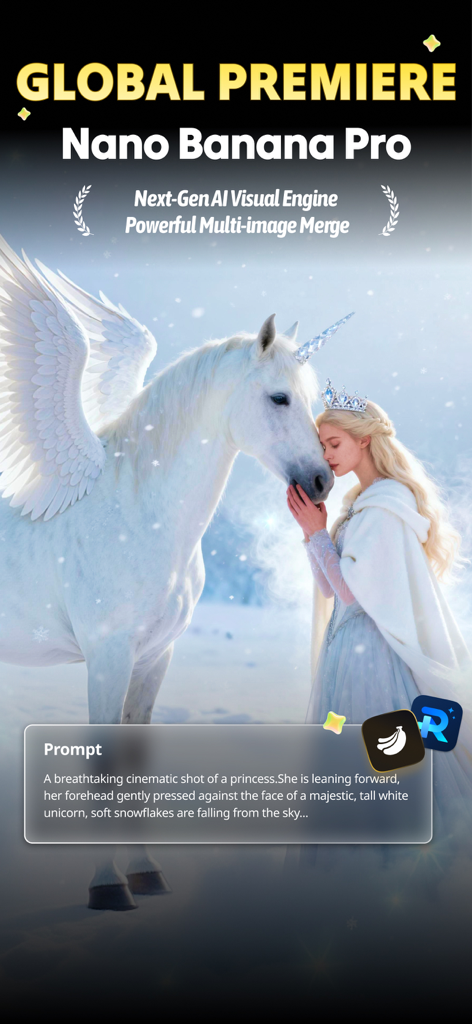
Repairit - AI Photo Enhancer - AI generated cinematic photo of a princess and winged unicorn based on a text prompt
AI generated cinematic photo of a princess and winged unicorn based on a text prompt

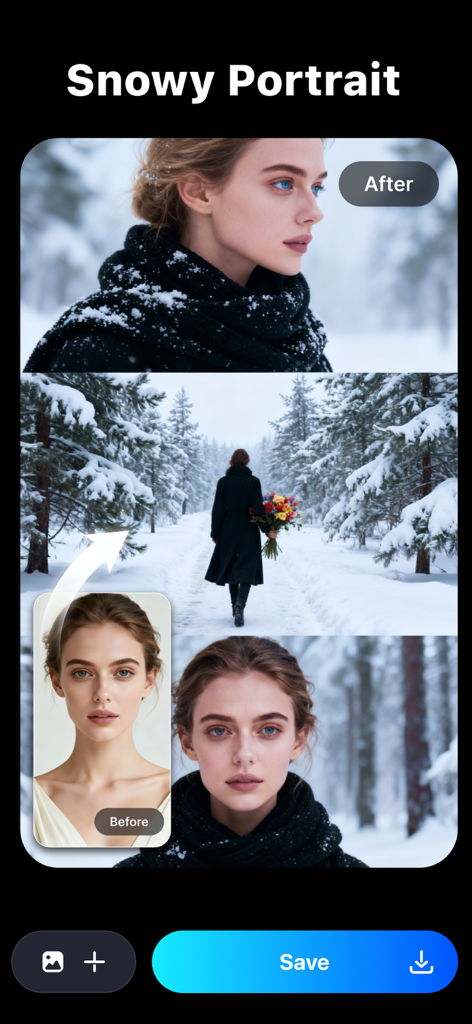
Repairit - AI Photo Enhancer - A woman's portrait before and after applying a snowy portrait AI filter in the Repairit app
A woman's portrait before and after applying a snowy portrait AI filter in the Repairit app

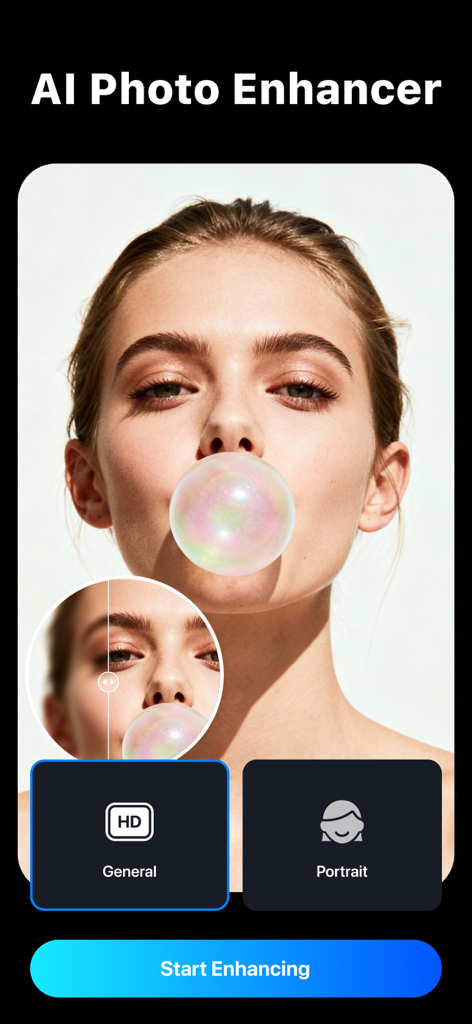
Repairit - AI Photo Enhancer - The interface of the Repairit app showing an AI portrait enhancement feature with a before and after comparison on a photo of a woman.
The interface of the Repairit app showing an AI portrait enhancement feature with a before and after comparison on a photo of a woman.

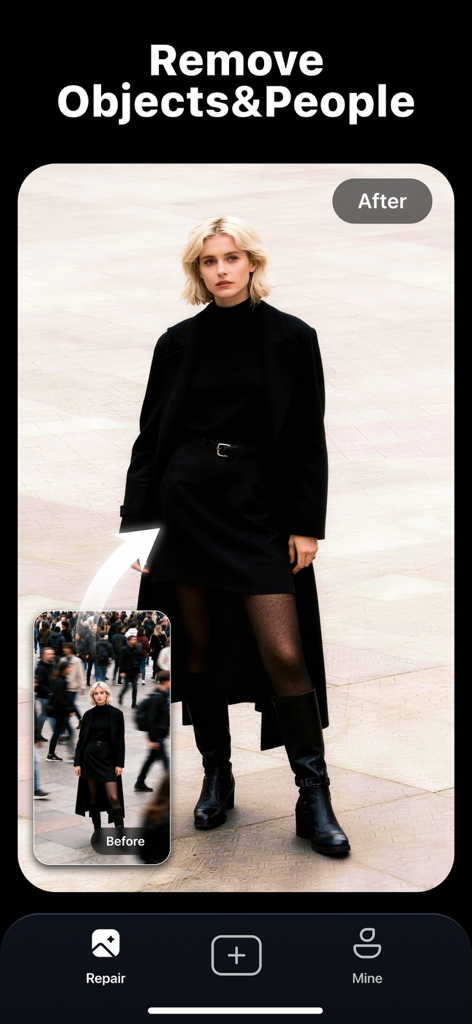
Repairit - AI Photo Enhancer - Before and after comparison showing the removal of a crowd from a portrait using Repairit AI
Before and after comparison showing the removal of a crowd from a portrait using Repairit AI

Repairit - AI Photo Enhancer - Before and after comparison showing a scratched old photo restored to high quality with Repairit AI.
Before and after comparison showing a scratched old photo restored to high quality with Repairit AI.

Repairit - AI Photo Enhancer - Side by side comparison of a black and white photo restored to color with Repairit AI
Side by side comparison of a black and white photo restored to color with Repairit AI

Repairit - AI Photo Enhancer - Before and after comparison of a portrait photo enhanced by Repairit AI for better quality and clarity
Before and after comparison of a portrait photo enhanced by Repairit AI for better quality and clarity

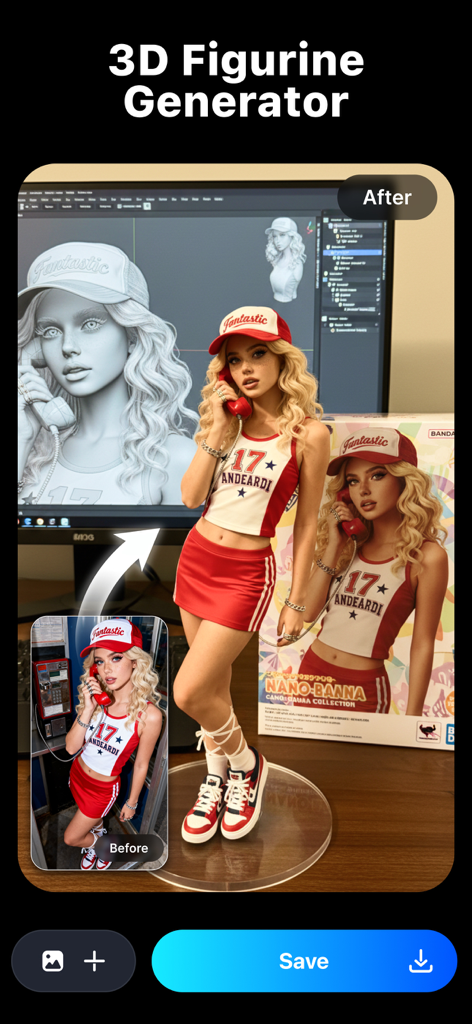
Repairit - AI Photo Enhancer - An AI-generated comparison showing a real portrait photo transformed into a stylized 3D figurine.

An AI-generated comparison showing a real portrait photo transformed into a stylized 3D figurine.
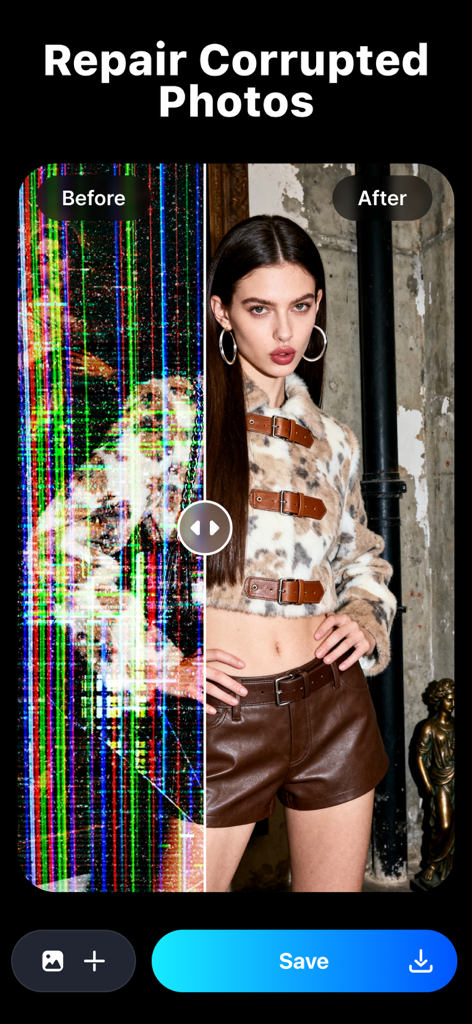
Repairit - AI Photo Enhancer - Comparison of a corrupted digital photo with noise versus a restored clear portrait using AI

Comparison of a corrupted digital photo with noise versus a restored clear portrait using AI

Description

Repairit is an all-in-one intelligent photo restoration tool trusted by professionals, capable of revitalizing damaged photos, enhancing visual clarity, and transforming old photo with cutting-edge AI. Whether photos suffer from blur, scratches, discoloration, or unwanted objects, Repairit's patented algorithms deliver unmatched precision and natural-looking results. —WHAT REPAIRIT CAN DO— [New Feature – AI Filters & Creative Styles] Transform your photos in one tap! Upload your image and instantly generate stunning styles—3D figurines, anime portraits, festive looks, or custom backgrounds. Repairit’s AI keeps your facial features consistent while giving you endless creative possibilities—no editing skills needed. [Edit Photos with Text] No layers, masks, or menus: just type a simple instruction under your photo and our AI does the heavy lifting—cutouts, background swaps, restoration, colorization, and seamless blending in seconds. [Quality Enhancer] Optimize photo sharpness through advanced algorithms, restoring clarity close to the original state while preserving natural textures and fine details. [Portrait Enhancer] Our new AI is built just for faces. Get sharper details, smoother skin, and photos you’ll actually want to keep. [Old Photo Restoration] Automatically detect scratches, stains, fading, and other damage for seamless repair. Intelligently colorize black-and-white photos by analyzing objects, scenes, and figures to apply lifelike color matching. [Object Removal] Precisely identify and remove specified people or objects from photos while maintaining background integrity and natural visual flow. [Corrupted Photo Repair] Easily solve the problems of photos unable to open and incomplete data, including RAW formats. —WHY REPAIRIT STANDS OUT— [Free Trial] Try it out and preview the repair results to see if Repairit is right for you. [Advanced AI algorithm] Industry-leading AI algorithm ensures the highest repair accuracy and natural results. [One-tap processing] Easily repair photos, friendly user experience, no learning cost. [Preview before saving] Enjoy real-time quality verification preview before final export. [Universal Compatibility] Support 2000+ devices: DSLR cameras, drones, smartphones, SD cards, HDD/SSD, USB drives, and vintage photo scanners. —HOW TO REPAIR PHOTOS IN 3 STEPS— 1. Add photos into Repairit. 2. Click "Start" to activate AI-powered restoration. 3. Preview results, then save files to gallery. —FREE TRIAL & UPGRADE BENEFITS— The trial version offers full repair capabilities with watermarked previews. Unlock export and priority support via: 1. Launch Repairit and click "Pro". 2. Choose a subscription plan. 3. Activate your license to export pristine, watermark-free files. —HOW TO FOLLOW AND CONTACT US— • Web: https://repairit.wondershare.com/ • Technical Support: https://support.wondershare.com/ • Privacy Policy: https://www.wondershare.com/privacy.html • Terms of Use: https://www.apple.com/legal/internet-services/itunes/dev/stdeula/ —ABOUT DEVELOPER— GIYASTAR is a global leader in creative software with 6 offices around the globe and 1000+ talented employees. Our technology is powerful, that’s how we provide simple and convenient software to millions of users in over 150 countries. We provide our users with a super-easy way to repair corrupted files to find back the most cherishable things. Repair your digital assets with surgical-level algorithm!

Download

Download on App Store

This page is not an official page of the app or its developer, but an independent editorial publication created for informational and commentary purposes. Unless expressly stated otherwise, neither the app nor its developer is affiliated with, endorsed by, sponsored by, authorized by, or otherwise officially connected with MWM, Apple, Google Play, the app publisher, or the app's developer, and nothing on this page implies that the app was developed using MWM's services. Any trademarks, logos, screenshots, and other content remain the property of their respective owners.








