Resize Video Compressor App
Download on App Store

This page is not an official page of the app or its developer, but an independent editorial publication created for informational and commentary purposes. Unless expressly stated otherwise, neither the app nor its developer is affiliated with, endorsed by, sponsored by, authorized by, or otherwise officially connected with MWM, Apple, Google Play, the app publisher, or the app's developer, and nothing on this page implies that the app was developed using MWM's services. Any trademarks, logos, screenshots, and other content remain the property of their respective owners.


Logo of Resize Video Compressor App
Download on App Store

Resize Video Compressor App

The ultimate one-tap solution to compress 4K clips and screen recordings for TikTok, WhatsApp, and Discord. Stop deleting memories and start saving space today.

Key Figures

Downloads

0

User Rating

4.6/5

Total Ratings

0

Publisher

Codepaint Inc.

Category

Productivity

Locales

2

Latest Version

1.6.11

Size

75.9 MB

First Released

Aug 9, 2020
Features

Optimize Your Media Lifestyle

Free up gigabytes of iPhone storage and share high-quality videos instantly with powerful compression tools designed for the modern creator.

Reclaim Your iPhone Space

Stop deleting memories. Shrink high-res videos and screen recordings to save up to 80% of storage while keeping your library intact.

Built for Instant Sharing

Skip the upload lag. Use smart presets for TikTok, Instagram, and Discord to send videos faster and save data on the go.

The following screenshots and description are sourced directly from the app's official store listing and are the property of the app developer.

App Store

Screenshots
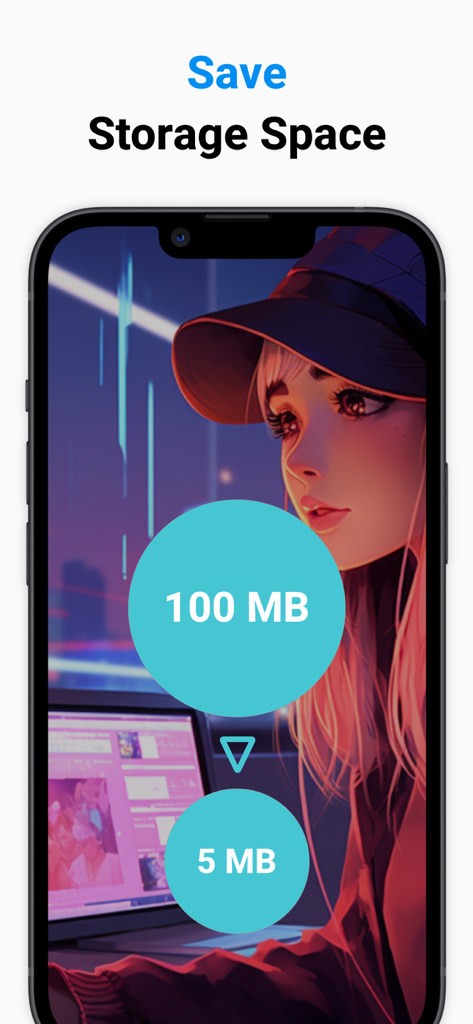
Resize Video Compressor App - Smartphone screen showing video compression from 100MB to 5MB to save storage space
Smartphone screen showing video compression from 100MB to 5MB to save storage space

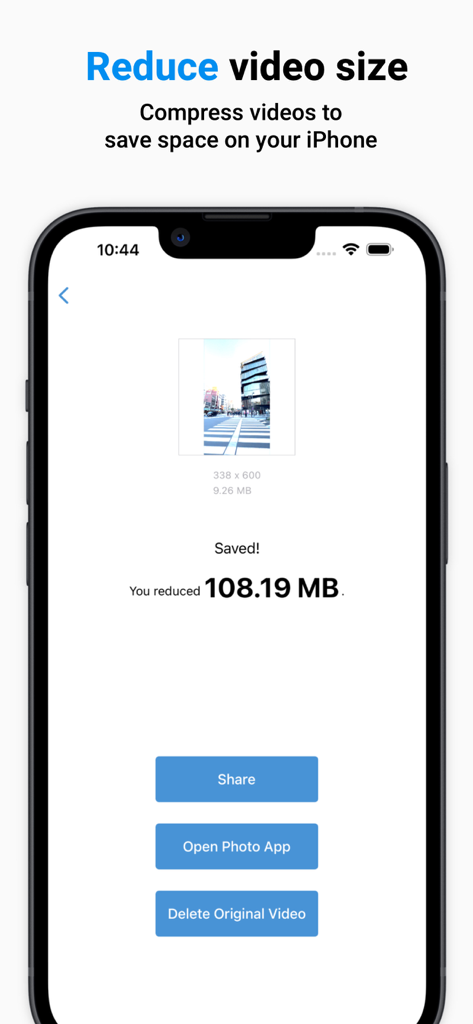
Resize Video Compressor App - Interface of the Resize Video Compressor app showing a video successfully reduced by over 100 megabytes to save storage space.
Interface of the Resize Video Compressor app showing a video successfully reduced by over 100 megabytes to save storage space.

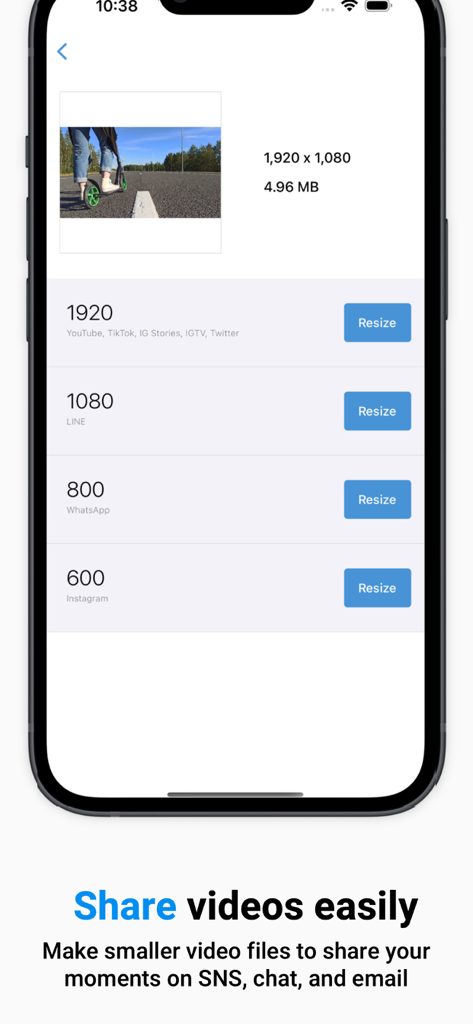
Resize Video Compressor App - Mobile app interface showing video resolution presets for YouTube WhatsApp and Instagram
Mobile app interface showing video resolution presets for YouTube WhatsApp and Instagram

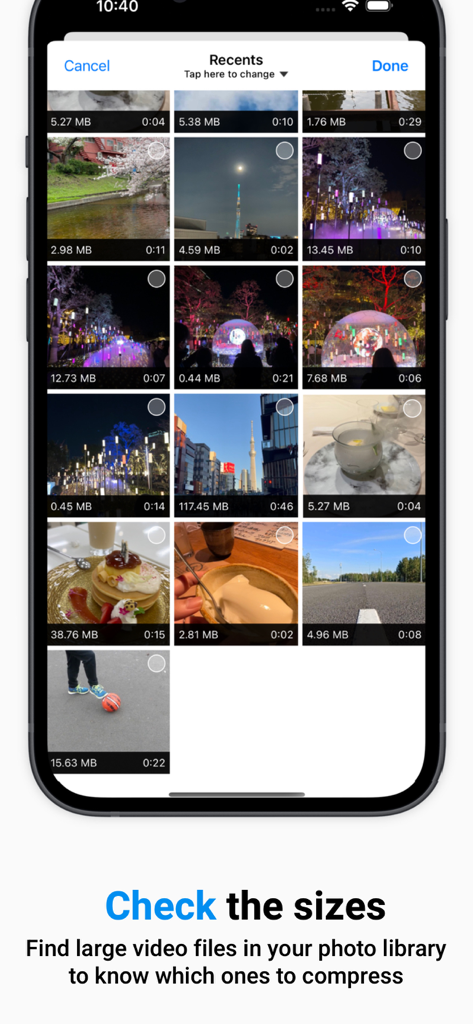
Resize Video Compressor App - App screen displaying video thumbnails with file sizes to identify large files for compression
App screen displaying video thumbnails with file sizes to identify large files for compression

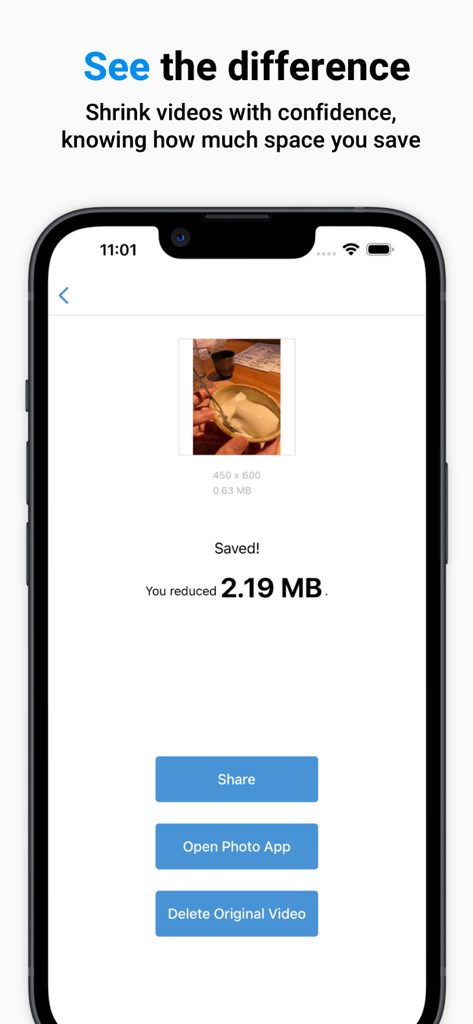
Resize Video Compressor App - App interface displaying video compression results with a storage savings indicator and buttons to share or delete the original video

App interface displaying video compression results with a storage savings indicator and buttons to share or delete the original video

Description

Resize Video Compressor: Simplify Your Media Life Need more space on your iPhone or looking to make your videos more social media-friendly? "Resize Video Compressor" is a straightforward app that shrinks the size of your videos by resizing them, making it ideal for anyone wanting to save storage space or data usage. ** Who Is This App For? ** - Struggling with a full iPhone? Reduce the size of videos you seldom watch. - Want to save data while sending videos in chat apps or SNS. - Getting videos ready to post on social media. - Filming in high quality but don't need it for every video? Compress them. - Accumulating screen recordings? Lighten them without losing content. - Received a large video file from a friend? Compress it effortlessly. ** Features & How to Use ** ■Select Size Choose the desired resolution from presets based on popular social media platforms. - 1920: YouTube, TikTok, Instagram Stories, IGTV, Snapchat, X (Twitter), Discord - 1080: LINE - 800: WhatsApp - 600: Instagram ■Process Hit the "Resize" button to create a compressed version of your original video. Save it to your Photo Library for easy access. ■Share & Delete - Share your resized videos directly on social media or in chat apps. - Optionally delete the original video, which moves to the "Recently Deleted" folder in your Photo Library. ** Paid Version ** We offer a subscription-based or one-time purchase option for our paid version. Features: - Custom size: You can set a custom size value to resize videos. - Custom parameters: You can set more parametes such as max FPS, birate, codec. - Custom duration: You can set a shorter time for the output video. Useful for creating previews. - Metadata preservation: You can set to preserve video information like creation date and location data during compression. - No ads: Ads will not be displayed and you can use the app comfortably. Paid plans: - Subscription: $0.99/month - One-Time Purchase: $9.99 Note: Prices may vary by region and time. ** Terms and Conditions for Subscriptions ** - Auto-renewal occurs 24 hours before the end of each billing cycle unless canceled. - You will be charged via your Apple ID account. - No cancellations are allowed for the current month. ■How to Manage Your Subscription Navigate to Settings.app -> Apple ID -> Subscriptions -> Resize Video Compressor to manage your subscription. Note: If automatic billing is not registered, the "Subscription" option will not be displayed. ** Terms for One-Time Purchases ** - You will be charged via your Apple ID account. - Cancellations are not permitted. ** Terms of Use ** Read full terms here: https://www.codepaint.app/terms/resize-video-compressor

Download

Download on App Store

This page is not an official page of the app or its developer, but an independent editorial publication created for informational and commentary purposes. Unless expressly stated otherwise, neither the app nor its developer is affiliated with, endorsed by, sponsored by, authorized by, or otherwise officially connected with MWM, Apple, Google Play, the app publisher, or the app's developer, and nothing on this page implies that the app was developed using MWM's services. Any trademarks, logos, screenshots, and other content remain the property of their respective owners.