
This page is not an official page of the app or its developer, but an independent editorial publication created for informational and commentary purposes. Unless expressly stated otherwise, neither the app nor its developer is affiliated with, endorsed by, sponsored by, authorized by, or otherwise officially connected with MWM, Apple, Google Play, the app publisher, or the app's developer, and nothing on this page implies that the app was developed using MWM's services. Any trademarks, logos, screenshots, and other content remain the property of their respective owners.


Retouch: AI Object Remover
Erase photobombers, swap outfits, and retouch skin with one-tap AI. Professional-grade editing tools designed for the modern creator.
Downloads
1M+User Rating
Total Ratings
14K+Publisher
Category
Photo & VideoLocales
1Latest Version
5.3Size
224.3 MBFirst Released
Apr 28, 2022Elevate Every Shot
Harness the power of professional AI to remove distractions, polish your look, and transform your backgrounds in seconds.
Smart Object Eraser
Say goodbye to photo-bombers and messy backgrounds with our intelligent tap-to-remove technology.
Instant Glow Up
Achieve studio-quality portraits with AI that smooths skin and enhances your best features naturally.
Frequently Asked Questions
Everything you need to know about Retouch: AI Object Remover
What is Retouch: AI Object Remover app used for?
Retouch: AI Object Remover is an app designed to easily remove objects, people, or text from photos, erase backgrounds, fix blemishes, and change outfits using AI. It offers diverse photo editing capabilities.
Can I remove unwanted objects from photos using the Retouch app?
Yes, the Retouch: AI Object Remover app allows you to remove objects, people, or text from photos. It features a Quick Mode for AI removal and Brush & Lasso for pixel-perfect control.
Does Retouch: AI Object Remover offer an AI clothes changer feature?
Yes, Retouch: AI Object Remover includes an advanced AI Clothes Changer feature. Users can instantly try on new dresses or outfits using its outfit generator.
How do I remove a photo background with the Retouch app?
The Retouch app allows you to replace a background by auto-cutting subjects and dropping them onto built-in scenes, your own images, or transparent PNGs. It offers one-tap background erasing.
What types of subscriptions does Retouch: AI Object Remover offer?
Retouch: AI Object Remover offers Premium subscription packages with weekly and monthly lengths. Subscriptions provide an ad-free experience and access to all premium content.
How does auto-renewal work for the Retouch Premium Subscription?
Your Retouch Premium subscription renews automatically unless you turn off auto-renew at least 24 hours before the current period ends. The renewal cost is charged 24 hours prior.
Can I fix blemishes on my photos using the Retouch app?
Yes, the Retouch app includes an advanced AI Retouch feature for fixing blemishes. It allows for one-swipe removal of imperfections, skin smoothing, and eye sharpening.
Does the Retouch: AI Object Remover app include advertisements?
Yes, the Retouch: AI Object Remover app includes advertisements. Users can purchase a Premium subscription package to enjoy an ad-free experience and access premium content.
Where can I find the privacy policy for Retouch: AI Object Remover?
The privacy policy for Retouch: AI Object Remover is available at https://sites.google.com/view/anthonydurbins/privacy. This link is provided within the app's description.
What are the background blur options available in the Retouch app?
The Retouch app provides various background blur options, including Gaussian, Motion, Bokeh, Hexagon, and Disc styles. Users can adjust focus and strength in real time.
The following screenshots and description are sourced directly from the app's official store listing and are the property of the app developer.
App Store
Screenshots
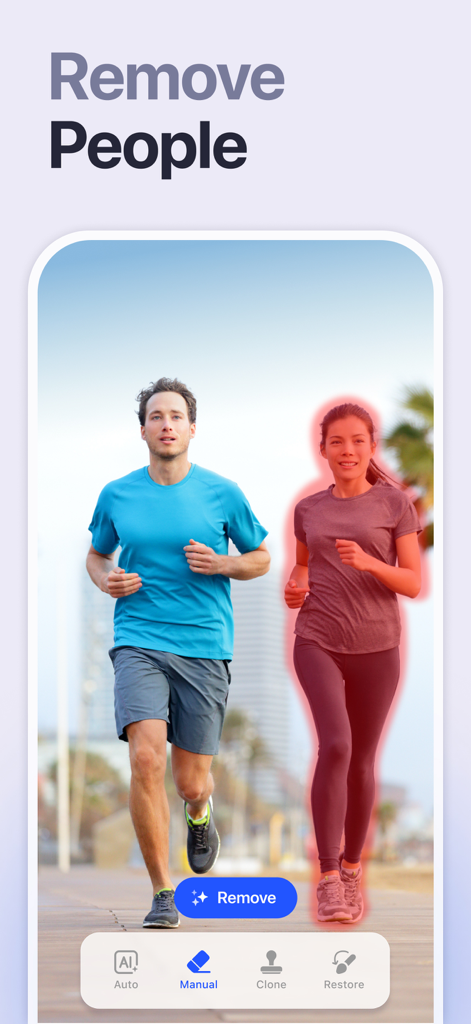
A smartphone interface showing the Retouch app where a woman is highlighted in red to be removed from a photo of two joggers
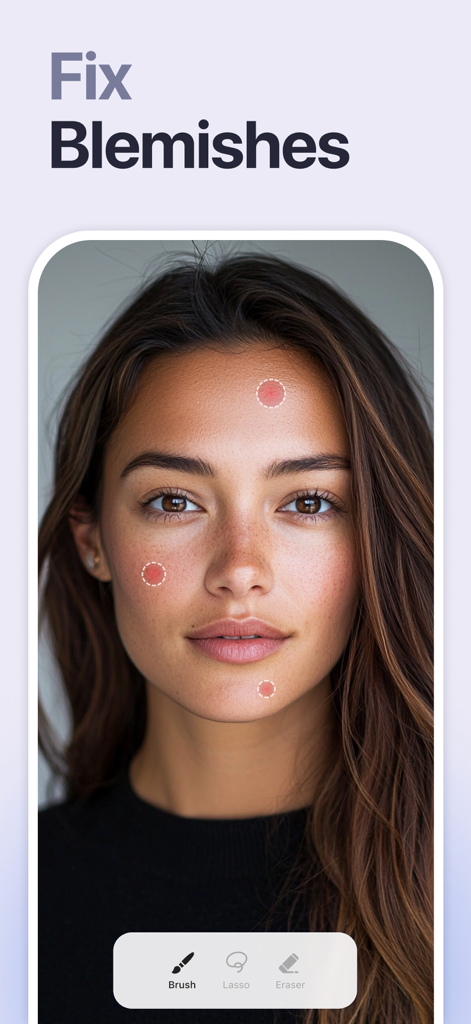
App screen showing the AI blemish removal tool on a female portrait
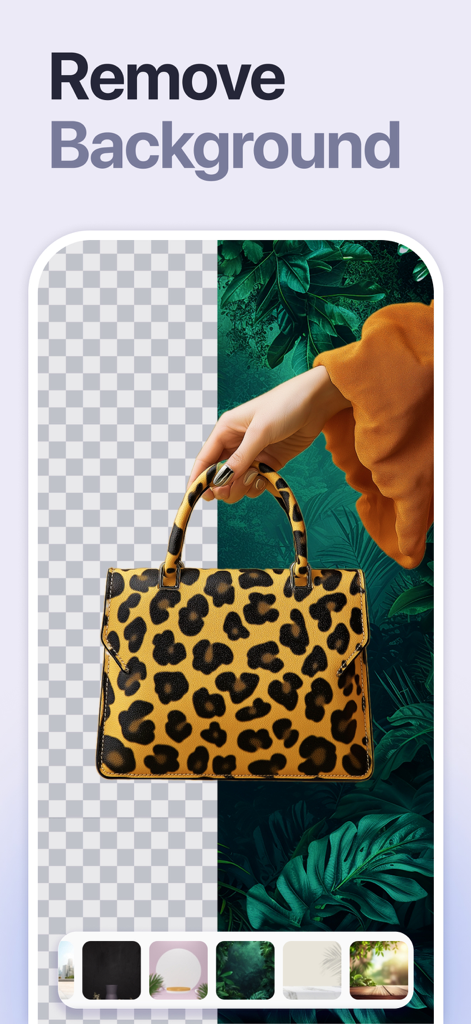
A leopard print handbag with a background being removed and replaced using the Retouch AI app
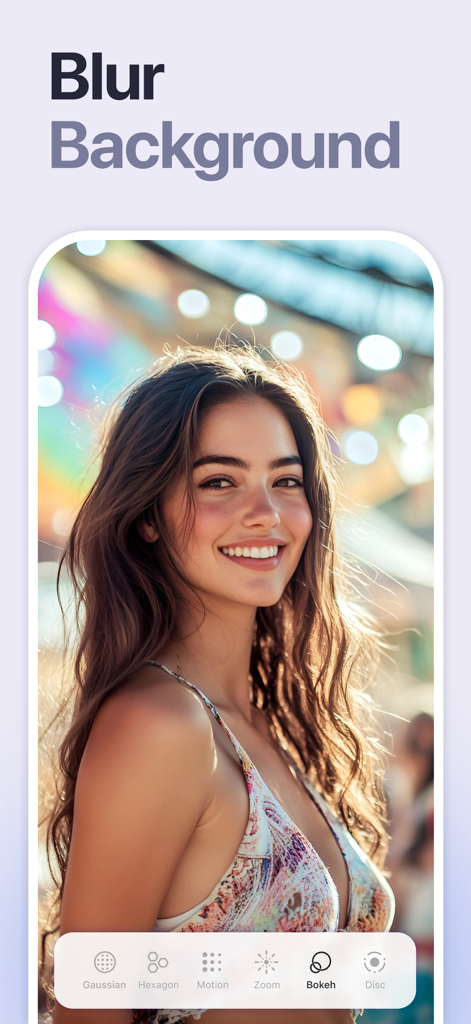
A smiling woman with a colorful bokeh background using the blur background feature of the Retouch AI app
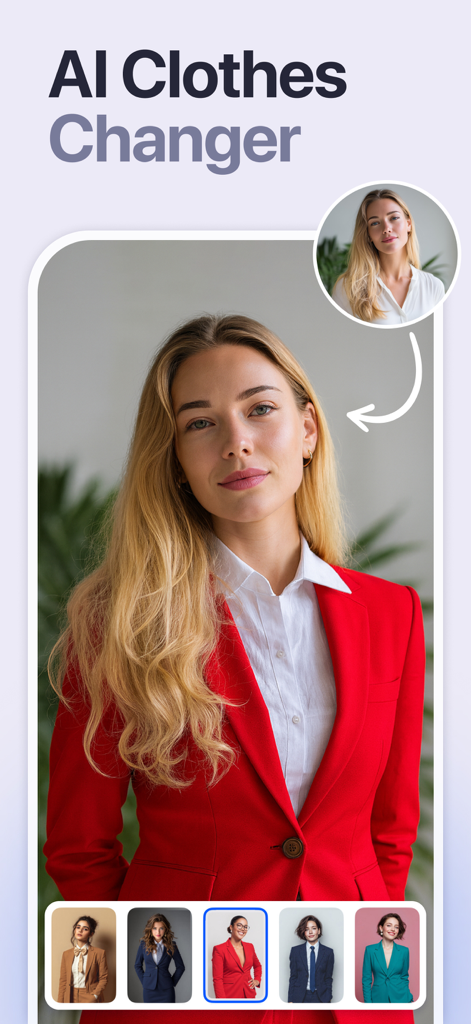
A woman using the AI clothes changer feature to swap her outfit for various professional suits.
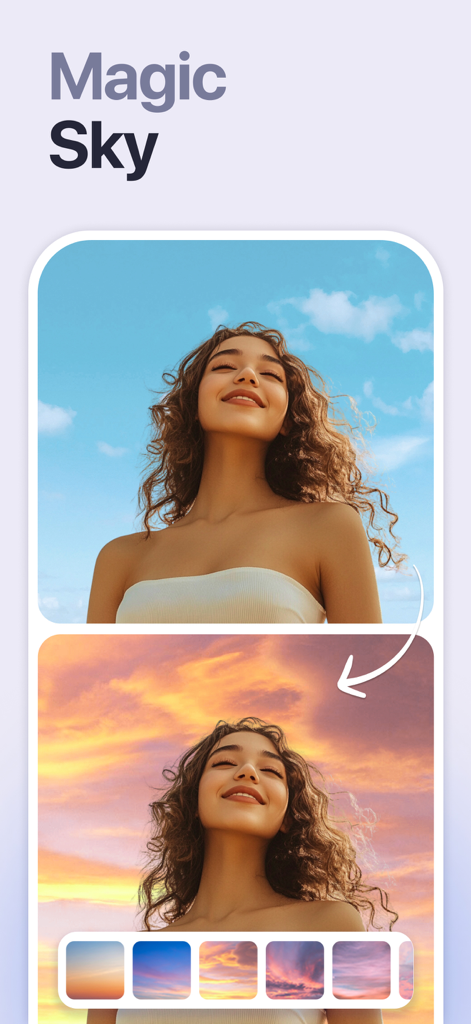
Comparison of a portrait before and after using the AI Magic Sky feature to change a blue sky to a sunset
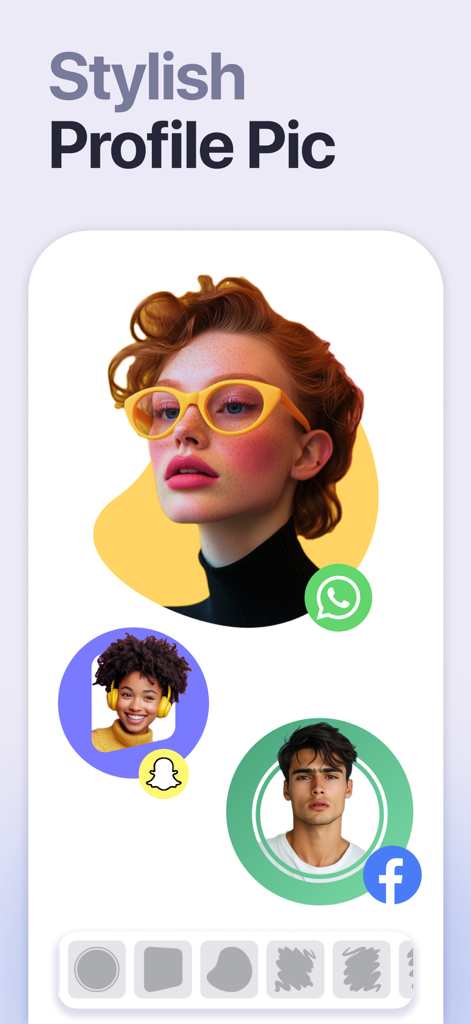
Examples of stylish profile pictures with artistic backgrounds for WhatsApp Snapchat and Facebook
Description
Download
More Like This
Apps with similar features and user experience

EPIK - AI Photo & Video Editor
SNOW Corporation

Citrus: AI 1 Tap Perfect Photo
Wemagine.ai LLP

SnapEdit: Photo Editor AI
SilverAI Joint Stock Company

Background Eraser 〜 Stickers
handyCloset Inc.

PhotoScan by Google Photos
Google LLC

Magic Eraser - Remove Object
Creatix Technology Global Limited

Magic Eraser Background Editor
Honk Honk Punch Pty Ltd

ProKnockOut-Cut Paste Photos
Shenzhen Qianhai Happy Tour Network Technology Co., Ltd.

Background Eraser - Remove BG*
SHANTANU PTE. LTD.
This page is not an official page of the app or its developer, but an independent editorial publication created for informational and commentary purposes. Unless expressly stated otherwise, neither the app nor its developer is affiliated with, endorsed by, sponsored by, authorized by, or otherwise officially connected with MWM, Apple, Google Play, the app publisher, or the app's developer, and nothing on this page implies that the app was developed using MWM's services. Any trademarks, logos, screenshots, and other content remain the property of their respective owners.