
This page is not an official page of the app or its developer, but an independent editorial publication created for informational and commentary purposes. Unless expressly stated otherwise, neither the app nor its developer is affiliated with, endorsed by, sponsored by, authorized by, or otherwise officially connected with MWM, Apple, Google Play, the app publisher, or the app's developer, and nothing on this page implies that the app was developed using MWM's services. Any trademarks, logos, screenshots, and other content remain the property of their respective owners.


Rewrite Pro: AI Text Editor
Polish your emails, fix grammar, and adjust your tone in seconds. Experience the power of GPT-4o with no monthly subscriptions—perfect writing, right from your iPhone.
Downloads
1K+User Rating
Total Ratings
0Publisher
Category
ProductivityLocales
4Latest Version
1.6Size
20.9 MBFirst Released
Sep 17, 2024Write Smarter, Not Harder
Transform your rough thoughts into polished content instantly with professional AI tools designed for your mobile workflow.
Master Every Tone
Switch between formal, friendly, or persuasive styles to ensure your messages always leave the right impression on clients and colleagues.
Instant Productivity
Turn messy notes into clear bullet points or shorten long drafts in seconds—perfect for high-speed professional communication.
Frequently Asked Questions
Everything you need to know about Rewrite Pro: AI Text Editor
What is Rewrite Pro: AI Text Editor?
Rewrite Pro is an AI-powered text editor that uses advanced AI technology like OpenAI API and ChatGPT to help users create, edit, and optimize text quickly on their iPhone.
Does Rewrite Pro require a subscription?
No, Rewrite Pro does not require a subscription. Users can start using the AI text editing features for free without any subscription fees.
What iOS version is required for Rewrite Pro: AI Text Editor?
Rewrite Pro is compatible with iPhones running iOS 16 or later. It operates on all iPhones that meet this operating system requirement.
What are the key text editing features available in Rewrite Pro?
Rewrite Pro offers tools to create text, get ideas, shorten, expand, summarize, improve flow, convert to bullet points, translate, adjust tone, and proofread. It provides over 25 versatile functions.
Can Rewrite Pro: AI Text Editor change the tone of written text?
Yes, Rewrite Pro can adjust the tone of text. Users can select tones like formal, friendly business email, friendly, neutral, persuasive, passive-aggressive, or fit the tone to an example.
What AI technology does Rewrite Pro: AI Text Editor utilize?
Rewrite Pro utilizes advanced AI technology, specifically the OpenAI API and ChatGPT. The app also states it is powered by GPT-4o for high-quality results.
How does inline editing function within Rewrite Pro?
Rewrite Pro provides inline editing and review. Users make changes directly in their text, preview the results, and can apply, retry, or cancel modifications before finalizing.
The following screenshots and description are sourced directly from the app's official store listing and are the property of the app developer.
App Store
Screenshots
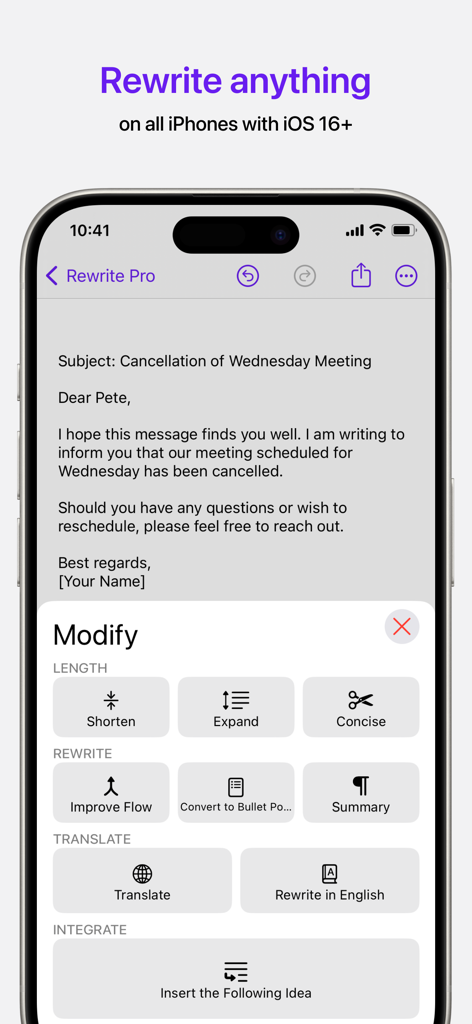
Rewrite Pro app on iPhone showing AI text editing and rewriting tools for professional emails.
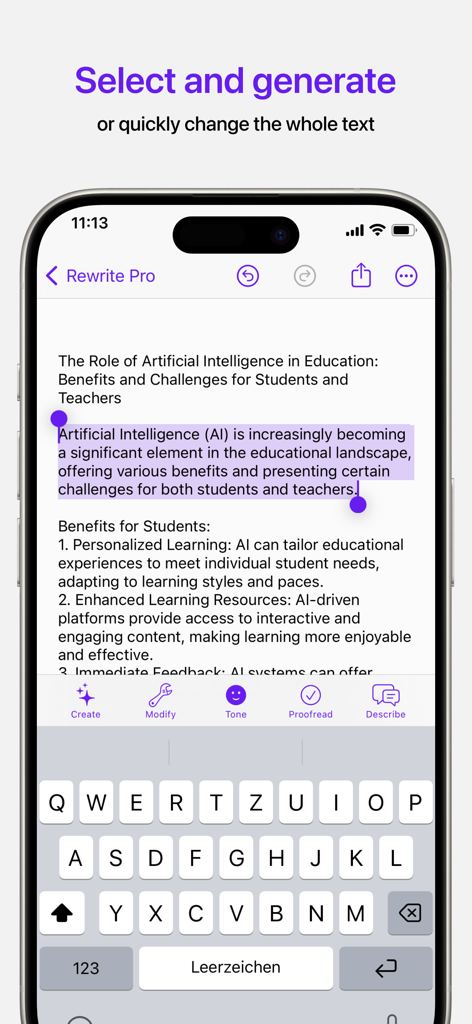
Rewrite Pro AI text editor interface showing text selection and editing options on a mobile phone
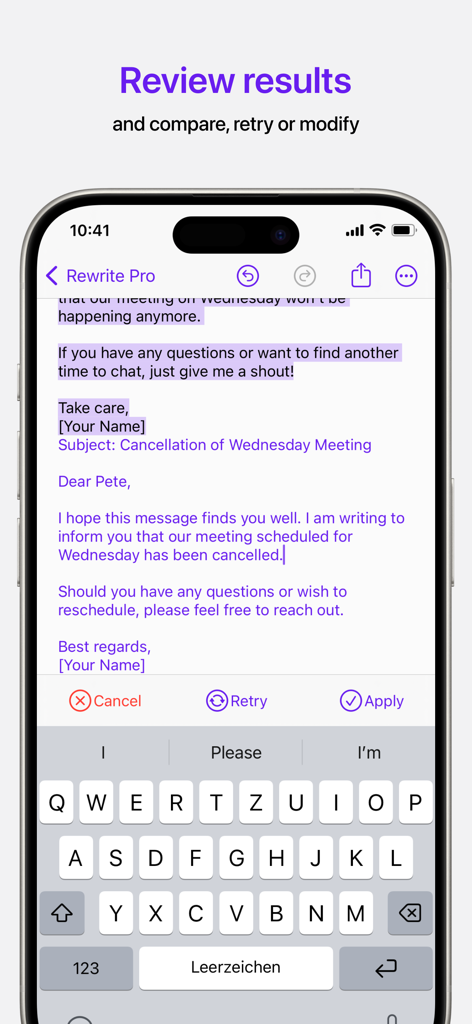
Smartphone screen displaying the Rewrite Pro app interface for reviewing and comparing AI-edited text for an email
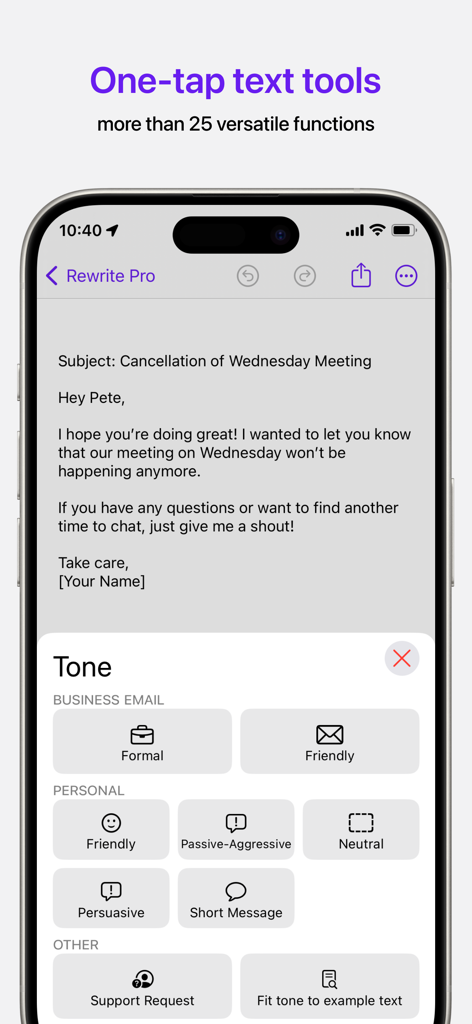
Screenshot of Rewrite Pro app showing a tone selection menu for an email including formal friendly and persuasive options.
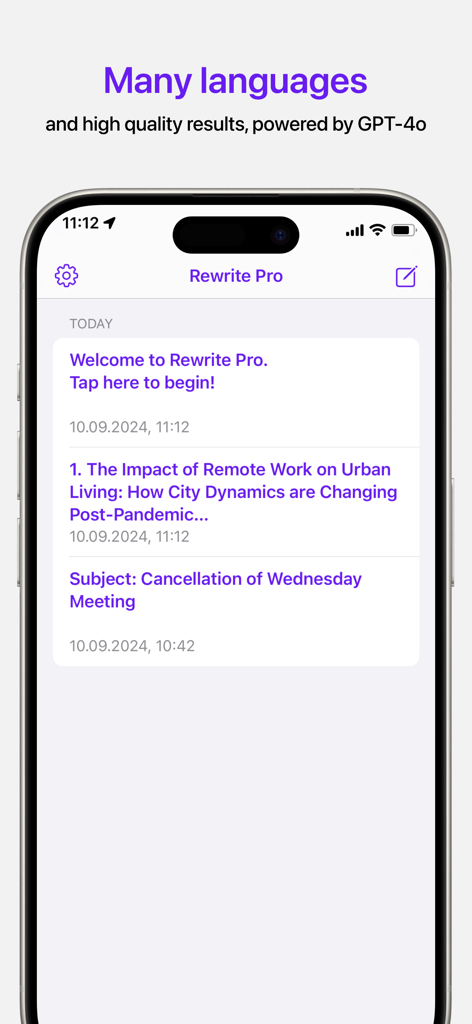
Interface of Rewrite Pro AI text editor showing a list of recent documents and GPT-4o integration
Description
Download
More Like This
Top-ranked apps in the same category

ChatGPT
OpenAI OpCo, LLC

Google Gemini
Google LLC

Grok
X.AI Corporation

Gmail - Email by Google
Google LLC

千问 - 阿里最强大模型官方AI助手
Shanghai Zhixin Puhui Technology Co., Ltd.

Google Drive
Google LLC

Microsoft Authenticator
Microsoft Corporation

Google Sheets
Google LLC

Google Docs
Google LLC
This page is not an official page of the app or its developer, but an independent editorial publication created for informational and commentary purposes. Unless expressly stated otherwise, neither the app nor its developer is affiliated with, endorsed by, sponsored by, authorized by, or otherwise officially connected with MWM, Apple, Google Play, the app publisher, or the app's developer, and nothing on this page implies that the app was developed using MWM's services. Any trademarks, logos, screenshots, and other content remain the property of their respective owners.