
This page is not an official page of the app or its developer, but an independent editorial publication created for informational and commentary purposes. Unless expressly stated otherwise, neither the app nor its developer is affiliated with, endorsed by, sponsored by, authorized by, or otherwise officially connected with MWM, Apple, Google Play, the app publisher, or the app's developer, and nothing on this page implies that the app was developed using MWM's services. Any trademarks, logos, screenshots, and other content remain the property of their respective owners.

Rove Dash Cam
Wirelessly connect to your 4K dash cam to view, download, and share high-definition footage instantly. With real-time GPS tracking and seamless mobile management, the ultimate road witness is always in your pocket.
Downloads
367K+User Rating
Total Ratings
5K+Publisher
Category
ProductivityLocales
2Latest Version
5.0.4Size
397.5 MBFirst Released
Feb 3, 2022Smart Features for Total Road Safety
The ROVE app brings professional-grade dash cam management to your pocket, making it easier than ever to protect yourself and share your drive.
Instant Wireless Access
Forget messy cables. Download and view your 4K road footage directly on your smartphone via high-speed WiFi.
GPS Evidence at a Glance
Review your speed and exact location on Google Maps alongside your video, providing crucial proof for any insurance claim.
Frequently Asked Questions
Everything you need to know about Rove Dash Cam
How does the ROVE App connect to my dash cam?
The ROVE App connects to your ROVE dash camera wirelessly via its WiFi feature. This establishes a connection between your smartphone and the dash cam within a 10-meter range.
Which ROVE dash cam models are compatible with the ROVE App?
The ROVE App is compatible with ROVE R2-4K, ROVE R2-4K PRO, ROVE R2-4K-DUAL, and ROVE R3 dash cam models, including the R2-4K-DUAL-PRO.
Can I view live video from my ROVE dash cam using the app?
Yes, the ROVE App allows you to view, start, or stop live video recordings from your ROVE dash cam directly on your smartphone through the "LIVE VIDEO" section.
How do I update the firmware of my ROVE dash cam with the app?
Yes, the ROVE App enables remote firmware updates for your dash cam. The app notifies users of new firmware availability and allows installation directly.
What is the default WiFi password for connecting to the ROVE Dash Cam?
The default WiFi password for connecting your iPhone to the ROVE Dash Cam's WiFi network is "12345678".
Can I download and share videos from my ROVE dash cam using the app?
Yes, the ROVE App enables you to download recorded footage to your smartphone and share it via common platforms like WhatsApp and Facebook.
Does the ROVE App allow me to change dash cam settings?
Yes, the ROVE App includes a "DASH CAM SETTING" section where you can modify both video and system settings for your dash cam from your smartphone.
Can I see my driving route on a map in the ROVE App?
Yes, the ROVE App displays your live location and speed on Google Maps. This feature utilizes the dash cam's built-in GPS when reviewing recorded footage.
Where can I buy ROVE products through the ROVE App?
You can purchase ROVE dash cams, memory cards, and accessories directly within the ROVE App by navigating to the "Shop" section.
What kind of video settings can I configure using the ROVE App?
The ROVE App allows configuration of video settings such as Video Resolution, Loop Recording, Video Recording G-Sensor, HDR, Exposure, Time Lapse Record, and Video Compression.
How do I turn on WiFi on my ROVE Dash Cam to connect to the app?
For ROVE R2-4K/R2-PRO, press and hold the Emergency Lock Button for 2 seconds. For ROVE R3, tap the Home Screen then the Blue WiFi icon.
The following screenshots and description are sourced directly from the app's official store listing and are the property of the app developer.
App Store
Screenshots
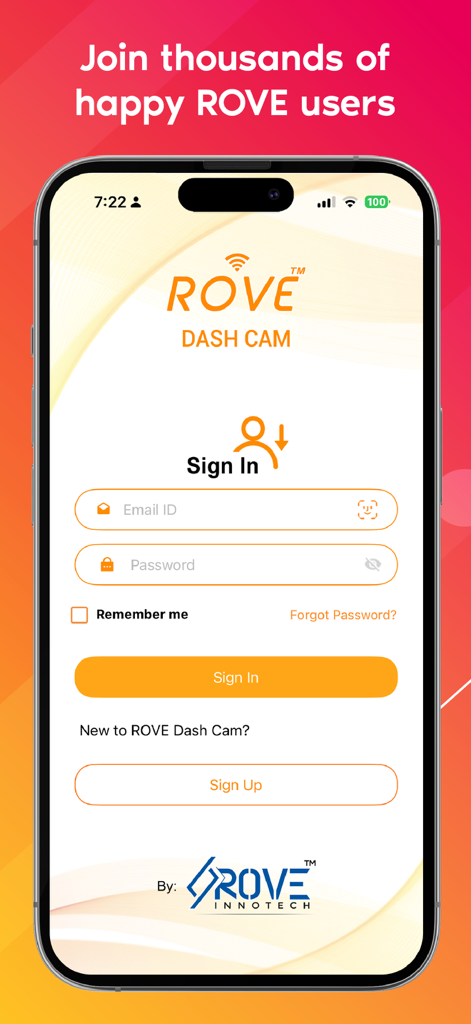
Rove Dash Cam app sign in screen for user login
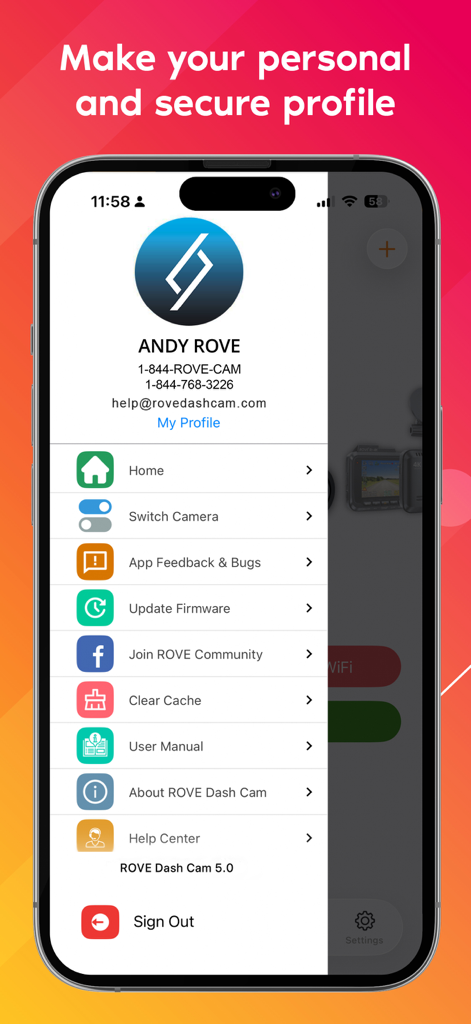
Rove Dash Cam app profile screen showing user settings and navigation menu
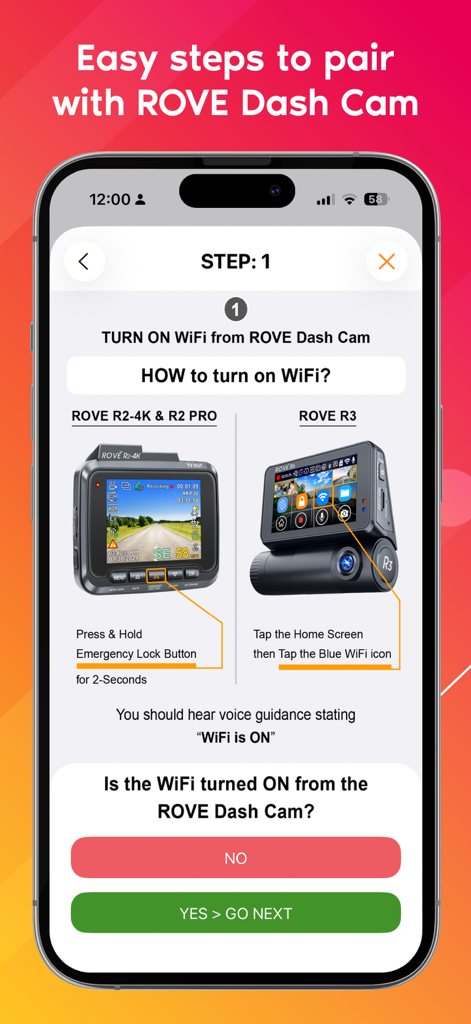
Rove Dash Cam app onboarding screen showing step one instructions to turn on WiFi for R2-4K and R3 models.
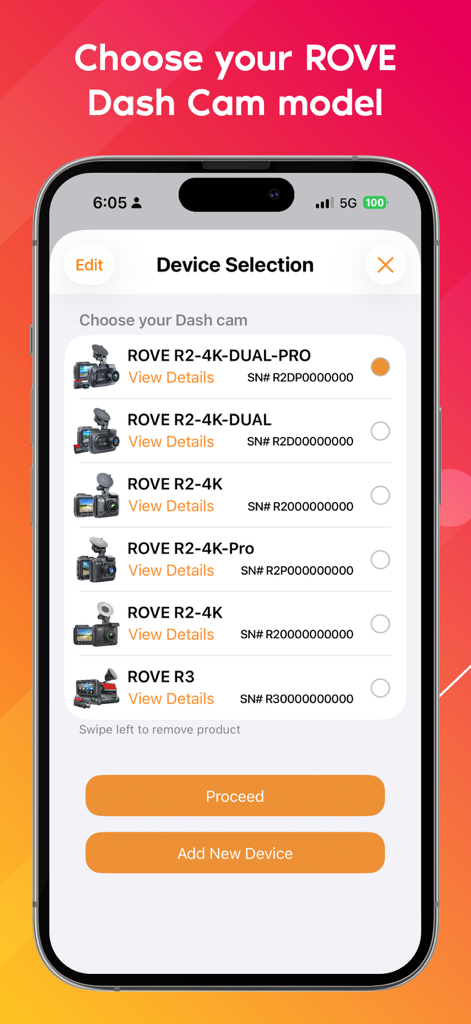
Rove Dash Cam app screen showing a list of compatible dash cam models for device selection and pairing
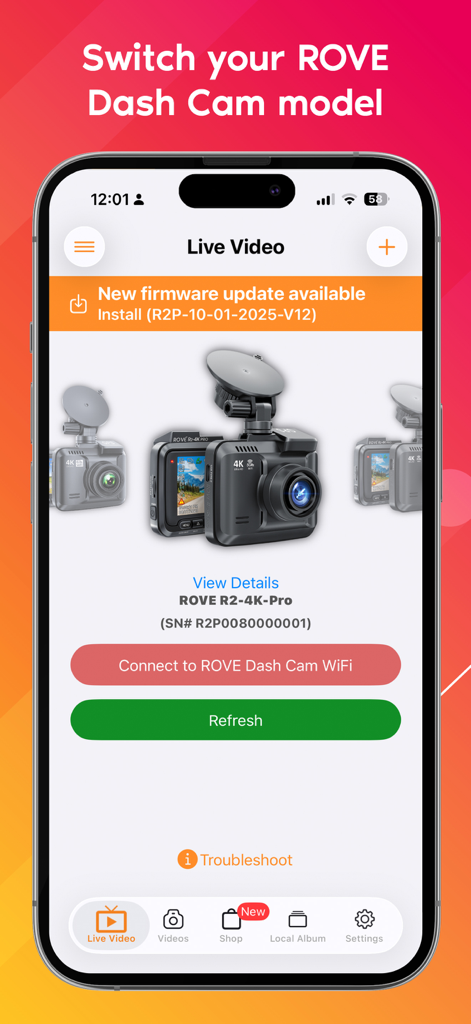
Rove Dash Cam app screen showing firmware update alert and camera model selection
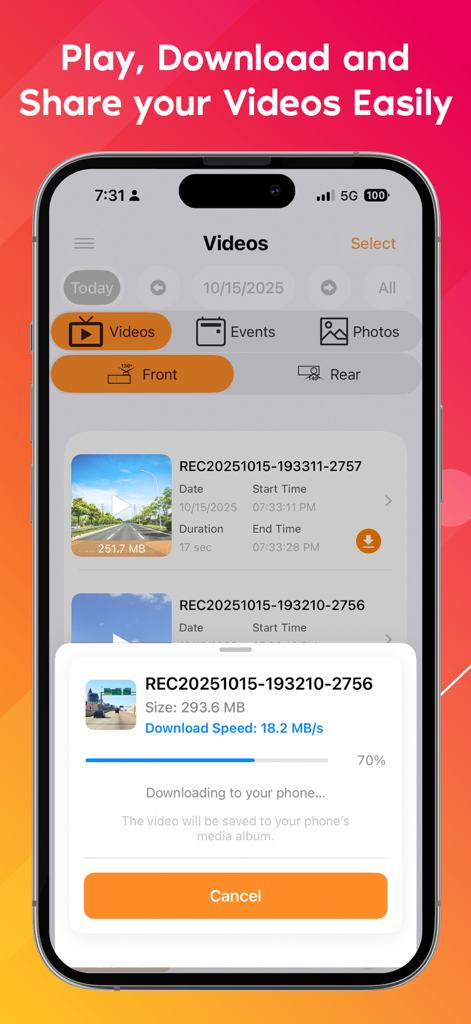
Rove Dash Cam app interface showing a video file downloading from the camera to a smartphone
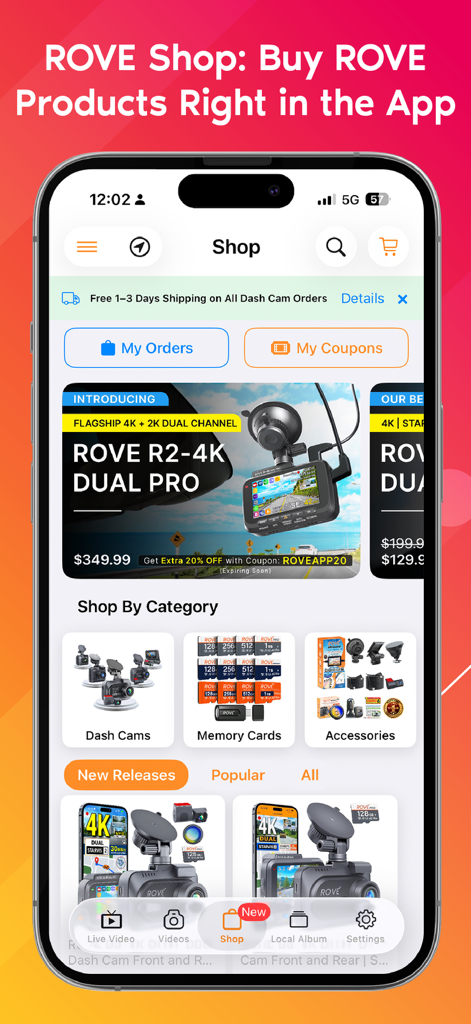
Rove Dash Cam app shop interface showing dash cam models and accessories for purchase
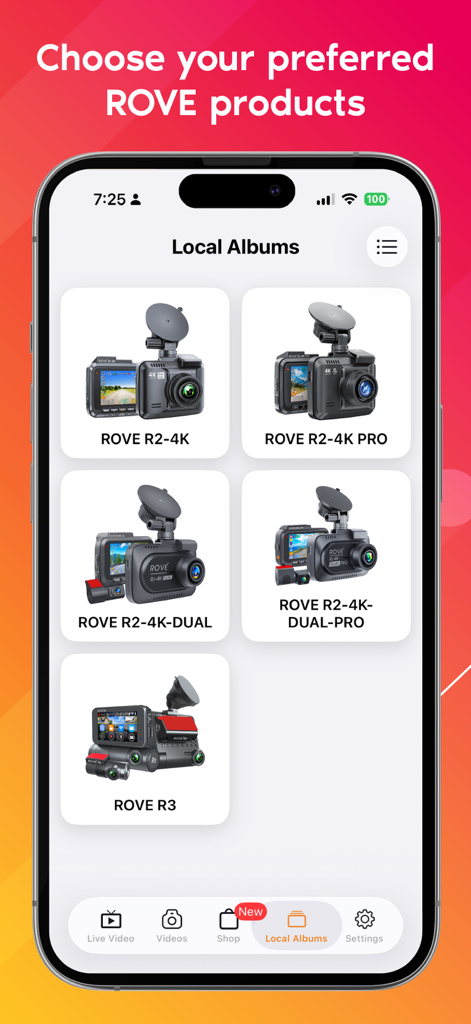
Rove Dash Cam app interface showing a selection of different dash cam models like R2-4K and R3
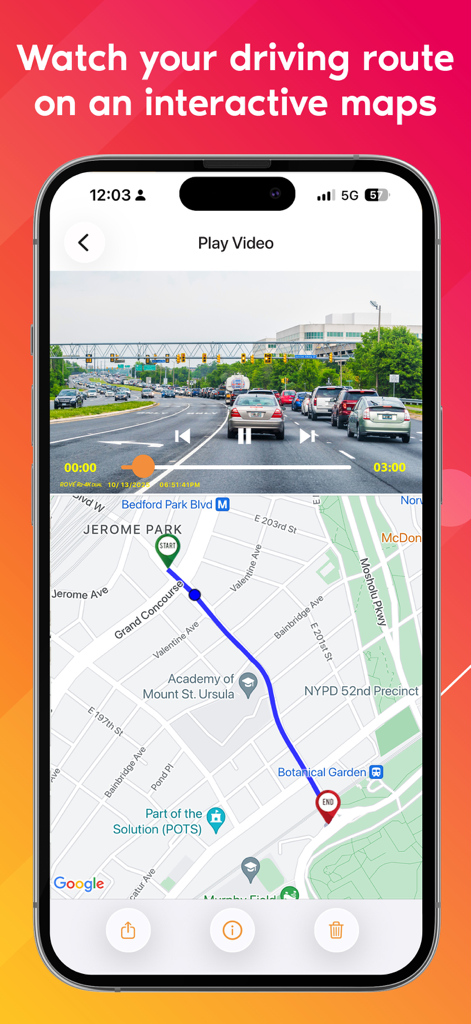
Rove Dash Cam app showing driving footage synced with an interactive GPS map route
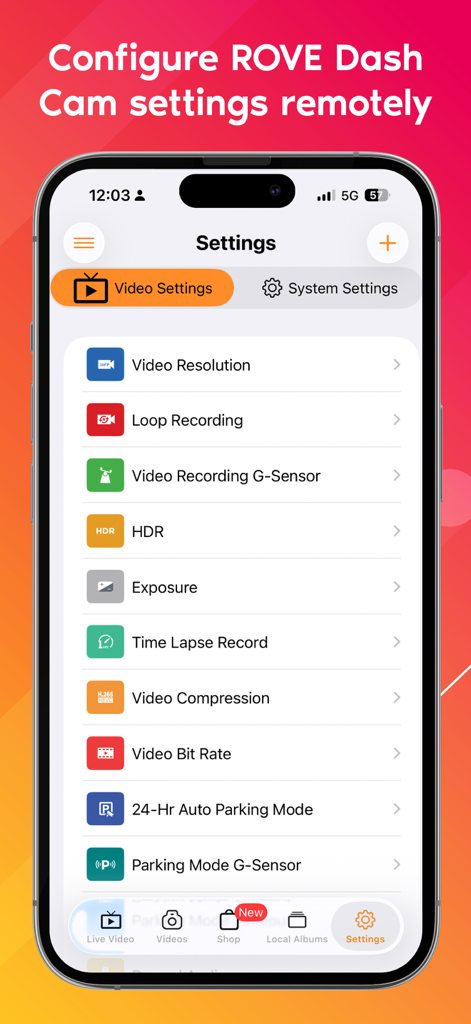
Smartphone screen displaying Rove Dash Cam remote settings including video resolution and parking mode
Description
Download
More Like This
Apps with similar features and user experience

PAPAGO Focus
PAPAGO INC.

MiVue Pro
MiTAC International Corp.

GKU GO
Shenzhen Yutu Technology Co., Ltd.

Nice DVR
Shenzhen Xiaozhen Technology Co.,Ltd.

Wolfbox
WOLFBOX TECH, INC.

Garmin Drive™
Garmin International

360 Dash Cam
Beijing Qihoo Technology Co Ltd

TERUNSOUL
chimo inc

Drive Smarter
CEDAR ELECTRONICS HOLDINGS CORP.
This page is not an official page of the app or its developer, but an independent editorial publication created for informational and commentary purposes. Unless expressly stated otherwise, neither the app nor its developer is affiliated with, endorsed by, sponsored by, authorized by, or otherwise officially connected with MWM, Apple, Google Play, the app publisher, or the app's developer, and nothing on this page implies that the app was developed using MWM's services. Any trademarks, logos, screenshots, and other content remain the property of their respective owners.