Scanner App Pro: Scan Edit PDF

Scanner App Pro: Scan Edit PDF

Download on App Store
Logo of Scanner App Pro: Scan Edit PDF

Scanner App Pro: Scan, Edit, and Fax Documents Instantly

Transform your iPhone into a high-performance pocket office. Digitally sign contracts, extract text with OCR, and send faxes globally—designed for the modern professional on the move.

Publisher

IFUNPLAY CO., LTD.

Category

Business

Downloads

307K+

User Rating

4.7/5

Total Ratings

1K+

Locales

1

Your Office, Anywhere

Discover the interface used by 307K+ users.
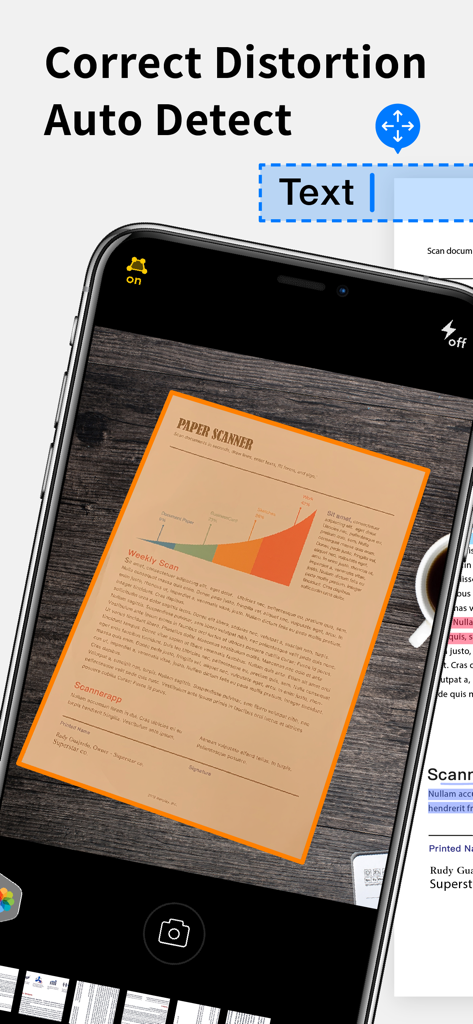
iPhone screen showing the Scanner App Pro using auto-detect and distortion correction to scan a paper document

iPhone screen showing the Scanner App Pro using auto-detect and distortion correction to scan a paper document

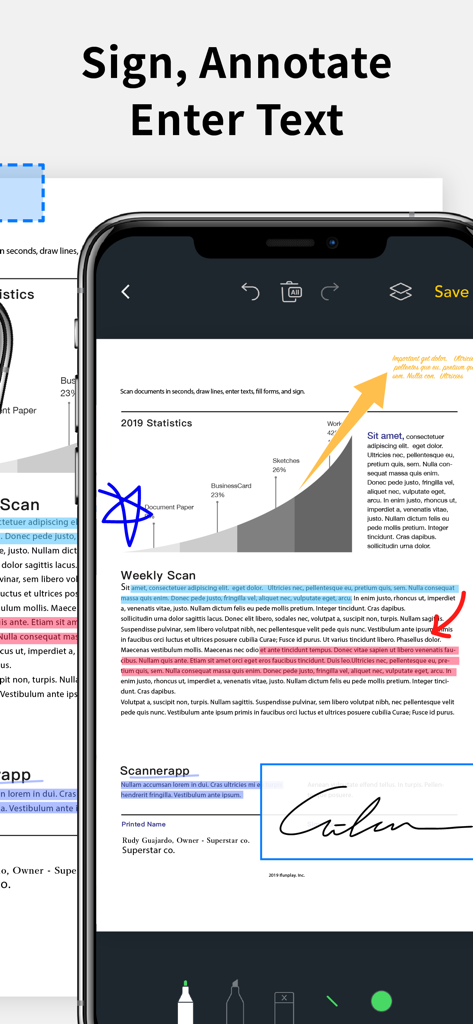
iPhone screen showing the Scanner App Pro interface for signing, annotating, and highlighting text on a PDF document

iPhone screen showing the Scanner App Pro interface for signing, annotating, and highlighting text on a PDF document

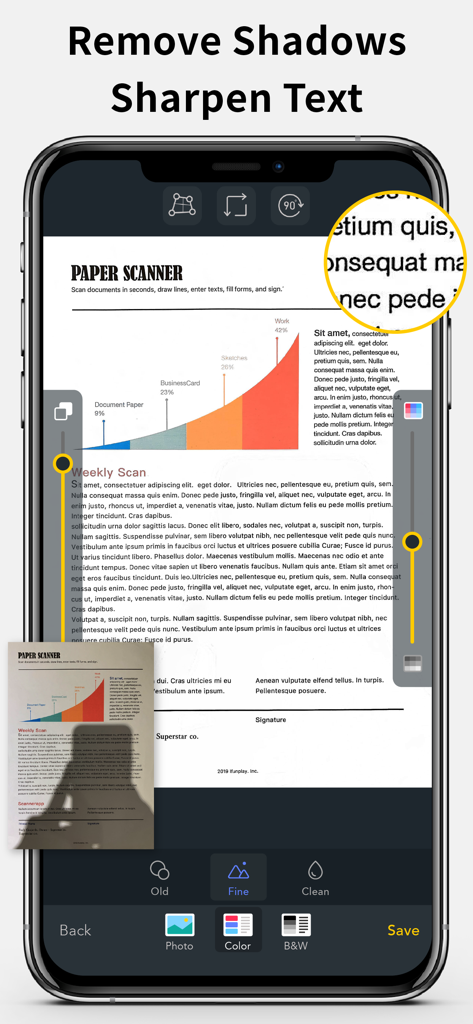
Document scanner app interface showing shadow removal and text sharpening features for clear PDF scans

Document scanner app interface showing shadow removal and text sharpening features for clear PDF scans

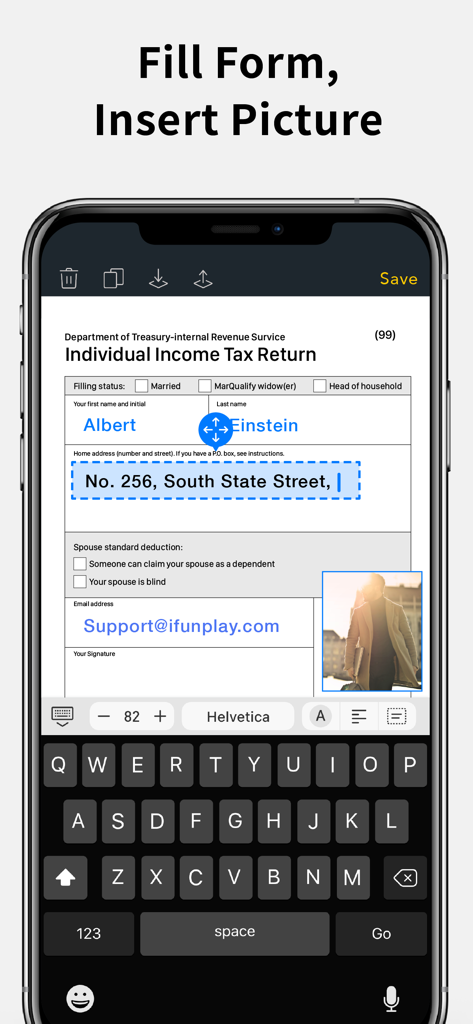
A smartphone screen showing the Scanner App Pro interface used to fill out a tax form and insert a picture

A smartphone screen showing the Scanner App Pro interface used to fill out a tax form and insert a picture

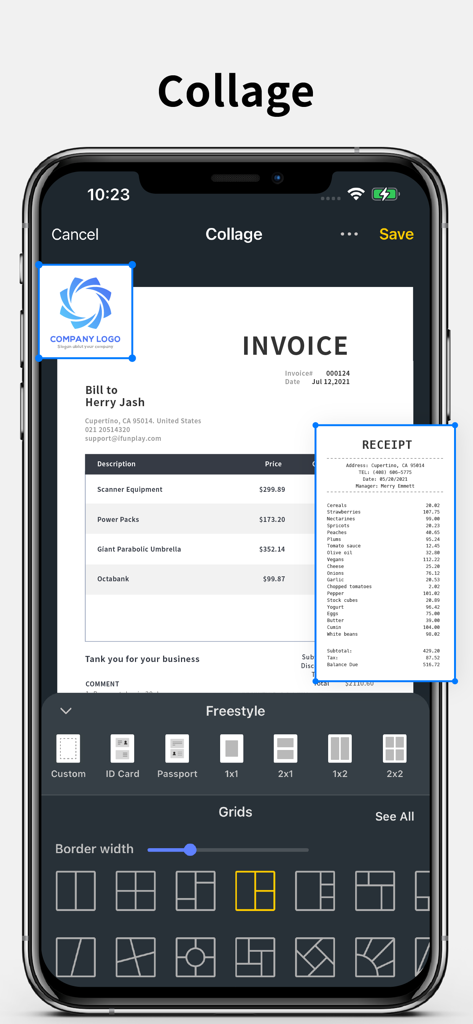
iPhone screenshot showing the document collage feature with invoice and receipt layout options

iPhone screenshot showing the document collage feature with invoice and receipt layout options

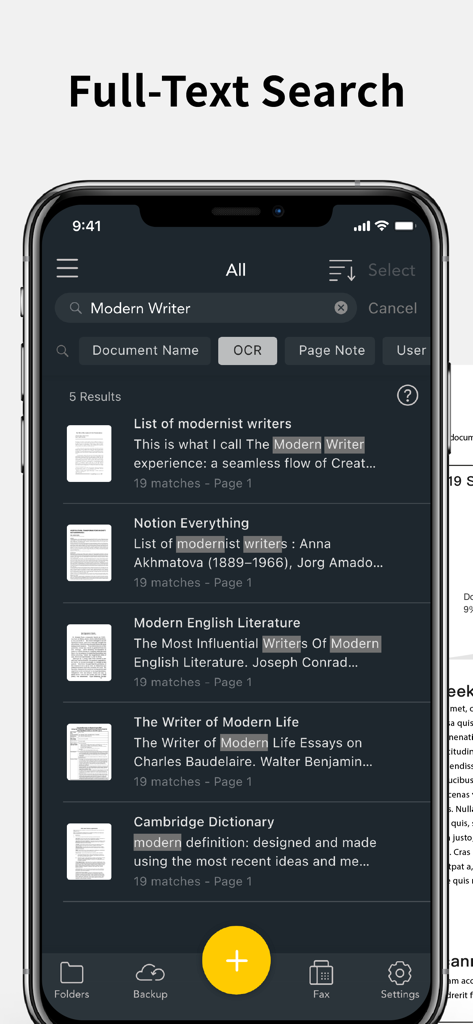
IPhone screenshot of Scanner App Pro showing the full text search feature using OCR to find keywords inside scanned documents

IPhone screenshot of Scanner App Pro showing the full text search feature using OCR to find keywords inside scanned documents

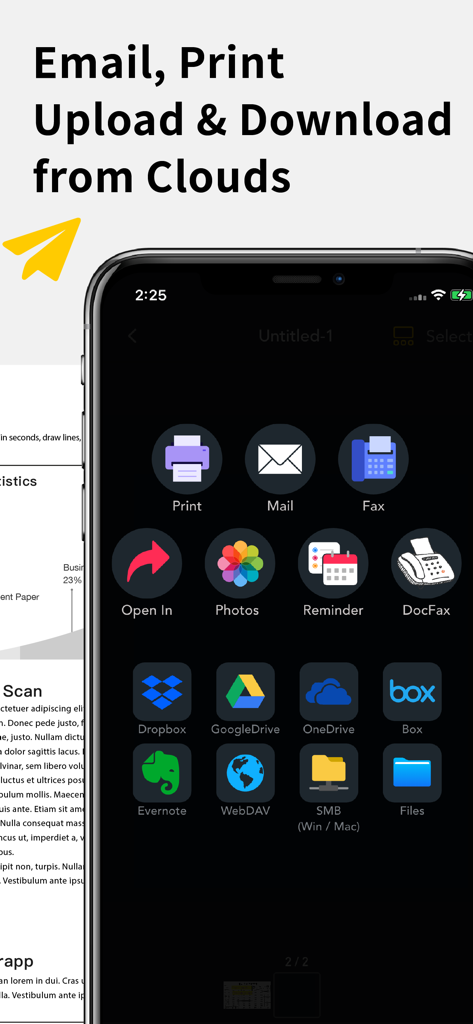
Scanner app interface displaying options to email print fax and upload documents to cloud storage services like Google Drive and Dropbox

Scanner app interface displaying options to email print fax and upload documents to cloud storage services like Google Drive and Dropbox

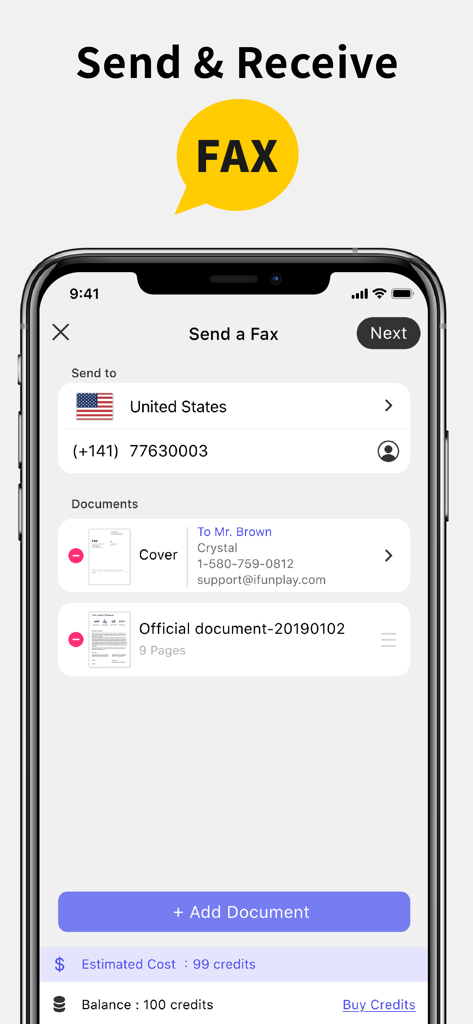
Interface of the Scanner App Pro showing the screen to send a fax with document selection and credit balance

Interface of the Scanner App Pro showing the screen to send a fax with document selection and credit balance

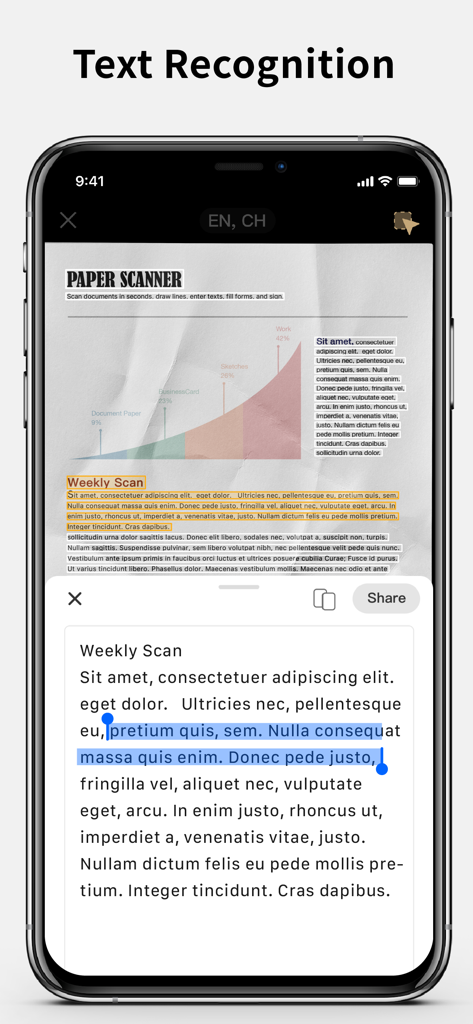
iPhone screen showing the text recognition feature extracting text from a scanned document

iPhone screen showing the text recognition feature extracting text from a scanned document

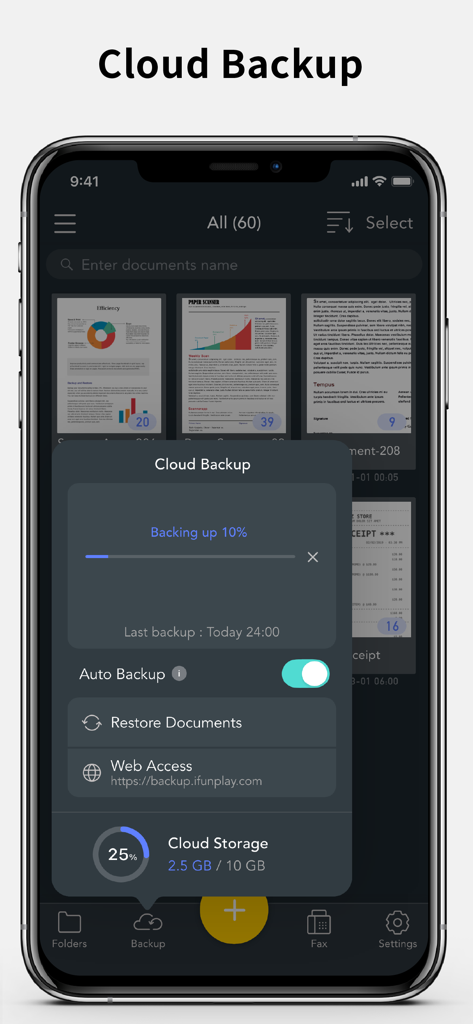
Scanner App Pro cloud backup interface showing document upload progress and storage status on an iPhone

Scanner App Pro cloud backup interface showing document upload progress and storage status on an iPhone

The All-in-One Powerhouse for Your Paperwork

The tools that make this app stand out, trusted by 307K+ users.

📄

Crystal-Clear Mobile Scanning

Turn paper documents into professional PDFs instantly. Use high-accuracy OCR to extract text and auto-correct perspective for a perfect result every time.

✍️

Sign & Edit on the Fly

Never wait to get back to your desk. Add your signature, fill out forms, or annotate documents directly on your screen and share in seconds.

📠

Built-in Global Faxing

Skip the trip to the office store. Send and receive faxes to 100+ countries with real-time status updates—no bulky hardware required.

About the app

Everything you need to know about Scanner App Pro: Scan Edit PDF.

Description

Scan and OCR documents in seconds, draw lines, edit texts, fill forms, collage, and sign. Share as PDF / JPEG by email, WiFi file sharing, cloud storages, smb, webdav, and fax. Powerful Scanning & OCR • Instantly scan paper documents, whiteboards, business cards, books, posters, and receipts with sharp clarity. • Auto-detect document edges to correct perspective distortion. • Enhance readability by removing background shadows and sharpening text in “Color” or “B&W” mode. • Adjust brightness and saturation in “Photo” mode. • Edit text, draw lines, and insert images. • Extract text from scanned images using OCR and export as TXT or DOCX. Photo Collage & Multi-Page Printing • Merge multiple pages into a single sheet—perfect for printing double-sided ID cards on A4/Letter paper. Save, Print & Organize • Save scans as JPEG or export as PDF. • Print wirelessly with AirPrint-supported printers. • Organize scans into folders, browse with thumbnail previews, and search by file name, OCR text, or notes. • Add annotations, signatures, and password protection for documents. Convenient Faxing • Send and receive faxes anywhere—no fax machine needed. • Receive push notifications for fax status updates. • Fax to 100+ countries (cost based on page count and recipient country). • Subscribe to a fax number for incoming faxes or disable fax reception when not needed. Seamless File Sharing & Export • Support exporting searchable PDFs • Transfer files between devices effortlessly. • Share as JPEG/PDF via email or open in other apps. • Save to Photos, iCloud Drive, Google Drive, Dropbox, OneDrive, Evernote, WebDAV, and more. • Access files from a PC using a web browser over WiFi. • Export to Reminders and sync with Apple, Google, or Outlook calendars. Easy File Import • Import JPEG images from other apps for cropping and enhancement. • Import PDFs as scanned pages. • Import files from cloud storage services. Effortlessly manage and digitize your documents—anytime, anywhere! Subscription Plans Unlock premium features with Silver, or Gold plans, including: • Cloud Backup & Restore: Access previous versions of your documents anytime • Flexible subscription options: Monthly or annual plans available • Subscription renews automatically unless auto-renew is turned off at least 24 hours before the end of the current period • Account will be charged for renewal within 24 hours before the end of the current period. The cost depends on the selected plan • Subscriptions may be managed by the user, and auto-renewal may be turned off by going to the user's Account Settings after purchase • Any unused portion of the free trial will be forfeited when the user purchases a subscription or cancel it Terms of Service: https://ifunplay.com/legal.html

Latest Version

18.4.9

Size

261.9 MB

First Released

Dec 20, 2012

Your Complete Mobile Office is Just a Tap Away

Join over 300,000 professionals who scan, sign, and fax documents with ease. Download Scanner App Pro and simplify your workflow today.

Download on App Store

App information, icons, screenshots, and descriptions displayed on this page are sourced from the Apple App Store and are the property of their respective developers. Download estimates and rankings are based on MWM's proprietary models and may not reflect actual figures. This page is provided for informational and analytical purposes only.

Believe this page infringes your intellectual property? File a dispute