Scanner-App: Scan Text & Notes

Scanner-App: Scan Text & Notes

Download on App Store
Logo of Scanner-App: Scan Text & Notes

Scanner-App: Scan, Sign, and Organize Documents in Seconds

Transform your iPhone into a powerful portable office. Use smart OCR to extract text, sign contracts on the go, and sync instantly to the cloud for a paperless, high-efficiency workflow.

Publisher

Appsorama Media Limited

Category

Business

Downloads

587K+

User Rating

3.1/5

Total Ratings

200

Locales

1

Efficiency in Focus

Discover the interface used by 587K+ users.
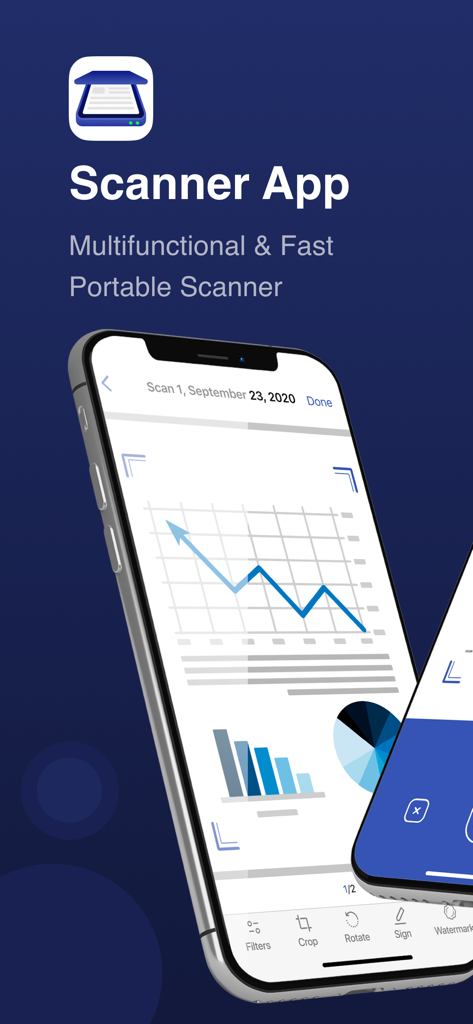
A mobile smartphone displaying the Scanner App interface with a digital scan of a business document featuring charts and editing tools like crop and sign

A mobile smartphone displaying the Scanner App interface with a digital scan of a business document featuring charts and editing tools like crop and sign

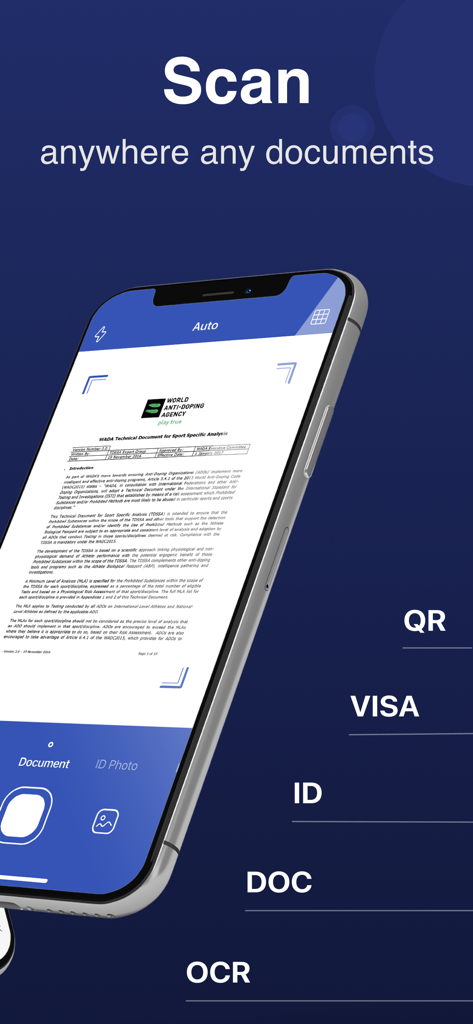
An iPhone displaying the Scanner-App interface scanning a document with OCR and ID scan modes

An iPhone displaying the Scanner-App interface scanning a document with OCR and ID scan modes

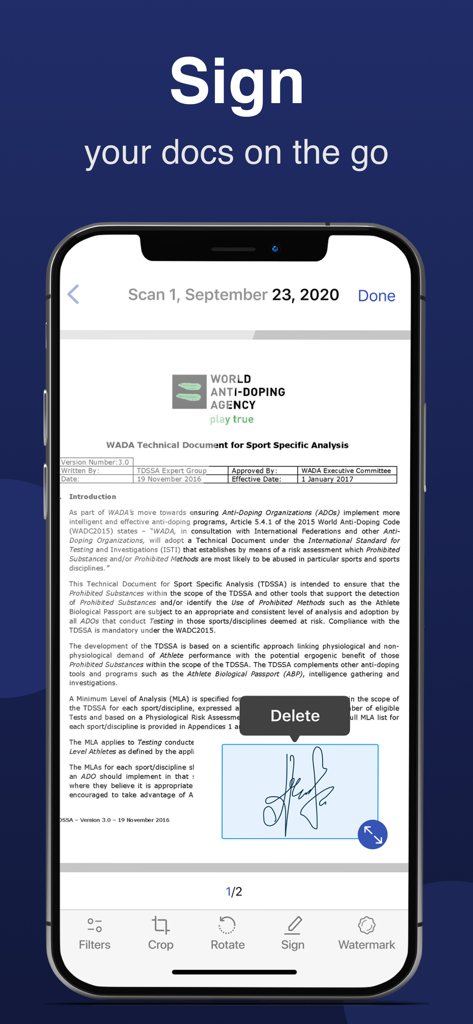
A smartphone screen showing the Scanner-App e-signature feature on a formal document

A smartphone screen showing the Scanner-App e-signature feature on a formal document

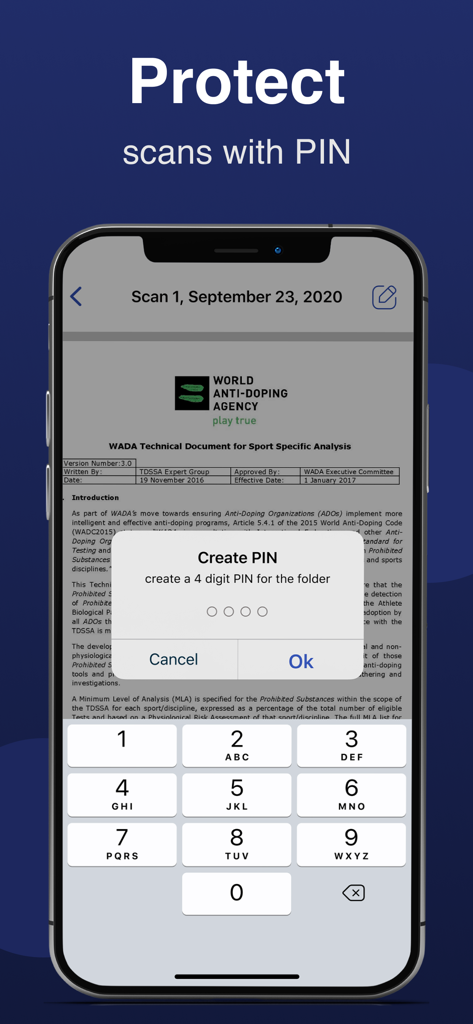
Mobile app interface showing a prompt to create a four digit PIN to protect scanned document folders

Mobile app interface showing a prompt to create a four digit PIN to protect scanned document folders

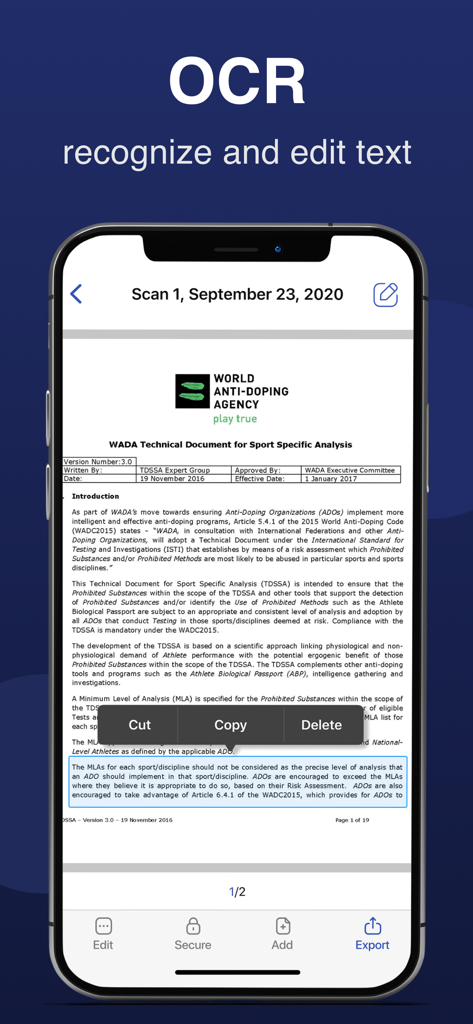
Mobile app screenshot showing OCR text recognition and editing on a scanned document

Mobile app screenshot showing OCR text recognition and editing on a scanned document

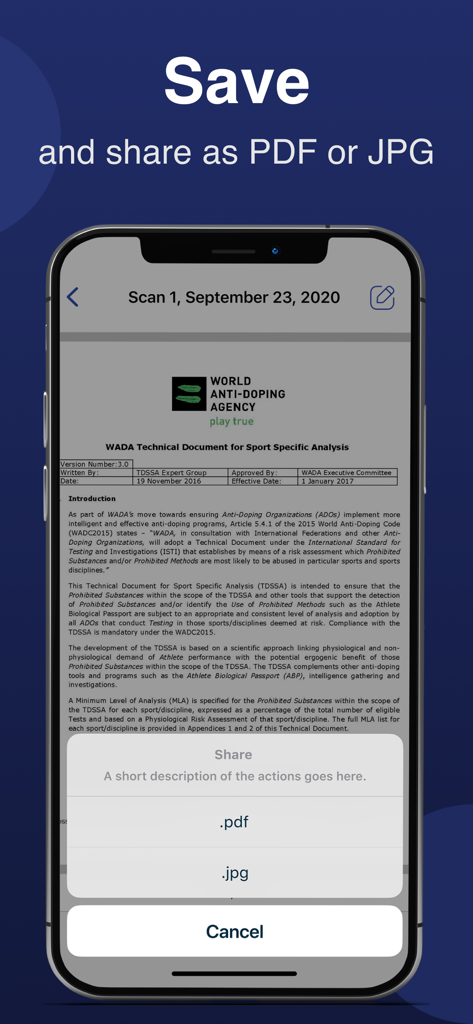
Smartphone screen showing a document scanner app with options to save and share a scan as PDF or JPG

Smartphone screen showing a document scanner app with options to save and share a scan as PDF or JPG

The Only Office Tool You Need in Your Pocket

The tools that make this app stand out, trusted by 587K+ users.

✍️

Sign Contracts Anywhere

Finalize deals on the move. Add your electronic signature to any scan and send it back in seconds—no printer or ink required.

📑

Precision OCR Text Extraction

Stop re-typing your notes. Use smart OCR to extract text from physical documents and convert them into editable Word files instantly.

☁️

Seamless Cloud Workflow

Keep your workspace clutter-free. Auto-sync scans to Google Drive or Dropbox for a perfect, organized paperless filing system.

Review Analysis

Insights from user reviews.

Sentiment Score

22%
Negative

Summary

General feedback for this app is overwhelmingly negative, with many users feeling misled by "free trial" claims, encountering unexpectedly high subscription costs (some as high as $15/week), and struggling with difficult cancellation processes and refund issues. Several users reported that the core scanning functionality either did not work as advertised, was complicated to use, or offered no significant improvement over a standard phone camera. While a few users praised the app for its "fabulous" scanning capabilities and expressed general satisfaction, these positive remarks are significantly overshadowed by widespread complaints about persistent notifications, poor user experience, and a perceived lack of value for money.

Common Themes

Misleading Pricing & Subscriptions(23)
Core Functionality Issues(11)
Cancellation & Refund Difficulty(10)
General Positive Feedback(8)
Poor User Experience(5)
Excessive Notifications & Ads(5)
Effective Scanning / Features(2)

About the app

Everything you need to know about Scanner-App: Scan Text & Notes.

Description

Scanner-App is a user-friendly multifunctional mobile scanning app that turns everything from IDs to receipts into digital information. No more queuing up near a huge scanner. Tiny and fast Scanner-App will scan and share docs via email or massager in some minutes. Forget about tons of paper. Organize, manage and store documents in the app or in a cloud. With Scanner-App, you don’t need to wait until you get to your office or home office. You can scan and sign documents and send them while you are in a transport or walking through the street. Main features: - High quality PDF and JPG scans - Live border detection and perspective auto correction - OCR (convert image text to word format editable text) - E-sign any document by adding your signature to scans within the app - Full featured file and folder organizer - Edit docs: move, rotate, add or delete pages - Print your scans with any Wi-Fi printer - Cloud services like Dropbox or Google Drive - Multiple pages in a single document - Scan QR codes - Share your scans via email, massager send to iBooks. Unique technology of image transformation allows the algorithm of the application instantly detects borders, removes unnecessary shadows and edit perspective. In 5 seconds the Scanner-App creates a full scan of any document. It will not lose clarity and color. There is also the possibility of flexible color adjustment of the document. By using Scanner-App, you are agreeing to our Privacy Policy and Terms of Use: http://p.appsorama.me/com.appsorama.scanner http://p.appsorama.me/com.appsorama.scanner.terms

Latest Version

2.7

Size

186.1 MB

First Released

Dec 28, 2020

Ready to Ditch the Paperwork?

Join over 587,000 professionals and students who have turned their iPhone into a high-speed pocket office. Scan, sign, and share your documents in seconds.

Download on App Store

App information, icons, screenshots, and descriptions displayed on this page are sourced from the Apple App Store and are the property of their respective developers. Download estimates and rankings are based on MWM's proprietary models and may not reflect actual figures. This page is provided for informational and analytical purposes only.

Believe this page infringes your intellectual property? File a dispute