Scanner App: ScanMaster
Download on App Store

This page is not an official page of the app or its developer, but an independent editorial publication created for informational and commentary purposes. Unless expressly stated otherwise, neither the app nor its developer is affiliated with, endorsed by, sponsored by, authorized by, or otherwise officially connected with MWM, Apple, Google Play, the app publisher, or the app's developer, and nothing on this page implies that the app was developed using MWM's services. Any trademarks, logos, screenshots, and other content remain the property of their respective owners.

Logo of Scanner App: ScanMaster
Download on App Store

Scanner App: ScanMaster

Seamlessly scan files, identify objects, and translate text. Whether you're signing contracts, summarizing study notes, or exploring nature, do it all with the power of pocket-sized AI.

Key Figures

Downloads

0

User Rating

4.7/5

Total Ratings

0

Publisher

Estrella Limited

Category

Productivity

Locales

13

Latest Version

3.1.2

Size

75.4 MB

First Released

Jun 19, 2024
Features

The Only Tool You Need to Decode the World

From digitizing complex contracts to identifying rare plants, ScanMaster replaces a dozen apps with one powerful, AI-driven assistant.

AI-Powered Document Genius

Slash your workload by summarizing reports and detecting contract risks with a single scan.

Instant Academic Support

Bridge the learning gap by scanning assignments for step-by-step AI guidance and total study organization.

The following screenshots and description are sourced directly from the app's official store listing and are the property of the app developer.

App Store

Screenshots
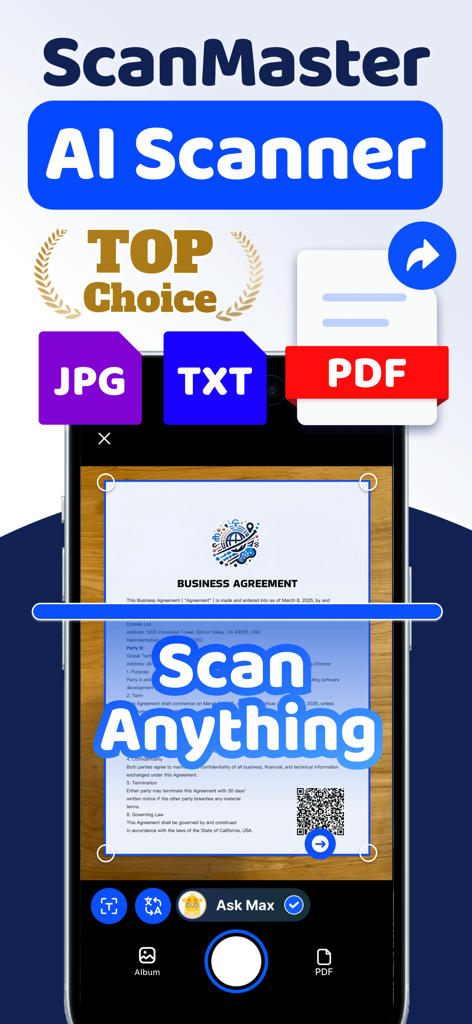
Scanner App: ScanMaster - ScanMaster AI Scanner app interface scanning a business agreement document into PDF, TXT, or JPG formats.
ScanMaster AI Scanner app interface scanning a business agreement document into PDF, TXT, or JPG formats.

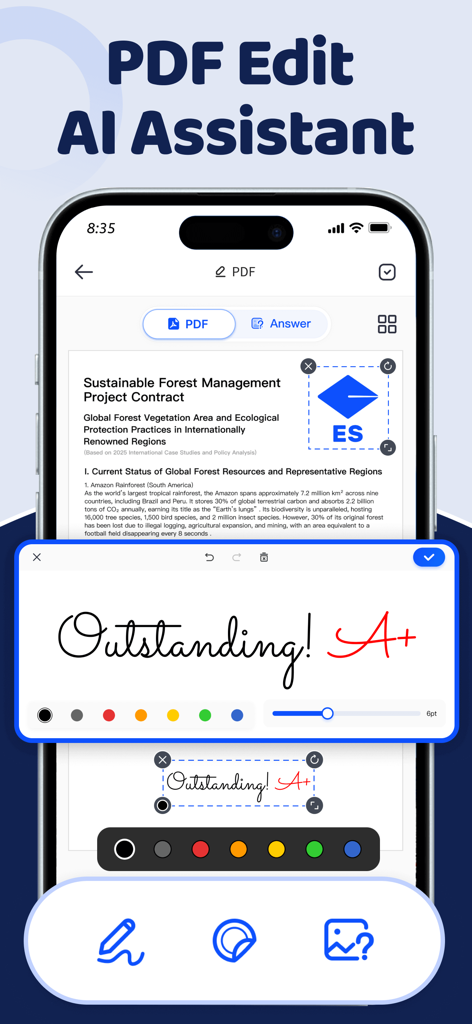
Scanner App: ScanMaster - Smartphone screen showing ScanMaster app with a PDF document being edited with handwritten annotations and signature tools.
Smartphone screen showing ScanMaster app with a PDF document being edited with handwritten annotations and signature tools.

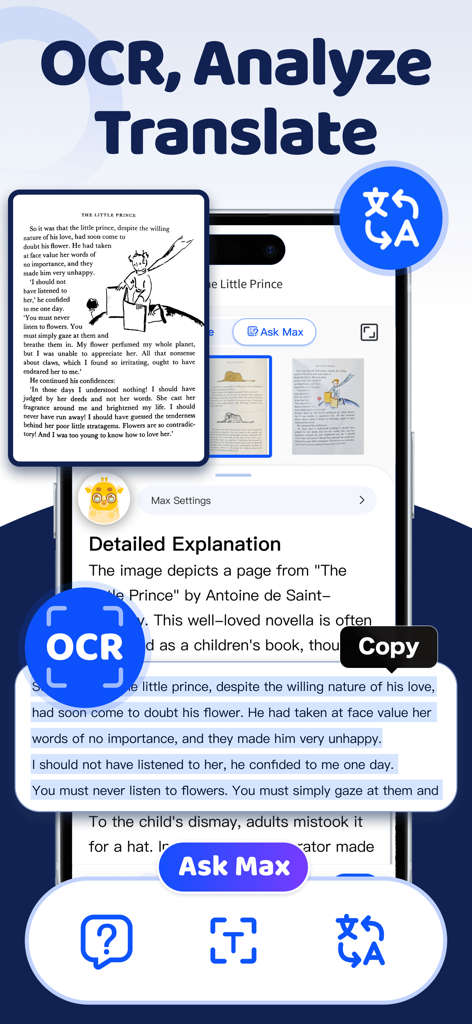
Scanner App: ScanMaster - ScanMaster app interface showing OCR text selection and AI translation of a book page.
ScanMaster app interface showing OCR text selection and AI translation of a book page.

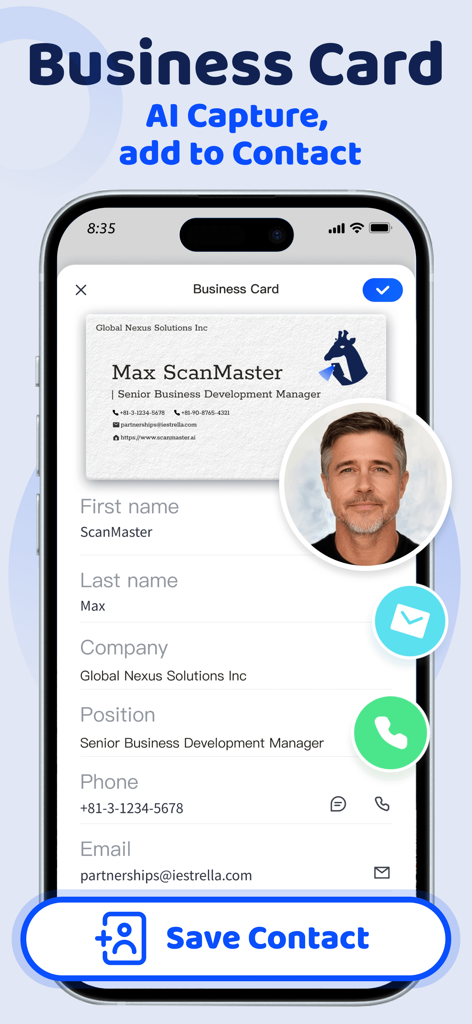
Scanner App: ScanMaster - ScanMaster app interface showing AI business card scanning and automatic contact data extraction
ScanMaster app interface showing AI business card scanning and automatic contact data extraction

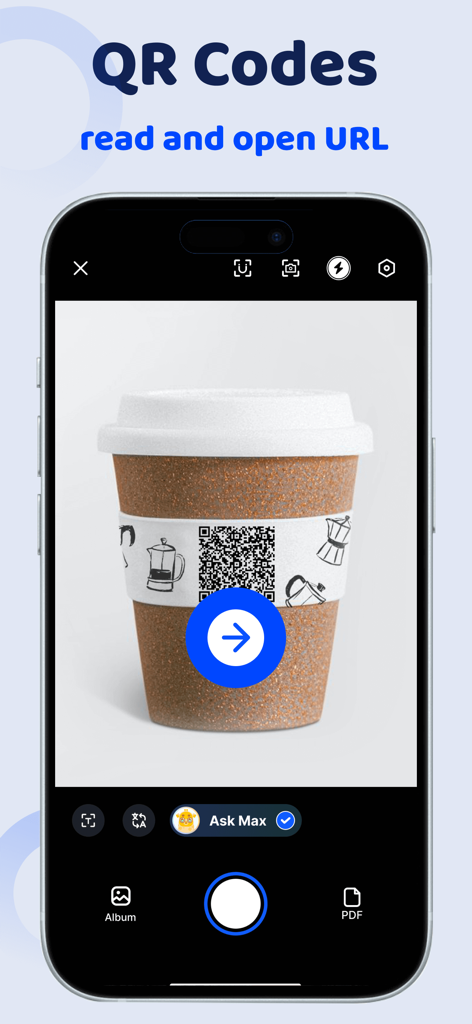
Scanner App: ScanMaster - ScanMaster app interface scanning a QR code on a coffee cup to read and open a URL
ScanMaster app interface scanning a QR code on a coffee cup to read and open a URL

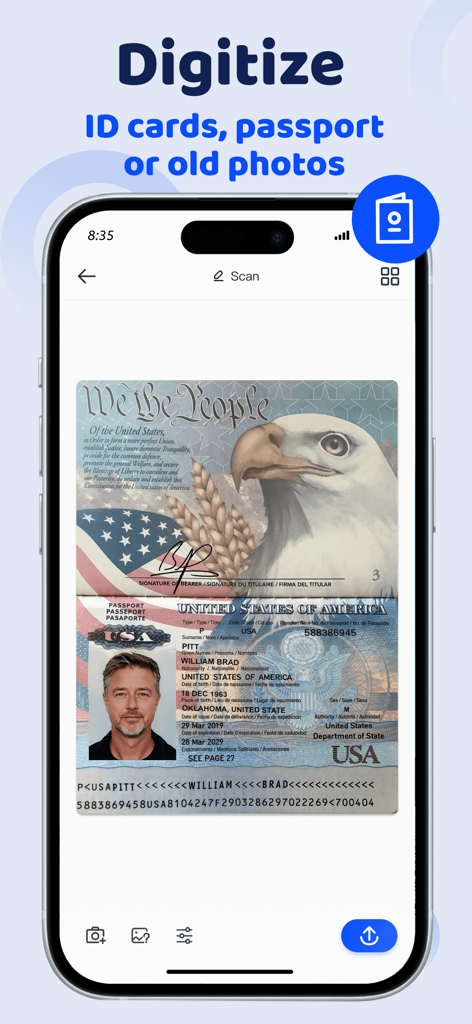
Scanner App: ScanMaster - ScanMaster app interface digitizing a US passport to store ID cards and photos securely
ScanMaster app interface digitizing a US passport to store ID cards and photos securely

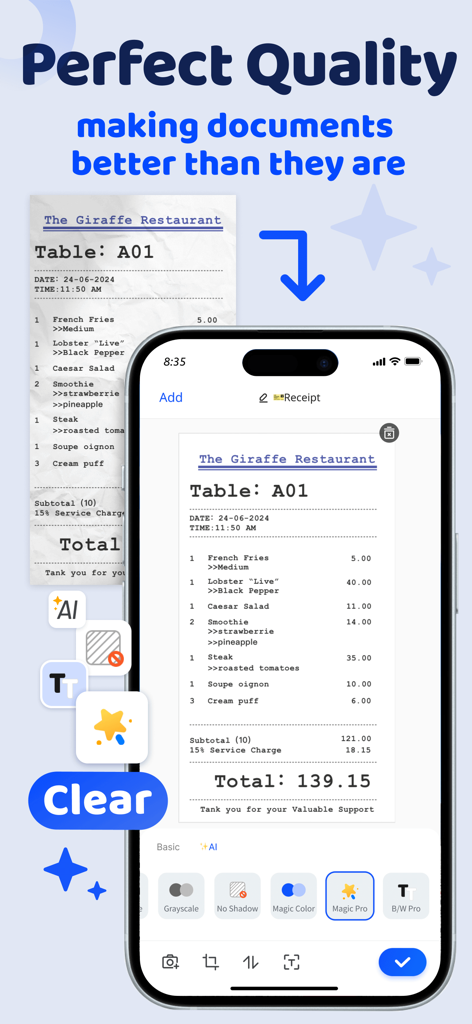
Scanner App: ScanMaster - ScanMaster app interface showing a crumpled receipt being transformed into a clear digital document using AI filters.
ScanMaster app interface showing a crumpled receipt being transformed into a clear digital document using AI filters.

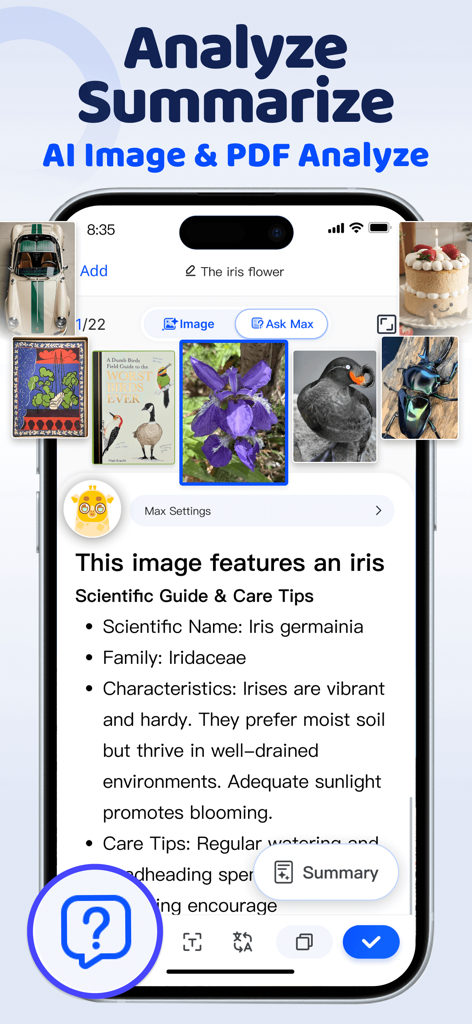
Scanner App: ScanMaster - ScanMaster app interface showing AI image identification and scientific summary for a flower
ScanMaster app interface showing AI image identification and scientific summary for a flower

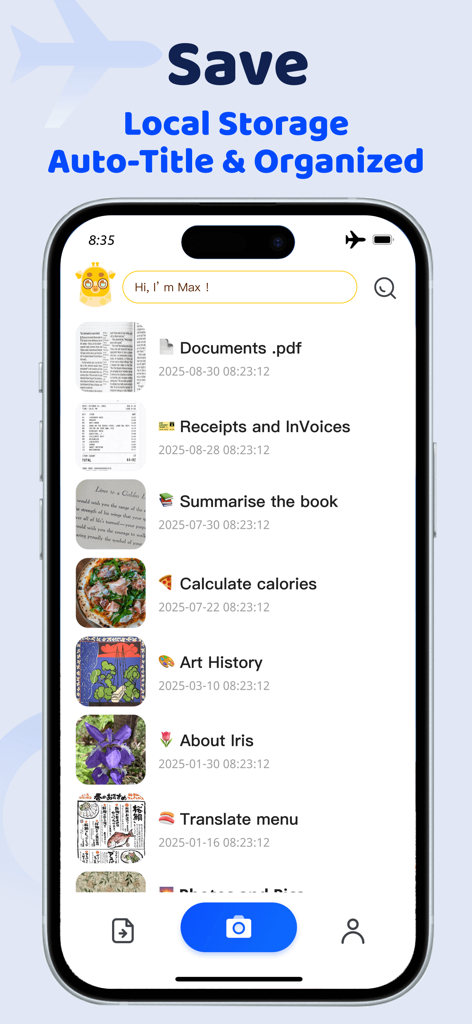
Scanner App: ScanMaster - ScanMaster app interface showing an organized list of scanned documents, receipts, and book summaries stored locally.
ScanMaster app interface showing an organized list of scanned documents, receipts, and book summaries stored locally.

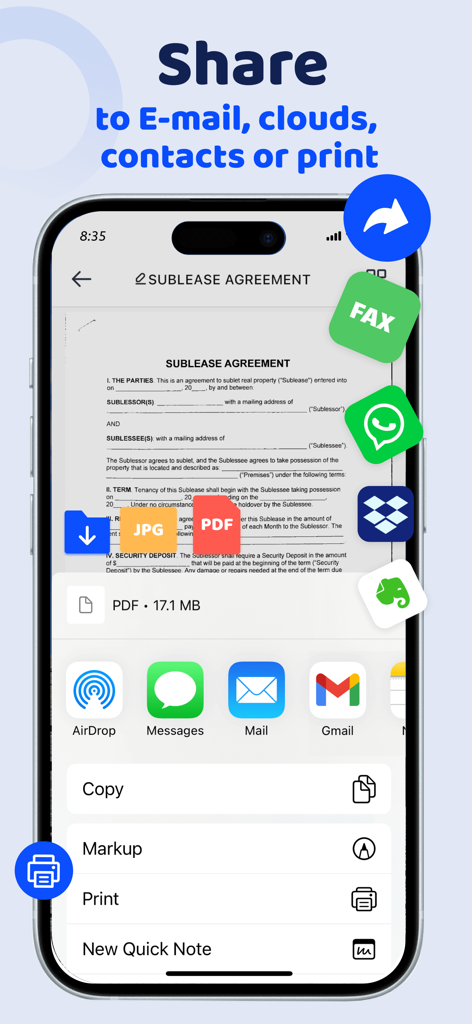
Scanner App: ScanMaster - Interface of ScanMaster app showing options to share scanned documents via email cloud storage and messaging apps

Interface of ScanMaster app showing options to share scanned documents via email cloud storage and messaging apps

Description

ScanMaster is a portable, smart scanner that fits in your pocket, allowing you to scan documents, recognize images, and export files as JPGs, multi-page PDFs, ZIP files, and more—anytime, anywhere. ScanMaster combines document scanning, image-to-text recognition and translation, PDF editing, e-signatures, and smart analysis into one intelligent scanning assistant. == Key Features == Smart Document Scanner • Document detection & background removal • Distortion correction, shadow removal • Filters (Auto, Black & White, Magic Color…) • Automatic & Batch scanning • HD scanning PDF Creation & Editing • Scan images to PDF • Photos and PDF import, • Multiple page PDF creation • Edit pages: delete, reorder, insert • Handwritten signature & smart signature scanning • AI interpretation & OCR for PDF content OCR(Image-to-Text) & Image Translation • Smart OCR text recognition • Recognize vertical text & handwriting • Smart translation of text in images • Support over 100 languages Document Management • Smart titles for easy search • Smart tagging for easy organization • Custom tags with Apple Sticker & Genmoji support • Multi-dimensional tag combinations • Customizable List or Card View • Local storage for privacy & security • All-in-one management - work, study, personal documents Export & Share • Send via Fax, Email, WhatsApp, Line, Slack, etc. • Save to Box, Dropbox, Google Drive, iCloud, OneDrive, etc. Scan Anything — Your AI Assistant • Scan Document, Contract, Report: extract key points and detect risk. • Scan Whiteboard and PPT: summarize highlights and generate summary. • Scan Receipt, Invoice, Bill: simplify expense claim and data tracking. • Scan Business Card: create digital card and save contact instantly. • Scan Note: organize and retrieve study material with ease. • Scan Assignment and Test: get AI help on difficult question and key step. • Scan Book: read anytime with quick summary and detailed insight. • Scan Foreign Language Material: translate text and explain vocabulary and grammar. • Scan QR Code: access link or copy text instantly. Identify Anything — Your Visual Encyclopedia • Scan Food: analyzes calorie, recipe, and health advice. • Scan Artwork: helps appreciate work and explain artist story. • Plant Identifier: recognizes species, care info, and provides botanical knowledge. • Animal Identifier: recognizes breed and features, offering detailed encyclopedia entry. • Bug Identifier & Insect Identifier: identifies species, habits, and toxicity, providing detailed encyclopedia entry. • Identify Travel Spot, Architecture, and Souvenir: unlocks name, history, and backstory. • Coin Identifier: identifies type, date, pattern, and cultural significance. • Rock Identifier: recognizes type and property, explains origin, energy, and healing effect. Explore with One Click ScanMaster, as a universal object identifier, is your essential tool for comprehensive animal recognition. It serves as a cat identifier, dog breed identifier, insect identifier, plant scanner, spider identifier, and more. Skip search engines—Snap a photo, and ScanMaster uses AI to instantly identify and explain what you see. == Pricing & Legal == ScanMaster is free to use. The basic plan can use basic scanning services, and the premium plan will have more functions, such as OCR, unlimited scanning and sharing. If you subscribe the Premium plan, you can choose monthly or annual subscription, and get a 3-day free trial. If you need to end the trial, please go to the Apple Subscription Center to cancel your subscription before the end of the trial period. If you fail to cancel your subscription before the trial period ends, Apple will charge you based on the plan your subscribe. Premium Subscription Options: • Monthly or yearly auto-renewal. • Payment will be charged to iTunes Account at confirmation of purchase Terms of use:https://www.scanmaster.ai/terms-of-service.html Privacy Policy:https://www.scanmaster.ai/privacy-policy.html

Download

Download on App Store

This page is not an official page of the app or its developer, but an independent editorial publication created for informational and commentary purposes. Unless expressly stated otherwise, neither the app nor its developer is affiliated with, endorsed by, sponsored by, authorized by, or otherwise officially connected with MWM, Apple, Google Play, the app publisher, or the app's developer, and nothing on this page implies that the app was developed using MWM's services. Any trademarks, logos, screenshots, and other content remain the property of their respective owners.