
This page is not an official page of the app or its developer, but an independent editorial publication created for informational and commentary purposes. Unless expressly stated otherwise, neither the app nor its developer is affiliated with, endorsed by, sponsored by, authorized by, or otherwise officially connected with MWM, Apple, Google Play, the app publisher, or the app's developer, and nothing on this page implies that the app was developed using MWM's services. Any trademarks, logos, screenshots, and other content remain the property of their respective owners.


Scanner + pdf dосumеntѕ aрр
Convert receipts, contracts, and documents into high-quality PDFs instantly. Experience effortless scanning with auto-edge detection and seamless cloud integration for your paperless workflow.
Downloads
88K+User Rating
Total Ratings
200Publisher
Category
ProductivityLocales
1Latest Version
2.7Size
12.9 MBFirst Released
Jun 6, 2014Your Mobile Office, Simplified
The essential tool for freelancers and professionals to digitize, organize, and share documents in seconds, without the need for bulky hardware.
Precision Auto-Scanning
Save time with automatic edge detection that crops and enhances your documents for a professional finish every time.
One-Tap Cloud Export
Maintain a paperless workflow by instantly syncing your scans to Google Drive, Dropbox, or OneDrive for secure access anywhere.
Frequently Asked Questions
Everything you need to know about Scanner + pdf dосumеntѕ aрр
What is Scanner + pdf dосumеntѕ aрр?
Scanner + pdf dосumеntѕ aрр transforms your device into a portable scanner. It digitizes various documents like invoices, receipts, and contracts into PDF format for easy access.
How does Scanner + pdf dосumеntѕ aрр create PDF files?
Scanner + pdf dосumеntѕ aрр creates PDF files by scanning documents with your device's camera or by importing images from your photo library. It automatically detects document edges for precise capture.
Which online storage services does Scanner + pdf dосumеntѕ aрр support for sharing?
Scanner + pdf dосumеntѕ aрр supports sharing created PDF files with several online storage services. These include Dropbox, Evernote, Google Drive, and Microsoft OneDrive.
Are there any document creation limits in Scanner + pdf dосumеntѕ aрр?
No, Scanner + pdf dосumеntѕ aрр does not impose any limits on the number of documents you can create. Users can generate an unlimited quantity of scanned PDF files.
What types of documents can be scanned with Scanner + pdf dосumеntѕ aрр?
Scanner + pdf dосumеntѕ aрр scans a wide range of documents. These include invoices, receipts, business cards, bills, and contracts, all convertible into PDF format.
Does Scanner + pdf dосumеntѕ aрр offer automatic edge detection?
Yes, Scanner + pdf dосumеntѕ aрр features automatic detection of document edges. This functionality ensures precise cropping and a clean scan of physical documents.
Can users edit documents and choose print sizes with Scanner + pdf dосumеntѕ aрр?
Yes, Scanner + pdf dосumеntѕ aрр allows users to edit scanned documents. It also provides the option to choose their preferred print size for the digital files.
The following screenshots and description are sourced directly from the app's official store listing and are the property of the app developer.
App Store
Screenshots
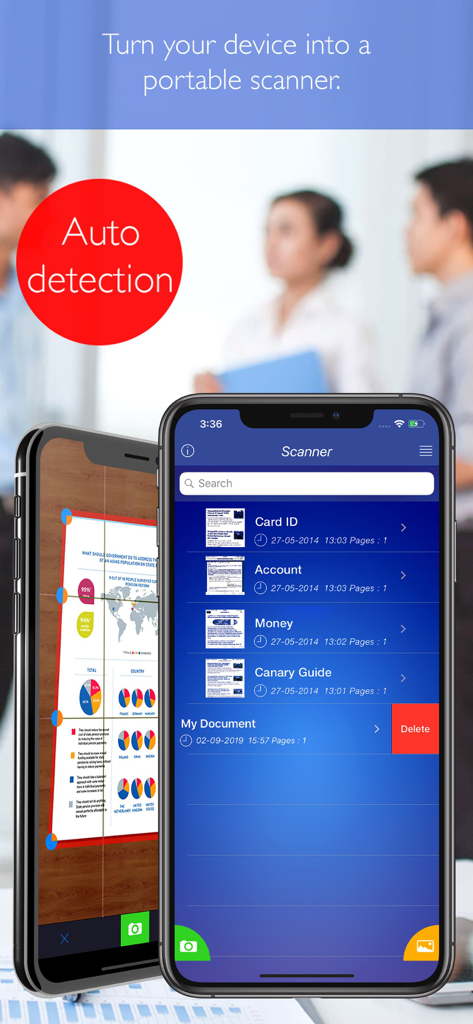
Mobile app interface on iPhone showing automatic document edge detection and a list of scanned PDF files
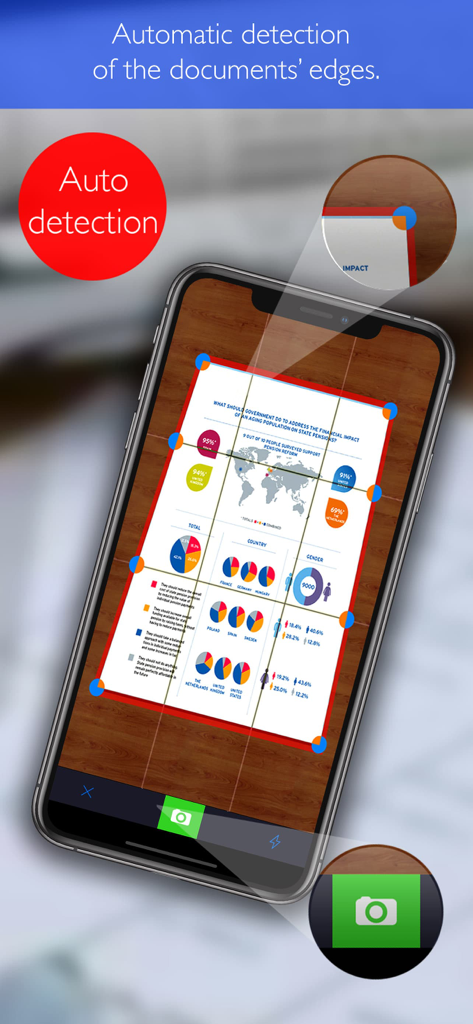
A smartphone using the scanner app to automatically detect the edges of a document with charts and text.
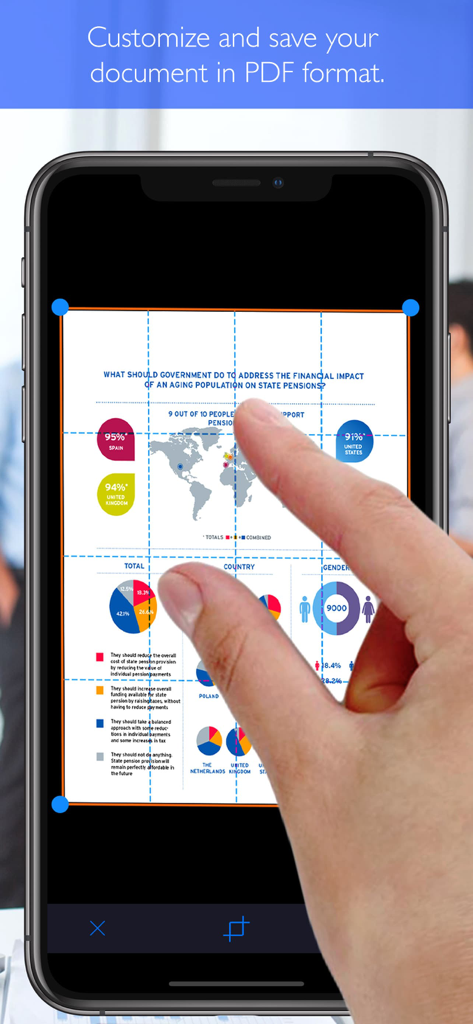
Smartphone screen showing a hand adjusting the crop corners of a scanned infographic document in a PDF scanner app.
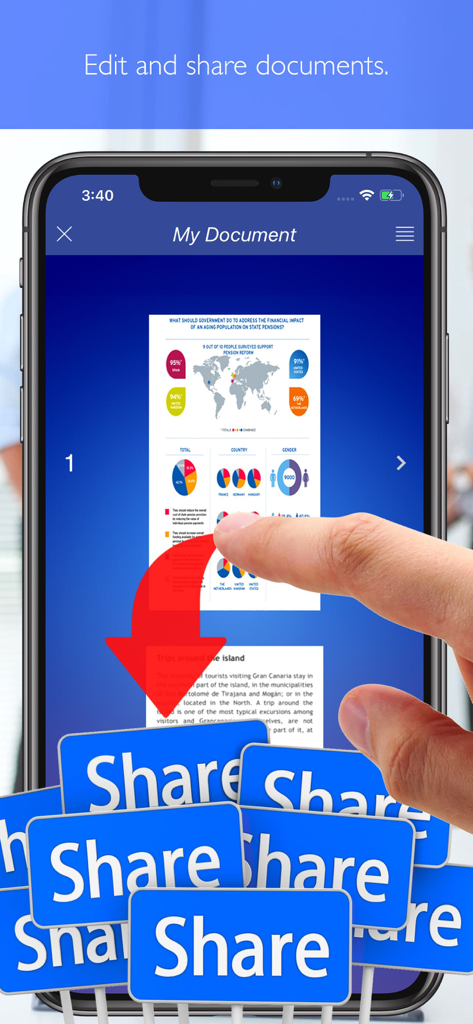
A smartphone showing a scanned document with an arrow pointing to multiple share buttons
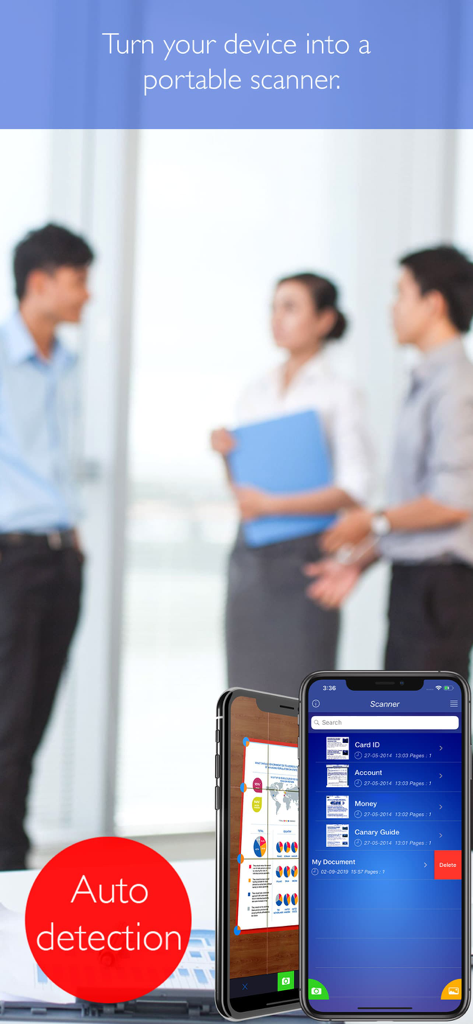
Scanner plus PDF app interface displaying auto edge detection and document management on two mobile phones
Description
Download
More Like This
Top-ranked apps in the same category

ChatGPT
OpenAI OpCo, LLC

Google Gemini
Google LLC

Grok
X.AI Corporation

Gmail - Email by Google
Google LLC

千问 - 阿里最强大模型官方AI助手
Shanghai Zhixin Puhui Technology Co., Ltd.

Google Drive
Google LLC

Microsoft Authenticator
Microsoft Corporation

Google Sheets
Google LLC

Google Docs
Google LLC
This page is not an official page of the app or its developer, but an independent editorial publication created for informational and commentary purposes. Unless expressly stated otherwise, neither the app nor its developer is affiliated with, endorsed by, sponsored by, authorized by, or otherwise officially connected with MWM, Apple, Google Play, the app publisher, or the app's developer, and nothing on this page implies that the app was developed using MWM's services. Any trademarks, logos, screenshots, and other content remain the property of their respective owners.