Scanner Pro: The Professional Standard for Document Scanning and Automation
Transform your iPhone into a powerful mobile office. Capture high-quality PDFs, extract text with advanced OCR, and automate your digital workflow with the world's most trusted scanning app.
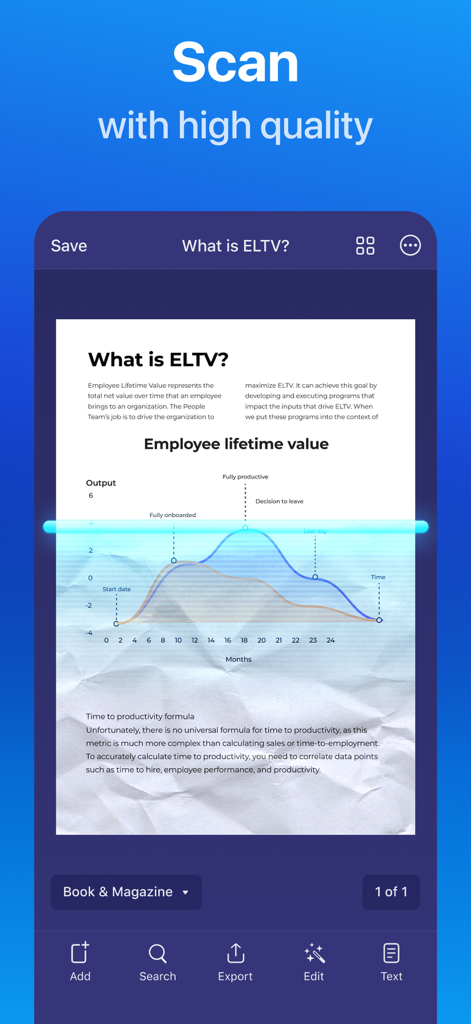
Scanner Pro mobile app interface showing a high quality scan of a printed document with a blue light scanning animation
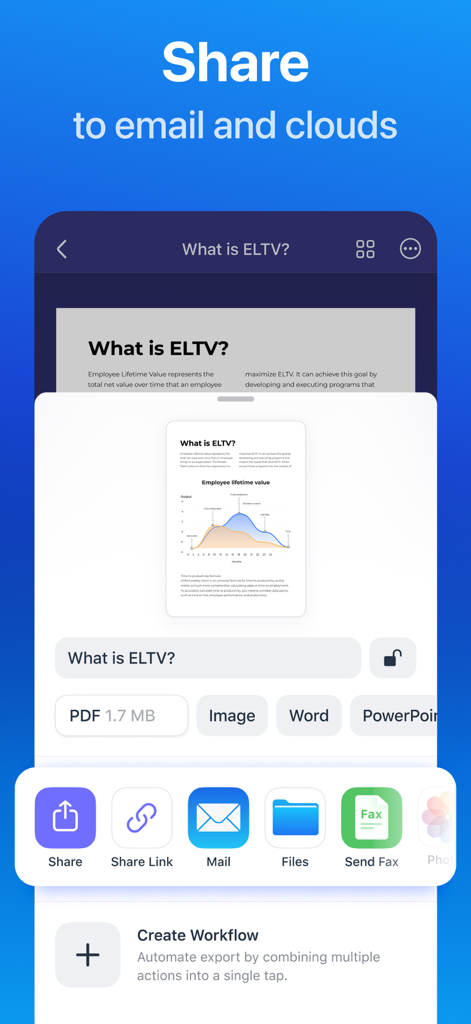
Scanner Pro app screen displaying document sharing and export options to email and cloud storage
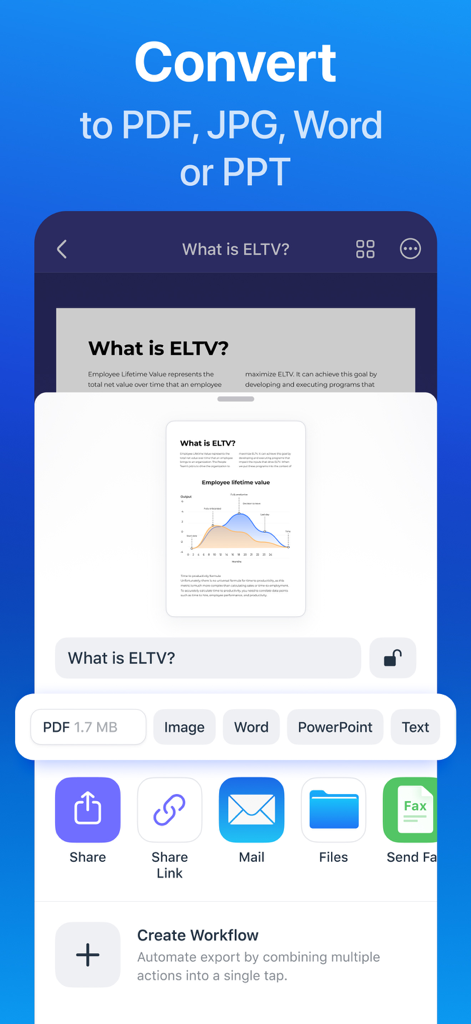
Scanner Pro app screen illustrating document conversion to PDF Word and PowerPoint along with sharing and automation tools.
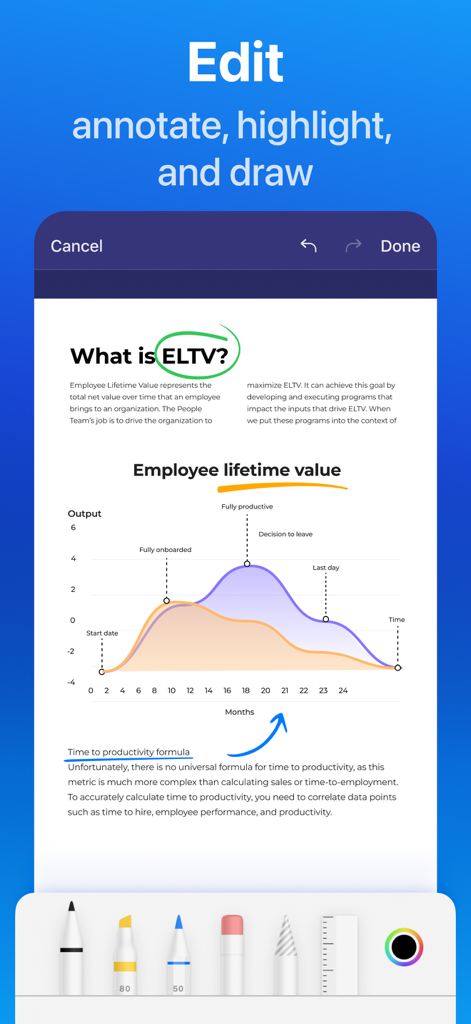
Edit and annotate scanned documents with highlighting and drawing tools in Scanner Pro
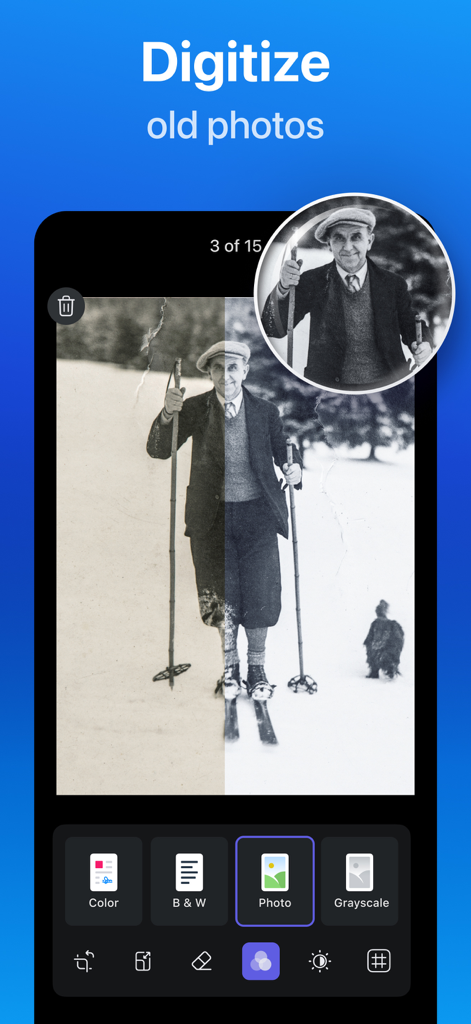
Mobile app screen showing the digitization and restoration of an old black and white photograph using Scanner Pro
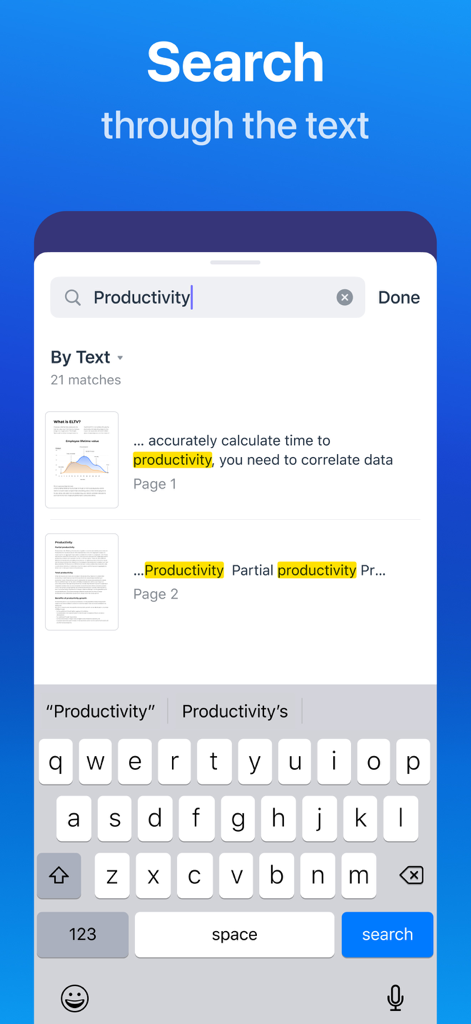
Scanner Pro interface showing OCR search results for the word productivity in scanned documents
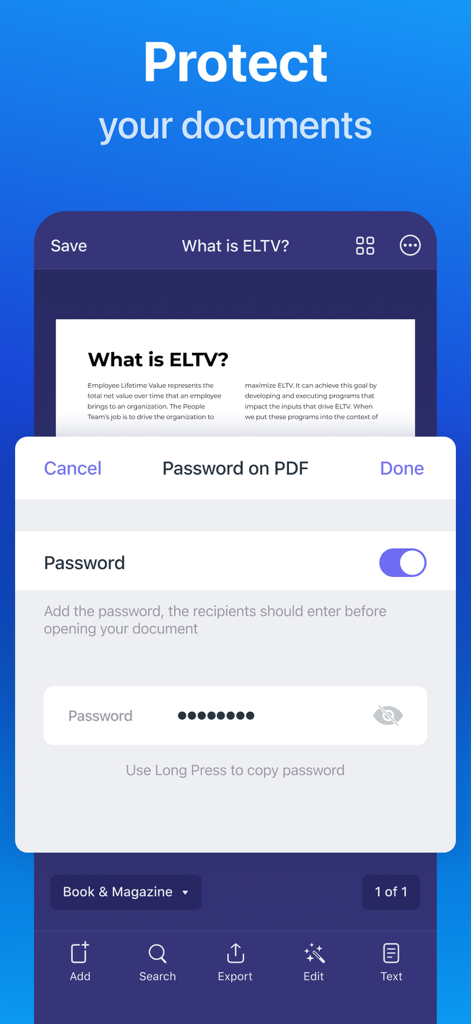
Scanner Pro app interface showing PDF password protection for document security
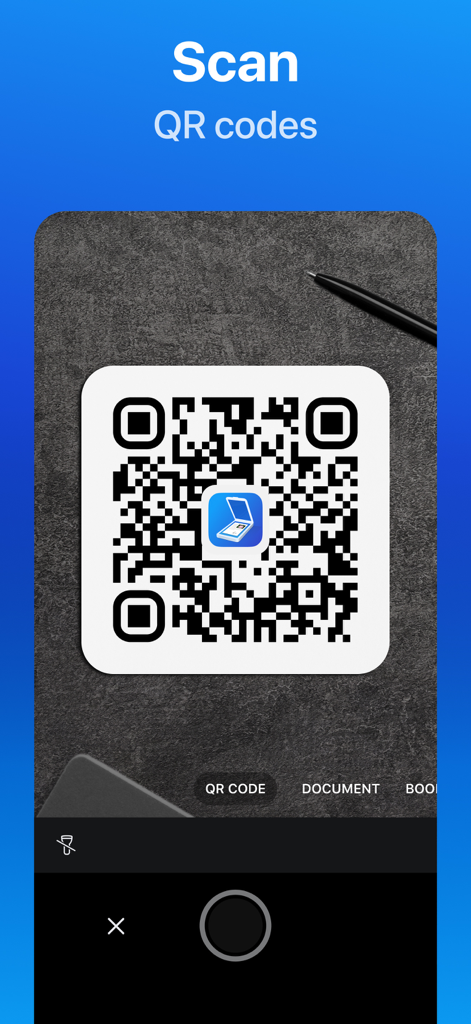
Scanner Pro mobile app interface for scanning QR codes
Professional Scanning, Simplified
The tools that make this app stand out, trusted by 4M+ users.
📄
Crystal Clear Quality
Automatically remove shadows, correct perspective, and detect borders for scans that look even better than the original.
🔍
Smart Text Recognition
Turn scans into searchable text with advanced OCR. Find any document in seconds and copy text directly into your favorite apps.
⚡
One-Tap Workflows
Automate your filing by auto-renaming and uploading scans to Dropbox, Google Drive, or iCloud in a single tap.
About the app
Everything you need to know about Scanner Pro - Scan Documents.
Description
Effortlessly scan, organize, and share documents on the go to have everything you need at your fingertips. Scanner Pro brings you high-quality document scan technology in a convenient and simple mobile app. Scan agreements, receipts, IDs, books, and more using your device to convert them into PDFs in seconds. Safely store and share your documents with anyone in just a few taps with Scanner Pro.
Experience the simplicity of on-the-go document scanning. Scan travel expenses, convert sketches into PDFs, and even fax important files all from your smartphone. Scanner Pro brings professional scanner capabilities, like OCR and full-text searches to your device. With advanced image processing, Scanner Pro will automatically detect borders, correct perspective and distortions, remove shadows, and more.
Introducing QR Code Mode!
Effortlessly scan and decode QR codes directly from your Camera screen. Simply point your device at the code, capture it, and let Scanner Pro do the rest—no extra steps required! It's that easy.
Share, email, and upload your scans anywhere with cloud compatibility. With Scanner Pro you can share as many scans as you want completely free. Simply send an email, upload to your photos, or use any third-party application to conveniently deliver scanned documents.
What people have to say:
"I will confess to some serious love for Scanner Pro." – Rick Broida, CNET
"Scanner Pro is an excellent app for those who’d like to digitize and organize their paper worlds." – Marc Saltzman, USA Today
"There really isn’t a better scanner app for iPhone than Scanner Pro." – Matthew Panzarino, TNW
Enjoy professional scans and convenient document sharing completely free of charge with Scanner Pro. Download today for a quick and easy mobile scanner that does it all.
SCANNER PRO FEATURES
SCANNING FEATURES
- Scan documents, pictures, and more wherever you are
- Unlike other apps, Scanner Pro saves the original document that you scanned
- Conveniently edit your scans by highlighting, writing, and drawing on your documents
SMART DOCUMENT ORGANIZER
- Automate your workflow when you rename, send, and upload scans in just one tap
- Effortlessly create folders to find any important document in seconds
FULL-TEXT SEARCH
- OCR and full-text search let you highlight important sections of your scans with ease
- Turn your scans into text, so you can read, copy, and export it to other apps
SHARE SCANS
- Scan a document on your iPhone or iPad and access it on all your other devices with iCloud sync
- Automatically export and upload scans to Dropbox, Evernote, Google Drive, Box, iCloud Drive, OneDrive, OneNote, or any other WebDAV-enabled storage
- Share unlimited files with your contacts for free
Scanner Pro supports 25+ languages: Catalan, Croatian, Simplified Chinese, Traditional Chinese, Czech, Danish, Dutch, English, Estonian, Finnish, French, German, Greek, Hungarian, Italian, Japanese, Latin, Norwegian, Polish, Portuguese, Romanian, Russian, Spanish, Swedish, Tagalog, Turkish and Ukrainian.
Download Scanner Pro today for a quick and compact way to professionally scan, organize, and share documents wherever you are, whenever you want.
Share your feedback and comments at http://readdle.com/contact
Privacy Policy: https://readdle.com/scannerpro/legal/privacy
Terms of Service: https://readdle.com/scannerpro/legal/terms
Latest Version
8.33.1
Size
299.3 MB
First Released
Oct 9, 2009
Join 4 Million+ Professionals Going Paperless
Experience the gold standard in mobile scanning. Transform your iPhone into a high-performance portable office with professional-grade OCR and smart automation.
FAQ
Frequently Asked Questions
Everything you need to know about Scanner Pro - Scan Documents
Is Scanner Pro free to use?
Yes, Scanner Pro is completely free to download. Users can enjoy professional scans and convenient document sharing, including unlimited file sharing, without any charge.
What types of documents can Scanner Pro scan?
Scanner Pro supports scanning various document types including agreements, receipts, IDs, books, and pictures. It converts these into high-quality PDFs using advanced image processing.
Does Scanner Pro have OCR and full-text search?
Yes, Scanner Pro offers OCR and full-text search capabilities. This allows users to highlight important sections, convert scans into text, and then read, copy, or export that text to other applications.
How can I share documents using Scanner Pro?
Scanner Pro enables sharing of unlimited scans for free. Users can share via email, upload to photos, use third-party apps, or export directly to cloud services like Dropbox, Google Drive, and iCloud with sync functionality.
Can I edit scanned documents in Scanner Pro?
Yes, Scanner Pro allows direct editing of scanned documents. Users can highlight, write, and draw on their scans. The app also features advanced image processing for corrections like border detection.
Can Scanner Pro scan QR codes?
Yes, Scanner Pro includes a dedicated QR Code Mode. Users can scan and decode QR codes effortlessly by pointing their device's camera at the code, without requiring extra steps.
How does Scanner Pro help organize documents?
Scanner Pro helps organize documents by allowing users to create folders and automate workflows. This includes renaming, sending, and uploading scans in one tap, making important documents easy to find.
Can I password protect documents in Scanner Pro?
Yes, Scanner Pro offers the ability to protect documents by adding a password to PDF files. This ensures that recipients must enter the password before they can open and view the document.
What file formats does Scanner Pro support for conversion?
Scanner Pro supports converting and sharing documents in multiple formats including PDF, Image (JPG), Word, PowerPoint, and plain Text files. This provides versatility for various needs.
App information, icons, screenshots, and descriptions displayed on this page are sourced from the Apple App Store and are the property of their respective developers. Download estimates and rankings are based on MWM's proprietary models and may not reflect actual figures. This page is provided for informational and analytical purposes only.
Believe this page infringes your intellectual property? File a dispute