Scanner+ Scan PDF Documents

Scanner+ Scan PDF Documents

Download on App Store
Logo of Scanner+ Scan PDF Documents

Scanner+: Your High-Performance Portable Document Scanner

Turn your iPhone into a professional-grade office tool. Effortlessly scan, e-sign, and export high-quality PDFs on the go—no bulky hardware or internet connection required.

Download on App Store

Publisher

Can Aksoy

Category

Utilities

Downloads

3K+

User Rating

4.8/5

Total Ratings

0

Locales

4

Precision in Every Scan

Discover the interface used by 3K+ users.
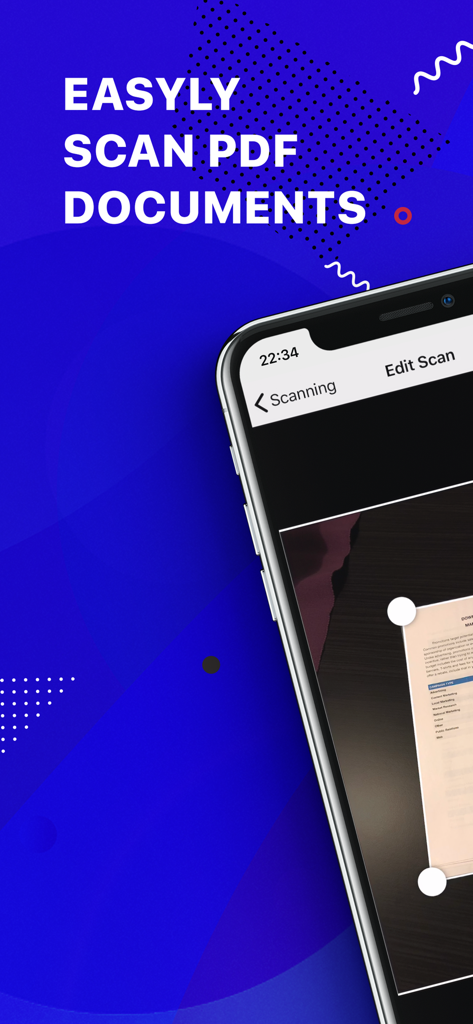
Mobile app interface for scanning PDF documents with automatic edge detection on a smartphone

Mobile app interface for scanning PDF documents with automatic edge detection on a smartphone

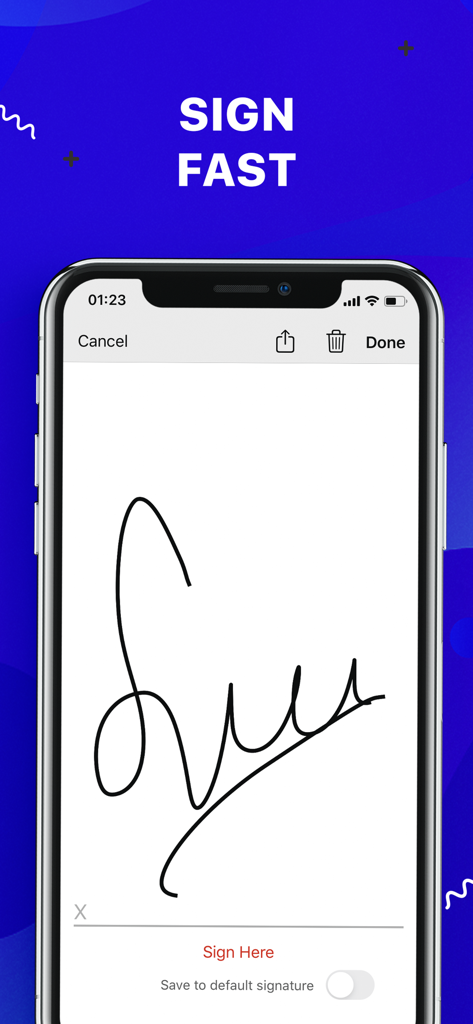
Smartphone screen displaying an electronic signature feature for signing documents

Smartphone screen displaying an electronic signature feature for signing documents

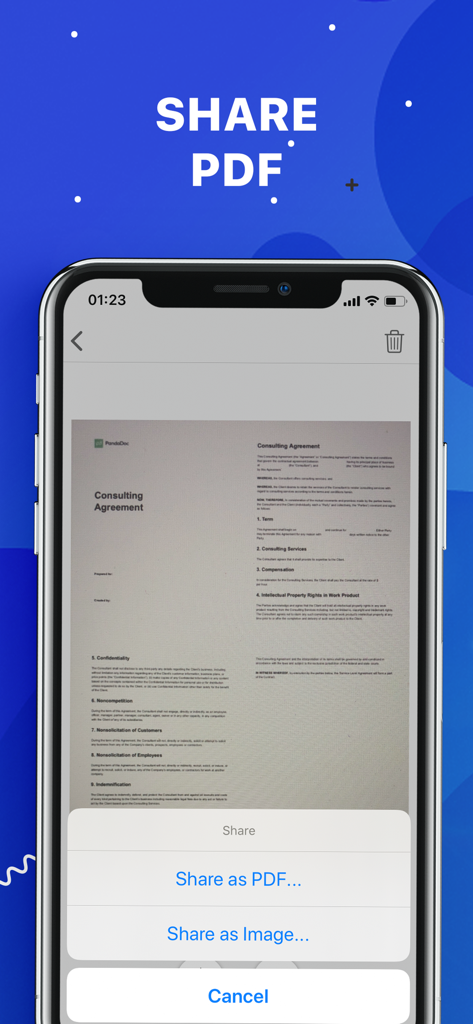
Interface of the Scanner plus app showing options to share a scanned document as a PDF or image

Interface of the Scanner plus app showing options to share a scanned document as a PDF or image

Your Office, Anywhere You Go

The tools that make this app stand out, trusted by 3K+ users.

🚀

No-Internet Scanning

Stay productive in any environment. Scan, process, and save high-quality documents without needing a Wi-Fi or data connection.

🖋️

One-Tap E-Signatures

Accelerate your business by signing contracts and NDAs directly on your screen. Sign, save, and send back in a matter of seconds.

☁️

Instant Cloud Sync

Keep your files secure and accessible. Seamlessly export your enhanced scans to Google Drive, Dropbox, or iCloud for a paperless life.

About the app

Everything you need to know about Scanner+ Scan PDF Documents.

Description

“Scanner+” is an easy to use scanner app that will turn your iPhone into handy portable scanner. Easily scan, save and share any printed document in PDF or JPEG format. Scan anything you need: Receipts, documents, paper notes, fax papers, book and store your scans as multipage PDF or JPEG files. Save time by adding your signature to documents with a single tap. You can take this portable document scanner anywhere you go for business needs because Scanner+ doesn’t require Internet connection. Say goodbye to big scanner boxes and get this easiest PDF scanner+ now! Scanner+ App Features: - Scan to high quality PDF or JPEG - Save scans in grayscale, black and white or color - Automatic border detection for any scannable object - Advanced pic processing with enhancement and color correction, noise removing, automatic perspective correction and more - Multipage scanning - scan as many pages as you like Document Editor: - E-sign any document by adding your signature to scans within the app - Drag and change the order of your scanned documents Document Sharing Tools: - Share your scans via email - Easy print your scans with any Wi-Fi printer - Share and upload scanned documents to cloud services like Dropbox, Evernote, Yandex Disk, Box, OneDrive or Google Drive - Save scans to Camera Roll Terms Of Service: https://sulubeyn.com/terms.html Privacy Policy: https://sulubeyn.com/privacy.html You can cancel your subscription in the iTunes settings at least 24-hours before the end of the free trial period. Subscription payments will be charged to your iTunes account at confirmation of your purchase and upon commencement of each renewal term. * Please note: any unused portion of a free trial period (if offered) will be forfeited when you purchase a premium subscription during the free trial period. * You can cancel a free trial or subscription anytime by turning off auto-renewal through your iTunes account settings. This must be done 24 hours before the end of a free trial or subscription period to avoid being charged. The cancellation will take effect the day after the last day of the current subscription period, and you will be downgraded to the free service.

Latest Version

1.6

Size

36.8 MB

First Released

Oct 27, 2018

Your Entire Office, Right in Your Pocket

Join thousands of professionals who scan, sign, and share documents in seconds. Start your free trial today and experience the ultimate paperless freedom.

Download on App Store

App information, icons, screenshots, and descriptions displayed on this page are sourced from the Apple App Store and are the property of their respective developers. Download estimates and rankings are based on MWM's proprietary models and may not reflect actual figures. This page is provided for informational and analytical purposes only.

Believe this page infringes your intellectual property? File a dispute