ScanNow: Convert PDF, JPG, Doc

ScanNow: Convert PDF, JPG, Doc

Download on App Store
Logo of ScanNow: Convert PDF, JPG, Doc

ScanNow: Your All-in-One Mobile Office for Scanning, Signing, and Converting

Transform your iPhone into a powerful productivity hub. Scan documents, sign contracts, and extract text with OCR instantly—perfect for busy professionals, realtors, and solopreneurs on the go.

Publisher

MAGENTA APPS S.L.

Category

Business

Downloads

289K+

User Rating

4.7/5

Total Ratings

2K+

Locales

4

Your Digital Office in Action

Discover the interface used by 289K+ users.
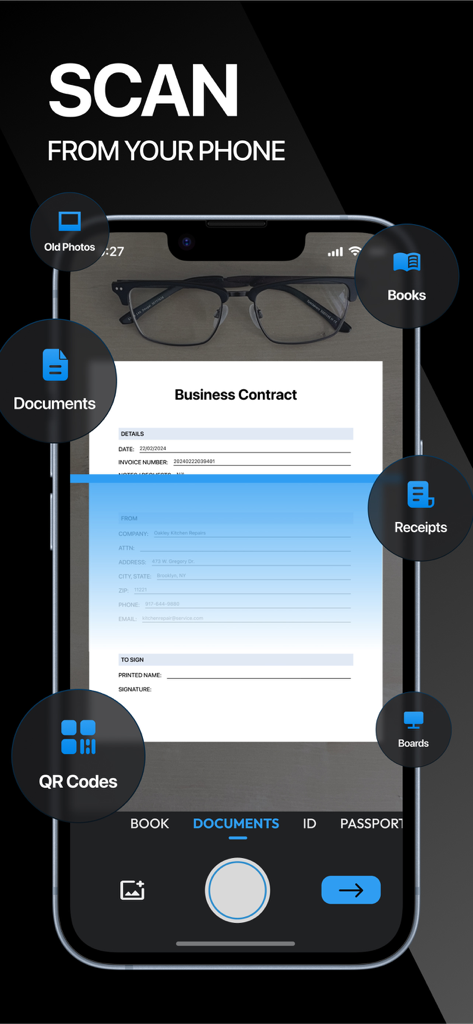
ScanNow mobile app interface scanning a business contract on a smartphone

ScanNow mobile app interface scanning a business contract on a smartphone

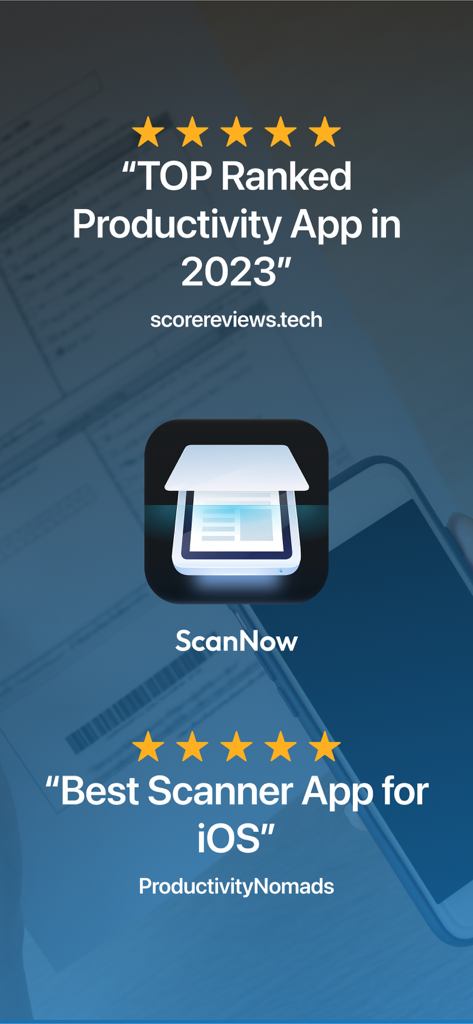
ScanNow app icon with 5 star ratings and awards for being a top ranked productivity and scanner app for iOS

ScanNow app icon with 5 star ratings and awards for being a top ranked productivity and scanner app for iOS

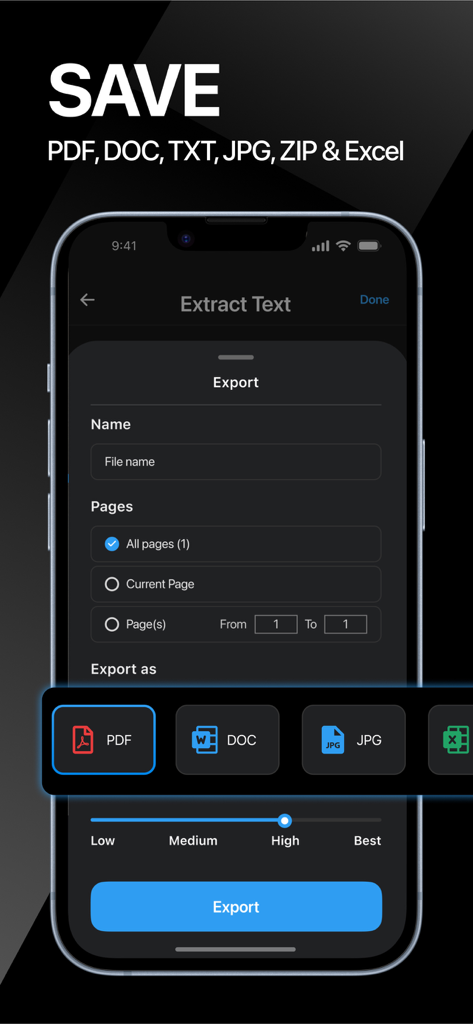
The export interface of ScanNow showing options to save documents as PDF DOC JPG or Excel with quality settings

The export interface of ScanNow showing options to save documents as PDF DOC JPG or Excel with quality settings

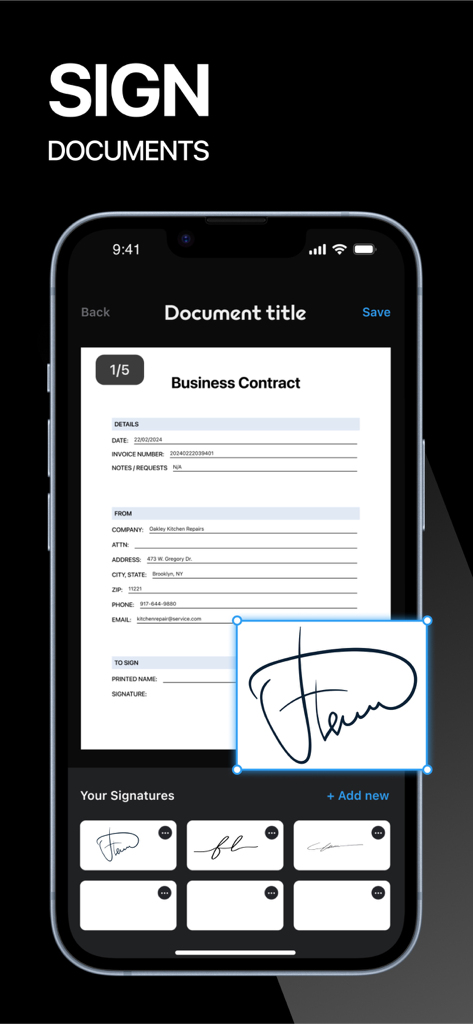
Digital signature feature in the ScanNow app showing an e-signature on a business contract

Digital signature feature in the ScanNow app showing an e-signature on a business contract

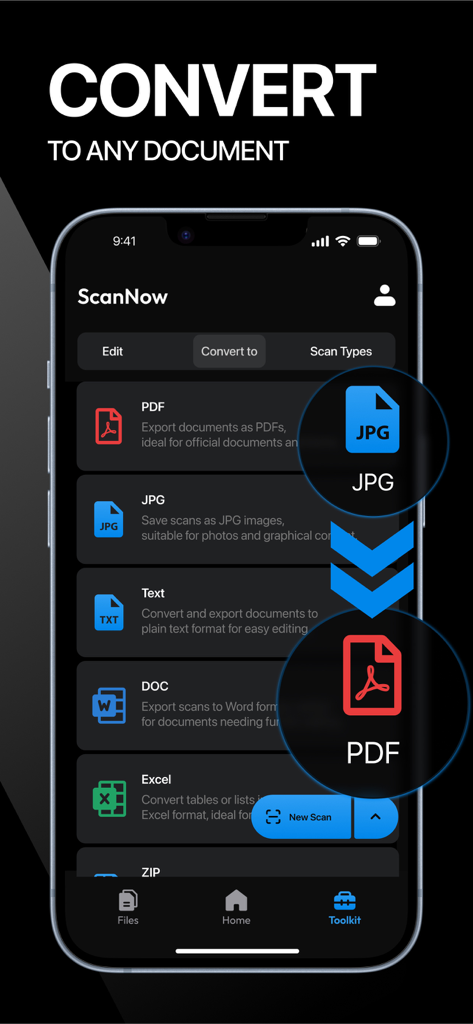
Interface of ScanNow app displaying options to convert files to PDF, JPG, Text, DOC, and Excel formats.

Interface of ScanNow app displaying options to convert files to PDF, JPG, Text, DOC, and Excel formats.

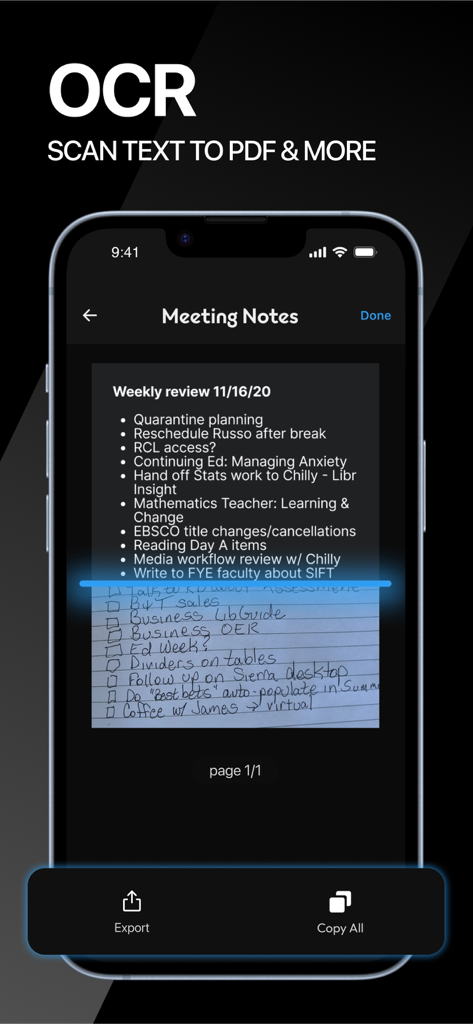
ScanNow app interface demonstrating OCR feature scanning handwritten meeting notes for digital conversion

ScanNow app interface demonstrating OCR feature scanning handwritten meeting notes for digital conversion

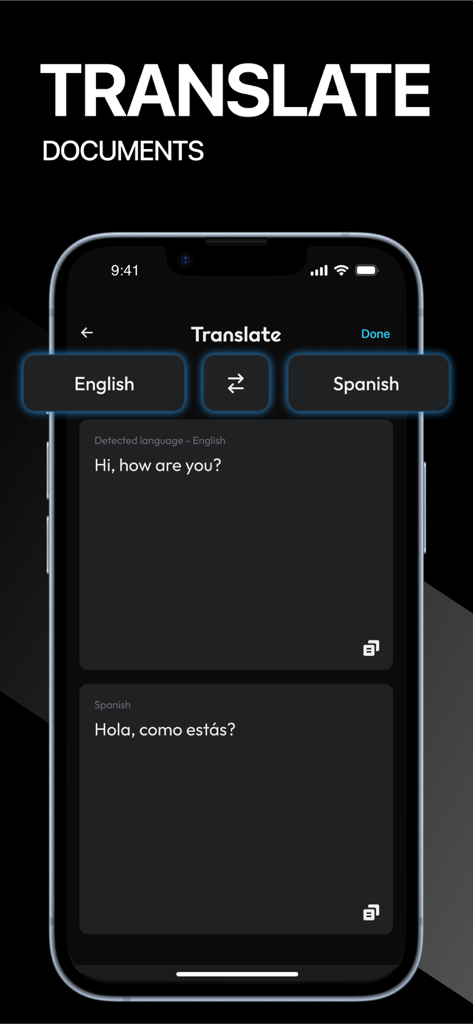
Interface of the ScanNow app showing the document translation feature from English to Spanish

Interface of the ScanNow app showing the document translation feature from English to Spanish

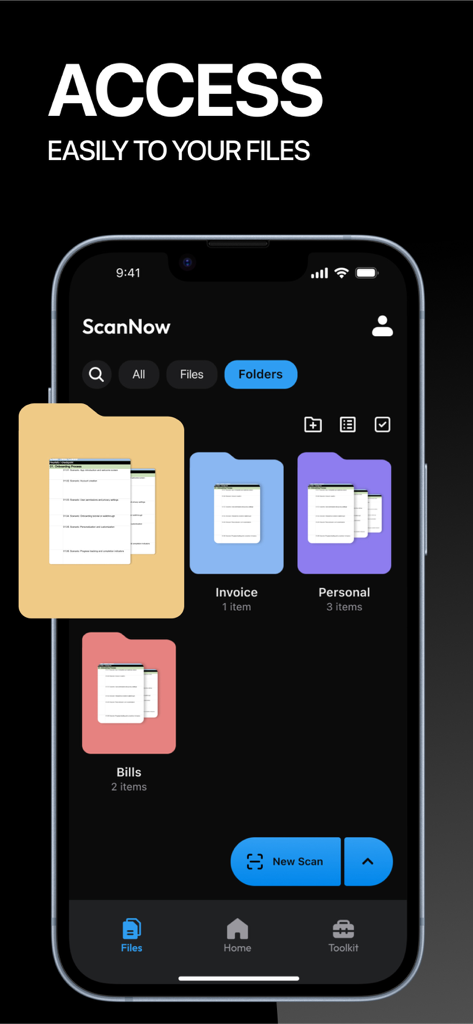
ScanNow app interface showing organized digital folders for files like invoices and bills

ScanNow app interface showing organized digital folders for files like invoices and bills

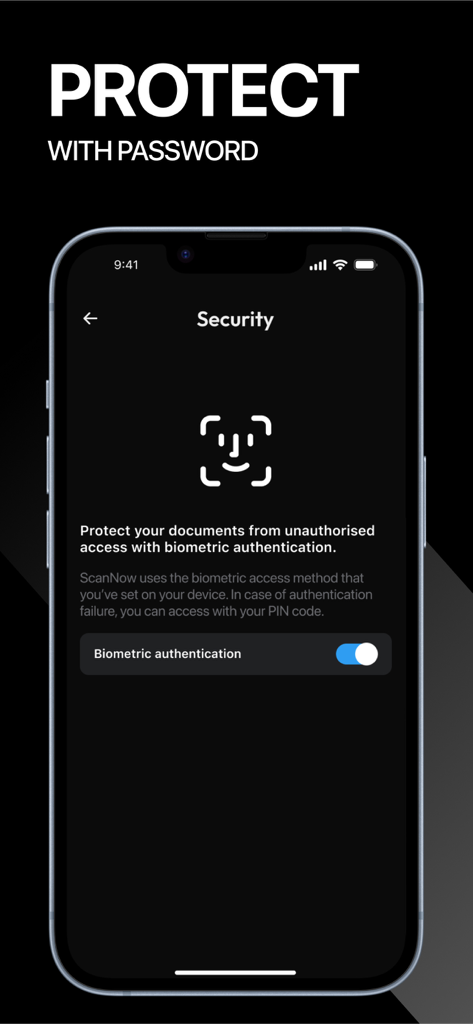
ScanNow app interface showing biometric authentication settings for document protection

ScanNow app interface showing biometric authentication settings for document protection

A Professional Mobile Office in Your Pocket

The tools that make this app stand out, trusted by 289K+ users.

📄

Crystal Clear Professional Scans

Eliminate shadows and clutter with intelligent filters that transform photos into high-resolution, business-ready PDFs and JPGs.

✍️

Sign and Edit in Seconds

Ditch the printer. Add your secure e-signature, annotations, or markups to contracts and forms directly on your screen and send them instantly.

🔍

Smart OCR and Security

Extract text from images with high-accuracy OCR and keep your sensitive files safe with FaceID and password protection.

About the app

Everything you need to know about ScanNow: Convert PDF, JPG, Doc.

Description

Scan Now turns your phone into a powerful digital office! Scan, sign, editor, mark up, add text and icons, erase and convert any document to PDF, TXT, Word, Excel or JPG/JPEG format. Download this scanner app to go paperless with our fast PDF scanner and become more productive with all your documents stored in a neat mobile office right on your phone! ◉ FEATURES: √ SCAN DOCUMENTS FROM YOUR CAMERA, FILES OR GALLERY This tiny yet powerful scanner app is a must-have for students and anyone involved in a small business: accountants, realtors, managers, or lawyers. Instant scanning speed including receipts, contracts, paper notes, fax papers, books, and many others. √ VARIOUS SCANNING MODES Scan and manage all your important documents such as: • ID-CARD & PASSPORT – a mode specifically designed to digitize your ID-documents. • ALL SIZE DOCUMENTS – scanning all size docs made easy. • BOOKS – try our book scanning mode to instantly scan two pages in one shot. • BUSINESS CARDS – collect all your leads in one shot. • RECEIPTS – save all your expenses, invoices and reimbursements. • WALLET – digitize all your cards. • VOUCHERS – save all your vouchers and warranties so you don't lose them. • OLD PHOTOGRAPHS – use our HD camera to scan your old memories. √ QR CODE & BAR CODE SCANNING Scan and manage all your QR codes and BAR codes. √ APPLY FILTERS TO DOCS Enhance with powerful filters that will make your documents look professional, remove shadows to your scans, port to black and white or adjust contrast and brightness. √ SIGN OFFICIAL DOCUMENTATION: Create and save more than one e-signature. Quickly and professionally sign important documents. Sign any documentation in a few taps. √ BATCH AND MERGE DOCUMENTS AND SPLIT PDFs Add unlimited pages to any document. Merge different scans into only one document. Batch files. Use PDF splitter to import a pdf file and split it in pages. √ DOC & PDF VIEWER Get all your important documents in hand and organized in folders. √ DOC & PDF EDITOR Edit all your documents with doodles, lines, squares, arrows and other drawing tools. √ SORT AND ORGANIZE IN FOLDERS Create folders to organize your scans. Find documents in your scanned library easily by name or folder. √ PROTECT FILES Protect PDF with a password, keep your files secure with face recognition. √ CONVERT AND EXPORT IN ANY FORMAT: Export your documents to PDF, TXT, Word, JPEG format. Save and share your documents in the format you need and convert any file to text. √ CONVERT IMAGE TO TEXT AND EDIT TEXT WITH OCR / TEXT RECOGNITION: Automatically extract text on PDF and images and edit it according to your needs. Scan Now OCR (Optical Character Recognition) technology can accurately convert any document to text. √ COMPRESS DOCS IN ZIP FILES Easy sharing on chats or email, reduce file size or compress pdf to zip, making your PDF smaller will help you save space. √ SHARE YOUR SCANNED DOCUMENTS: Email your files as PDF or JPEG. Save your documents to your photo library or cloud storage. Send your scanned files through other messaging apps. √ PRINT Using this PDF scanner, you can print directly from our scanner app. ◉ PREMIUM PAID SUBSCRIPTIONS: This app contains subscriptions! You can subscribe to any of our premium packages and get the following perks: √ Scan unlimited documents √ Unlimited OCR and text recognition √ Export documents in PDF, Text, Word or JPEG √ Export documents in ZIP files Payment models for Premium subscription: - Weekly: $12.99, first week for only $0.99. - 1 Year: $59.99 ◉ CONTACT: Feel free to leave a review or contact us at: hello@magentaapps.com Terms of use: https://magentaapps.com/terms.html Privacy policy: https://magentaapps.com/privacy.html ◈ Download Scan Now and crush your productivity! ◈

Latest Version

5.8.0

Size

150.0 MB

First Released

Sep 8, 2022

Your Entire Office, Right in Your Pocket

Join over 289,000 professionals who have swapped messy paperwork for the ultimate digital toolkit. Scan, sign, and send high-quality documents in seconds—anywhere your business takes you.

Download on App Store
FAQ

Frequently Asked Questions

Everything you need to know about ScanNow: Convert PDF, JPG, Doc

What is ScanNow?

ScanNow is a mobile app that transforms your phone into a digital office. It enables scanning, signing, editing, and converting documents to PDF, TXT, Word, Excel, or JPG/JPEG formats.

What document formats does ScanNow support for export?

ScanNow supports exporting documents to PDF, TXT, Word, Excel, and JPG/JPEG formats. It also provides OCR to convert images to text. It can compress documents into ZIP files.

Can ScanNow scan ID cards and passports?

Yes, ScanNow features a dedicated ID-CARD & PASSPORT scanning mode. This mode is specifically designed to digitize identity documents accurately.

Does ScanNow offer OCR functionality?

Yes, ScanNow incorporates OCR (Optical Character Recognition) technology. It automatically extracts and allows editing of text from PDF files and images.

Is it possible to sign documents using the ScanNow app?

Yes, ScanNow allows users to create and save multiple e-signatures. Users can quickly and professionally sign important documents directly within the app.

What are the pricing options for ScanNow premium subscriptions?

ScanNow offers premium subscriptions: weekly for $12.99 (first week $0.99) and yearly for $59.99. These subscriptions enable unlimited scanning and text recognition.

How does ScanNow protect user files and privacy?

ScanNow protects files by allowing password protection for PDFs. It also secures documents using face recognition, leveraging the device's biometric authentication for access.

Can ScanNow combine or separate PDF documents?

Yes, ScanNow can batch and merge different scans into a single document. It also features a PDF splitter to import PDF files and split them into individual pages.

How can I organize documents in ScanNow?

ScanNow allows users to create folders to organize their scans. Documents are easily found by name or folder within the scanned library, providing efficient management.

Does ScanNow support scanning old photographs?

Yes, ScanNow includes a specific scanning mode for old photographs. It utilizes an HD camera to digitize and preserve your old memories.

App information, icons, screenshots, and descriptions displayed on this page are sourced from the Apple App Store and are the property of their respective developers. Download estimates and rankings are based on MWM's proprietary models and may not reflect actual figures. This page is provided for informational and analytical purposes only.

Believe this page infringes your intellectual property? File a dispute