
This page is not an official page of the app or its developer, but an independent editorial publication created for informational and commentary purposes. Unless expressly stated otherwise, neither the app nor its developer is affiliated with, endorsed by, sponsored by, authorized by, or otherwise officially connected with MWM, Apple, Google Play, the app publisher, or the app's developer, and nothing on this page implies that the app was developed using MWM's services. Any trademarks, logos, screenshots, and other content remain the property of their respective owners.


Screen Recorder - Dual Cam
Capture high-resolution screen recordings with multiple face-cams and commentary. Edit, resize for TikTok or YouTube, and share your reactions instantly—all from your iPhone.
Downloads
5K+User Rating
Total Ratings
200Publisher
Category
UtilitiesLocales
17Latest Version
2.0Size
36.2 MBFirst Released
Dec 11, 2024Level Up Your Content Creation
The all-in-one mobile recording studio designed for TikTokers, gamers, and educators who want professional results without the desktop hassle.
Multi-Cam Reactions
Add personality to every video with multiple face-cam overlays and seamless commentary to build a deeper connection with your audience.
Dual-Cam Versatility
Record your screen and your environment simultaneously using front and rear cameras—the ultimate tool for unboxings and mobile gaming.
Frequently Asked Questions
Everything you need to know about Screen Recorder - Dual Cam
What is Screen Recorder - Dual Cam?
Screen Recorder - Dual Cam is an all-in-one solution for screen recording, editing, and sharing videos. It provides features like dual-cam, face-cam, and commentary for content creators, educators, and gamers.
Can I record my screen with Screen Recorder - Dual Cam?
Yes, Screen Recorder - Dual Cam captures seamless, high-resolution screen recordings. It is suitable for creating tutorials, lectures, gameplay, and various other video content.
Does Screen Recorder - Dual Cam support dual camera recording?
Yes, Screen Recorder - Dual Cam supports dual camera recording. This allows users to stream their screen and themselves simultaneously using both front and rear cameras.
How can I add my face to a recording using Screen Recorder - Dual Cam?
Screen Recorder - Dual Cam includes a Face-cam feature. Users add multiple face-cam videos, customizing their size and placement for an engaging and interactive recording experience.
What editing features are available in Screen Recorder - Dual Cam?
Screen Recorder - Dual Cam offers powerful editing tools including video crop, rotate, trim, volume adjustment, and flip. It also allows resizing the canvas and supports high-quality export.
What resolutions does Screen Recorder - Dual Cam support for export?
Screen Recorder - Dual Cam supports high-quality output resolutions, including HD and 4K. Users can export videos in formats such as MP4 and MOV.
Can I share videos from Screen Recorder - Dual Cam directly to social media?
Yes, Screen Recorder - Dual Cam offers seamless sharing. Users share their video recordings directly to social media platforms like Facebook, Instagram, Messenger, and TikTok.
How does the subscription for Screen Recorder - Dual Cam work?
The Screen Recorder - Dual Cam subscription is billed weekly, monthly, or annually. It provides unlimited recordings, backup to cloud services, and automatically removes watermarks and advertisements.
Does Screen Recorder - Dual Cam remove watermarks?
Yes, purchasing a Screen Recorder - Dual Cam subscription automatically removes watermarks and advertisements from all recordings.
Where can I find the privacy policy for Screen Recorder - Dual Cam?
The privacy policy for Screen Recorder - Dual Cam is available at https://app.matrixsolution.xyz/documents/PrivacyPolicy_ScreenRecorder.html.
Can Screen Recorder - Dual Cam do live streaming?
Yes, Screen Recorder - Dual Cam enables live streaming anywhere, anytime. It supports streaming to platforms like Facebook, Twitch, YouTube, and RTMP.
How do I manage my recordings in Screen Recorder - Dual Cam?
Screen Recorder - Dual Cam includes a 'My Recordings (Drafts)' feature. This allows users to effortlessly store and manage their recordings, keeping them organized for future editing and sharing.
Does Screen Recorder - Dual Cam allow multiple commentary videos?
Yes, Screen Recorder - Dual Cam allows users to include multiple commentary videos. This enhances recordings by providing detailed explanations and insights, ideal for lessons or presentations.
The following screenshots and description are sourced directly from the app's official store listing and are the property of the app developer.
App Store
Screenshots
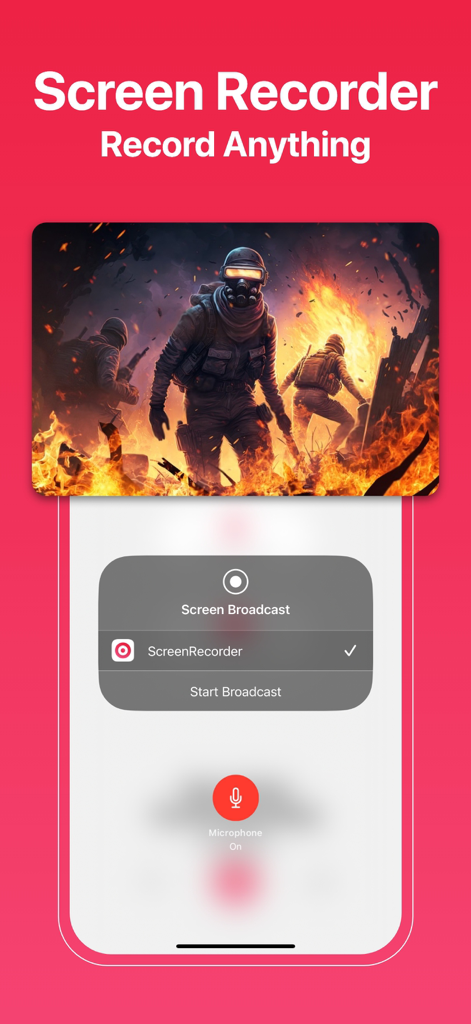
Screen Recorder app interface with a mobile game recording and a start broadcast menu.
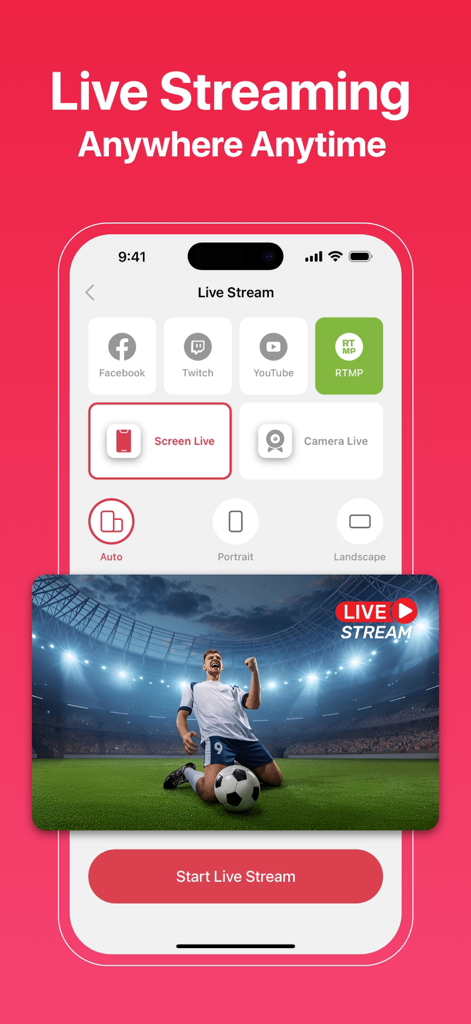
Mobile app interface showing live streaming options to Facebook Twitch and YouTube with screen recording capabilities
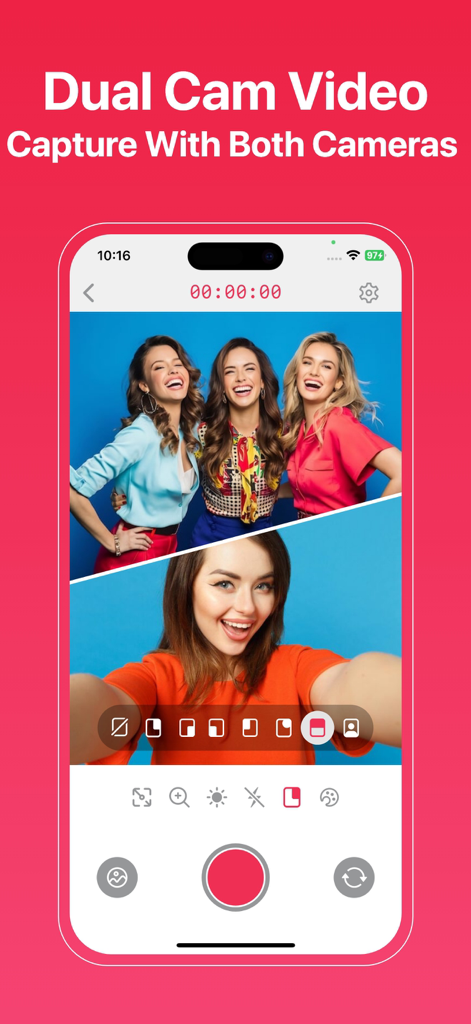
Interface of the Screen Recorder app showing the Dual Cam feature recording with both front and rear cameras in a split-screen view
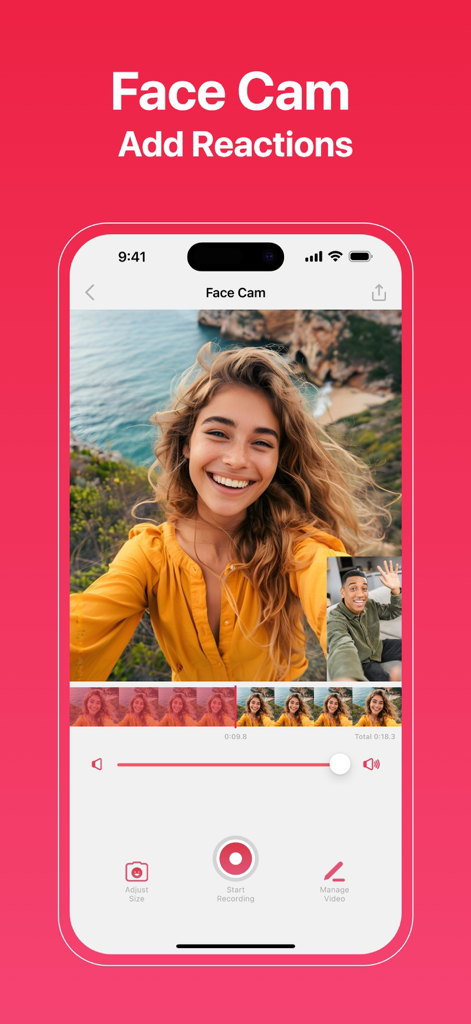
Interface of the Screen Recorder app showing the face cam and reaction video feature on an iPhone
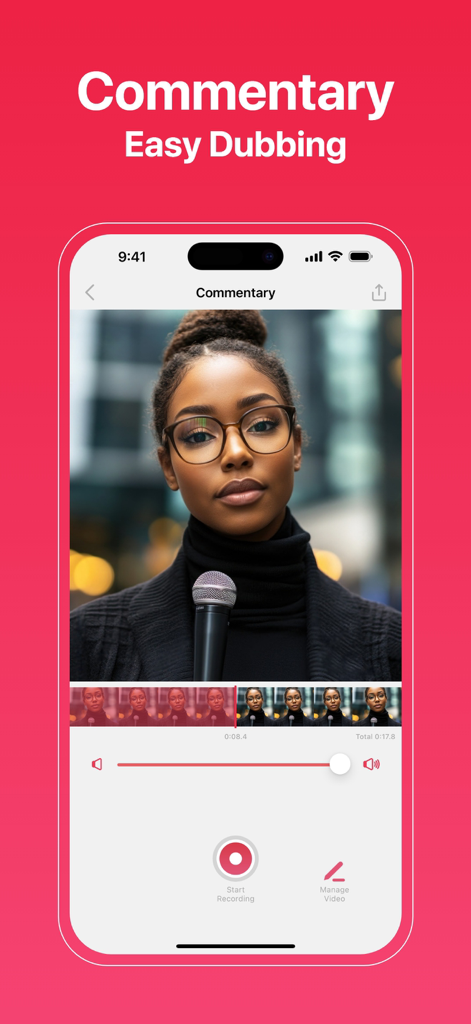
Mobile screen recorder app interface showing the commentary and easy dubbing feature with video editing tools
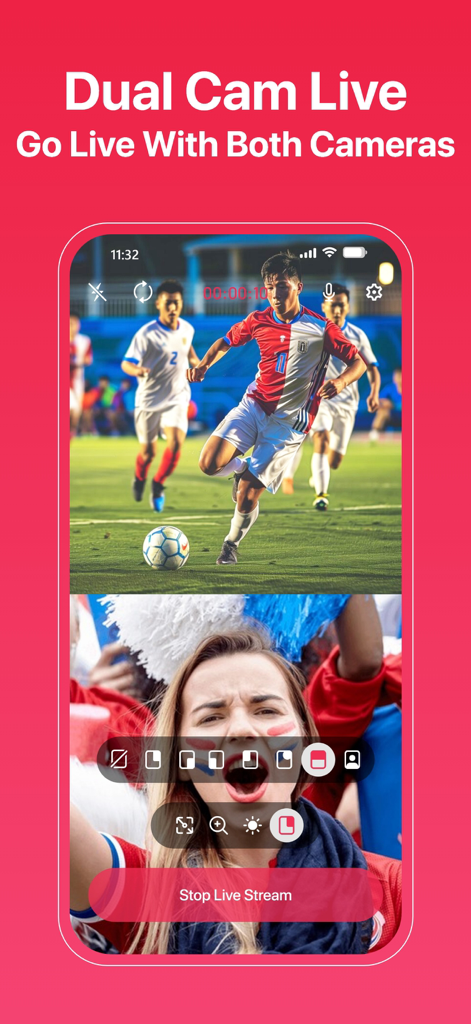
iPhone app screen showing dual camera live recording with a soccer match and a reaction face-cam
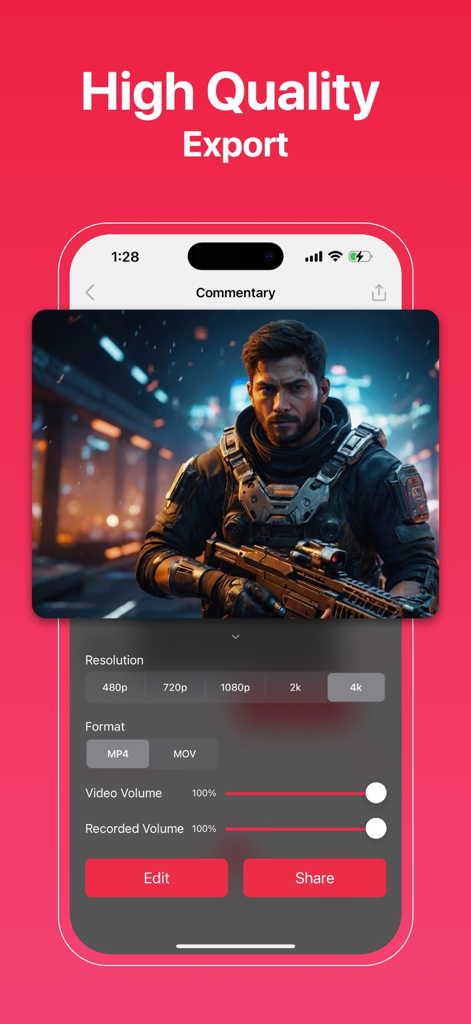
Screen Recorder app interface showing 4K high resolution export settings and sharing options
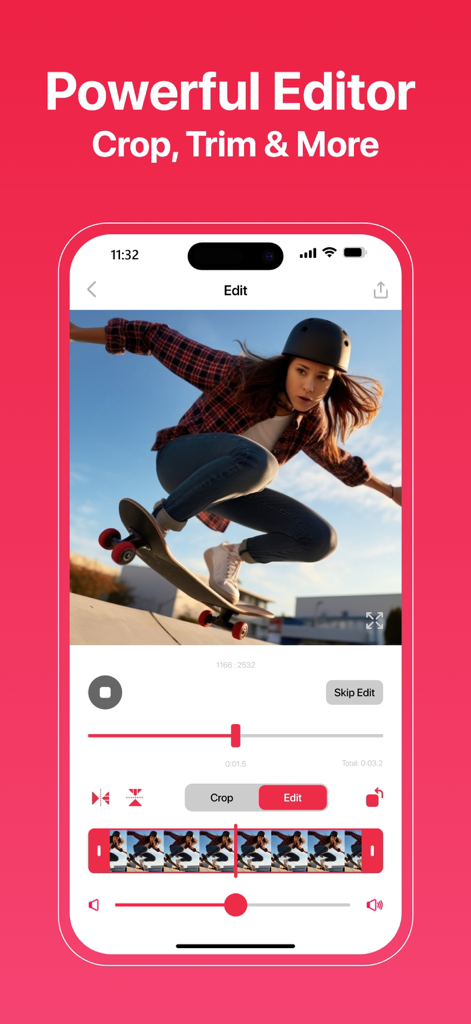
iPhone screen showing a powerful mobile video editor with crop and trim tools for creators
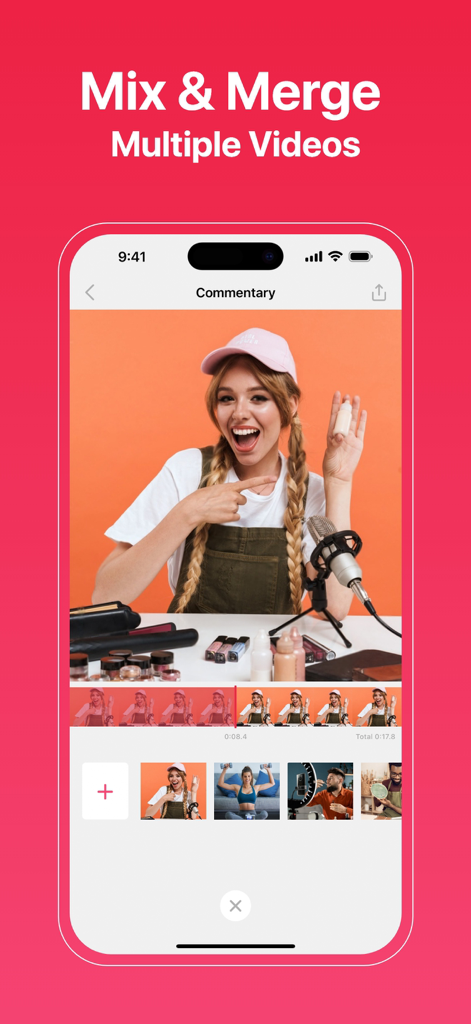
An iPhone screen displaying the Screen Recorder app interface for mixing and merging multiple video clips with commentary features.
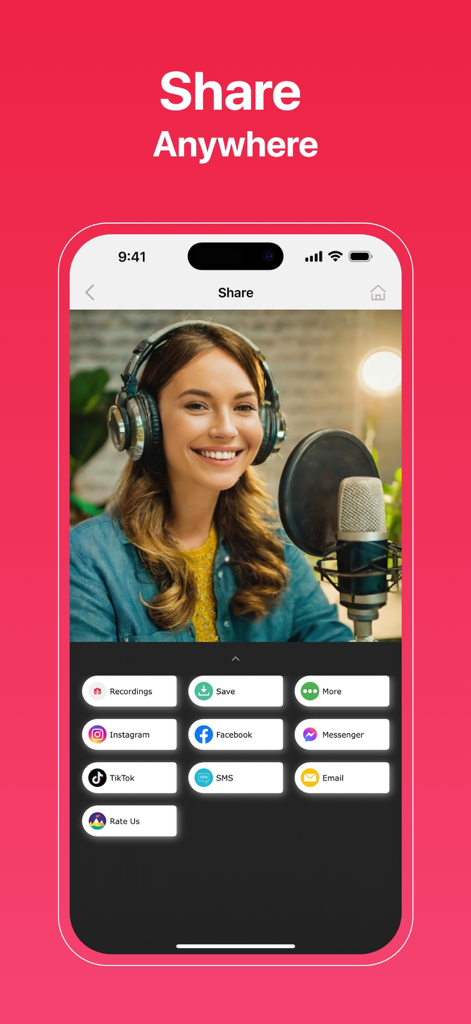
A mobile interface for the Screen Recorder app displaying multiple social media sharing options including TikTok and Instagram for a captured video
Description
Download
More Like This
Top-ranked apps in the same category

Google LLC

Google Chrome
Google LLC

中国移动(手机营业厅)
China Mobile Online Services Co., Ltd.

Google Authenticator
Google LLC

CNH do Brasil
Servicos e Informacoes do Brasil

Cleanup: Phone Storage Cleaner
DEEP FLOW SOFTWARE SERVICES - FZCO

gov.br
Servicos e Informacoes do Brasil

中国电信-全国统一官方服务平台
CHINA TELECOM Corporation Ltd.

Microsoft Edge: AI Browser
Microsoft Corporation
This page is not an official page of the app or its developer, but an independent editorial publication created for informational and commentary purposes. Unless expressly stated otherwise, neither the app nor its developer is affiliated with, endorsed by, sponsored by, authorized by, or otherwise officially connected with MWM, Apple, Google Play, the app publisher, or the app's developer, and nothing on this page implies that the app was developed using MWM's services. Any trademarks, logos, screenshots, and other content remain the property of their respective owners.