Screen Recorder - iRecorder
Download on App Store

This page is not an official page of the app or its developer, but an independent editorial publication created for informational and commentary purposes. Unless expressly stated otherwise, neither the app nor its developer is affiliated with, endorsed by, sponsored by, authorized by, or otherwise officially connected with MWM, Apple, Google Play, the app publisher, or the app's developer, and nothing on this page implies that the app was developed using MWM's services. Any trademarks, logos, screenshots, and other content remain the property of their respective owners.


Logo of Screen Recorder - iRecorder
Download on App Store

Screen Recorder - iRecorder

Capture gameplay, add face cam reactions, and polish your content with pro tools. The all-in-one recording studio for creators and students on iPhone and iPad—100% free.

Key Figures

Downloads

0

User Rating

3.6/5

Total Ratings

0

Publisher

Shivang Mishra

Category

Utilities

Locales

1

Latest Version

9.2

Size

19.1 MB

First Released

Jan 3, 2024
Features

Create Without Limits

The all-in-one recording and editing suite designed for the next generation of creators—completely free and subscription-free.

High-Performance Capture

Record epic gameplay or detailed tutorials in crystal clear quality with a single tap on your iPhone or iPad.

Custom Face Cam

Personalize your content with real-time reactions using adjustable shapes to build your brand and connect with fans.

The following screenshots and description are sourced directly from the app's official store listing and are the property of the app developer.

App Store

Screenshots
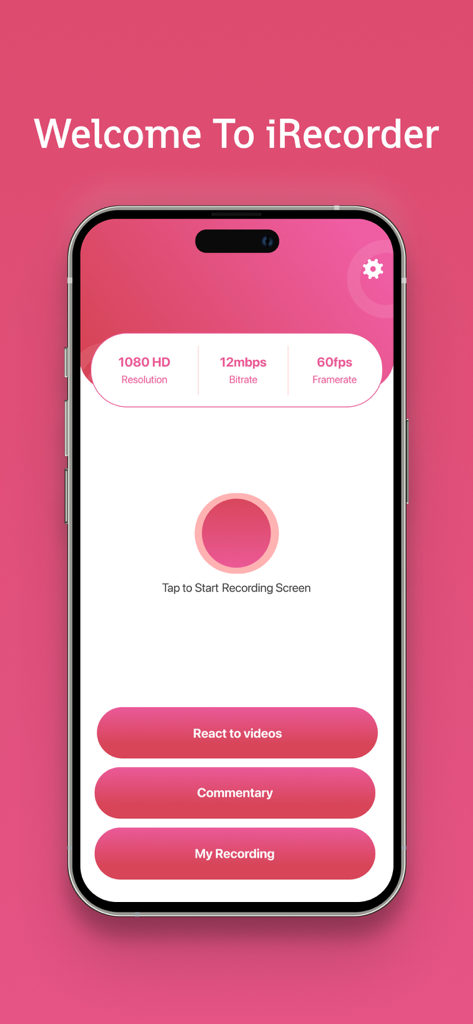
Screen Recorder - iRecorder - Main interface of iRecorder screen recorder app showing record button and video quality settings

Main interface of iRecorder screen recorder app showing record button and video quality settings
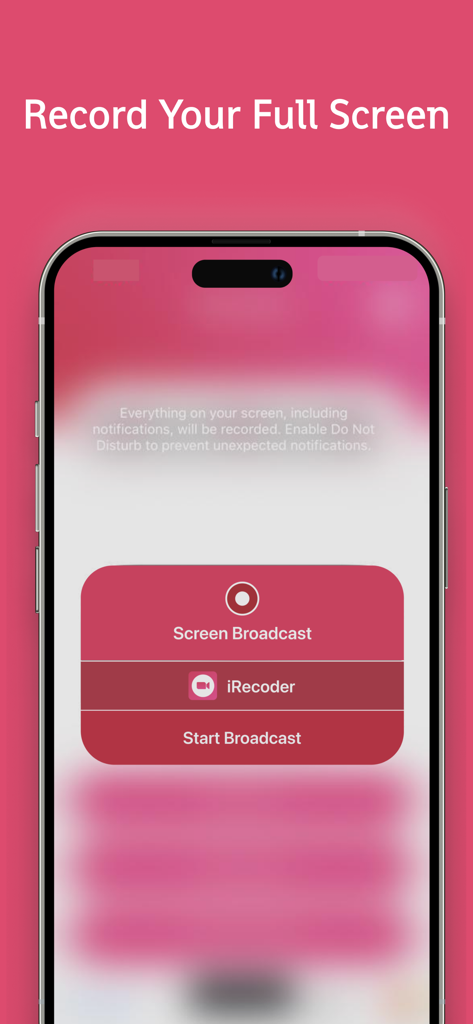
Screen Recorder - iRecorder - iPhone interface showing the start broadcast option for full screen recording in the iRecorder app

iPhone interface showing the start broadcast option for full screen recording in the iRecorder app
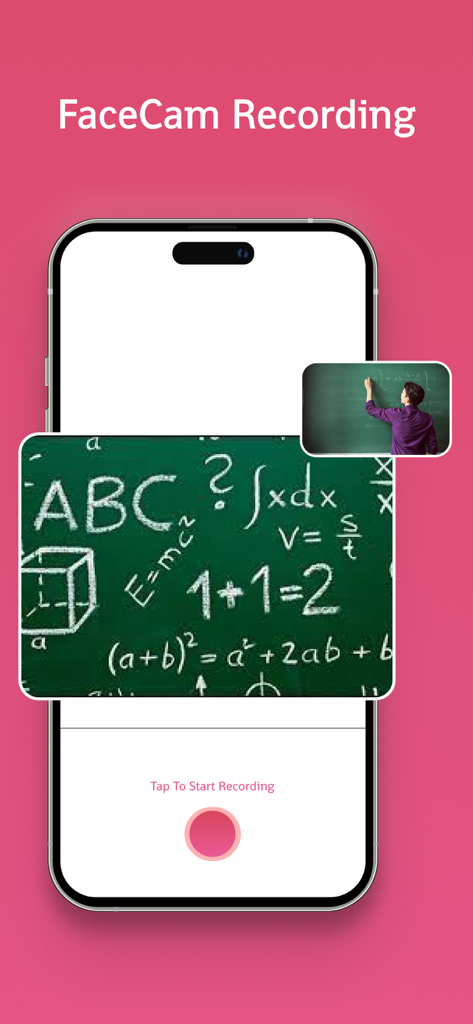
Screen Recorder - iRecorder - iRecorder screen recording app showing the FaceCam feature for an educational math tutorial
iRecorder screen recording app showing the FaceCam feature for an educational math tutorial

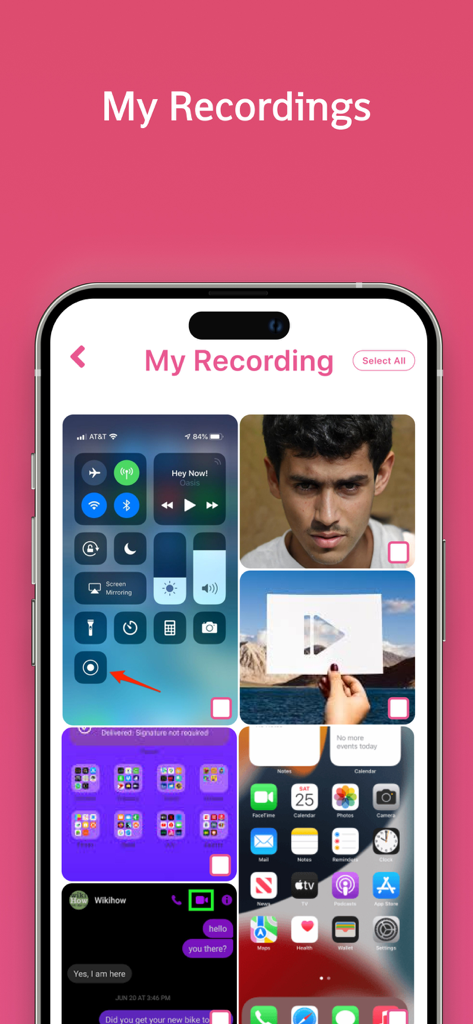
Screen Recorder - iRecorder - iRecorder app My Recordings screen showing a grid of saved screen captures and video recordings on an iPhone.

iRecorder app My Recordings screen showing a grid of saved screen captures and video recordings on an iPhone.

Description

iRecorder iRecorder is a powerful, free tool that lets you record your screen and customize your recordings with ease. Record anything on your iPhone or iPad, from games and tutorials to educational lectures and training videos, and edit them to perfection with just a few taps on your screen. Whether you're a gamer, educator, or content creator, iRecorder provides all the features you need without any subscription fees. Features -: Record Start Recording with a Tap: Begin recording your screen effortlessly with a single tap. Record Anything, Anytime: Capture apps, games, video tutorials, and more whenever you want. Save Directly to Gallery: Store your recordings in your device's gallery for easy access. Share/Export Videos: Share or export your videos to other apps via email, AirDrop, and more. Face Cam Add Your Reactions: Use Face Cam to include your reactions in your recordings. Personalize Reactions: Customize your reactions with different shapes and positions. React to Existing Videos: Add your reactions to videos already available on your device. Audio Commentary Exciting Commentary: Enhance your videos with fun and engaging audio commentary. Edit Your Video Add Subtitles: Include subtitles to make your videos more informative and accessible. Video Filters: Apply various filters to give your videos a unique look. Add Stickers/Emoji: Make your videos more entertaining with stickers and emojis. Video Trimmer: Trim your videos to keep only the best parts. Playback Speed Adjustment: Adjust the playback speed to create slow-motion or time-lapse effects. Why Choose iRecorder? Unlimited Flexibility and Maneuverability: iRecorder offers you the freedom to record and edit videos without any limitations. No Subscription Required: Enjoy all features for free, without any hidden fees or subscriptions. Ideal for All Users: Perfect for gamers, educators, content creators, and anyone who needs to record and edit videos on their iPhone or iPad. Seamless Integration: iRecorder integrates smoothly with your device, providing a user-friendly experience. How to Use iRecorder Start Recording: Open iRecorder and tap the record button to start capturing your screen. Add Reactions and Commentary: Use Face Cam to add your reactions and record audio commentary to enhance your videos. Edit Your Videos: Access the editing features to add subtitles, filters, stickers, and more. Trim your videos and adjust playback speed as needed. Save and Share: Save your edited videos to your gallery and share them with friends, family, or your audience via email, AirDrop, or social media. Download iRecorder Now! iRecorder is your go-to tool for recording and editing videos, games, educational tutorials, and more. With unlimited flexibility and no subscription fees, iRecorder gives your talent the wings to fly and make a mark in the digital world. Download iRecorder now and start creating amazing videos on your iPhone or iPad!

Download

Download on App Store

This page is not an official page of the app or its developer, but an independent editorial publication created for informational and commentary purposes. Unless expressly stated otherwise, neither the app nor its developer is affiliated with, endorsed by, sponsored by, authorized by, or otherwise officially connected with MWM, Apple, Google Play, the app publisher, or the app's developer, and nothing on this page implies that the app was developed using MWM's services. Any trademarks, logos, screenshots, and other content remain the property of their respective owners.