
This page is not an official page of the app or its developer, but an independent editorial publication created for informational and commentary purposes. Unless expressly stated otherwise, neither the app nor its developer is affiliated with, endorsed by, sponsored by, authorized by, or otherwise officially connected with MWM, Apple, Google Play, the app publisher, or the app's developer, and nothing on this page implies that the app was developed using MWM's services. Any trademarks, logos, screenshots, and other content remain the property of their respective owners.

Screen Recorder: Record Video
The ultimate all-in-one studio for creators, gamers, and students. Capture high-quality screen recordings with audio, then polish your content with built-in trim, speed control, and professional filters.
Downloads
0User Rating
Total Ratings
0Publisher
Category
UtilitiesLocales
1Latest Version
1.0Size
1.7 MBFirst Released
Jan 17, 2026Capture, Create, and Share in Seconds
The ultimate all-in-one screen recording toolkit designed for creators, gamers, and students who demand more than just a basic capture.
Pro Editing Suite Built-In
Skip the extra apps. Trim clips, adjust speed from 0.5x to 2.0x, and apply stylish filters to your recordings instantly.
Crystal Clear Audio & Video
Capture high-definition gameplay and tutorials with perfectly synced system sound and microphone audio for pro-level commentary.
Frequently Asked Questions
Everything you need to know about Screen Recorder: Record Video
Is Screen Recorder: Record Video free?
Yes, Screen Recorder: Record Video offers a free screen recording option. The app allows users to capture their screen without hassle.
Does Screen Recorder: Record Video capture audio?
Yes, Screen Recorder: Record Video captures both system sound and microphone audio clearly. This feature ensures comprehensive sound recording alongside video content.
Can Screen Recorder: Record Video record in the background?
Yes, Screen Recorder: Record Video functions as a background video recorder. It records video smoothly without interruptions, even when not actively in the foreground.
How do I trim videos in Screen Recorder: Record Video?
Screen Recorder: Record Video provides a 'Trim Video After Recording' feature. Users can instantly remove unwanted parts from their recordings using the dedicated trim function within the app.
What video editing features does Screen Recorder: Record Video offer?
Screen Recorder: Record Video offers trimming, video speed control, and the ability to add filters. It also includes video adjustments for brightness, contrast, and saturation, enhancing recorded content.
Does Screen Recorder: Record Video allow adjusting video playback speed?
Yes, Screen Recorder: Record Video includes a video speed control feature. Users can adjust playback speed from 0.5x to 2.0x after recording directly within the app's editing tools.
How much does Screen Recorder: Record Video cost?
Screen Recorder: Record Video offers a monthly plan for $1.99, a yearly plan for $19.99 with a 7-day free trial, and a lifetime purchase for $69.99.
Can I add filters to my recordings with Screen Recorder: Record Video?
Yes, Screen Recorder: Record Video allows users to add video filters. This feature enhances recordings with various stylish effects, available in the editing interface.
What types of content can I record with Screen Recorder: Record Video?
Screen Recorder: Record Video captures tutorials, gameplay, video calls, presentations, and online classes. It is suitable for creators, students, gamers, and professionals to record diverse screen activities easily.
Does Screen Recorder: Record Video support sharing recordings?
Yes, Screen Recorder: Record Video enables easy sharing of recordings. Users can save and share their captured videos conveniently to various social media platforms directly from the app.
The following screenshots and description are sourced directly from the app's official store listing and are the property of the app developer.
App Store
Screenshots
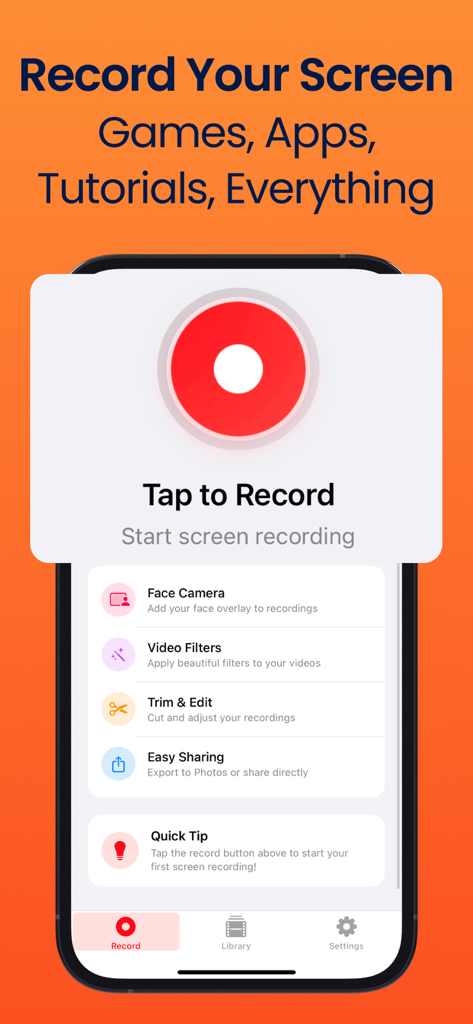
iPhone screen recorder app interface featuring a large red record button and editing tools like face camera and video filters.
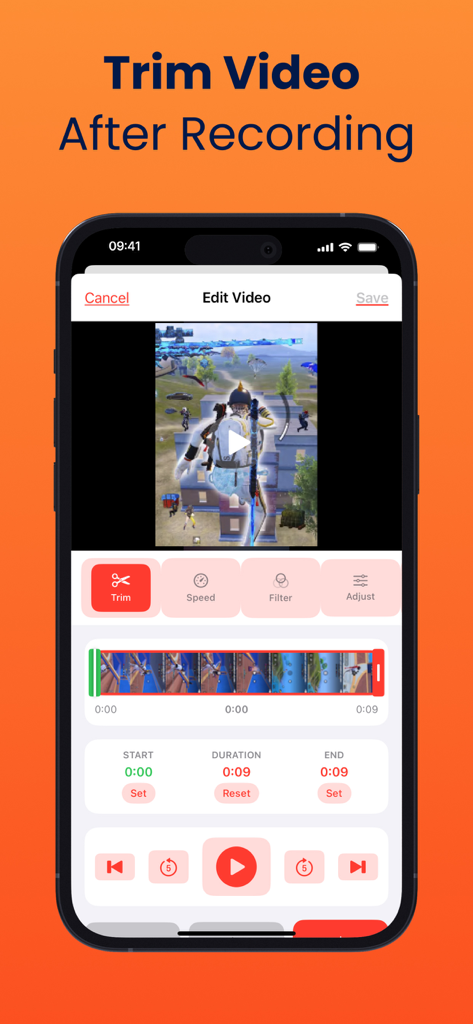
Interface of the Screen Recorder app showing the video trimming tool after recording gameplay
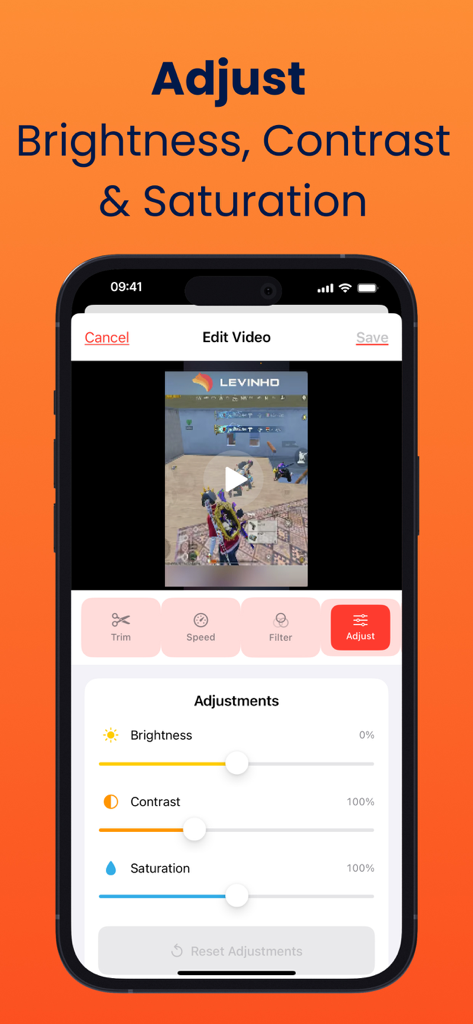
Mobile screen showing video editing adjustments for brightness contrast and saturation in the screen recorder app
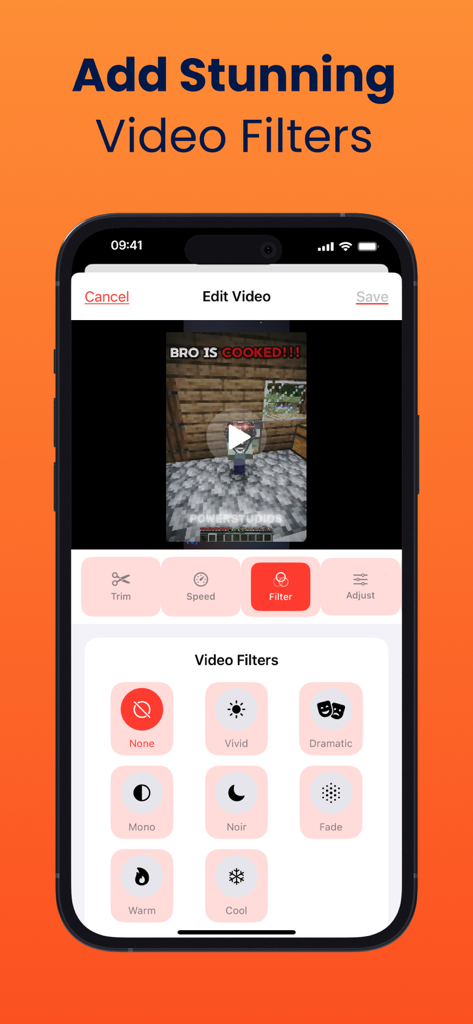
A mobile screen showing the video editing interface of a screen recorder app with options to apply filters like Vivid, Mono, and Noir to a gameplay recording.
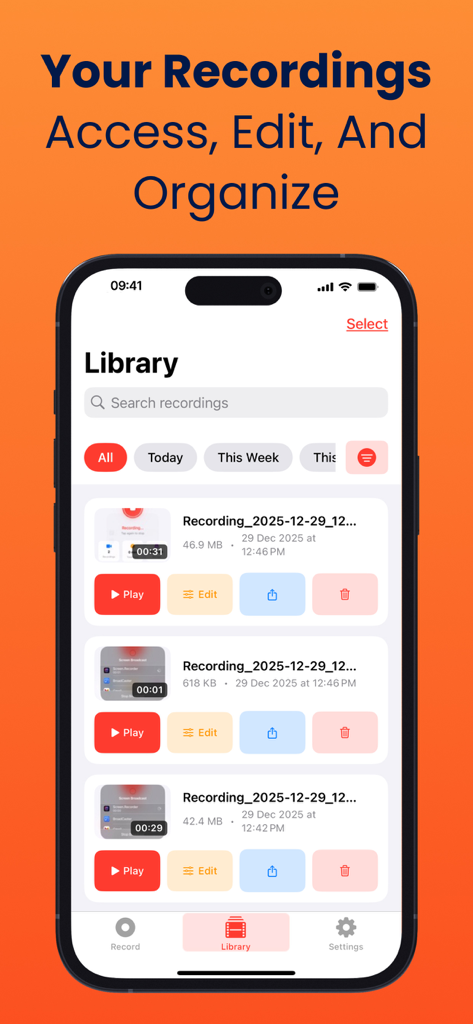
Screen recorder app library interface showing a list of recorded videos with options to play edit and share
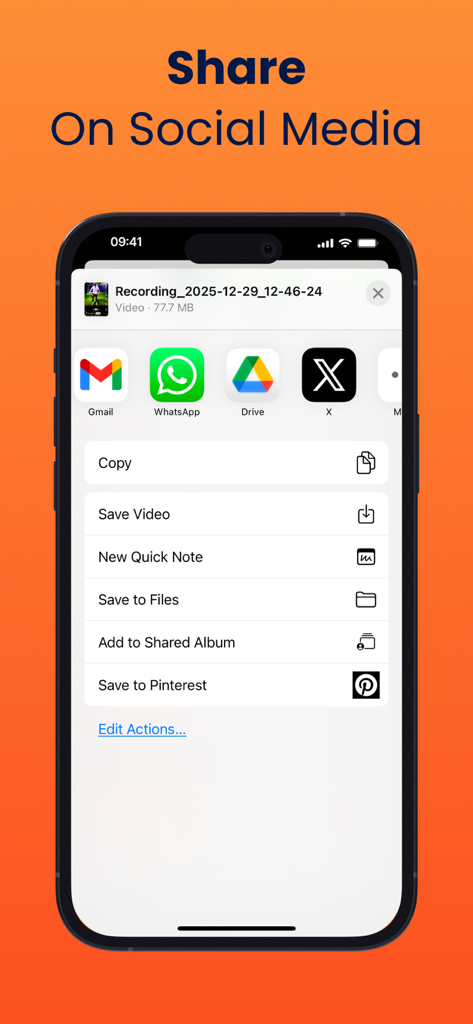
Mobile screen displaying social media sharing options for recorded videos
Description
Download
More Like This
Top-ranked apps in the same category

Google LLC

Google Chrome
Google LLC

中国移动(手机营业厅)
China Mobile Online Services Co., Ltd.

Google Authenticator
Google LLC

CNH do Brasil
Servicos e Informacoes do Brasil

Cleanup: Phone Storage Cleaner
DEEP FLOW SOFTWARE SERVICES - FZCO

gov.br
Servicos e Informacoes do Brasil

中国电信-全国统一官方服务平台
CHINA TELECOM Corporation Ltd.

Microsoft Edge: AI Browser
Microsoft Corporation
This page is not an official page of the app or its developer, but an independent editorial publication created for informational and commentary purposes. Unless expressly stated otherwise, neither the app nor its developer is affiliated with, endorsed by, sponsored by, authorized by, or otherwise officially connected with MWM, Apple, Google Play, the app publisher, or the app's developer, and nothing on this page implies that the app was developed using MWM's services. Any trademarks, logos, screenshots, and other content remain the property of their respective owners.