Screen Recorder,Screen Capture
Download on App Store

This page is not an official page of the app or its developer, but an independent editorial publication created for informational and commentary purposes. Unless expressly stated otherwise, neither the app nor its developer is affiliated with, endorsed by, sponsored by, authorized by, or otherwise officially connected with MWM, Apple, Google Play, the app publisher, or the app's developer, and nothing on this page implies that the app was developed using MWM's services. Any trademarks, logos, screenshots, and other content remain the property of their respective owners.

Logo of Screen Recorder,Screen Capture
Download on App Store

Screen Recorder,Screen Capture

Record high-definition gameplay, live stream to Twitch, and edit your content with professional tools in seconds. No ads, no limits—just seamless recording and sharing for the next generation of creators.

Key Figures

Downloads

111K+

User Rating

4.4/5

Total Ratings

3K+

Publisher

Maryam Derakhshesh

Category

Utilities

Locales

17

Latest Version

2.5

Size

19.3 MB

First Released

Apr 9, 2019
Features

Capture, Edit, and Share Like a Pro

The all-in-one, ad-free studio designed for the next generation of creators. Turn your screen recordings into high-quality content with zero interruptions.

Pro-Grade Gaming Capture

Record your most epic clutch moments in high resolution with one tap. No ads, no time limits, and optional microphone audio for perfect commentary.

Built-In Creative Studio

Skip the extra apps. Trim, crop, and speed up clips, or add custom text and stickers to make your videos viral-ready for TikTok and Instagram.

The following screenshots and description are sourced directly from the app's official store listing and are the property of the app developer.

App Store

Screenshots
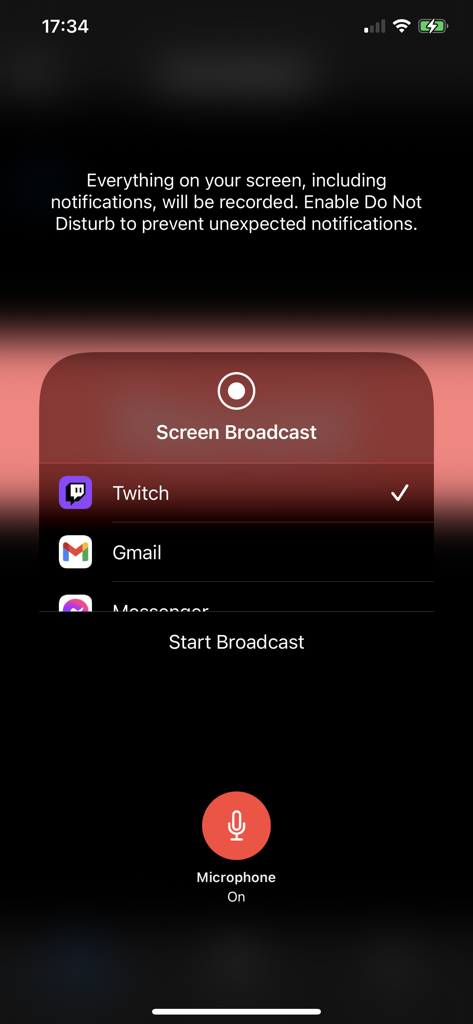
Screen Recorder,Screen Capture - iOS screen recorder interface showing broadcast options for Twitch and a microphone toggle
iOS screen recorder interface showing broadcast options for Twitch and a microphone toggle

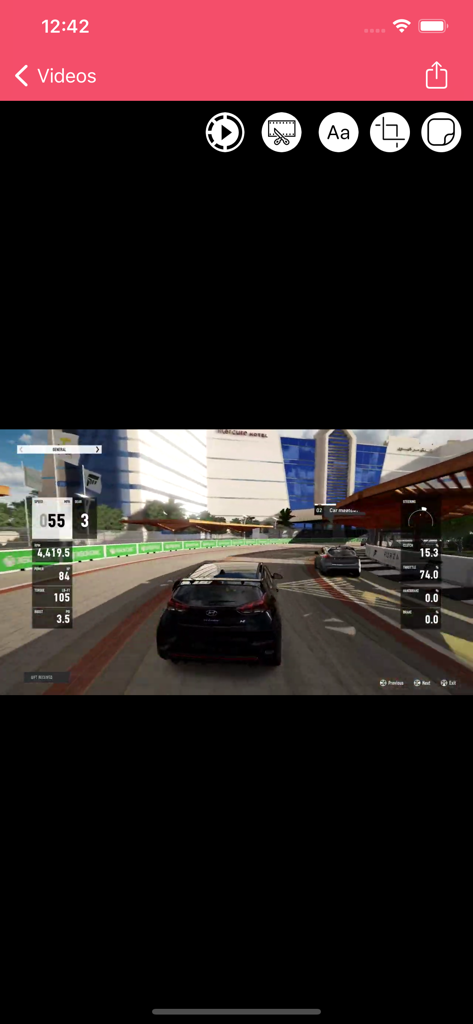
Screen Recorder,Screen Capture - Interface of the Screen Recorder app showing a racing game video with editing tools like trim, text, and crop
Interface of the Screen Recorder app showing a racing game video with editing tools like trim, text, and crop

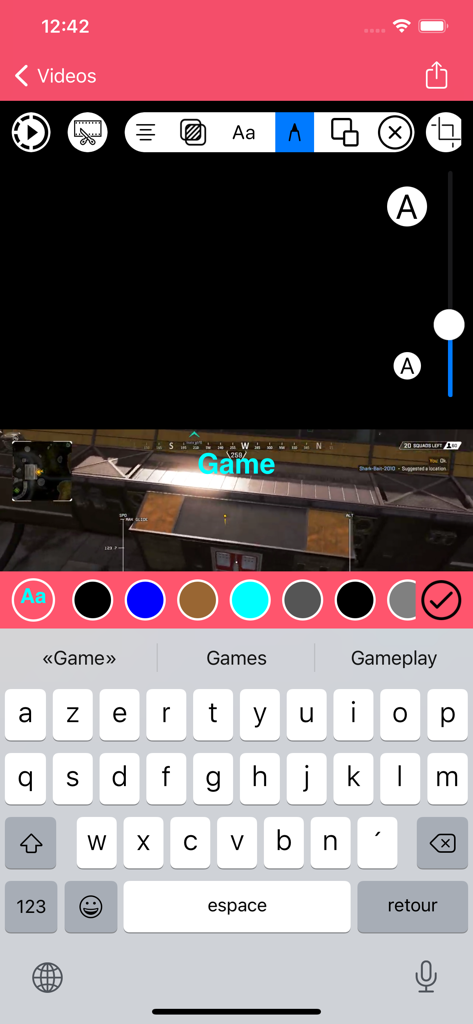
Screen Recorder,Screen Capture - Screen recorder app interface showing video editing with custom text overlay on a mobile game recording
Screen recorder app interface showing video editing with custom text overlay on a mobile game recording

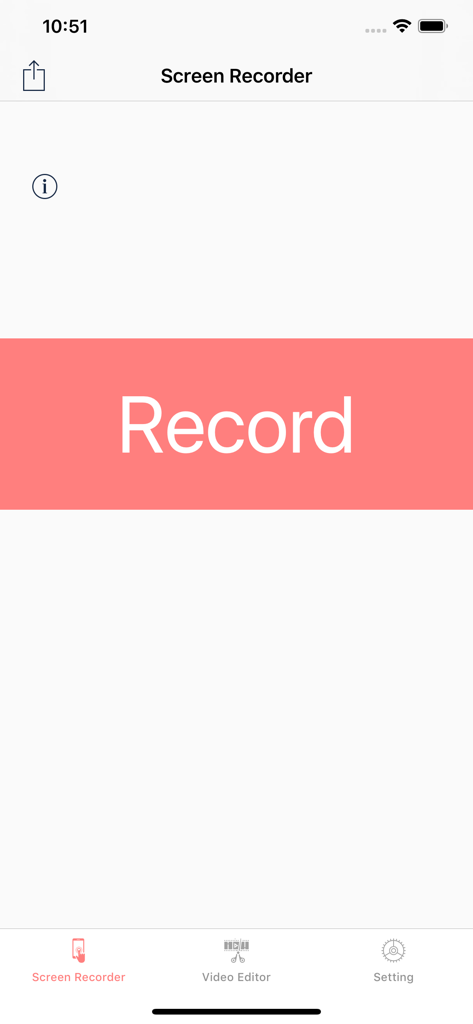
Screen Recorder,Screen Capture - Main user interface of the Screen Recorder app with a prominent record button and menu options for video editing and settings.
Main user interface of the Screen Recorder app with a prominent record button and menu options for video editing and settings.

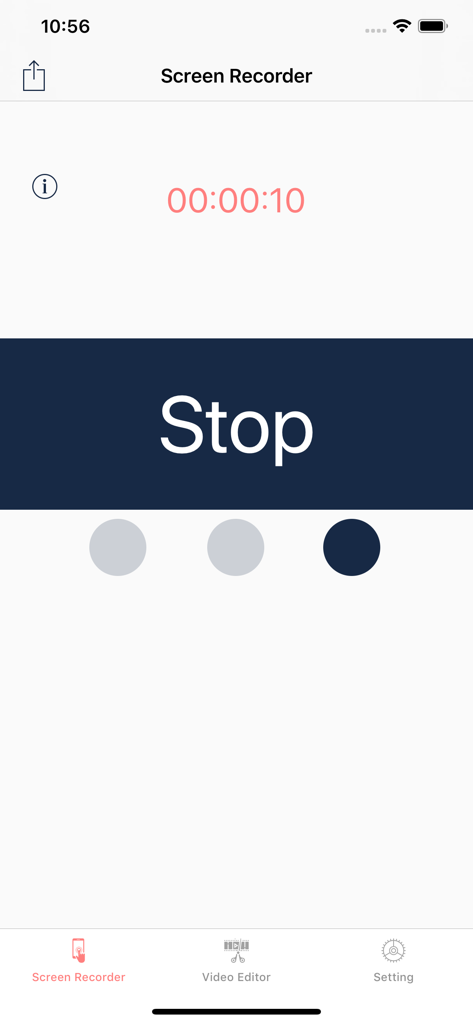
Screen Recorder,Screen Capture - Interface of the Screen Recorder app showing an active recording timer and a large stop button
Interface of the Screen Recorder app showing an active recording timer and a large stop button

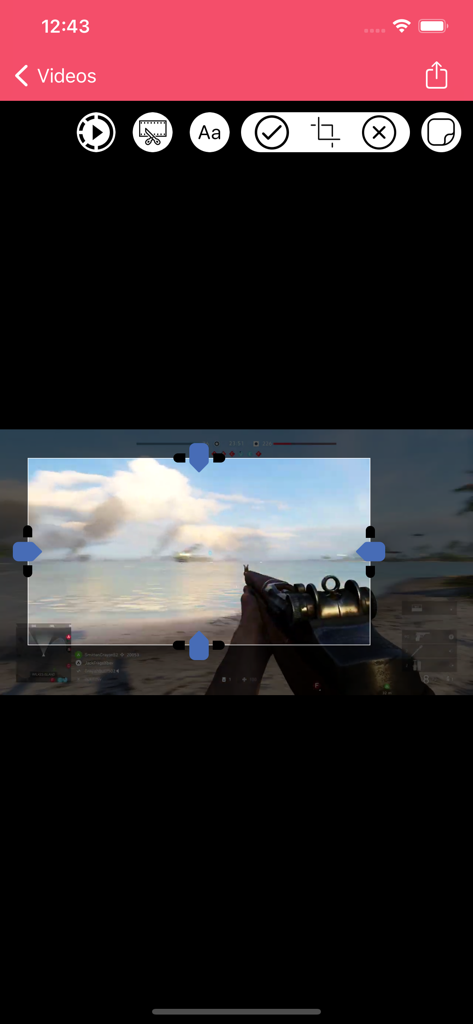
Screen Recorder,Screen Capture - Mobile screen recording app interface for cropping game footage
Mobile screen recording app interface for cropping game footage

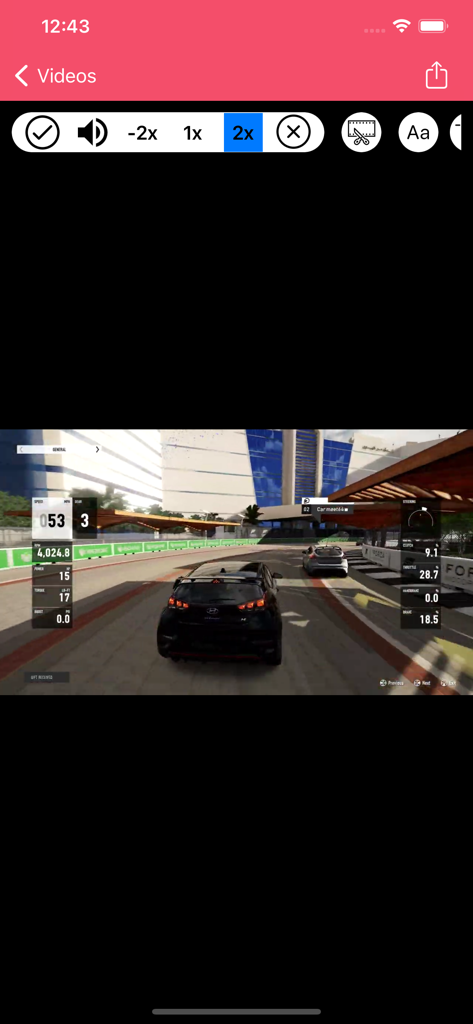
Screen Recorder,Screen Capture - Screen recorder app interface editing a car racing game with speed controls
Screen recorder app interface editing a car racing game with speed controls

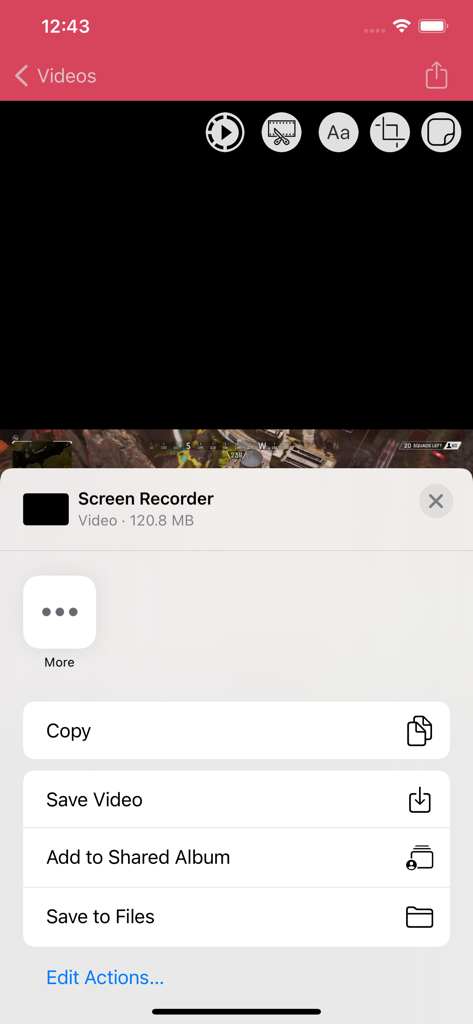
Screen Recorder,Screen Capture - iOS share menu in a screen recorder app with options to save video or copy file
iOS share menu in a screen recorder app with options to save video or copy file

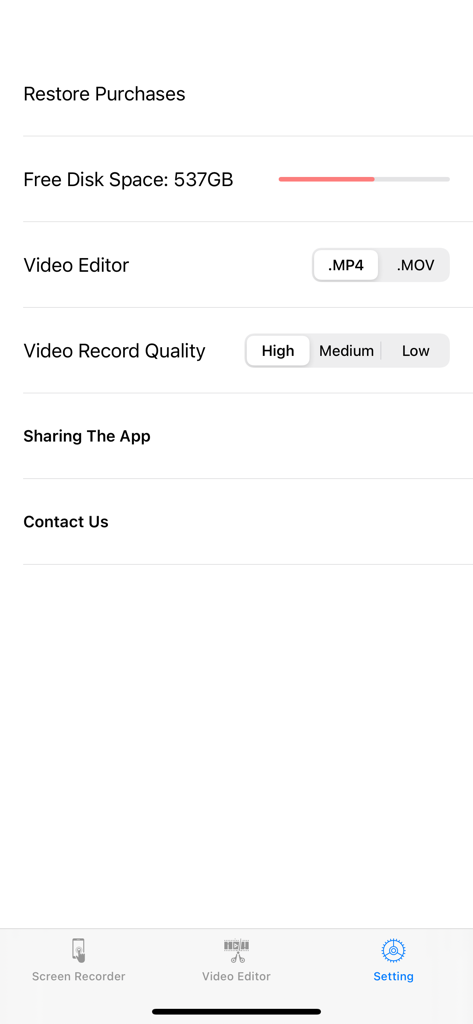
Screen Recorder,Screen Capture - Settings page of the Screen Recorder app displaying video quality and file format options

Settings page of the Screen Recorder app displaying video quality and file format options

Description

+Screen Recorder App .Game Recorder
 .App to record devices screen
 .One tap to start full screen recording of your device
 .One tap to stop screen recording .Unlimited recording
 .Screen recorder gives you an accurate timer
 .Friendly user interface .It is easy to share recorded video .No matter what your device is busy with. this app records everything
.From your screen (game , video, instagram ,...) .No Ads included .Screen Recorder ( Screen capture ) includes Setting Part .Screen Recorder ( Screen capture ) includes Help Part .Universal App (iPhone & iPad )
 .Recording in the background AirPlay®
 .Auto File Naming
.Displays File Sizes
 .You can give it access to camera roll for editing and playing your videos +Microphone .It is optional to let it adding microphone sound to your recording (Turn microphone sound ON or OFF)
. +3D Touch .it supports 3D Touch for easy navigation .Video Format .Add video recording
 .Save recorded HQ Video with .MP4 and .MOV format .Share button gives you the chance to share recorded videos with iMessage email ,iCloud & almost every social media you can Archive recorded videos in iCloud
 +Add Texts On Videos
 .Change Font Style .Change Font Colour
 .Change Alignment .Change Background Colour
 .Change Text Transparency

 +Add Stickers On Videos

 +VIDEO EDITOR 
 .Trim your video (Change the length of videos)
 .Crop recorded videos (Change the scene) 
 .Change Speed Video Fast & slow (Slow motion)
 .Share edited video is easy
Save Edited Video with .MP4 and .MOV format in Camera roll +Live Stream and Recorder Screen 
 .Live stream : from Skype , Messenger and Twitch , Mobcrush , Periscope .Record Screen from Skype , Messenger and Twitch , Mobcrush , Periscope
 Subscription pricing and terms: ALL ACCESS $7.49 per 3 months (Billed 3 Months after 3-day Free trial is over) ---- ALL ACCESS $20.99 per year (Billed yearly after 3-day Free trial is over) In 12 month subscription priced at $1.62 Save 54% This price is for United States customers. Pricing in other countries may vary, actual charges may be converted to your local currency depending on the country of residence. https://vidiaweb.com/privacy_screenrecordervideoeditor.htmlYour subscription automatically renews unless auto-renew is turned off at least 24-hours before the end of the current period. Your credit card will be charged through your iTunes account. You can turn off auto-renew at any time from your iTunes Account Settings but refunds will not be provided for any unused portion of the term. Alternatively, there is a "Manage Subscription" menu option in the App Settings menu. Payment will be charged to iTunes Account at confirmation of purchase. Any unused portion of a free trial period will be forfeited when you purchase a subscription. https://vidiaweb.com/privacy_screenrecordervideoeditor.html https://vidiaweb.com/terms_screenrecordervideoeditor.html


Download

Download on App Store

This page is not an official page of the app or its developer, but an independent editorial publication created for informational and commentary purposes. Unless expressly stated otherwise, neither the app nor its developer is affiliated with, endorsed by, sponsored by, authorized by, or otherwise officially connected with MWM, Apple, Google Play, the app publisher, or the app's developer, and nothing on this page implies that the app was developed using MWM's services. Any trademarks, logos, screenshots, and other content remain the property of their respective owners.








