
This page is not an official page of the app or its developer, but an independent editorial publication created for informational and commentary purposes. Unless expressly stated otherwise, neither the app nor its developer is affiliated with, endorsed by, sponsored by, authorized by, or otherwise officially connected with MWM, Apple, Google Play, the app publisher, or the app's developer, and nothing on this page implies that the app was developed using MWM's services. Any trademarks, logos, screenshots, and other content remain the property of their respective owners.


Scrivener Companion - Scrivo 3
The ultimate workspace for serious writers. Seamlessly sync Scrivener projects, organize complex research, and write distraction-free—wherever inspiration strikes.
Downloads
256K+User Rating
Total Ratings
800Publisher
Category
ProductivityLocales
10Latest Version
8.1.2Size
282.1 MBFirst Released
Dec 22, 2015The Ultimate Mobile Studio for Serious Writers
Transform your iPad and iPhone into a professional writing workspace that perfectly mirrors your desktop Scrivener environment.
Seamless Scrivener Integration
Access your full binder, cork-board, and index cards on the go with flawless iCloud and Dropbox syncing that keeps your manuscript updated across all devices.
Distraction-Free Deep Work
Enter your flow state with Typewriter Mode and Night Mode, designed to eliminate digital noise and keep your current paragraph at the center of your focus.
Frequently Asked Questions
Everything you need to know about Scrivener Companion - Scrivo 3
What is Scrivo Pro?
Scrivo Pro is an innovative writing and editing app designed for iOS devices. It functions as a comprehensive writing workspace, enabling users to organize writing, conduct research, and generate ideas in a distraction-free environment.
Is Scrivo Pro compatible with Scrivener projects?
Yes, Scrivo Pro is fully compatible with Scrivener 2 and Scrivener 3. It allows users to open Scrivener projects, including binders and cork-boards, and seamlessly sync them via iCloud or Dropbox.
Can I use Scrivo Pro offline?
Yes, Scrivo Pro can be used without an internet connection as a standalone writing application. This feature allows users to write anywhere, even when offline.
What formatting options does Scrivo Pro provide?
Scrivo Pro offers extensive formatting options including rich text format (RTF) and advanced Markdown (MD). Features include highlighting, strikethrough, subscript/superscript, alignment, line spacing, and custom text/paper colors.
How does Scrivo Pro organize writing projects?
Scrivo Pro helps organize work into unlimited notebooks, folders, and subfolders. Users can create projects with a tree-like structure for sections, drafts, chapters, and research, and utilize full-text search.
Does Scrivo Pro offer security features for documents?
Yes, Scrivo Pro includes security features to protect user work. It offers an app security passcode, the ability to protect individual folders or projects with passcodes, and automatic backups.
Which document formats can Scrivo Pro export?
Yes, Scrivo Pro supports exporting documents to various formats such as RTF, Markdown, PDF, ePub, HTML, RTFD, and TXT. Users can also share and print their documents.
What research tools are available in Scrivo Pro?
Scrivo Pro includes a full PDF reader and manager, an eBook (ePub) reader, and the ability to scan documents to PDF using the device camera. It also supports split-screen multitasking for research.
The following screenshots and description are sourced directly from the app's official store listing and are the property of the app developer.
App Store
Screenshots
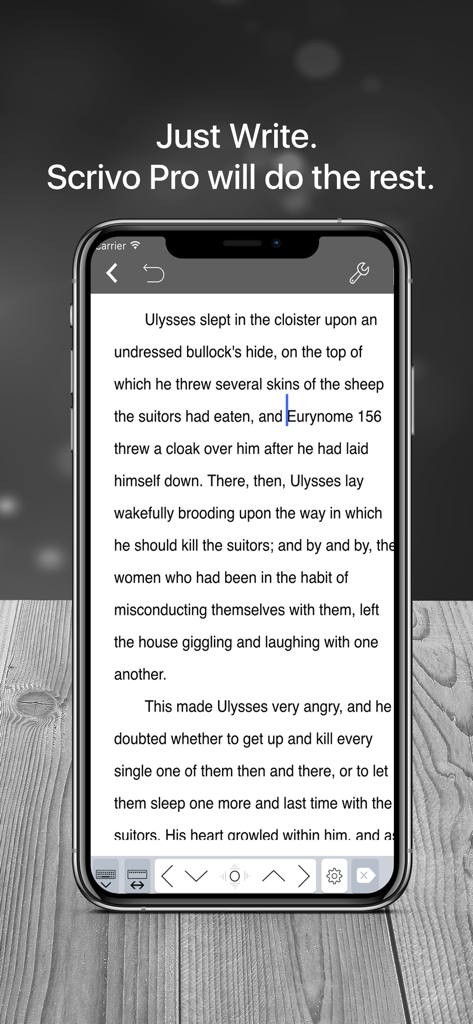
Scrivo 3 distraction-free writing interface on an iPhone
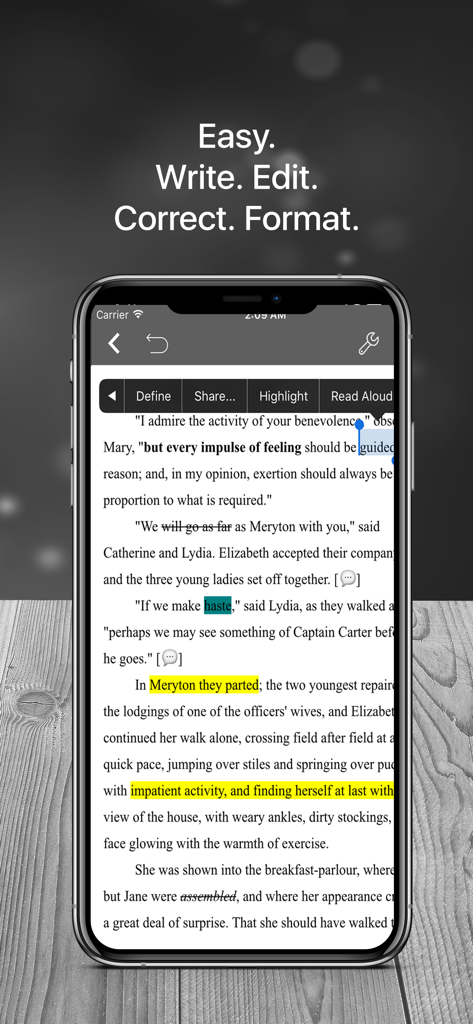
Scrivo 3 mobile interface on an iPhone displaying text editing and formatting tools
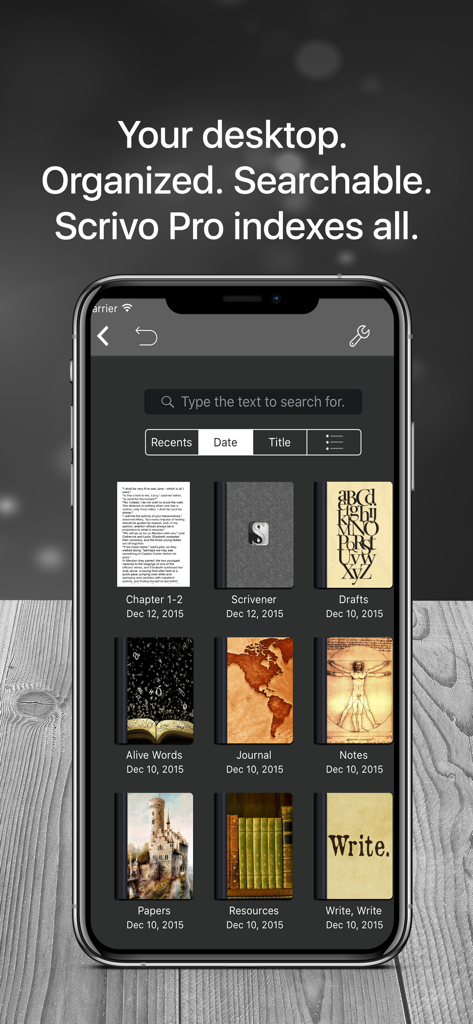
Scrivo 3 mobile app interface showing a searchable library of organized writing projects and notebooks
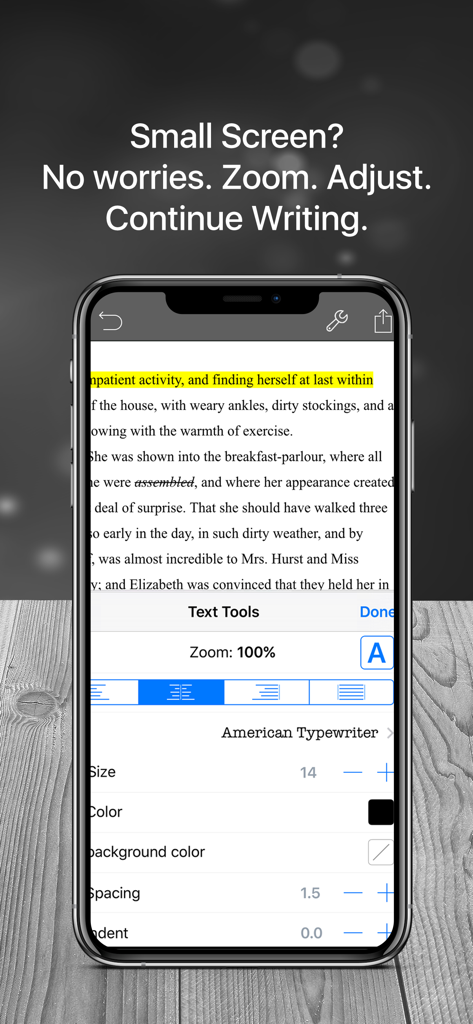
Scrivo 3 app on iPhone showing text formatting options including zoom font size and alignment for writers
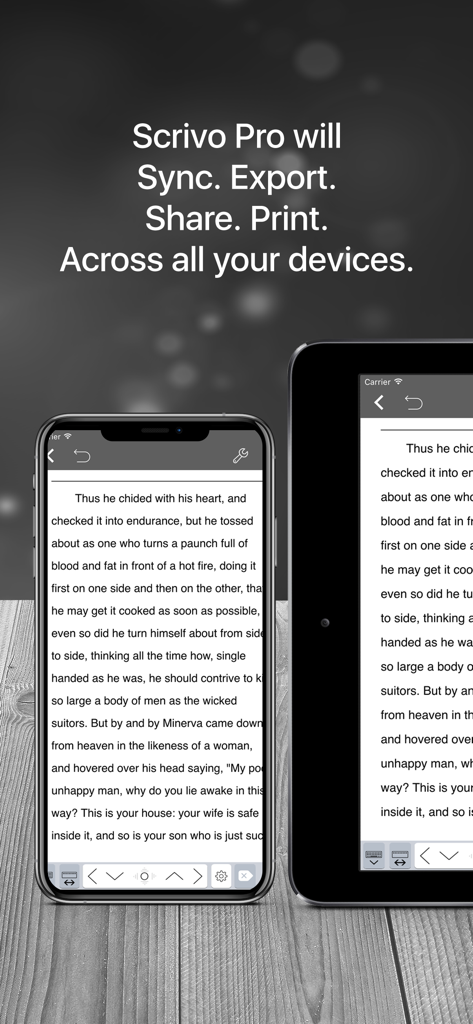
Scrivo 3 writing app displayed on iPhone and iPad showing seamless synchronization of a manuscript across devices
Description
Download
More Like This
Top-ranked apps in the same category

ChatGPT
OpenAI OpCo, LLC

Google Gemini
Google LLC

Grok
X.AI Corporation

Gmail - Email by Google
Google LLC

千问 - 阿里最强大模型官方AI助手
Shanghai Zhixin Puhui Technology Co., Ltd.

Google Drive
Google LLC

Microsoft Authenticator
Microsoft Corporation

Google Sheets
Google LLC

Google Docs
Google LLC
This page is not an official page of the app or its developer, but an independent editorial publication created for informational and commentary purposes. Unless expressly stated otherwise, neither the app nor its developer is affiliated with, endorsed by, sponsored by, authorized by, or otherwise officially connected with MWM, Apple, Google Play, the app publisher, or the app's developer, and nothing on this page implies that the app was developed using MWM's services. Any trademarks, logos, screenshots, and other content remain the property of their respective owners.