
This page is not an official page of the app or its developer, but an independent editorial publication created for informational and commentary purposes. Unless expressly stated otherwise, neither the app nor its developer is affiliated with, endorsed by, sponsored by, authorized by, or otherwise officially connected with MWM, Apple, Google Play, the app publisher, or the app's developer, and nothing on this page implies that the app was developed using MWM's services. Any trademarks, logos, screenshots, and other content remain the property of their respective owners.

Sew Awesome 2
The all-in-one digital assistant for modern makers. Effortlessly track your fabrics, patterns, and notions, access professional reference charts, and never double-buy supplies again.
Downloads
500User Rating
Total Ratings
0Publisher
Category
UtilitiesLocales
1Latest Version
2.3.0Size
74.4 MBFirst Released
Oct 5, 2020Master Your Sewing Stash
Stop double-buying fabric and losing track of your projects. Sew Awesome 2 turns your sewing room into a searchable, professional-grade digital inventory.
Eliminate Store Amnesia
Track your fabrics, threads, and notions in the cloud. Check your inventory from the fabric store aisle and never buy the same zipper twice.
Your Mobile Reference Library
Access needle size converters, yardage charts, and button scales instantly. All the technical data you need is right at your fingertips.
Frequently Asked Questions
Everything you need to know about Sew Awesome 2
What can Sew Awesome 2 track?
Sew Awesome 2 tracks sewing accessories like fabrics, machines, threads, patterns, needles, buttons, and measurements. It stores detailed information for each item.
Does Sew Awesome 2 store data in the cloud?
Yes, Sew Awesome 2 stores all user data in the cloud. This ensures data availability across multiple devices for convenience.
Can I add images to items in Sew Awesome 2?
Yes, Pro users of Sew Awesome 2 can add pictures and PDFs to each tracked item. This feature is exclusive to Pro accounts.
What reference charts are available in Sew Awesome 2?
Sew Awesome 2 includes reference charts for sewing machine diagrams, needle types, needle size converters, button sizes, and fabric yardage.
Can I add custom charts in Sew Awesome 2?
Yes, Pro users of Sew Awesome 2 can upload custom charts. This functionality requires a Pro subscription.
What tools does Sew Awesome 2 provide?
Sew Awesome 2 provides a ruler and a flashlight tool. These tools are designed for use on the go.
Does Sew Awesome 2 include sewing terminology?
Yes, Sew Awesome 2 includes a reference section with commonly used sewing terminology and definitions.
What details can Sew Awesome 2 track for fabric?
Sew Awesome 2 tracks fabric details such as name, status (owned/not owned), material, brand, width, yardage, contents (e.g., polyester), stretch, and care information.
Where can I find the Privacy Policy for Sew Awesome 2?
The Privacy Policy for Sew Awesome 2 is available at http://www.colorworkapps.com/privacypolicy.html.
Where can I join the community for Sew Awesome 2?
Users can join the Sew Awesome 2 Facebook Group at https://www.facebook.com/groups/654693952089514 to provide suggestions and requirements.
The following screenshots and description are sourced directly from the app's official store listing and are the property of the app developer.
App Store
Screenshots
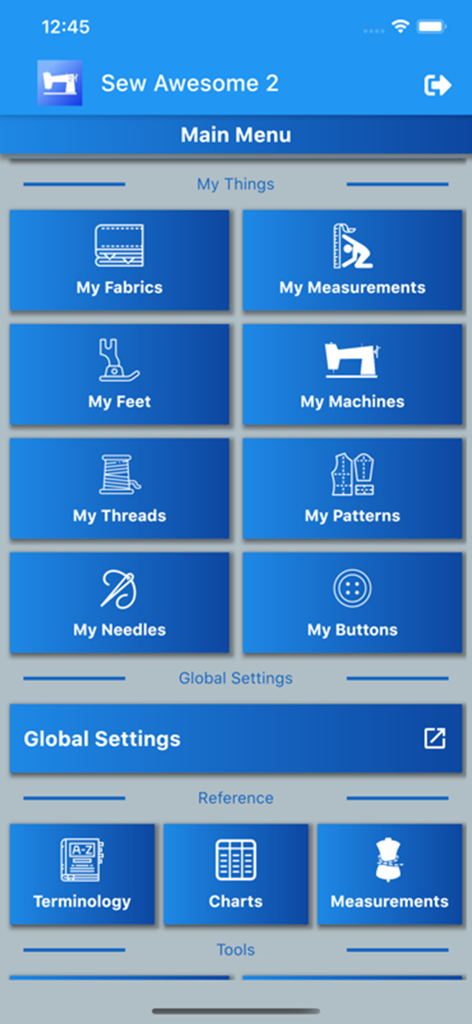
Main menu of the Sew Awesome 2 app displaying sewing inventory categories for fabrics threads and patterns.
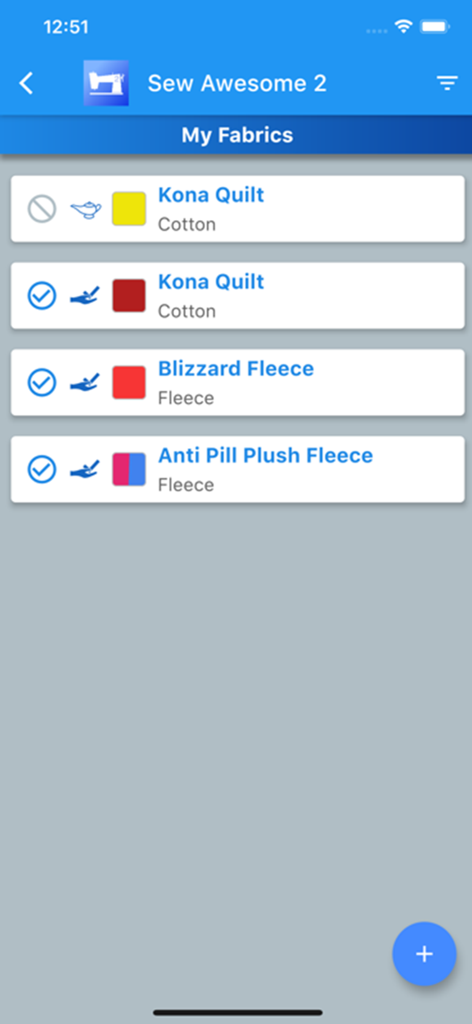
Sew Awesome 2 app screen showing a digital inventory list of different fabrics like cotton and fleece.
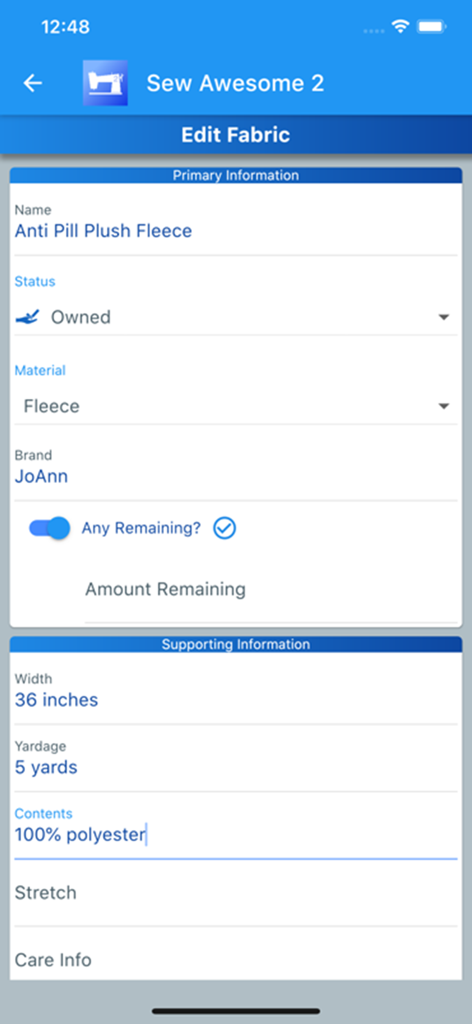
The edit fabric screen in the Sew Awesome 2 app showing inventory details for a fleece material.
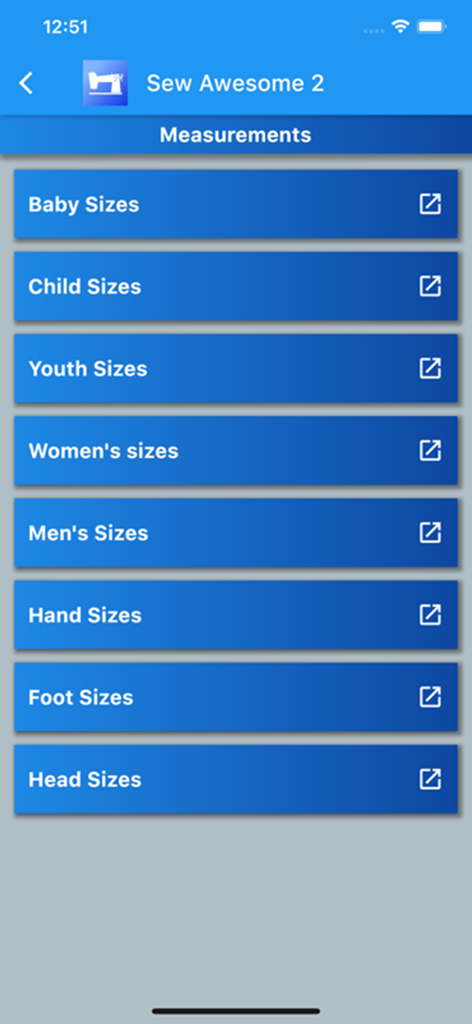
Sew Awesome 2 app screen showing a list of sewing measurement categories for various ages and body parts
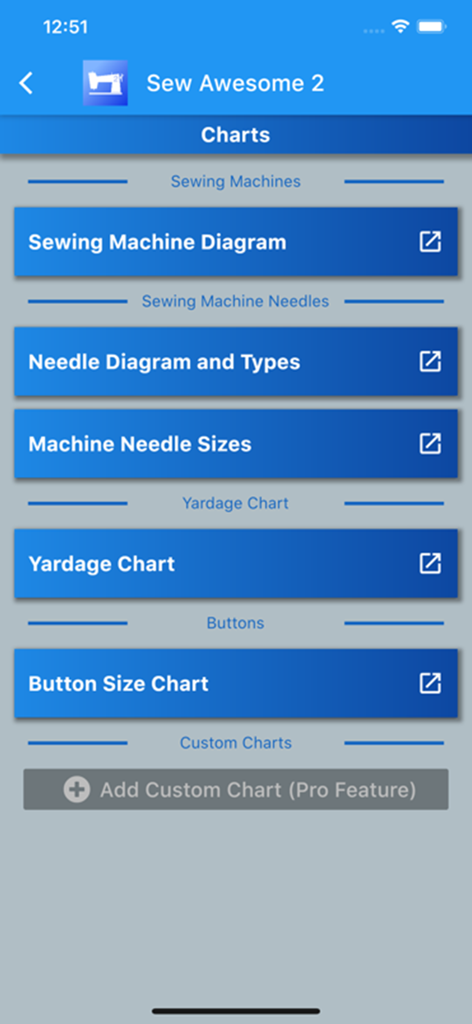
Sew Awesome 2 app screen showing sewing reference charts for needles yardage and button sizes
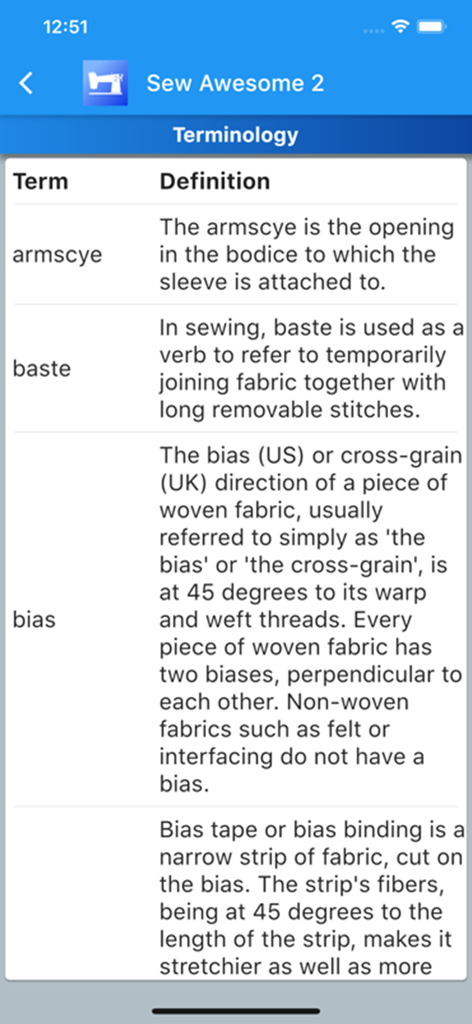
A screenshot of the Sew Awesome 2 app showing a glossary of sewing terminology with definitions for terms like armscye baste and bias
Description
Download
More Like This
Top-ranked apps in the same category

Google LLC

Google Chrome
Google LLC

中国移动(手机营业厅)
China Mobile Online Services Co., Ltd.

Google Authenticator
Google LLC

CNH do Brasil
Servicos e Informacoes do Brasil

Cleanup: Phone Storage Cleaner
DEEP FLOW SOFTWARE SERVICES - FZCO

gov.br
Servicos e Informacoes do Brasil

中国电信-全国统一官方服务平台
CHINA TELECOM Corporation Ltd.

Microsoft Edge: AI Browser
Microsoft Corporation
This page is not an official page of the app or its developer, but an independent editorial publication created for informational and commentary purposes. Unless expressly stated otherwise, neither the app nor its developer is affiliated with, endorsed by, sponsored by, authorized by, or otherwise officially connected with MWM, Apple, Google Play, the app publisher, or the app's developer, and nothing on this page implies that the app was developed using MWM's services. Any trademarks, logos, screenshots, and other content remain the property of their respective owners.