Share Go Mobile Data Transfer
Download on App Store

This page is not an official page of the app or its developer, but an independent editorial publication created for informational and commentary purposes. Unless expressly stated otherwise, neither the app nor its developer is affiliated with, endorsed by, sponsored by, authorized by, or otherwise officially connected with MWM, Apple, Google Play, the app publisher, or the app's developer, and nothing on this page implies that the app was developed using MWM's services. Any trademarks, logos, screenshots, and other content remain the property of their respective owners.


Logo of Share Go Mobile Data Transfer
Download on App Store

Share Go Mobile Data Transfer

The ultimate wireless bridge for your photos, videos, and files. Move data between iOS, other platforms, and the web in minutes—no cables, no compression, and no cloud storage limits.

Key Figures

Downloads

0

User Rating

1.0/5

Total Ratings

0

Publisher

Pulsebyte Studios Inc.

Category

Utilities

Locales

10

Latest Version

1.6

Size

102.8 MB

First Released

Oct 25, 2024
Features

Effortless Data Freedom

Move your photos, videos, and files between any device in seconds. No cables, no quality loss, and no cloud subscriptions required.

Universal Sharing

Break the "green bubble" barrier. Send high-resolution media between iOS and Android without the compression of standard text messages.

Instant Device Migration

Upgrading to a new phone? Securely transfer your entire library of memories and contacts in minutes with a single, wireless tap.

The following screenshots and description are sourced directly from the app's official store listing and are the property of the app developer.

App Store

Screenshots
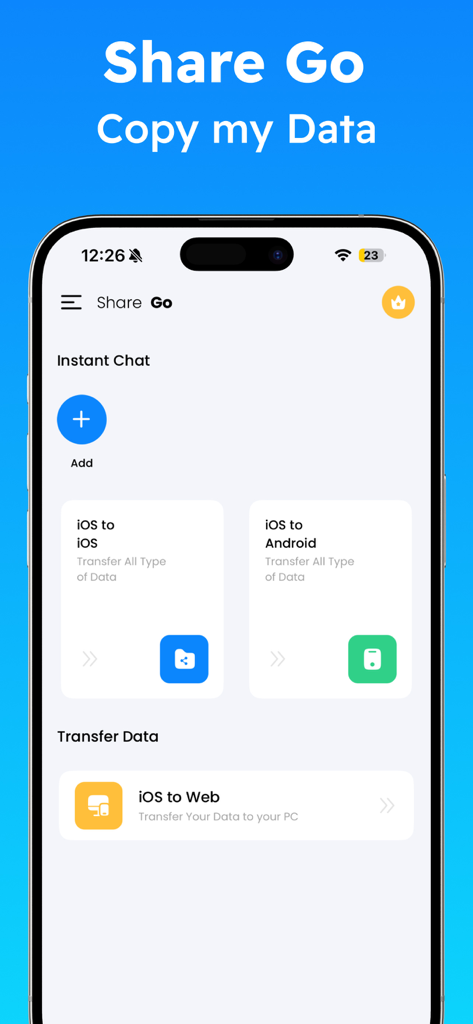
Share Go Mobile Data Transfer - Main interface of the Share Go app showing options for iOS to Android and Web data transfer
Main interface of the Share Go app showing options for iOS to Android and Web data transfer

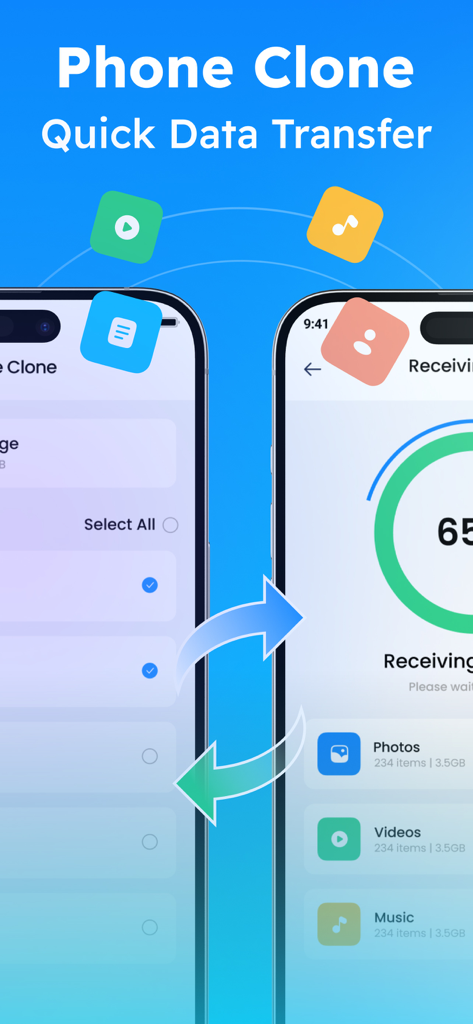
Share Go Mobile Data Transfer - Interface showing wireless data transfer between two smartphones with icons for photos and videos

Interface showing wireless data transfer between two smartphones with icons for photos and videos
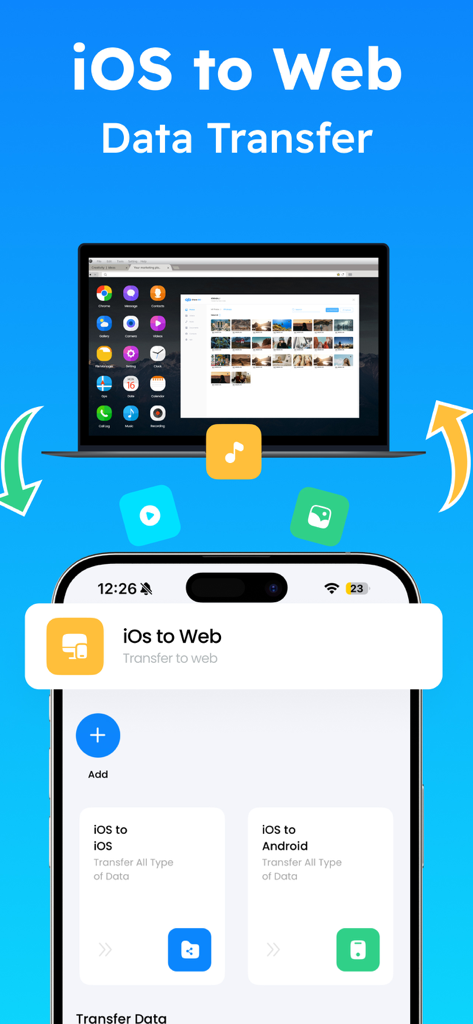
Share Go Mobile Data Transfer - Share Go app screen showing iOS to Web data transfer from iPhone to laptop
Share Go app screen showing iOS to Web data transfer from iPhone to laptop

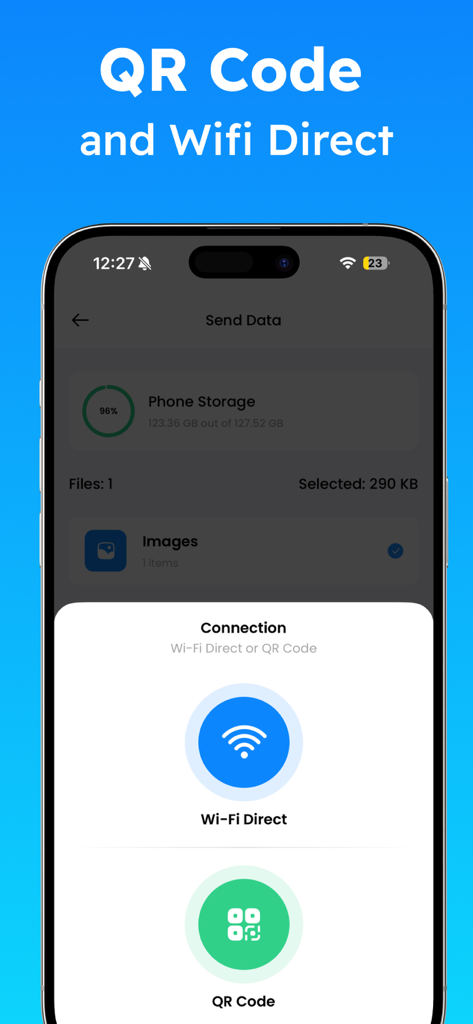
Share Go Mobile Data Transfer - Share Go app interface showing Wi-Fi Direct and QR code options for wireless data transfer

Share Go app interface showing Wi-Fi Direct and QR code options for wireless data transfer

Description

ShareGo – Smart & Secure Data Transfer Switch devices in minutes. ShareGo makes wireless data transfer fast, secure, and effortless. Move photos, videos, contacts, and files between iPhone, other devices, or web platforms without cables or complications. Upgrading to a new phone? Sharing memories with friends? ShareGo ensures smooth, one-tap content transfer with reliable speed and privacy. Experience seamless phone-to-phone data sharing designed for simplicity and performance. Features of the Share Go iOS Mobile Data Transfer App: 1. iOS to iOS Data Transfer: The Share Go Phone Transfer app enables seamless data transfer between iOS devices. Whether you’re upgrading to a new iPhone or sharing content with another iOS user, you can easily transfer photos, videos, files, and other data without any hassle. 2. iOS to other devices Data Transfer: With the Share Go Data Transfer App, you can transfer data from your iOS device to an other devices device. The ShareGo iOS to other devices Data Transfer app supports easy cross-platform data sharing, making it easy share when data switching between iOS to other devices Data Transfer. 3. iOS to Web Transfer: Need to transfer data to the web? The Share Go Web Data Transfer app also supports iOS to web data share. Effortlessly move your files from your iPhone to web transfer, ensuring easy access from any device. 4. Instant Chat with Friends: the instant chat feature built into the Share Go Mobile Transfer app. Chat in real-time, share updates, and exchange files instantly while transferring data. It's the perfect way to stay in touch during your data transfer. 5. Smart File Transfer & iOS to iOS Data Transfer: Use the Share Go mobile transfer app to easily move documents, audio, photos, and videos between your devices in just a few taps. Select the files you want to transfer and move all your mobile data from other devices to iOS Transfer. Whether it's iOS to iOS transfer or between other platforms, Share Go provides an effortless way to move iOS data, helping you enjoy a new level of efficiency. How to Use the Share Go Smart Mobile Switch Data App: • Go to the App Store on both devices. Search for the Share Go Mobile Data Transfer App and download it. • Open the app on both devices. • Select whether you want to transfer data from the old device to the new one. • Follow the instructions provided by the app to connect both devices. This may involve using Wi-Fi or scanning a QR code. • Once the devices are connected, choose the types of data you want to transfer (e.g., photos, videos, files, and audio). • The transfer time will depend on the amount of data being moved. Share Go Mobile Data Transfer App The Share Go Mobile Data Transfer app is a powerful tool for seamlessly transferring data between iOS to iOS, iOS to other devices, and iOS to Web Transfer. The Share Go Mobile Data Sharing App is compatible with iPhone, other devices, and iOS to PC data transfers. Try it today and enjoy a smoother, more efficient way to transfer your data! Privacy policy: https://pulsebytestudios.com/privacypolicy/ Term of use: https://pulsebytestudios.com/termsandconditions/

Download

Download on App Store

This page is not an official page of the app or its developer, but an independent editorial publication created for informational and commentary purposes. Unless expressly stated otherwise, neither the app nor its developer is affiliated with, endorsed by, sponsored by, authorized by, or otherwise officially connected with MWM, Apple, Google Play, the app publisher, or the app's developer, and nothing on this page implies that the app was developed using MWM's services. Any trademarks, logos, screenshots, and other content remain the property of their respective owners.








