
This page is not an official page of the app or its developer, but an independent editorial publication created for informational and commentary purposes. Unless expressly stated otherwise, neither the app nor its developer is affiliated with, endorsed by, sponsored by, authorized by, or otherwise officially connected with MWM, Apple, Google Play, the app publisher, or the app's developer, and nothing on this page implies that the app was developed using MWM's services. Any trademarks, logos, screenshots, and other content remain the property of their respective owners.

Shift Cal - CuadraTurnos PRO
The ultimate professional tool for shift workers. Effortlessly manage rotating patterns, track overtime, and synchronize schedules with family and coworkers in one intuitive, ad-free app.
Downloads
66K+User Rating
Total Ratings
200Publisher
Category
ProductivityLocales
2Latest Version
2.31Size
37.1 MBFirst Released
Nov 10, 2015Master Your Schedule, Reclaim Your Time
Designed for the complex lives of shift workers. Automate your rotating calendar, coordinate with family, and track your overtime with precision.
One-Tap Pattern Generation
Stop wasting time on manual entries. Set your work rotation once and generate your entire year's schedule in seconds.
Multi-Profile Comparison
Sync your life with others. Create profiles for family or coworkers to compare calendars and instantly find your shared days off.
Frequently Asked Questions
Everything you need to know about Shift Cal - CuadraTurnos PRO
What languages does Shift Cal - CuadraTurnos PRO support?
Yes, Shift Cal - CuadraTurnos PRO supports both English and Spanish languages, as specified in its description.
How do I generate a work calendar in Shift Cal - CuadraTurnos PRO?
Yes, Shift Cal - CuadraTurnos PRO allows you to create your work calendar. Access the 'Settings' tab, click 'Generate work calendar', and then set up a pattern.
Can I set multiple shifts per day in Shift Cal - CuadraTurnos PRO?
Yes, Shift Cal - CuadraTurnos PRO allows setting up to 3 shifts per day. This feature is available in the PRO version of the app.
Can I customize shift types in Shift Cal - CuadraTurnos PRO?
Yes, Shift Cal - CuadraTurnos PRO enables you to create and modify all types of day you need. This function is accessible from the 'Shifts' option in the 'Settings' tab.
Can Shift Cal - CuadraTurnos PRO manage multiple work calendars for different profiles?
Yes, Shift Cal - CuadraTurnos PRO (PRO version) allows creating multiple work calendars for various profiles. These profiles manage shifts, patterns, and notes independently.
What kind of statistics does Shift Cal - CuadraTurnos PRO offer?
Yes, Shift Cal - CuadraTurnos PRO provides statistics for workdays, hours worked, and overtime. These details are found in the 'COUNTERS' tab.
Does Shift Cal - CuadraTurnos PRO track shift changes?
Yes, Shift Cal - CuadraTurnos PRO allows recording shift changes and identifying the partner involved. The calendar displays an icon for days with changes, and details are in the 'CHANGES' tab.
Can I add notes and set notifications in Shift Cal - CuadraTurnos PRO?
Yes, Shift Cal - CuadraTurnos PRO allows you to write notes for each day. The PRO version also offers the functionality to set notifications for these notes with specific dates and times.
Is there a year view in Shift Cal - CuadraTurnos PRO?
Yes, Shift Cal - CuadraTurnos PRO provides a full year calendar overview. You can access it by clicking the 'Year View' button.
Can I export and import my data in Shift Cal - CuadraTurnos PRO?
Yes, Shift Cal - CuadraTurnos PRO supports data export and import for backups and restoration across devices, including via Dropbox. This ensures compatibility with all Shift Cal apps.
How do I transfer data from the Free version to Shift Cal - CuadraTurnos PRO?
Yes, Shift Cal - CuadraTurnos PRO enables recovering data from the Free version. Simply export data from the Free version, then restore it into the PRO version.
Can Shift Cal - CuadraTurnos PRO generate and share screenshots of the calendar?
Yes, Shift Cal - CuadraTurnos PRO can generate a screenshot of the current tab or year view as a PNG image or PDF file. These can be shared via Bluetooth, email, or WhatsApp.
The following screenshots and description are sourced directly from the app's official store listing and are the property of the app developer.
App Store
Screenshots
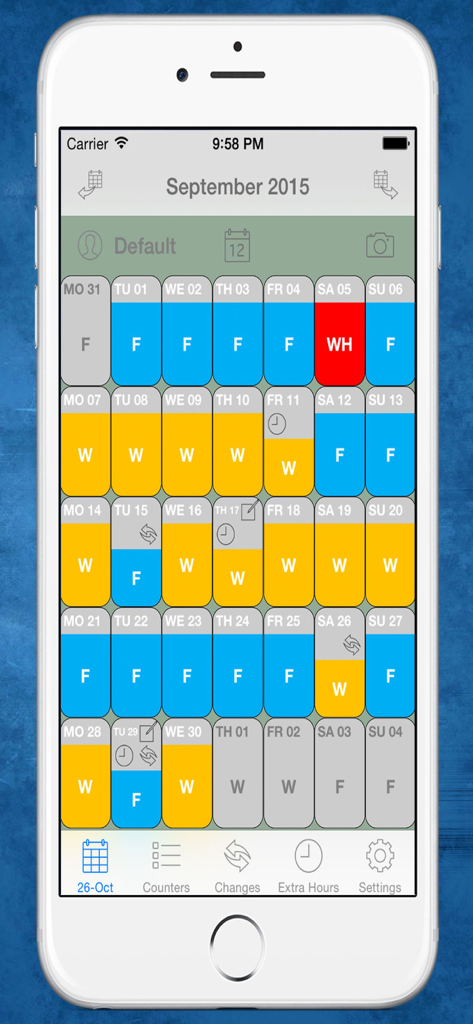
Shift Cal PRO mobile app interface displaying a color-coded monthly work calendar for shift workers.
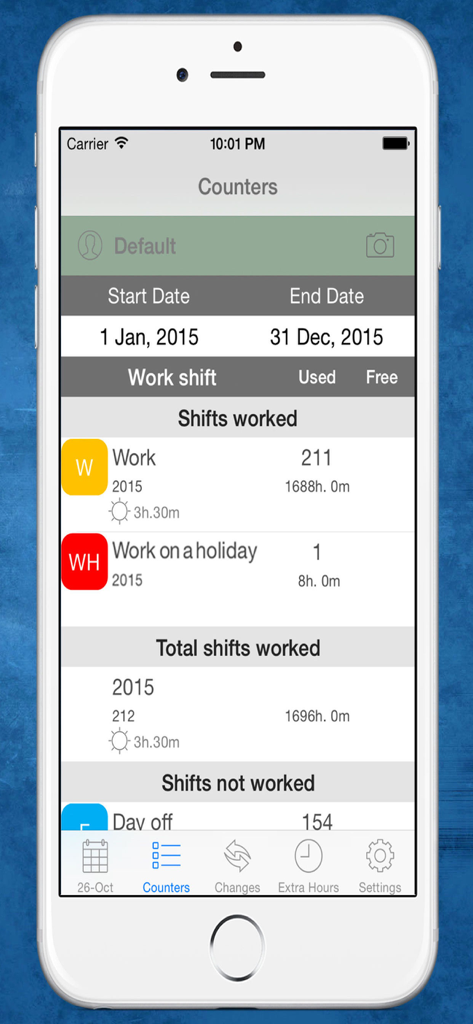
A screenshot of the Shift Cal PRO app showing the Counters tab with detailed work shift statistics and total hours worked for the year.
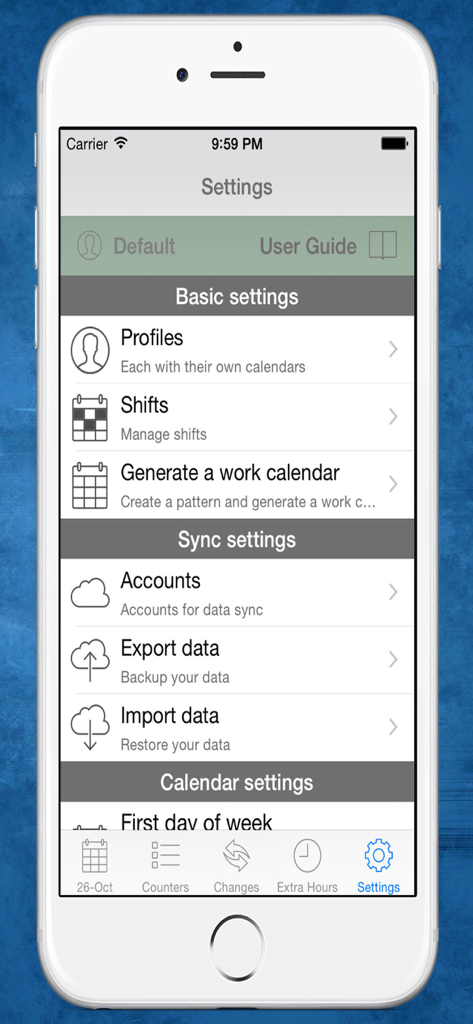
Settings screen of the Shift Cal PRO app showing shift and profile management options.
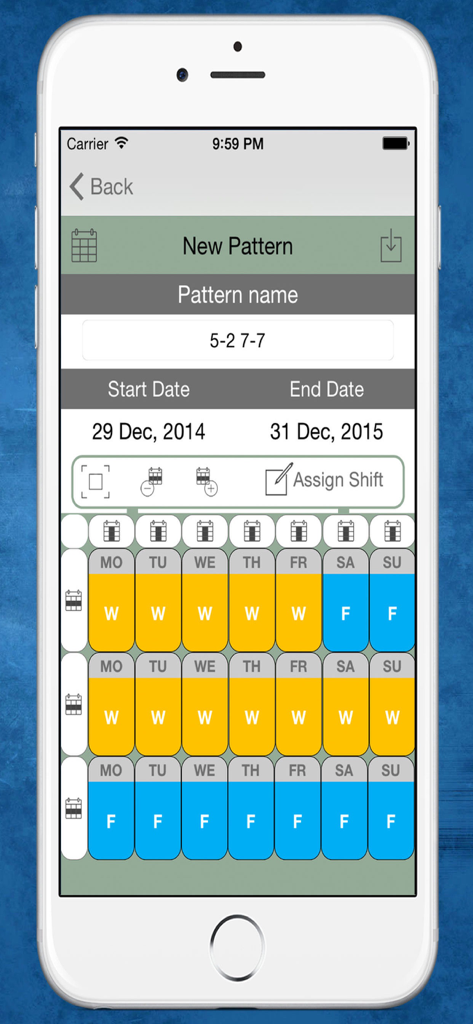
Interface for creating a rotating work shift schedule pattern with color coded days
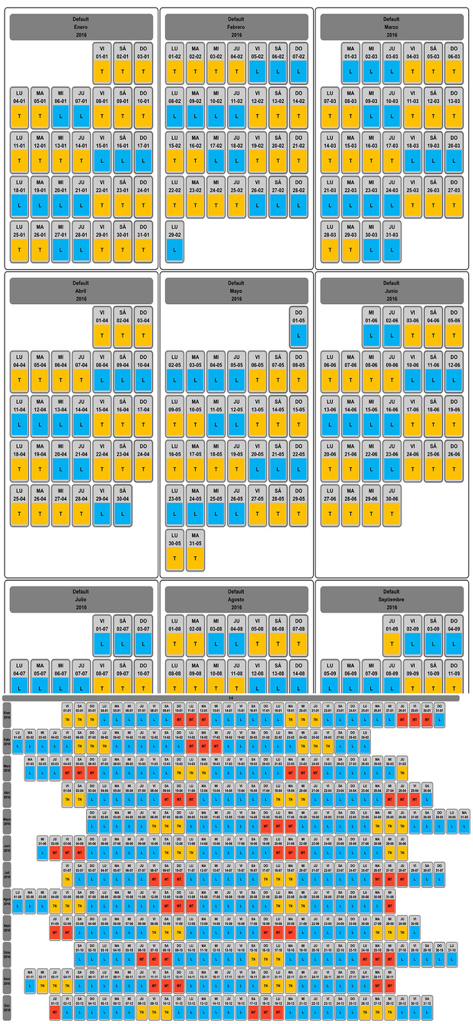
Annual overview of a work shift schedule showing color-coded shifts and days off
Description
Download
More Like This
Top-ranked apps in the same category

ChatGPT
OpenAI OpCo, LLC

Google Gemini
Google LLC

Grok
X.AI Corporation

Gmail - Email by Google
Google LLC

千问 - 阿里最强大模型官方AI助手
Shanghai Zhixin Puhui Technology Co., Ltd.

Google Drive
Google LLC

Microsoft Authenticator
Microsoft Corporation

Google Sheets
Google LLC

Google Docs
Google LLC
This page is not an official page of the app or its developer, but an independent editorial publication created for informational and commentary purposes. Unless expressly stated otherwise, neither the app nor its developer is affiliated with, endorsed by, sponsored by, authorized by, or otherwise officially connected with MWM, Apple, Google Play, the app publisher, or the app's developer, and nothing on this page implies that the app was developed using MWM's services. Any trademarks, logos, screenshots, and other content remain the property of their respective owners.