SideBooks

SideBooks

Download on App Store
Logo of SideBooks

SideBooks: The High-Performance Reader for Your Ultimate Digital Library

Experience the tactile feel of real paper with seamless page-curl animations, multi-format support for Manga and PDFs, and an infinite bookshelf designed for the most demanding digital archivists.

Publisher

Tatsumi-System Co., Ltd.

Category

Books

Downloads

1M+

User Rating

3.7/5

Total Ratings

2K+

Locales

5

Your Library, Visualized

Discover the interface used by 1M+ users.
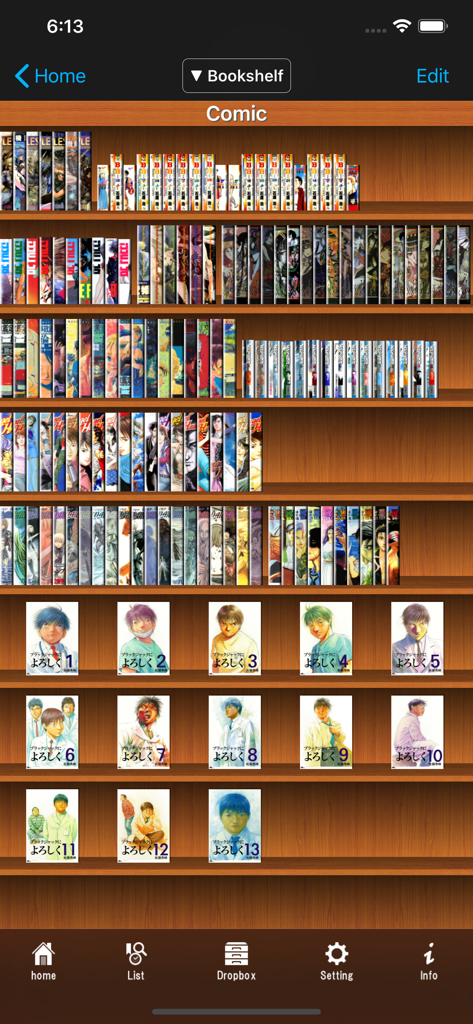
The visual bookshelf interface of the SideBooks app displaying an organized collection of digital manga with book spines and cover art on wooden shelves.

The visual bookshelf interface of the SideBooks app displaying an organized collection of digital manga with book spines and cover art on wooden shelves.

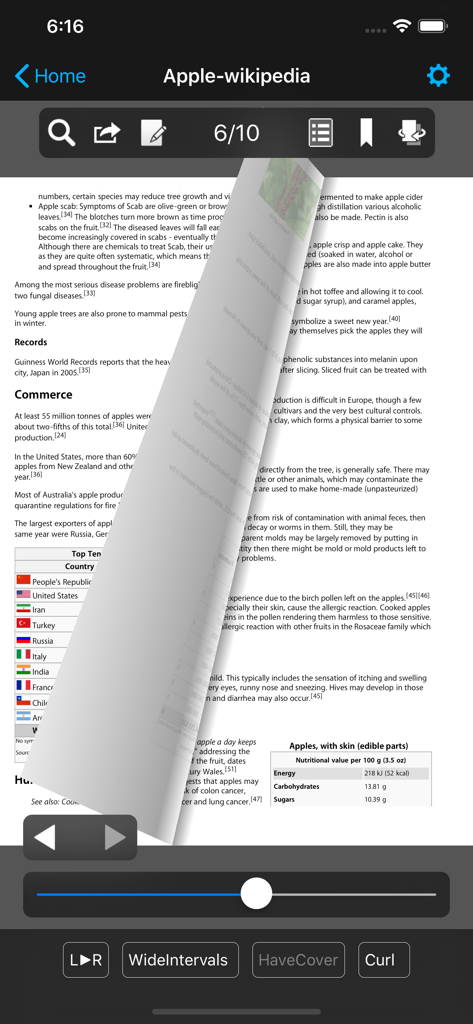
SideBooks app interface showing a PDF document with a realistic page curl animation effect

SideBooks app interface showing a PDF document with a realistic page curl animation effect

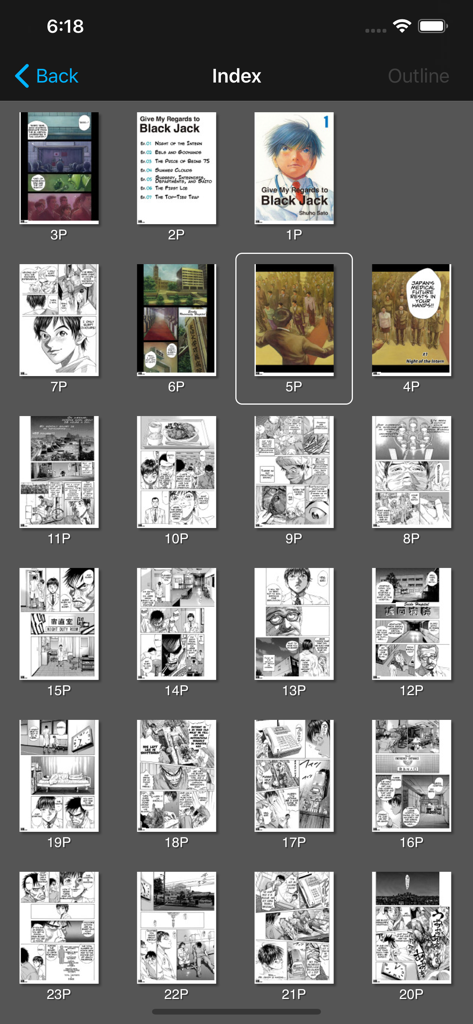
A grid display of manga page thumbnails within the SideBooks index view.

A grid display of manga page thumbnails within the SideBooks index view.

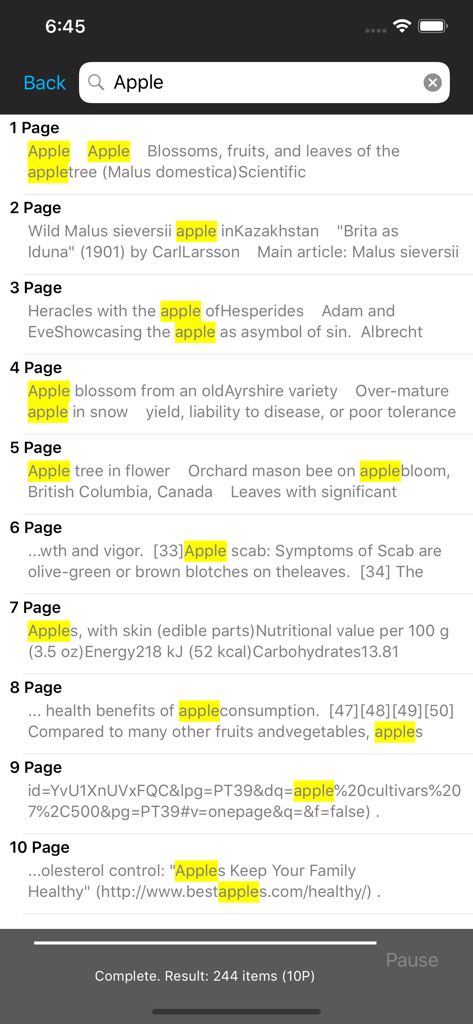
SideBooks app text search interface showing highlighted keywords and page numbers within a document

SideBooks app text search interface showing highlighted keywords and page numbers within a document

Unlock Your Ultimate Digital Library

The tools that make this app stand out, trusted by 1M+ users.

Authentic Paper Experience

Immerse yourself with realistic page-curl animations and lightning-fast rendering that makes digital reading feel physical.

📚

Optimized for Manga & Comics

Seamlessly enjoy PDF, CBZ, and CBR formats with dedicated Right-to-Left support tailored for graphic novel enthusiasts.

🔒

Pro-Level File Management

Organize complex libraries with infinite folder hierarchies and keep sensitive documents private with encrypted password locks.

About the app

Everything you need to know about SideBooks.

Description

SideBooks is a high performance, high speed PDF viewer that allows you to enjoy reading with the feel of actual paper. =Features= Curl animation that simulates the actual turning of paper pages has been added to the standard page slide function. Supports viewing from 3 directions, documents that open left to right, right to left and vertically. It provides the optimal environment for viewing any book. All zoom rates have been optimized providing high speed, dynamic screen display. An infinite hierarchy of folders can be created, moved, deleted, renamed, etc. using the enhanced bookshelf management function. Real visual bookshelf function that corresponds to back cover style display. Files can be imported by 3 methods, Network transfer through Dropbox, USB transfer through iTunes and direct transfer from other applications. Books can be protected so others cannot view them by using the password protected locking function. This is a universal application that operates on the iPhone, iPod Touch and iPad. =Functions= Overall: *Brightness Adjustment *Screen rotates to match the orientation of the device *Screen Rotation Lock *Password Protected Start-up Lock Viewer: *Support PDF,ZIP,CBZ,RAR and CBR format *Page Turning: Choose from slide or curl *Viewing Directions: Choose from opening left to right / right to left / vertically *Page Spacing: Choose form wide / narrow / none *Facing Pages: Choose the pair of facing pages by setting the cover to on or off *Trim function within the range of page display *Cache pre-read function for the previous and next pages *Set the display for each book and remember the page number of the last page read *Text search function (list display type) *Contents function (also supports hierarchy type) *Bookmark function (with editable memos) *Edit handwritten notes *Send to other applications (Open-In) *Send by email *Printing function (Air Print) *In-page link function *Link to outside URL function (built-in browser / Safari / Printing) *Display / Don't Display link buttons *Page turning function using tap or swipe *Expansion / Contraction function using pinch and double tap (1-1024x zoom) *Viewing of encrypted PDF files with password protection *Display / non-display of statusbar when reading Bookshelf: *Display form: Choose form list bookshelf / visual bookshelf *Function to set theme of visual bookshelf with each folder *Bookshelf thema extension pack (Add-On) *Cover editing function (corresponds to the trim) *File editing function: create, move, delete, setting for all books in folder *Bookmark list *Reading history list *Unread list *Edit of mark choose form already read / unread *Book name search function *Network transfer through Dropbox *USB transfer through iTunes *Direct transfer from other applications Special thanks to, "Give My Regards to Black Jack" SHUHO SATO Manga on Web http://mangaonweb.com

Latest Version

2.87.1

Size

31.7 MB

First Released

Dec 19, 2010

Your Entire Library, Perfected.

Join over 1 million power readers who demand more from their digital collections. Experience high-speed performance with a tactile, paper-like feel on your iPad or iPhone today.

Download on App Store
FAQ

Frequently Asked Questions

Everything you need to know about SideBooks

What is SideBooks?

SideBooks is a high-performance PDF viewer that provides a reading experience with the feel of actual paper. It includes features like curl animation and dynamic screen display.

Does SideBooks support different file formats?

Yes, SideBooks supports PDF, ZIP, CBZ, RAR, and CBR file formats. This allows users to view various document and comic book types within the application.

Can I import files into SideBooks from Dropbox?

Yes, SideBooks allows file import via network transfer through Dropbox, USB transfer through iTunes, and direct transfer from other applications. This provides flexible content management.

Does SideBooks offer a visual bookshelf feature?

Yes, SideBooks offers a real visual bookshelf function that corresponds to a back cover style display. Users can also set themes for visual bookshelves within each folder.

How do I turn pages in SideBooks?

SideBooks offers page turning via tap or swipe gestures. Users can choose between a standard page slide function or a curl animation that realistically simulates turning paper pages.

Can SideBooks view encrypted PDF files?

Yes, SideBooks supports the viewing of encrypted PDF files that are protected with a password. This function ensures secure access to sensitive documents within the viewer.

Is SideBooks available on both iPhone and iPad?

Yes, SideBooks is a universal application designed to operate seamlessly on iPhone, iPod Touch, and iPad devices. It adapts to different iOS screen sizes and orientations.

Does SideBooks include a search function for text within documents?

Yes, SideBooks includes a text search function that displays results in a list format. This feature allows users to quickly locate specific words or phrases within their documents.

How can I protect my books in SideBooks?

SideBooks provides a password-protected locking function for books. This security measure prevents unauthorized individuals from viewing your digital content without proper authentication.

Can I adjust the zoom level in SideBooks?

Yes, SideBooks allows users to adjust the zoom level using pinch and double-tap gestures. The application supports a wide zoom range from 1x up to 1024x.

App information, icons, screenshots, and descriptions displayed on this page are sourced from the Apple App Store and are the property of their respective developers. Download estimates and rankings are based on MWM's proprietary models and may not reflect actual figures. This page is provided for informational and analytical purposes only.

Believe this page infringes your intellectual property? File a dispute