Signature: sign documents
Download on App Store

This page is not an official page of the app or its developer, but an independent editorial publication created for informational and commentary purposes. Unless expressly stated otherwise, neither the app nor its developer is affiliated with, endorsed by, sponsored by, authorized by, or otherwise officially connected with MWM, Apple, Google Play, the app publisher, or the app's developer, and nothing on this page implies that the app was developed using MWM's services. Any trademarks, logos, screenshots, and other content remain the property of their respective owners.


Logo of Signature: sign documents
Download on App Store

Signature: sign documents

Ditch the printer and sign contracts in seconds. Capture your natural handwriting, sign multi-page documents instantly, and export watermark-free PDFs with complete offline privacy.

Key Figures

Downloads

22K+

User Rating

4.6/5

Total Ratings

100

Publisher

GAL APP LTD

Category

Utilities

Locales

24

Latest Version

1.5.4

Size

14.9 MB

First Released

Jun 3, 2025
Features

Professional Signing Made Simple

The complete mobile toolkit for real estate agents, freelancers, and remote workers to handle contracts in seconds without a printer.

Authentic Handwritten Ink

Create professional signatures by drawing on screen or scanning your paper signature with automatic AI background removal.

Instant Bulk Signing

Effortlessly handle long documents by positioning your signature once and syncing it across every page automatically.

The following screenshots and description are sourced directly from the app's official store listing and are the property of the app developer.

App Store

Screenshots
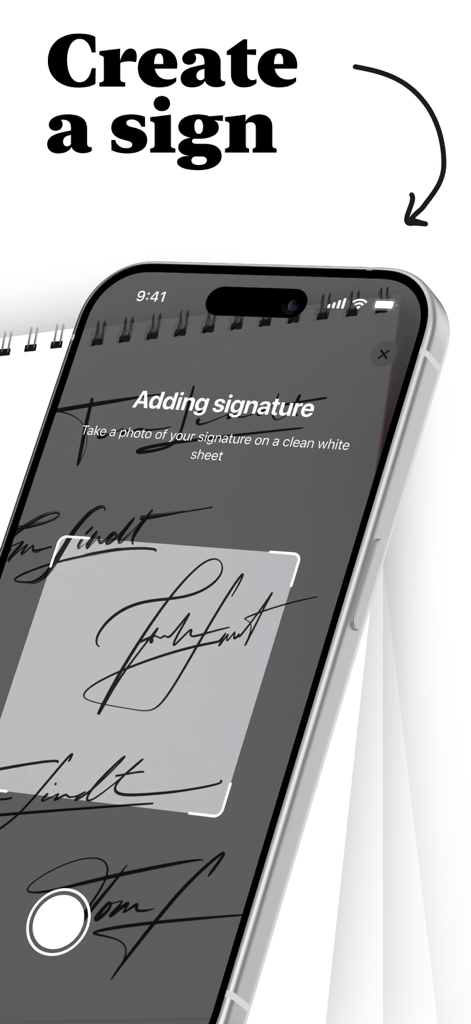
Signature: sign documents - iPhone screen showing the process of capturing a handwritten signature using the camera in the Signature app
iPhone screen showing the process of capturing a handwritten signature using the camera in the Signature app

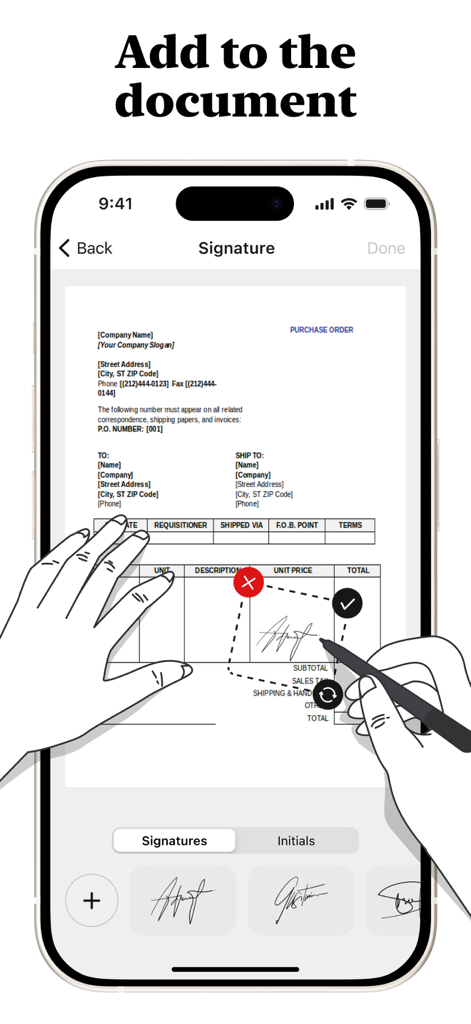
Signature: sign documents - iPhone screen showing a user adding a digital signature to a purchase order document using the Signature app
iPhone screen showing a user adding a digital signature to a purchase order document using the Signature app

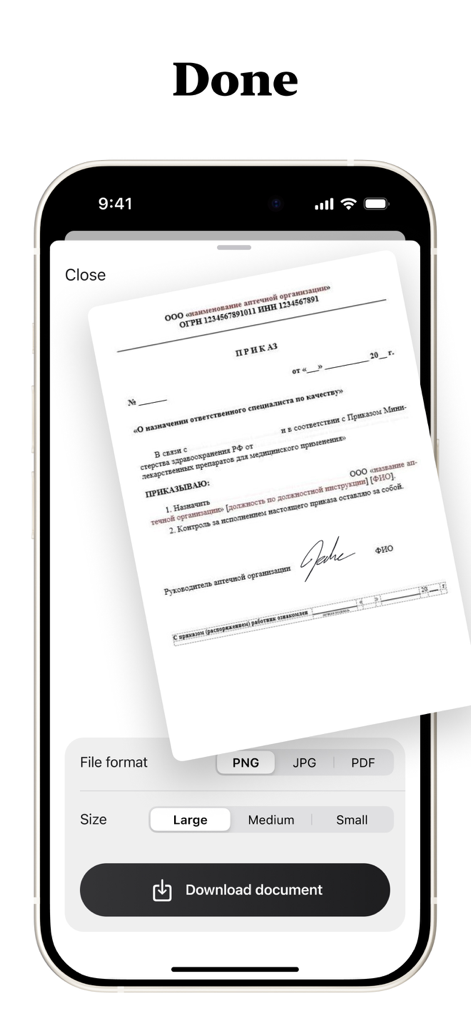
Signature: sign documents - A mobile app interface showing download settings for a signed document including file format and size.

A mobile app interface showing download settings for a signed document including file format and size.

Description

SignQuick - Professional Digital Document Signing Transform your document workflow with SignQuick, the comprehensive digital signing solution designed for professionals, students, and anyone who needs to sign documents quickly and securely. Create Perfect Signatures Draw signatures naturally with your finger using our intuitive drawing canvas, or take photos of handwritten signatures on paper with automatic background removal. Create professional initials for quick document marking and approval, and store unlimited signatures and initials for instant access. Universal Document Support Import and sign PDF documents with full formatting preservation. Work seamlessly with Word documents, PowerPoint presentations, and text files. Scan physical documents directly with your camera and enjoy automatic conversion of non-PDF files to PDF format for universal compatibility. Advanced Signing Features Drag, resize, and position signatures anywhere on your documents. Copy signatures to all pages or select specific pages for bulk signing with real-time preview of signature placement before finalizing. Precision controls ensure perfect signature positioning every time. Multiple Export Options Save signed documents as PDF, PNG, or JPG formats. Export directly to Files app, email, or cloud storage services while maintaining original document quality with no compression artifacts. Share signed documents instantly with clients, colleagues, or institutions. Professional Quality Output Generate clean, watermark-free signed documents with high-resolution signature rendering. Preserve original document formatting and layout for professional appearance suitable for legal and business use. Premium Features Access unlimited document pages - sign lengthy contracts and reports without restrictions. Enjoy unlimited signature storage - create and save as many signatures as needed. Benefit from advanced PDF conversion - transform any document format to PDF. Receive priority support and regular feature updates. Security and Privacy All signatures are stored securely on your device with no cloud storage of sensitive documents unless you choose to export. Maintain complete privacy and control over your signature data with full offline functionality - sign documents anywhere, anytime. Why Choose SignQuick? SignQuick eliminates the need for printing, manual signing, and scanning. Whether you're a business professional handling contracts, a student submitting assignments, or anyone dealing with paperwork, SignQuick streamlines your document workflow. The intuitive interface follows Apple's design guidelines, ensuring a familiar and efficient user experience. Perfect for real estate agents, lawyers, consultants, students, small business owners, and remote workers who need reliable, professional document signing capabilities on their mobile device. Download SignQuick today and experience the future of digital document signing. Full access is available only with an active subscription. After subscribing, the chosen plan will be billed immediately. Terms: https://www.apple.com/legal/internet-services/itunes/dev/stdeula/

Download

Download on App Store

This page is not an official page of the app or its developer, but an independent editorial publication created for informational and commentary purposes. Unless expressly stated otherwise, neither the app nor its developer is affiliated with, endorsed by, sponsored by, authorized by, or otherwise officially connected with MWM, Apple, Google Play, the app publisher, or the app's developer, and nothing on this page implies that the app was developed using MWM's services. Any trademarks, logos, screenshots, and other content remain the property of their respective owners.








