Simple Scanner - PDF Doc Scan

Simple Scanner - PDF Doc Scan

Download on App Store
Logo of Simple Scanner - PDF Doc Scan

Simple Scanner: The All-in-One Portable PDF Document Scanner

Turn your phone into a high-definition scanning powerhouse. Instantly digitize, OCR, and sync your documents to the cloud for a smarter, paperless workflow.

Publisher

TongSoft Information Co., Ltd.

Category

Business

Downloads

892K+

User Rating

4.9/5

Total Ratings

4K+

Locales

31

Your Office in Your Pocket

Discover the interface used by 892K+ users.
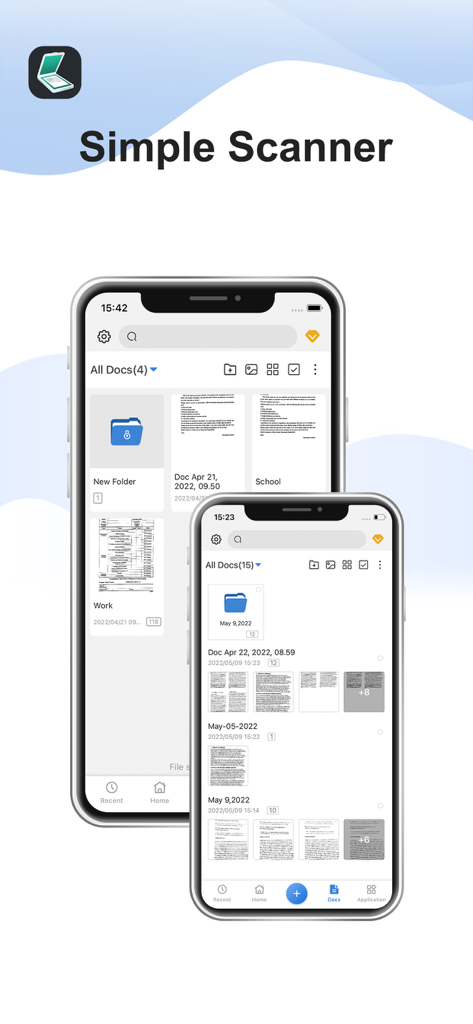
Two iPhones displaying the document management interface of the Simple Scanner app

Two iPhones displaying the document management interface of the Simple Scanner app

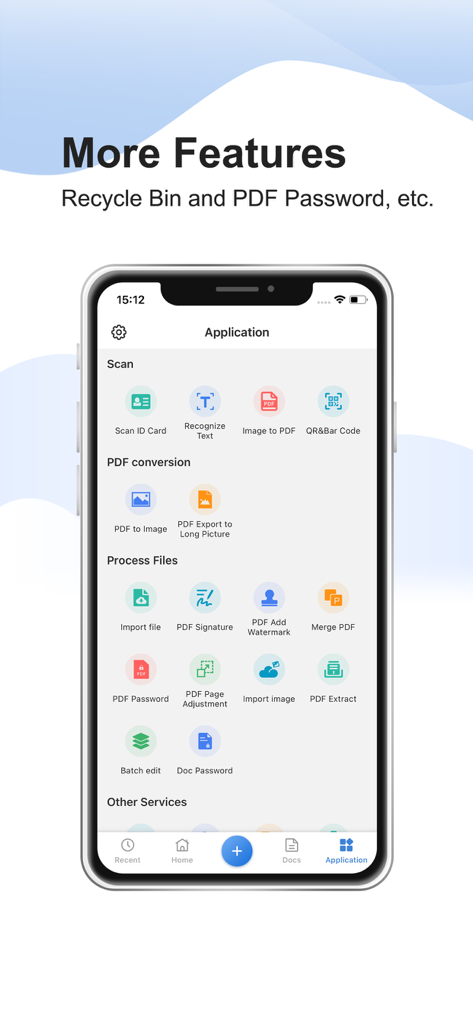
Interface of the Simple Scanner app highlighting features like PDF conversion, signatures, and document security.

Interface of the Simple Scanner app highlighting features like PDF conversion, signatures, and document security.

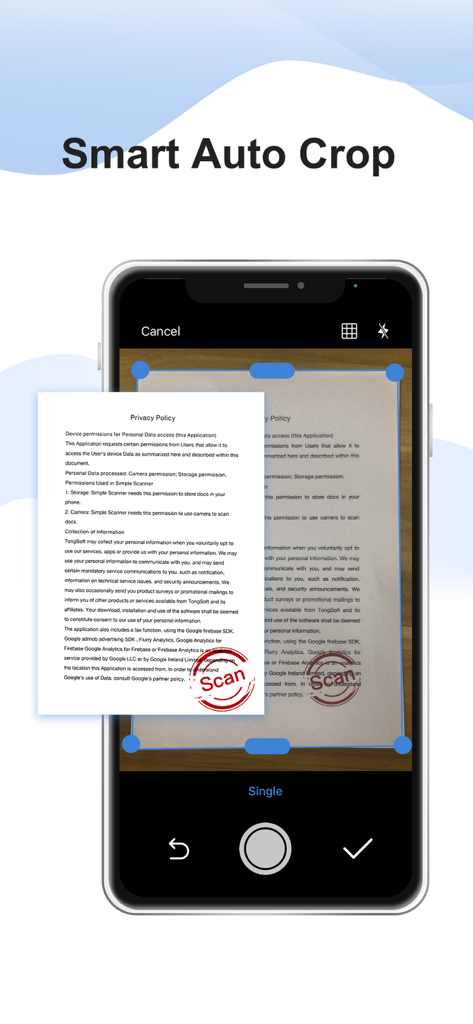
A smartphone screen demonstrating the smart auto crop feature of the Simple Scanner app on a paper document

A smartphone screen demonstrating the smart auto crop feature of the Simple Scanner app on a paper document

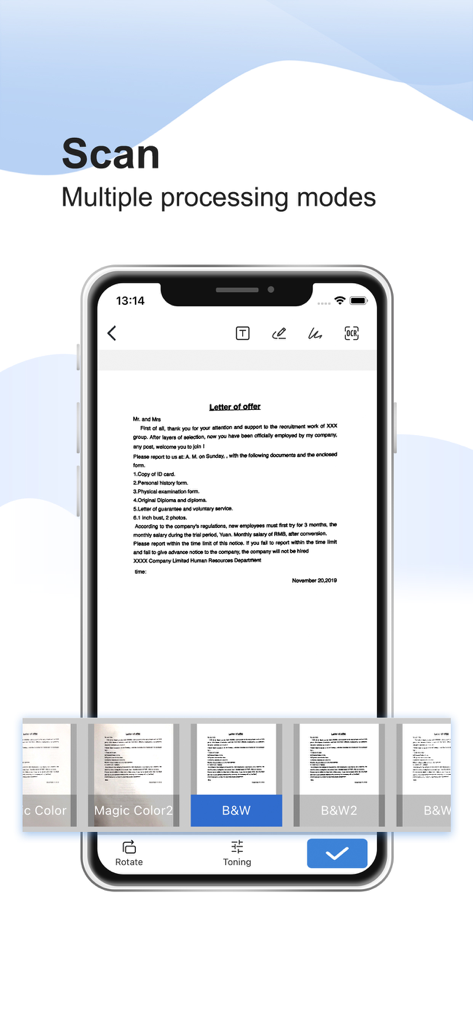
A smartphone showing the Simple Scanner app interface with a scanned letter and multiple image processing filters like black and white

A smartphone showing the Simple Scanner app interface with a scanned letter and multiple image processing filters like black and white

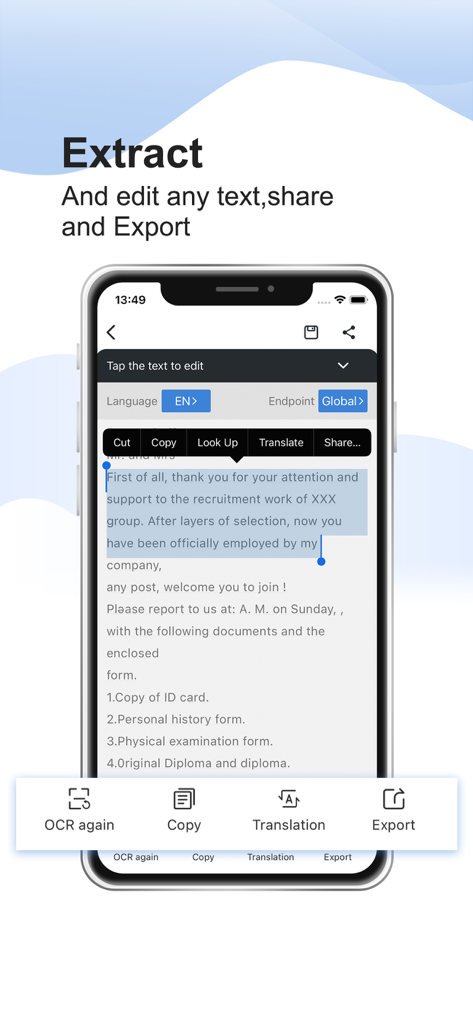
Interface of Simple Scanner app demonstrating OCR text extraction and editing features on a mobile device.

Interface of Simple Scanner app demonstrating OCR text extraction and editing features on a mobile device.

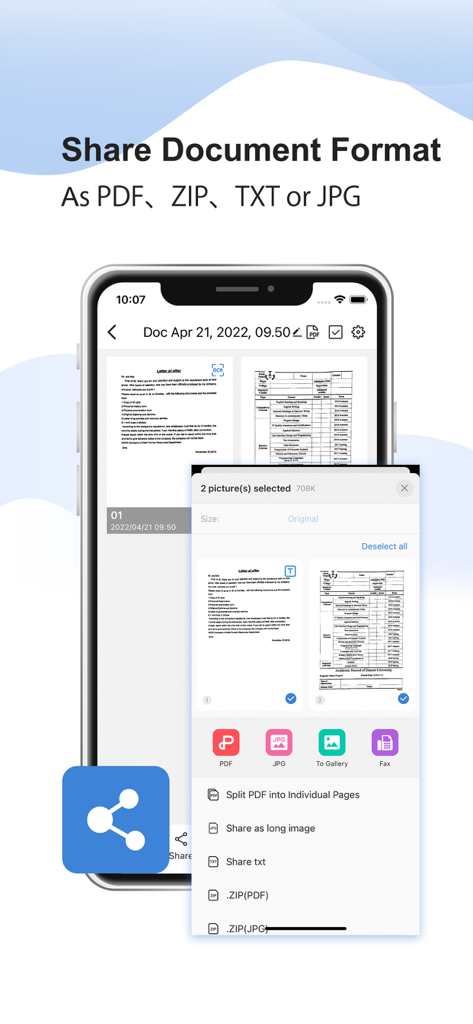
Mobile app interface showing document sharing options for PDF, ZIP, TXT, and JPG formats.

Mobile app interface showing document sharing options for PDF, ZIP, TXT, and JPG formats.

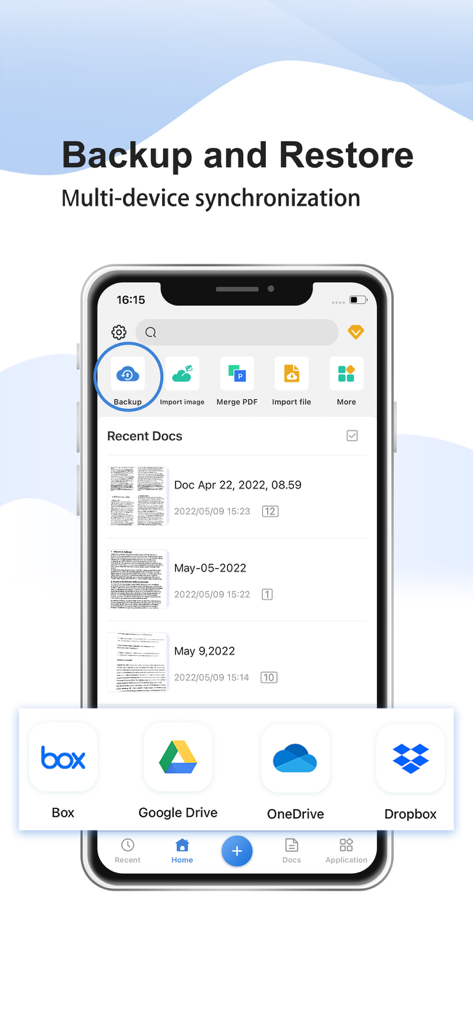
Simple Scanner app interface showing backup and restore features with cloud storage options like Google Drive and Dropbox

Simple Scanner app interface showing backup and restore features with cloud storage options like Google Drive and Dropbox

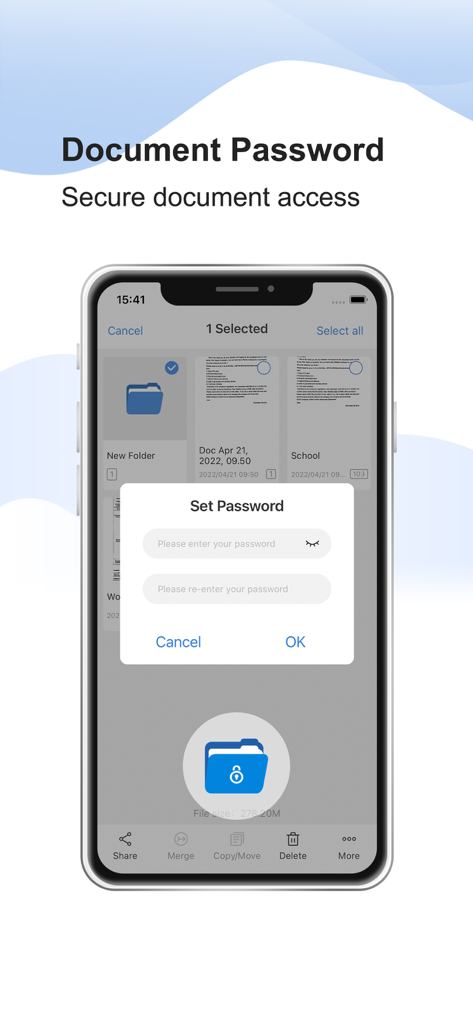
Simple Scanner app interface showing the document password protection feature for secure file access

Simple Scanner app interface showing the document password protection feature for secure file access

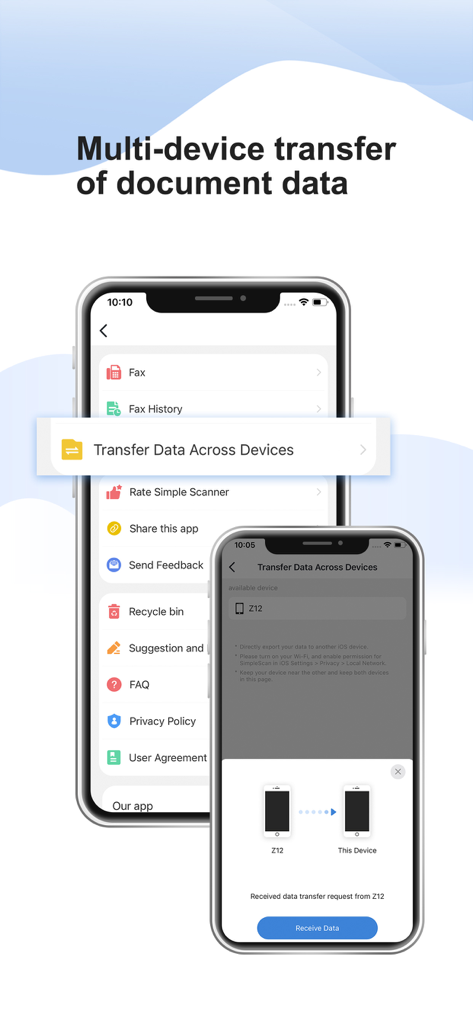
Interface showing multi-device transfer of document data between two iPhones in the Simple Scanner app

Interface showing multi-device transfer of document data between two iPhones in the Simple Scanner app

Scan Smarter, Not Harder

The tools that make this app stand out, trusted by 892K+ users.

Crystal Clear Digitization

Pro-level image processing automatically removes shadows and enhances contrast for perfect A4 and Legal documents.

🔍

Searchable Text with OCR

Turn your scans into searchable data. Extract text from receipts, contracts, and notes to stay organized without the effort.

☁️

Instant Cloud Sync

Your office follows you. Automatically sync your documents to Google Drive, Dropbox, or iCloud for secure access anywhere.

About the app

Everything you need to know about Simple Scanner - PDF Doc Scan.

Description

Want a moving scanner? The Simple Scanner is a PDF document scanner application that turns your phone into a portable scanner. you can scan documents, photos, receipts, reports, or just about anything. The scan will be saved to the device in image or PDF format. Name and organize your scan to a folder, or share it in the following ways: -Automatically upload JPG and PDF files to the cloud disk -Backup and restore synchronization files between multiple devices  - E-mail, print, Fax  - Dropbox, Evernote, Google Drive, WhatsApp, or more  - Wifi connects directly to your computer - Support importing PDF files into JPG. - Support for adding tags for quick file search. - Support OCR text recognition, export text. The Document Scanner application has all the features you need: - Mobile phone document, automatically remove the clutter background, generate high-definition JPEG pictures or PDF files. - A variety of image processing mode, you can manually adjust the image parameters, with a mobile phone can be paper documents, quickly turned into a clear electronic draft. - Scan color, grayscale, or black and white - Can be used in office, school, home and any place you want - Automatically detects page edges - 5 levels of contrast for clear monochrome text - Set the PDF page size (Letter, Legal, A4, etc.) - Thumbnail or list view, sorted by date or title - Simple scanner are optimized to run very fast. - Quick search by document title - Use a password to protect your documents - General - A single application that works on your phone! By agreeing to use the app, you agree to the following Privacy Policy and User Terms. Privacy Policy: https://www.tongsoftinfo.com/Simple-Scanner/Privacy-Policy.html Terms of Use: https://www.tongsoftinfo.com/Termsofuse.html If you like simple scanner or have any other comments, please take a moment to write us a comment, or simply email us at simple.scanner@tongsoftinfo.com, which will help us improve our products and give you a better experience.

Latest Version

2.9.7

Size

195.9 MB

First Released

Sep 12, 2020

Transform Your Workflow Into a Paperless Powerhouse

Join 890,000+ professionals who trust Simple Scanner to digitize, sync, and secure their documents instantly. Download the 4.8-star rated office hub for your iPhone today.

Download on App Store

App information, icons, screenshots, and descriptions displayed on this page are sourced from the Apple App Store and are the property of their respective developers. Download estimates and rankings are based on MWM's proprietary models and may not reflect actual figures. This page is provided for informational and analytical purposes only.

Believe this page infringes your intellectual property? File a dispute