
This page is not an official page of the app or its developer, but an independent editorial publication created for informational and commentary purposes. Unless expressly stated otherwise, neither the app nor its developer is affiliated with, endorsed by, sponsored by, authorized by, or otherwise officially connected with MWM, Apple, Google Play, the app publisher, or the app's developer, and nothing on this page implies that the app was developed using MWM's services. Any trademarks, logos, screenshots, and other content remain the property of their respective owners.


Site Audit Pro
Eliminate hours of office work by generating professional, branded reports directly from the field. Join thousands of pros streamlining inspections, snagging, and safety audits.
Downloads
467K+User Rating
Total Ratings
30K+Publisher
Category
ProductivityLocales
1Latest Version
8.25.0Size
69.5 MBFirst Released
Apr 26, 2011Master Your Fieldwork in Minutes
The ultimate toolkit for mobile professionals to conduct inspections, manage punch lists, and deliver branded reports without the administrative headache.
Zero Post-Site Paperwork
Eliminate double-entry fatigue. Compile findings and share professional PDF reports with stakeholders instantly from your mobile device before you even leave the site.
Precision Photo Annotations
Clearly communicate site issues by drawing directly on images. Highlight defects, safety risks, or punch list items to ensure your team knows exactly what needs attention.
Frequently Asked Questions
Everything you need to know about Site Audit Pro
How does Site Audit Pro improve business productivity?
Site Audit Pro helps businesses improve productivity by making audits and inspections quicker to carry out and easier to manage. It collates and shares findings with customized reports.
Does Site Audit Pro support image annotation for issues?
Yes, Site Audit Pro allows users to add and annotate images directly on issues to emphasize key points, enhancing documentation clarity for audits and inspections.
What customization options are available for reports in Site Audit Pro?
Site Audit Pro offers report customizations including adding company name and logo, changing industry-specific wording, and choosing from eight professional report designs for a personal touch.
Is a subscription necessary to generate reports with Site Audit Pro?
No, a subscription to Site Audit Pro Cloud is not required to use the base app and generate reports. The subscription provides access to advanced cloud-based features.
What advanced features are included with a Site Audit Pro Cloud subscription?
The Site Audit Pro Cloud subscription offers features like web access to projects, multiple images per issue, device syncing, project folders, additional project information, issue due dates, and custom report colors.
Can users organize their audit projects within Site Audit Pro?
Yes, Site Audit Pro enables users to organize projects, as demonstrated in Screenshot #1, titled 'Create Projects,' which displays a list of various projects.
Does Site Audit Pro allow users to include a signature on their audit reports?
Yes, Site Audit Pro supports adding a signature to reports. Screenshot #5, titled 'Sign Off,' shows a signature area along with fields for auditor name and company.
Is it possible to generate PDF reports using Site Audit Pro?
Yes, Site Audit Pro can generate PDF reports. Screenshot #7, titled 'Share PDF or CSV Reports,' displays a preview of a professional PDF report with images and findings.
Where can I find the subscription terms for Site Audit Pro?
The Site Audit Pro subscription terms and conditions are available on the official website, accessible via the link provided in the app description.
The following screenshots and description are sourced directly from the app's official store listing and are the property of the app developer.
App Store
Screenshots
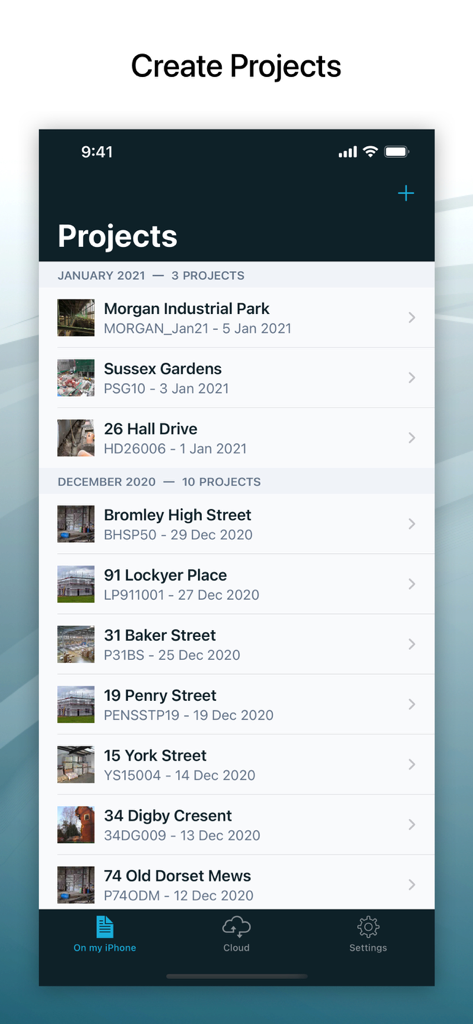
A list of inspection and audit projects in the Site Audit Pro mobile app interface.
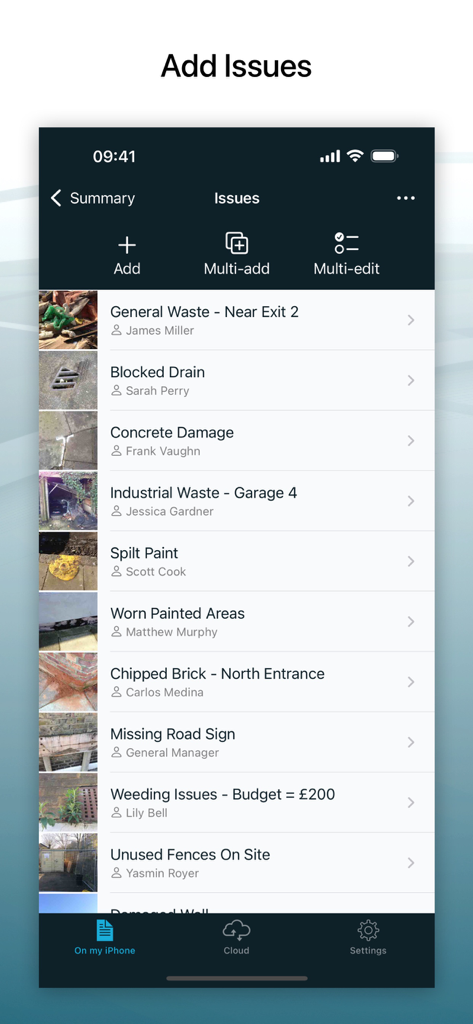
Site Audit Pro mobile app interface displaying a list of recorded site inspection issues with photos and assignees
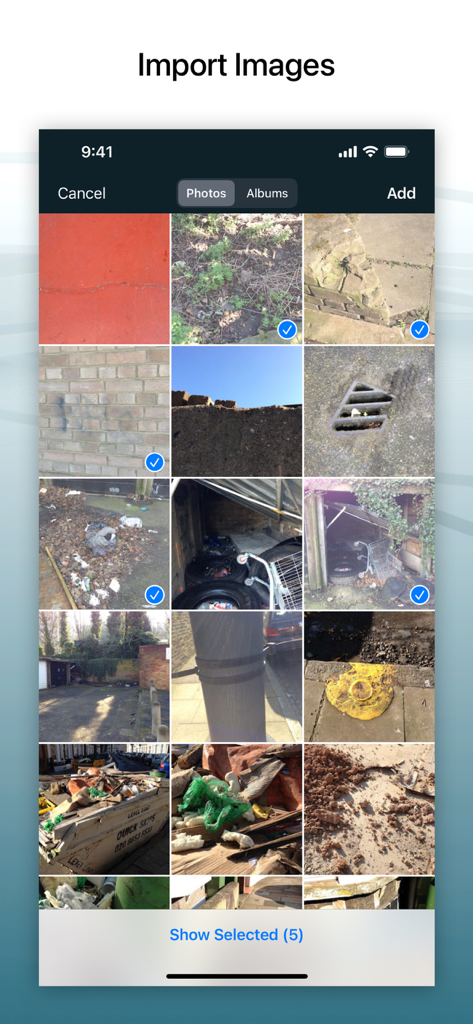
A mobile interface for Site Audit Pro showing the selection of multiple site photos from a photo gallery to be imported into an audit report.
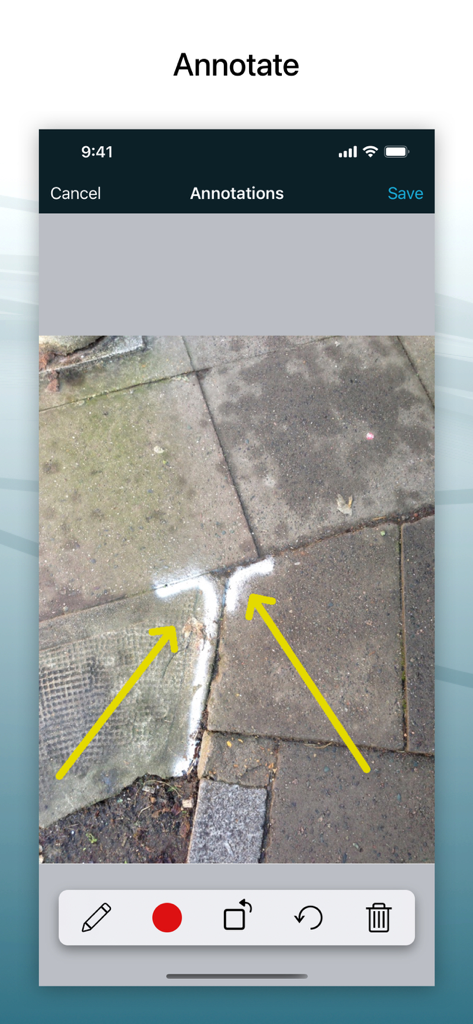
Mobile app interface for annotating a construction site photo with arrows.
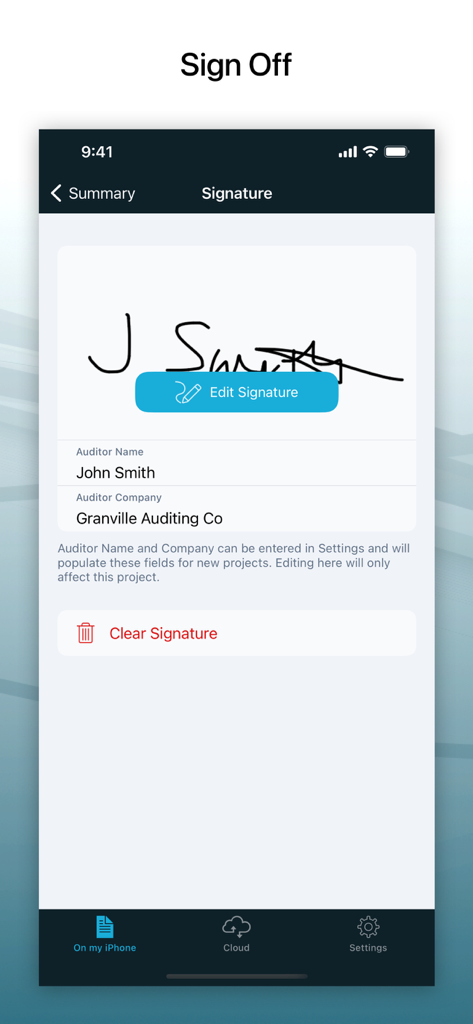
A digital signature capture screen for auditor sign off in the Site Audit Pro app.
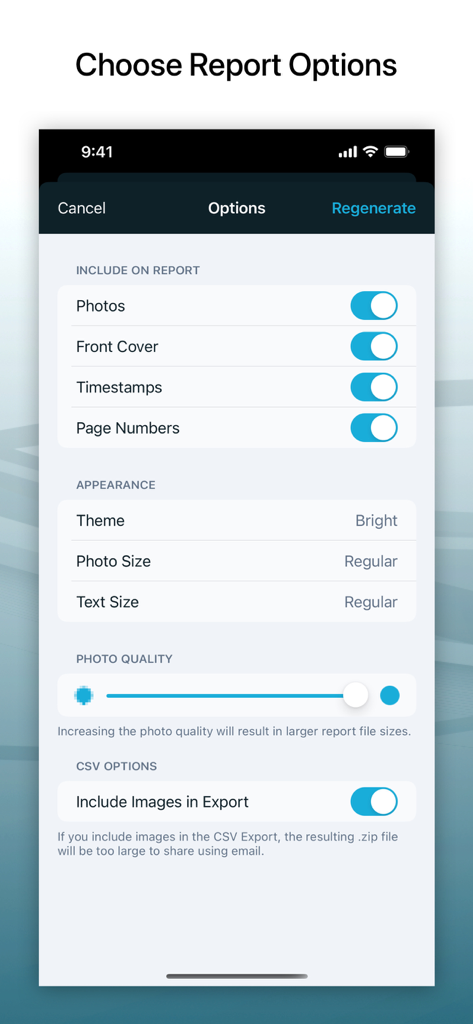
Interface for customizing audit report options including photo quality and timestamps
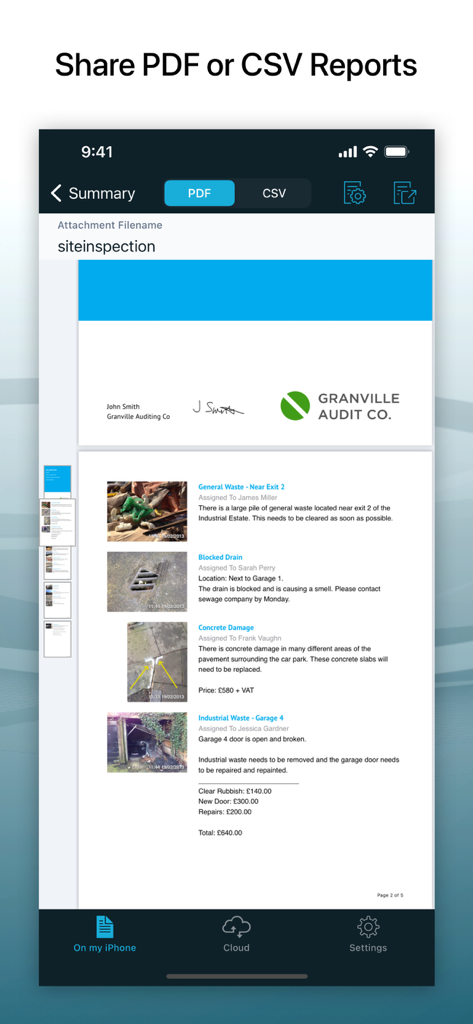
Mobile app interface showing a professional PDF audit report with photos and issue descriptions
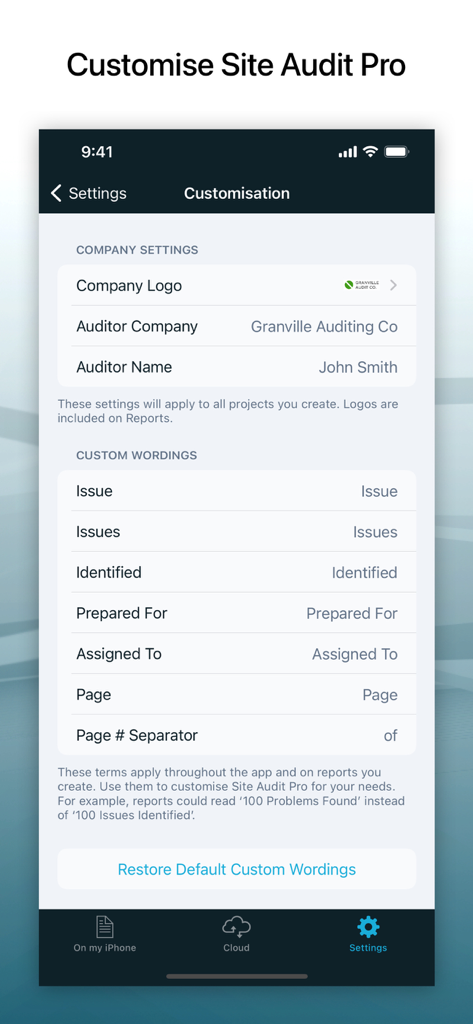
Site Audit Pro app interface for customizing company branding and report terminology
Description
Download
More Like This
Apps with similar features and user experience

Fieldwire - Construction App
Hilti Fieldwire, Inc.

magicplan
Technologies magicplan Inc.

SafetyCulture (iAuditor)
SafetyCulture Pty Ltd

BrightSafe On The Go
Peninsula Online Services Limited

Рососмотр
KALKUL.RU, OOO

Archipad ™
Bigsool

Archireport
ArchiReport SAS
iCertifi
iCertifi

Punch List & Site Audit Report
Rojao Inc
This page is not an official page of the app or its developer, but an independent editorial publication created for informational and commentary purposes. Unless expressly stated otherwise, neither the app nor its developer is affiliated with, endorsed by, sponsored by, authorized by, or otherwise officially connected with MWM, Apple, Google Play, the app publisher, or the app's developer, and nothing on this page implies that the app was developed using MWM's services. Any trademarks, logos, screenshots, and other content remain the property of their respective owners.