
This page is not an official page of the app or its developer, but an independent editorial publication created for informational and commentary purposes. Unless expressly stated otherwise, neither the app nor its developer is affiliated with, endorsed by, sponsored by, authorized by, or otherwise officially connected with MWM, Apple, Google Play, the app publisher, or the app's developer, and nothing on this page implies that the app was developed using MWM's services. Any trademarks, logos, screenshots, and other content remain the property of their respective owners.

Skyward Mobile Access
Get instant, secure access to grades, attendance, and payroll records. Empowering students, parents, and staff to stay informed and organized on the go.
Downloads
6M+User Rating
Total Ratings
11K+Publisher
Category
EducationLocales
-Latest Version
2.10.0Size
151.5 MBFirst Released
Feb 21, 2012Your School District at Your Fingertips
Experience seamless access to vital educational data. Whether you are tracking grades, monitoring attendance, or managing payroll, Skyward keeps you connected to your school community 24/7.
Real-Time Grade Tracking
Students and parents can view test scores and assignment updates instantly, ensuring academic performance remains on track without the wait.
Integrated Family Access
Stay informed about attendance, schedules, and discipline records for all your children in one centralized hub, designed for the busy modern parent.
Frequently Asked Questions
Everything you need to know about Skyward Mobile Access
What is Skyward Mobile Access?
Skyward Mobile Access provides intuitive access for students, parents, and school staff to their Skyward Family, Student, or Employee accounts. It allows access to vital information such as grades, attendance, and payroll.
Who can use the Skyward Mobile Access app?
Skyward Mobile Access is for students, parents, and school staff who already use Skyward's Family Access, Student Access, or Employee Access accounts.
What information is available through Skyward Mobile Access?
Skyward Mobile Access allows users to access vital information. This includes grades, attendance, discipline records, payroll details, and time off information.
Does Skyward Mobile Access automatically locate my school district?
Yes, Skyward Mobile Access can automatically locate your school district. Your district must first activate the "Skyward Mobile Access Automatic Setup" feature for this function to work.
How do users find their organization in Skyward Mobile Access?
Users find their organization in Skyward Mobile Access during setup. They can input the organization's name, use their current location, or enter a postal code to locate it.
Can I log in to Skyward Mobile Access using Face ID?
Yes, Skyward Mobile Access supports Face ID for convenient and secure access to your accounts. Users can also enter a 4-digit passcode.
How do I contact support for the Skyward Mobile Access app?
To contact support for Skyward Mobile Access, users should email appsupport@skyward.com. This address handles questions, comments, or concerns about the application.
What account types can be managed in Skyward Mobile Access?
Skyward Mobile Access supports Family Access, Student Access, and Employee Access. It also provides specific views for Teacher Access and Administrative Access, along with various informational modules.
Is it possible to manage multiple accounts in Skyward Mobile Access?
Yes, Skyward Mobile Access allows users to manage multiple accounts. The "Accounts" screen includes an option to "Add Another Account."
The following screenshots and description are sourced directly from the app's official store listing and are the property of the app developer.
App Store
Screenshots
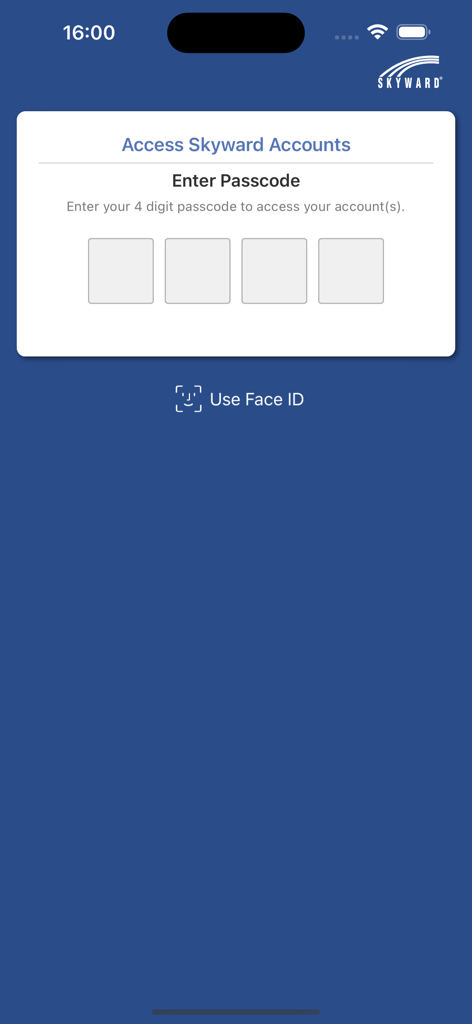
Skyward Mobile Access login screen showing passcode entry fields and Face ID option
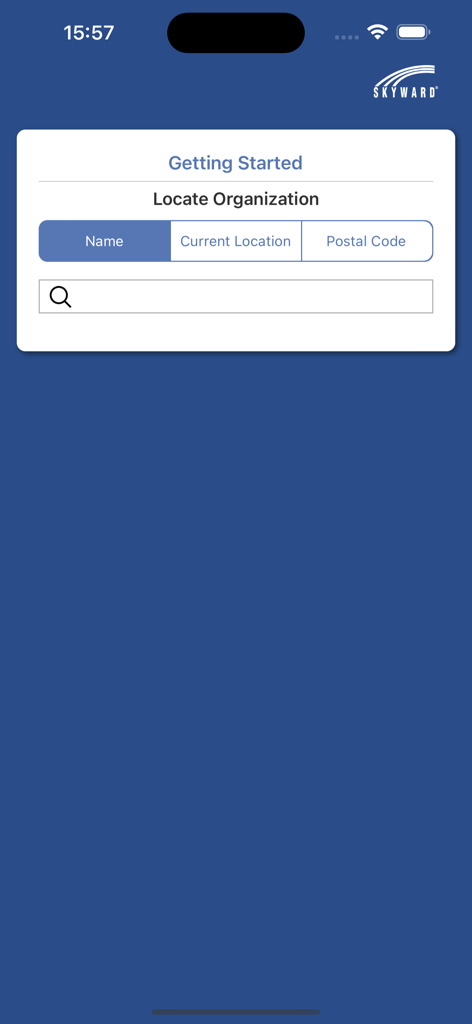
Skyward Mobile Access app getting started screen for locating a school organization by name or location
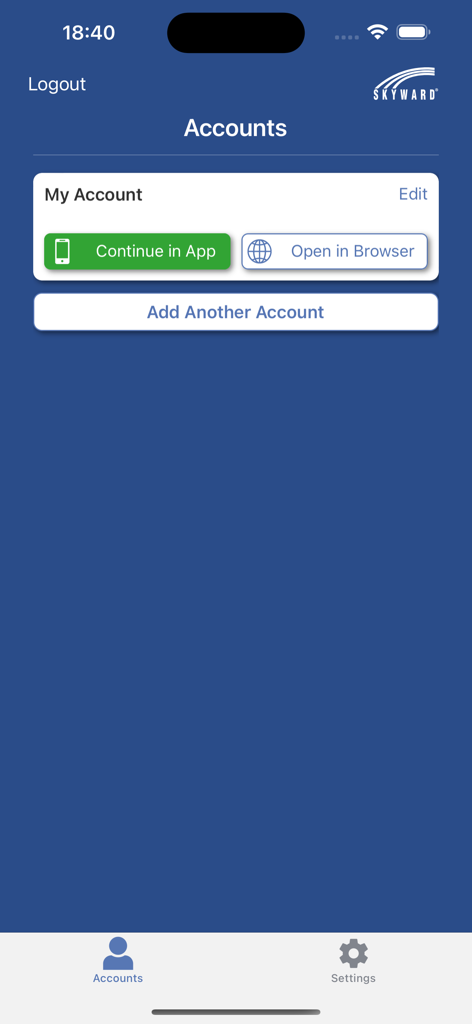
Skyward Mobile Access app account screen showing options to continue in app or open in browser.
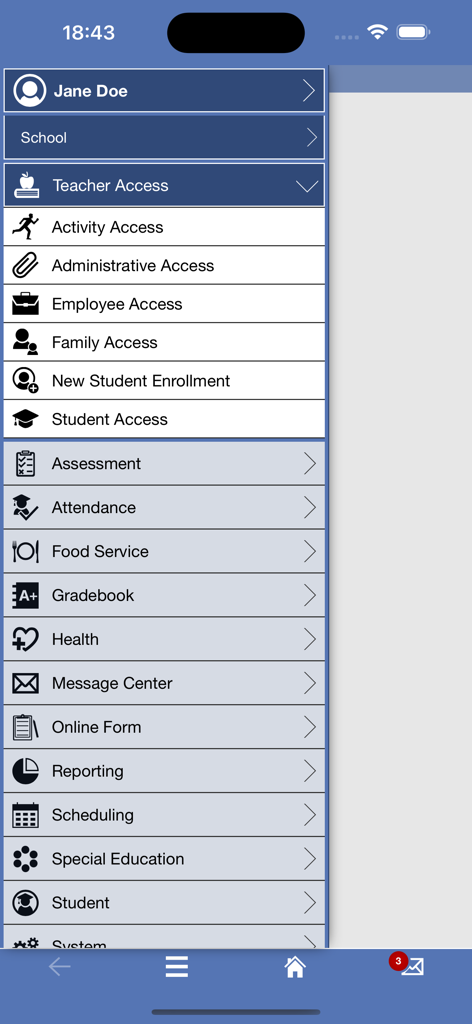
Skyward Mobile Access app main navigation menu showing options for teachers parents and students
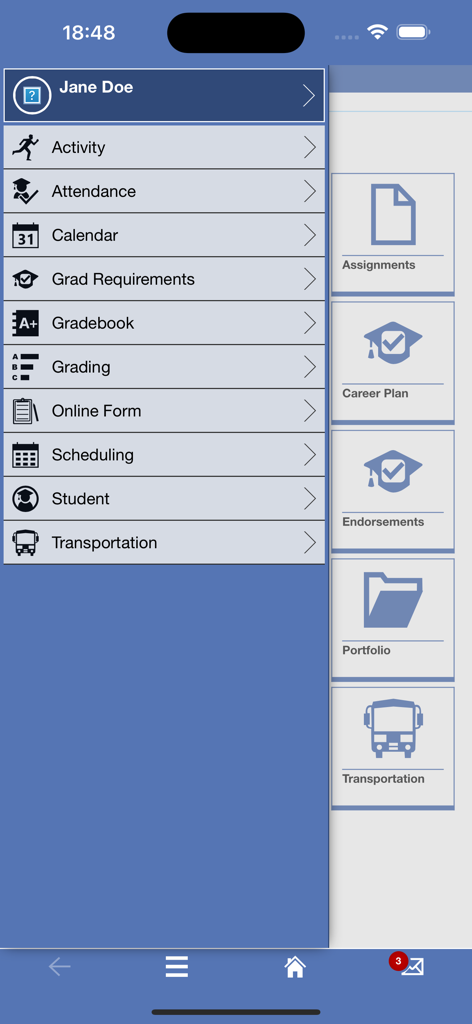
A navigation menu in the Skyward Mobile Access app showing options for grades, attendance, and student schedules.
Description
Download
More Like This
Apps with similar features and user experience

ClassDojo
ClassDojo, Inc.

Госуслуги Моя школа
MINKOMSVYAZ ROSSII, FKU

Remind: School Communication
PARENTSQUARE LLC

Agenda Edu SuperApp
Agenda Kids Ltda ME

FAMILIES | TalkingPoints
TalkingPoints Corp

Canvas by Instructure
Instructure, Inc.

ParentSquare
PARENTSQUARE LLC

Brightspace Pulse
D2L Corporation

PowerSchool Mobile
PowerSchool Group LLC
This page is not an official page of the app or its developer, but an independent editorial publication created for informational and commentary purposes. Unless expressly stated otherwise, neither the app nor its developer is affiliated with, endorsed by, sponsored by, authorized by, or otherwise officially connected with MWM, Apple, Google Play, the app publisher, or the app's developer, and nothing on this page implies that the app was developed using MWM's services. Any trademarks, logos, screenshots, and other content remain the property of their respective owners.