Slogger: Pro Slow Motion
Download on App Store

This page is not an official page of the app or its developer, but an independent editorial publication created for informational and commentary purposes. Unless expressly stated otherwise, neither the app nor its developer is affiliated with, endorsed by, sponsored by, authorized by, or otherwise officially connected with MWM, Apple, Google Play, the app publisher, or the app's developer, and nothing on this page implies that the app was developed using MWM's services. Any trademarks, logos, screenshots, and other content remain the property of their respective owners.

Logo of Slogger: Pro Slow Motion
Download on App Store

Slogger: Pro Slow Motion

The professional buffer-based camera for creators and athletes. Save storage and nail every frame with manual ISO control, shutter precision, and remote triggering.

Key Figures

Downloads

400

User Rating

1.0/5

Total Ratings

0

Publisher

Sami Sharafeddine

Category

Photo & Video

Locales

16

Latest Version

1.3.2

Size

14.9 MB

First Released

May 30, 2025
Features

Pro-Grade Capture, Zero Wasted Space

Unlock the power of high-speed buffer recording and full manual control to capture the perfect slow-motion shot every single time.

Smart Pre-Trigger Buffer

Stop guessing when the action starts. Slogger records continuously but only saves the moments before you hit the trigger, eliminating useless footage.

Full Manual Camera Suite

Take total command of your shots with granular ISO, Shutter Speed, and White Balance controls to achieve cinematic clarity in any lighting condition.

The following screenshots and description are sourced directly from the app's official store listing and are the property of the app developer.

App Store

Screenshots
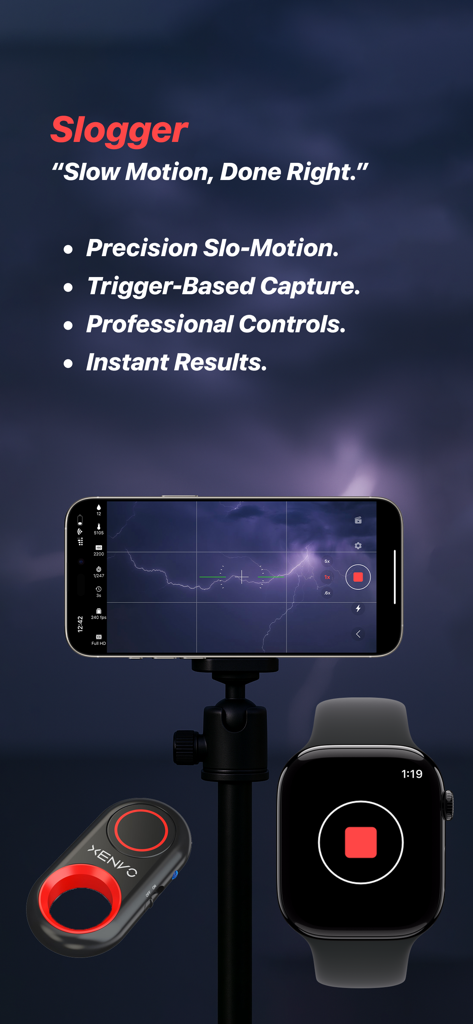
Slogger: Pro Slow Motion - Slogger app showing iPhone on tripod capturing lightning with Apple Watch remote trigger
Slogger app showing iPhone on tripod capturing lightning with Apple Watch remote trigger

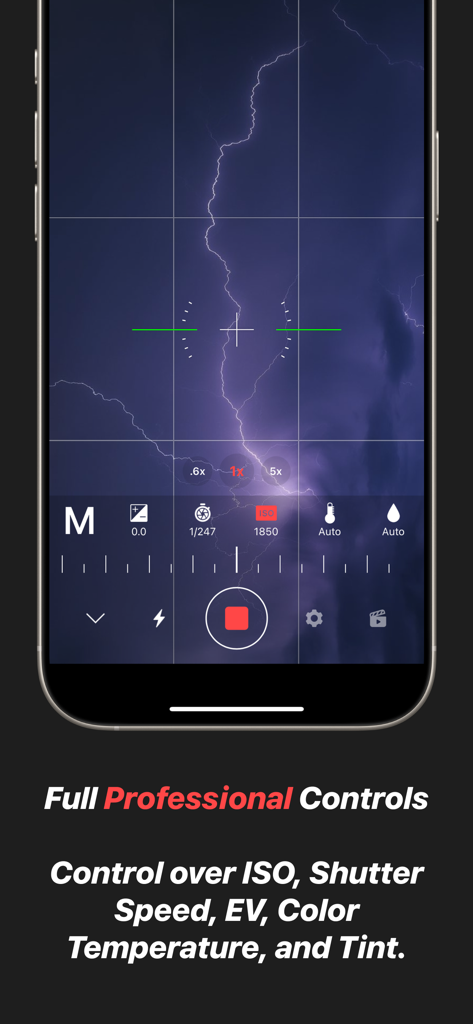
Slogger: Pro Slow Motion - Slogger app interface showing professional manual camera controls for ISO shutter speed and white balance
Slogger app interface showing professional manual camera controls for ISO shutter speed and white balance

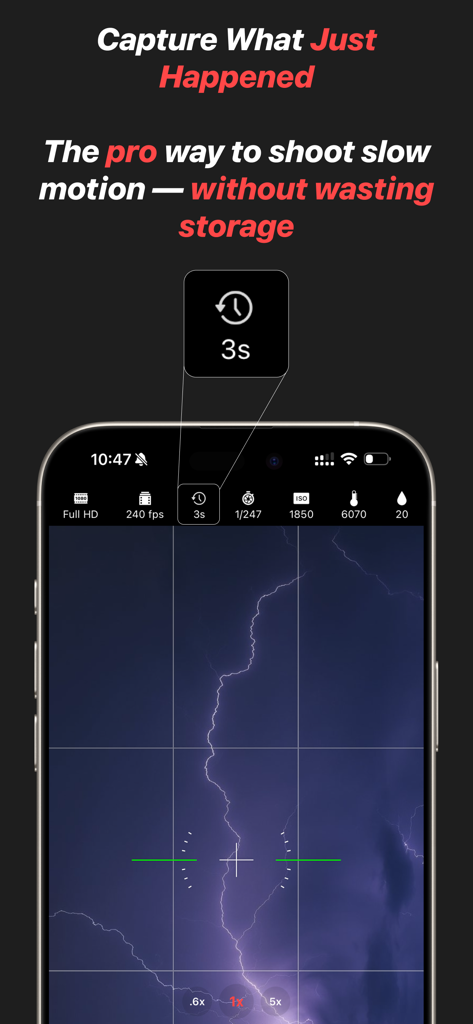
Slogger: Pro Slow Motion - Slogger app interface capturing lightning with professional slow motion manual settings
Slogger app interface capturing lightning with professional slow motion manual settings

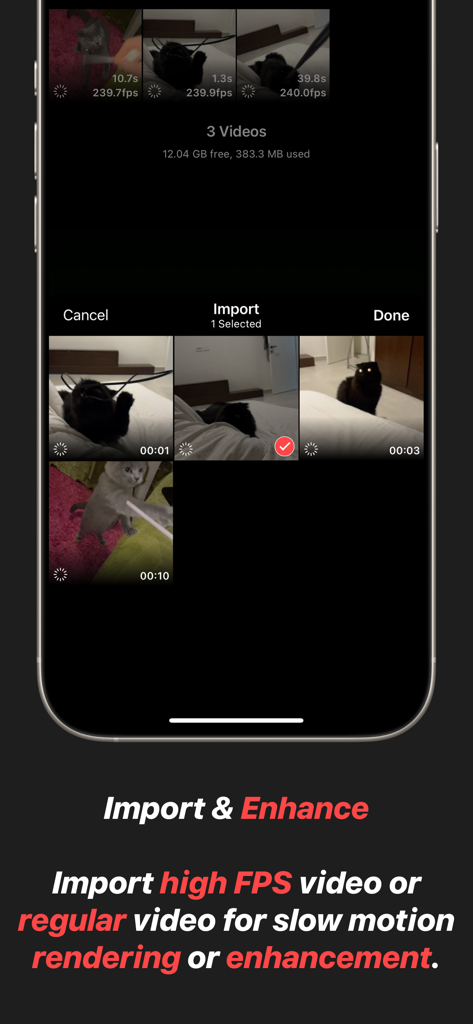
Slogger: Pro Slow Motion - Interface of Slogger app showing high FPS video import and enhancement features
Interface of Slogger app showing high FPS video import and enhancement features

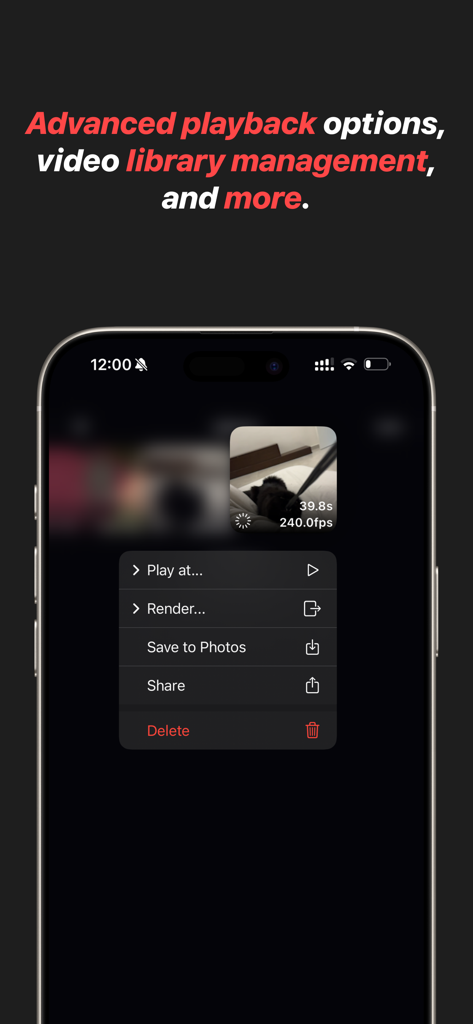
Slogger: Pro Slow Motion - Slogger app interface displaying advanced playback and video library management options for slow motion videos
Slogger app interface displaying advanced playback and video library management options for slow motion videos

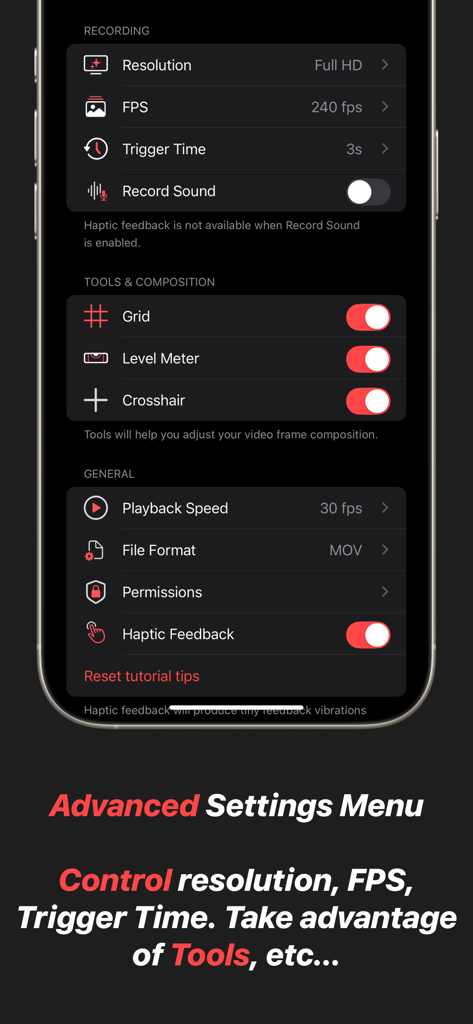
Slogger: Pro Slow Motion - A screenshot of the advanced settings menu in Slogger showing controls for resolution, FPS, trigger time, and composition tools like grid and level meter.

A screenshot of the advanced settings menu in Slogger showing controls for resolution, FPS, trigger time, and composition tools like grid and level meter.

Description

Slogger is a professional-grade slow-motion video camera designed for precision, efficiency, and complete creative control. Unlike traditional video recording, which continuously fills up storage with unnecessary footage, Slogger utilizes a buffer system — recording indefinitely but only saving the moments that matter. This is the same technique used in professional high-speed camera systems, ensuring an optimized workflow with minimal storage waste. - Capture the Moment — Before It Happens Standard video recording forces you to predict the perfect moment before pressing record, often resulting in long, unnecessary clips and excessive storage use. Slogger eliminates this problem with a trigger-based capture system. The app continuously records to a buffer, and when an event occurs, a simple tap saves only the crucial seconds before the trigger. No wasted storage, no missed opportunities — just perfect slow-motion clips, every time. - Total Manual Control for Cinematic Precision Slogger puts full control in your hands. Adjust every critical setting to match your environment and creative vision: * ISO & Shutter Speed – Achieve the perfect exposure, even in challenging lighting conditions. * White Balance & Tint – Fine-tune color accuracy for professional-quality footage. * Frame Composition Tools – Use advanced framing guides to ensure every shot is perfectly aligned. * Optimized Performance – Record at the highest quality with minimal impact on device storage and performance. - Precision Focus with Continuous Autofocus Capturing high-speed motion requires perfect focus, and Slogger delivers with continuous autofocus on a selected point. Simply tap on your subject, and the app will intelligently track and maintain sharp focus. This ensures every frame remains crisp and clear, ensuring reliability of captured footage. - Trigger Events Remotely with Bluetooth or Apple Watch For hands-free operation, Slogger supports remote triggering via Bluetooth shutter remotes and the Slogger Remote Apple Watch app. Whether you're setting up an action shot, capturing precise scientific motion, or simply need a more convenient way to trigger recording, these remote options ensure you never miss a critical moment. With a single press, instantly save the most important seconds before an event — without touching your device. - Instant Access from Control Center or Lock Screen Timing is everything in slow-motion capture, and Slogger ensures you're always ready. With a dedicated Control Center and lock screen access, you can instantly launch the app and start recording without delay. Whether you’re capturing a fast-moving action shot, an unpredictable moment, or a precise scientific event, having the app just a swipe away means you’ll never miss the shot. - Import and Enhance Existing Videos Already have slow-motion or regular videos in your Photos app? Slogger allows you to import and refine existing footage with the same powerful tools available for captured videos. Apply rendering, and utilize professional-grade slow-motion controls to enhance your videos like never before. - Efficient, High-Performance Slow Motion Slogger is engineered to provide the most efficient and professional slow-motion experience possible. By combining a real-time buffer with a precision-triggered capture system, it offers a storage-conscious solution that ensures you capture the right moment — without recording hours of unnecessary footage. This is how true slow-motion professionals work, and now, it’s available on your device. - Designed for Creators, Hobbyists, and Filmmakers Whether you're a filmmaker looking for cinematic slow-motion, an athlete analyzing fast movements, or a scientist capturing high-speed events, Slogger provides the tools you need for professional-grade results. With its intuitive interface, high-performance recording engine, and uncompromising quality, this app redefines how slow-motion should be captured.

Download

Download on App Store

This page is not an official page of the app or its developer, but an independent editorial publication created for informational and commentary purposes. Unless expressly stated otherwise, neither the app nor its developer is affiliated with, endorsed by, sponsored by, authorized by, or otherwise officially connected with MWM, Apple, Google Play, the app publisher, or the app's developer, and nothing on this page implies that the app was developed using MWM's services. Any trademarks, logos, screenshots, and other content remain the property of their respective owners.








