Slow Motion Video & Speed Up
Download on App Store

This page is not an official page of the app or its developer, but an independent editorial publication created for informational and commentary purposes. Unless expressly stated otherwise, neither the app nor its developer is affiliated with, endorsed by, sponsored by, authorized by, or otherwise officially connected with MWM, Apple, Google Play, the app publisher, or the app's developer, and nothing on this page implies that the app was developed using MWM's services. Any trademarks, logos, screenshots, and other content remain the property of their respective owners.


Logo of Slow Motion Video & Speed Up
Download on App Store

Slow Motion Video & Speed Up

The easiest way to slow down your highlights or speed up your vlogs. Adjust specific sections, add your favorite music, and share directly to Instagram and TikTok without the complex editing.

Key Figures

Downloads

100K+

User Rating

4.3/5

Total Ratings

14K+

Publisher

out thinking private limited

Category

Photo & Video

Locales

1

Latest Version

1.93

Size

42.6 MB

First Released

Oct 31, 2014
Features

Master Every Moment

Turn your raw footage into viral-ready content. Slow down the highlights or speed through the process with intuitive tools designed for social creators.

Precision Speed Mapping

Don't just edit the whole video—select specific segments to slow down for dramatic emphasis or speed up to skip the fluff. Perfect for skate tricks and beat drops.

Soundtrack Your Story

Easily swap original background noise for your favorite audio. Add the perfect vibe to your cinematic slow-mo or high-energy time-lapse edits in one tap.

The following screenshots and description are sourced directly from the app's official store listing and are the property of the app developer.

App Store

Screenshots
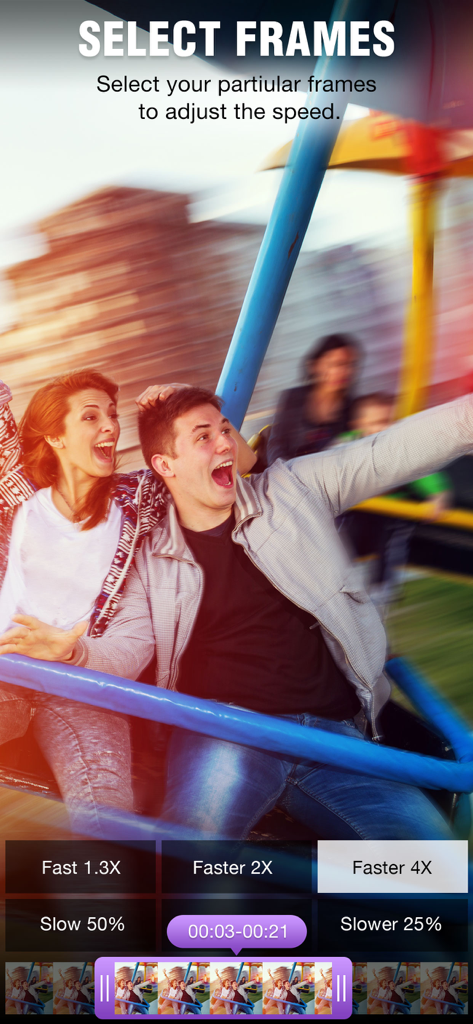
Slow Motion Video & Speed Up - The Select Frames screen of the ClipSpeed app showing speed adjustment buttons and a video timeline.
The Select Frames screen of the ClipSpeed app showing speed adjustment buttons and a video timeline.

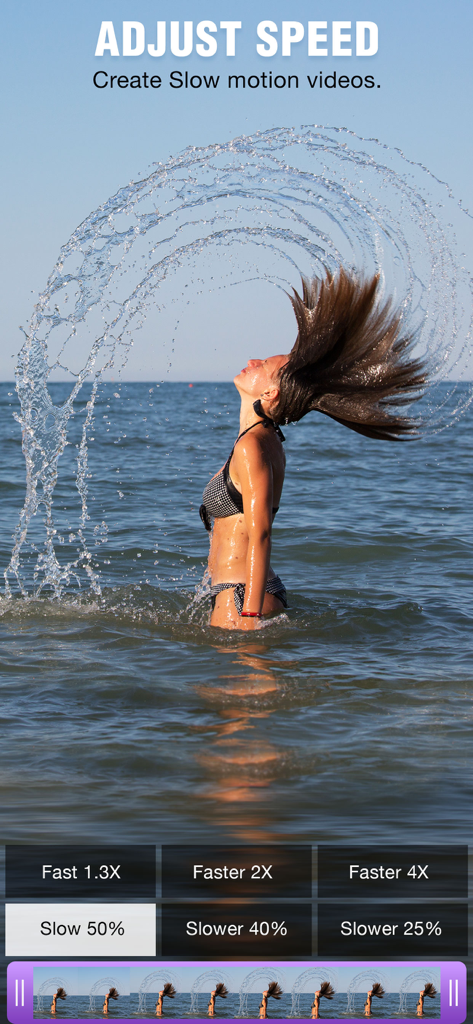
Slow Motion Video & Speed Up - Interface of a slow motion video app showing a woman flipping her hair in the ocean

Interface of a slow motion video app showing a woman flipping her hair in the ocean

Slow Motion Video & Speed Up - Mobile app interface showing various video filters like sepia and vignette being applied to a summer video
Mobile app interface showing various video filters like sepia and vignette being applied to a summer video

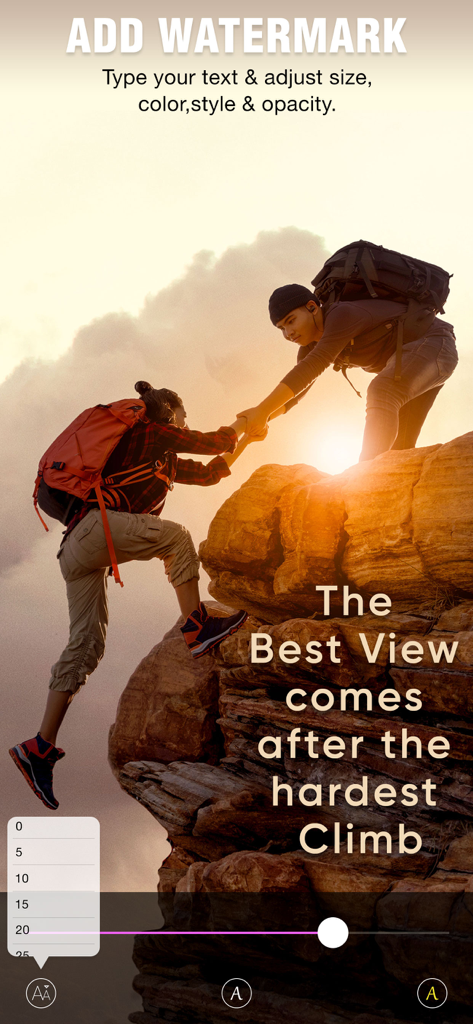
Slow Motion Video & Speed Up - ClipSpeed app screen showing the interface for adding and customizing text watermarks on a video

ClipSpeed app screen showing the interface for adding and customizing text watermarks on a video
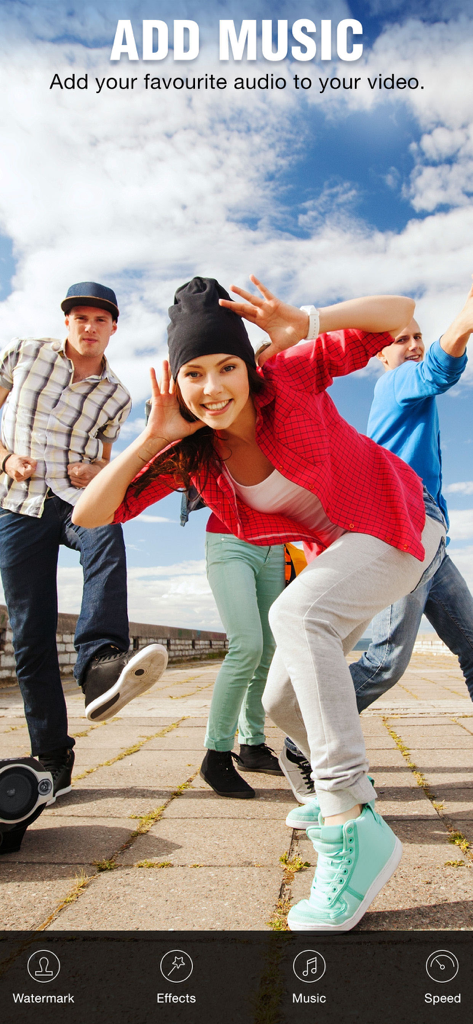
Slow Motion Video & Speed Up - Interface of the ClipSpeed app showing the Add Music feature over a lifestyle video of young friends

Interface of the ClipSpeed app showing the Add Music feature over a lifestyle video of young friends

Slow Motion Video & Speed Up - A screen from the ClipSpeed app showing a surfer on a wave with options to save and share the edited video.

A screen from the ClipSpeed app showing a surfer on a wave with options to save and share the edited video.

Description

ClipSpeed, increase or decrease video speed easily on your device. If you are looking for an app to make your video in slow motion or to make your video in fast motion, then download our ClipSpeed app to your iOS device. In this app you can also add background audio to your video clip. This app is exclusively designed to do only two task- to slow video and to fasten your video. If you are researching for what is the best slow motion app? then why don’t to try this app once? with our clipspeed app you can easily adjust the speed of the video without bothering much settings. Key Features of ClipSpeed app : 1. ClipSpeed app is exclusively designed to make slow motion video or fast motion video easily 2. Simple user interface 3. You can select the particular region of video clip to increase or decrease video speed 4. Add music to your video 4. Save to camera roll, upload to instagram, mail, upload to youtube, upload to viddy option are provided in the app itself. Steps to Slow down video or speed up video with ClipSpeed App: 1. Select the video clip that you want to increase or decrease video speed. 2. In the next screen you will be in “Adjust Speed” screen. Here you can increase or decrease the speed of the video. By default our clip speed app will select complete video, but you can choose only particular portion of that video by using selecting scroll bar at the bottom of Adjust speed window. Once you select the particular video position that you want to increase or decrease the video speed, next you decide whether you need to make slow motion video or fast motion video of the selected video clip. If you wish to make Fast Motion video, then drag the Video Speed controlling slider towards right side, if you wish to slow down the video then drag the video speed controller slider towards left side. Once you done that just click on the Right mark icon on the top right corner to generate new video clip. Once you done generating video you can save that generated video clip to your Camera roll, upload to instagram, you can mail that clip, upload to youtube or share it on viddy with our built-in social sharing option. 3. If you wish to add music to your video then click on Music icon on Adjust speed screen and choose the audio file that you need to add to your video If you are searching for slow motion video app or fast motion video app then download our ClipSpeed app to your device. Subscription Terms - Subscribe to get unlimited access to all premium features. - Upon confirmation of purchase, the payment will be charged to the iTunes account. - Until you turn off the auto-renew at least 24 hours before the end of the current period it will be automatically renewed. - If you decide to turn off auto-renewal, you can turn it off maybe by going to the account settings after purchase. - As per the policy, cancellation of the current subscription is not allowed during the active subscription period. Once purchased, refunds will not be returned for any unused portion of the subscription period. - The renewal amount will be charged from the account within 24 hours before the end of the current period. Terms of use - https://www.outthinkingindia.com/terms-of-use/ Privacy policy - https://www.outthinkingindia.com/privacy-policy/

Download

Download on App Store

This page is not an official page of the app or its developer, but an independent editorial publication created for informational and commentary purposes. Unless expressly stated otherwise, neither the app nor its developer is affiliated with, endorsed by, sponsored by, authorized by, or otherwise officially connected with MWM, Apple, Google Play, the app publisher, or the app's developer, and nothing on this page implies that the app was developed using MWM's services. Any trademarks, logos, screenshots, and other content remain the property of their respective owners.








