
This page is not an official page of the app or its developer, but an independent editorial publication created for informational and commentary purposes. Unless expressly stated otherwise, neither the app nor its developer is affiliated with, endorsed by, sponsored by, authorized by, or otherwise officially connected with MWM, Apple, Google Play, the app publisher, or the app's developer, and nothing on this page implies that the app was developed using MWM's services. Any trademarks, logos, screenshots, and other content remain the property of their respective owners.

Smart View - Screen Mirroring
No more squinting at your phone. This app liberates your iPhone content onto any big screen, instantly.
Downloads
2.5M+User Rating
Total Ratings
29.0KPublisher
Category
Photo & VideoLocales
9Latest Version
15.5.6Size
61.4 MBFirst Released
Aug 17, 2020An Analytical Overview of Key Features for Seamless iOS Casting
Smart View - Screen Mirroring: Core Capabilities
Wireless Casting
This tool features a truly wireless display connection, eliminating the need for cables or additional hardware, offering maximum convenience.
Extensive TV Compatibility
The app supports screen mirroring to a wide array of smart TVs, including major brands like Samsung, LG, Sony, and Roku devices.
Versatile Media Sharing
It allows users to stream personal photos, videos, and music directly from their iPhone to the television with a built-in media player.
Integrated Web Content Casting
The app provides an integrated browser, enabling users to cast online videos and web content directly from their iPhone to the TV.
Dedicated iOS Optimization
This tool offers a professional screen casting solution specifically designed and optimized for iOS devices, ensuring a seamless experience for iPhone users.
User-Friendly Interface
The app features an intuitive user interface that simplifies the screen mirroring process, making it accessible for all users regardless of technical expertise.
Frequently Asked Questions
Everything you need to know about Smart View - Screen Mirroring
What is the Smart View - Screen Mirroring app?
The Smart View - Screen Mirroring app transforms your iPhone into a professional screen casting solution. It mirrors your iPhone to TV, casts phone to TV, and streams content wirelessly to various smart TVs.
Can Smart View - Screen Mirroring cast to Samsung TV or LG TV?
Yes, the Smart View - Screen Mirroring app supports casting iPhone to Samsung TV, LG TV, Roku, and other smart TVs. It offers compatibility for major TV brands including Sony.
Is the Smart View - Screen Mirroring app free to use?
Yes, the Smart View - Screen Mirroring app offers a free version with daily casting limitations. Premium plans are available to unlock unlimited features for an enhanced experience.
How do I start screen mirroring with the Smart View app?
To start screen mirroring with Smart View, connect your iPhone and TV to the same WiFi network. Select your content, then choose your target device from the available casting options to enjoy the wireless display.
What content can I stream using Smart View - Screen Mirroring?
The Smart View - Screen Mirroring app streams photos, videos, and music with its built-in media player. It also includes an integrated browser for casting online videos directly to your TV.
What are the premium subscription options for Smart View - Screen Mirroring?
Smart View - Screen Mirroring offers premium plans at $6.99/week, $8.99/month, $19.99/year, or a $39.99 lifetime access. These unlock unlimited screen mirroring and all casting features.
Is Smart View - Screen Mirroring a Miracast alternative for iPhone?
Yes, the Smart View - Screen Mirroring app is presented as a professional alternative to Miracast for iPhone users. It utilizes advanced wireless display technology specifically designed for iOS devices.
How do I manage my Smart View - Screen Mirroring subscription?
You manage your Smart View - Screen Mirroring subscription in your Account Settings. Auto-renewal can be disabled 24 hours before the period ends, and account charges occur within 24 hours of renewal.
Does Smart View - Screen Mirroring require extra hardware?
No, Smart View - Screen Mirroring uses a wireless display connection. It does not require cables or additional hardware for screen mirroring, ensuring effortless connection.
Where can I find the privacy policy for Smart View - Screen Mirroring?
The privacy policy for Smart View - Screen Mirroring is available at the URL: https://benabid.me/privacy. This document details the app's data handling practices.
The following screenshots and description are sourced directly from the app's official store listing and are the property of the app developer.
App Store
Screenshots
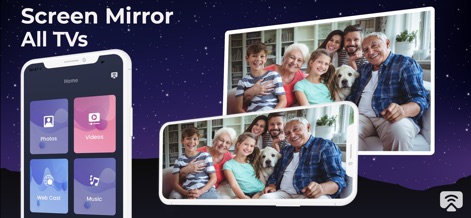
The app simplifies content sharing with its intuitive home screen menu and seamless mirroring of cherished family photos to any smart TV.
Seamless Content Casting
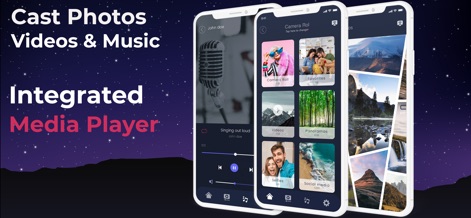
Users can effortlessly manage their media collection through the organized content categories and enjoy precise playback with the integrated media player's controls.
Advanced Media Control
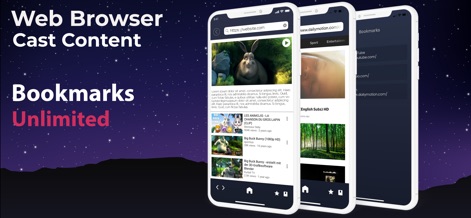
This tool empowers users to directly stream web videos from its integrated browser and conveniently save their favorite sites with unlimited bookmarking capabilities.
Web Content Freedom
Description
Download
More Like This
Apps with similar features and user experience

Web Video Cast | Browser to TV
InstantBits Inc

PigeonCast:Send by Google Cast
Sichuan FalconAI Technology Co., Ltd.

Screen Mirroring • Smart TV
Mihkel Pikk

Screen Mirroring | Cast to TV
Ozuna Limited

Screen Mirroring・Smart View TV
TOGGLE APPS SP Z O O

UbeCast: Music Streamer & PiP
AER SOFTWARE COMPANY LIMITED

AirDroid Cast-screen mirroring
SAND STUDIO CORPORATION LIMITED

Miracast: Screen Mirroring TV
Hainan Delta Software Co., Ltd

Screen Mirroring・Air Cast TV
Dalma Innovation Solutions d.o.o.
This page is not an official page of the app or its developer, but an independent editorial publication created for informational and commentary purposes. Unless expressly stated otherwise, neither the app nor its developer is affiliated with, endorsed by, sponsored by, authorized by, or otherwise officially connected with MWM, Apple, Google Play, the app publisher, or the app's developer, and nothing on this page implies that the app was developed using MWM's services. Any trademarks, logos, screenshots, and other content remain the property of their respective owners.